Hunters Handbook
- By
A complete Hunter pet companion for WoW Forever with a 652-beast Bestiary, skill taming progression, training sources, waypoints, Field Notes, rares, family guides, and live pet info
22.png
hhc1.png
hhc2.png
1.png
Description
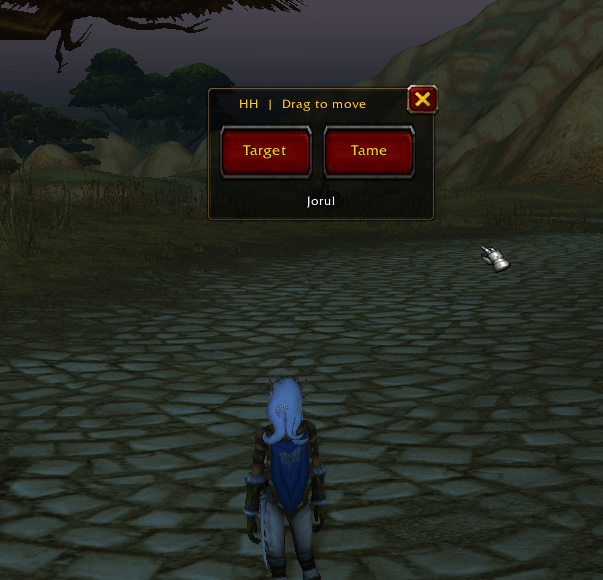
Now With Rare Mark Target Tame button!
Hunter's Handbook is a dedicated Hunter pet companion for World of Warcraft Forever ONLY.
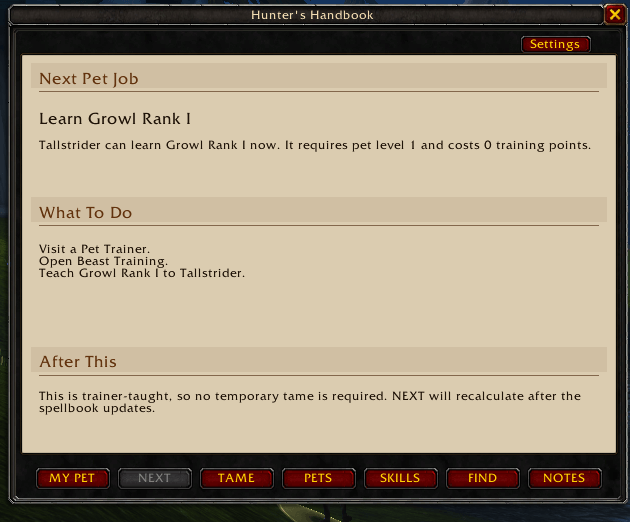
Helps you know what skills you pet can train and where to find them.
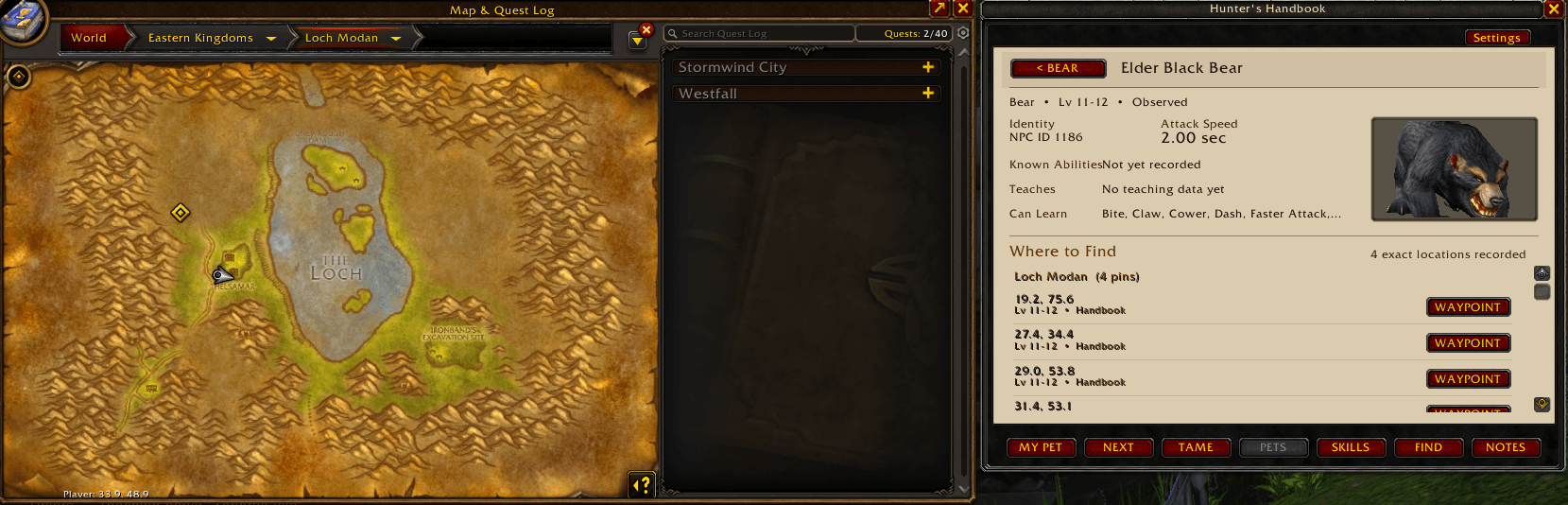
Sets waypoints for know locations of beasts, hunter trainers and pet trainer. Lists the closest ones first.
Feild Guide will fill in missing pets into your bestiary when you tame them if they are not known. You can export them to the addon page in curse and they will be added to the next patch for everybody.
Full Bestiary with all the known tamable beasts I could find.
NEXT is a powerful page. It will tell you what skills your pet is ready to learn.Don't neglect it !
NOTE: It is not perfect. Some trainers or beasts may have the wrong coordinance. If you find one please report it.Exporting data helps so much.It is verified data that I can use !
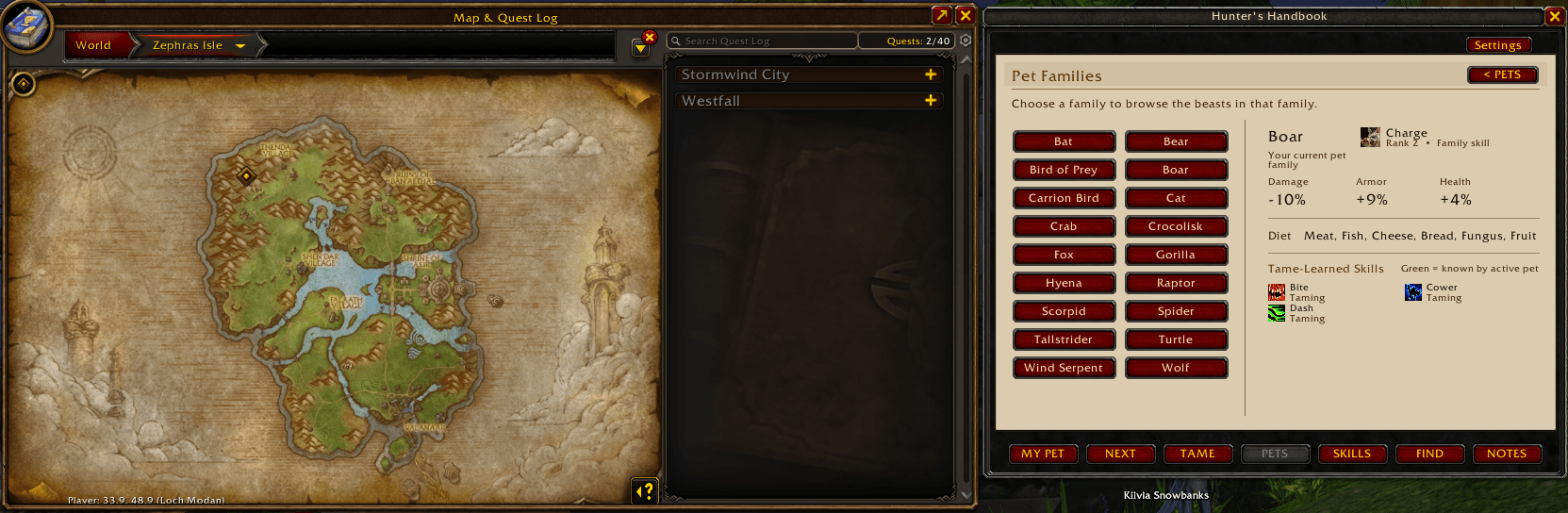
• 652 beasts across all 18 confirmed tameable pet families
• Family guides with traits and tame-learned abilities
• Individual Beast Bio pages with 3D models, levels, attack speed, abilities, locations, and confirmed map pins
• Rare Spawns and Special beast views
• Active pet and stabled pet information
• Live known-skill display for your current pet
• TAME progression guide showing useful tame-learned abilities available at your Hunter level
• Training Guide with ranks, TP costs, confirmed teaching beasts, and location pins
• Field Notes learned through Beast Lore and successful tames
• Hunter-related FIND tools and waypoints
• Optional world-map opening when setting a Handbook waypoint
• Small, Medium, and Large interface presets
Hunter's Handbook deliberately leaves uncertain beta data unknown instead of inventing values. The database is designed around confirmed WoW: Forever information and personal Field Notes gathered in game.
Open with:
/hh
/hunterhandbook
or there is a button up on your mini map.
HUNTERS
Your mission, if you so choose to accept...
Capture the beasts of Azeroth!
Hunter’s Handbook is being built from real information gathered in game. If you tame beasts, use Beast Lore, and explore the world, you can help improve the Handbook for every Hunter.
The process is simple:
-
Open Hunter’s Handbook or Hunter’s Handbook RP.
-
Go to the NOTES page.
-
Click WEBSITE.
-
The website address will appear already selected. Press Ctrl+C to copy it.
Important: WoW may not highlight the text or give you any visual indication that it copied. That is normal. -
Open your browser and press Ctrl+V to paste the address.
-
Leave the contribution page open and return to WoW.
-
In the NOTES page, click HH DATA.
-
Click SELECT ALL, then press Ctrl+C.
-
Again, WoW may give you no visual indication that anything happened. That is normal.
-
Return to the website, click inside the contribution box, press Ctrl+V, check the data, and submit it.
Contribution export site:
https://hunters-handbook-pages.tengaugeboson.workers.dev/#contribute
Your contribution can include beasts you have discovered, tame information, Beast Lore results, locations, attack speeds, abilities, and other information gathered while you play.
Every submission helps us correct bad data, fill in missing information, and build a better picture of the beasts roaming Azeroth.
Thanks to every Hunter who helps build the Handbook. Happy hunting.
Thanks to the couple of you who exported some data. Every bit helps ! If you find a trainer in the wrong spot please leave a comment. Cheers
Hunter's Handbook 1.0.11 — WoW: Forever
Release type: Release
Game: World of Warcraft: Forever (Camelot 1.60.x)
Changes
- Shift + drag the minimap button to move it anywhere on screen.
- Shift + mouse wheel over the button to resize it (65%–180%).
- Position and size are saved between sessions. The button stays within screen boundaries, including after display-size changes.
- New /hh minimapreset command restores the original location, size and visibility, even if the button is hidden. /hh resetminimap is also supported.
- Added Reset Minimap Button in Settings.
- /hh reset continues to reset only the main Handbook window.
- No changes to Bestiary, Field Notes, pet stables, skills or taming features.
Upgrade notes
Install over your existing Hunter's Handbook. Keep your saved variables (HuntersHandbookDB); do not delete your account/character data. This release is for WoW: Forever, not standard Classic. Do not enable Hunter's Handbook and Hunter's Handbook RP at the same time.
Hunters Handbook Team