HoverBinds - Click Casting & Click Cast Bindings Tooltip Forever
- By
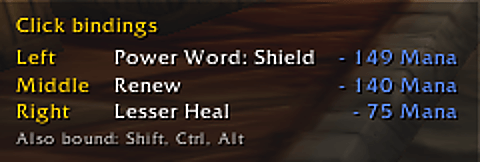
Hover raid frames, party frames or any unit frame to see the click casting binding on each mouse button in a movable panel. Easy mouseover healing for any healer.
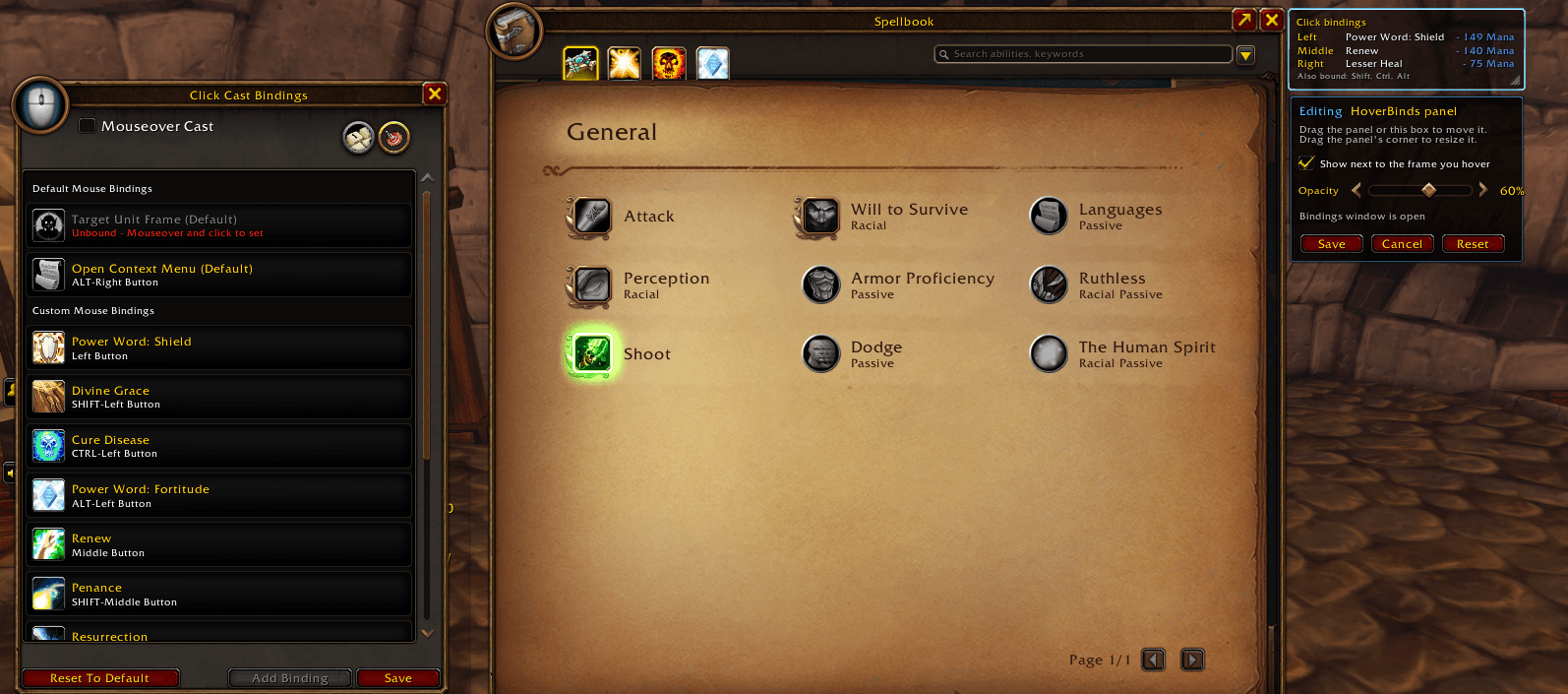
4-beside-blizzards-click-cast-bindings.png
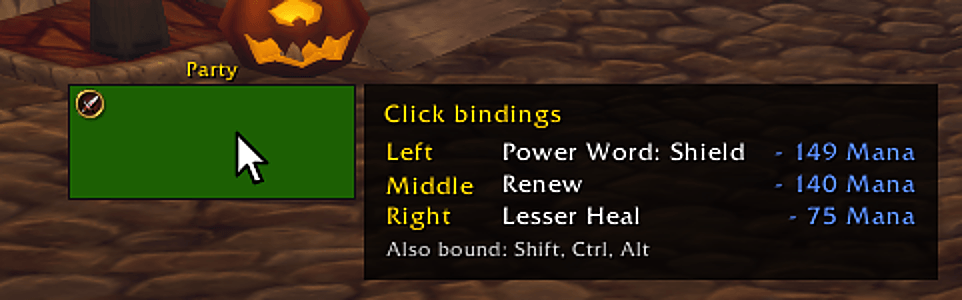
2-panel-next-to-the-frame.png
6-panel-alone.png
3-edit-mode.png
Description
See what every click does, right next to the raid frame you're hovering. HoverBinds works natively with Blizzard's built-in click casting system (Click Cast Bindings). It reads what you've already mapped, automatically, so there's nothing to map again: install it and it works. Your bindings show in a small panel when you mouse over a raid, party, player or target frame. For healers on WoW Forever.

- Left, Right, Middle, Button 4 and 5: the spell or macro each one casts, with spell mana costs.
- Hold Shift, Ctrl or Alt and the list switches to those bindings.
- Shows up right next to the frame you hover, like HealBot, or anywhere you place it.
- Fades away a moment after your mouse leaves the frame.
Features
- No setup and no second set of bindings: change a binding in Blizzard's settings and the panel shows it right away
- Never blocks clicks, so it can sit right on top of your raid frames
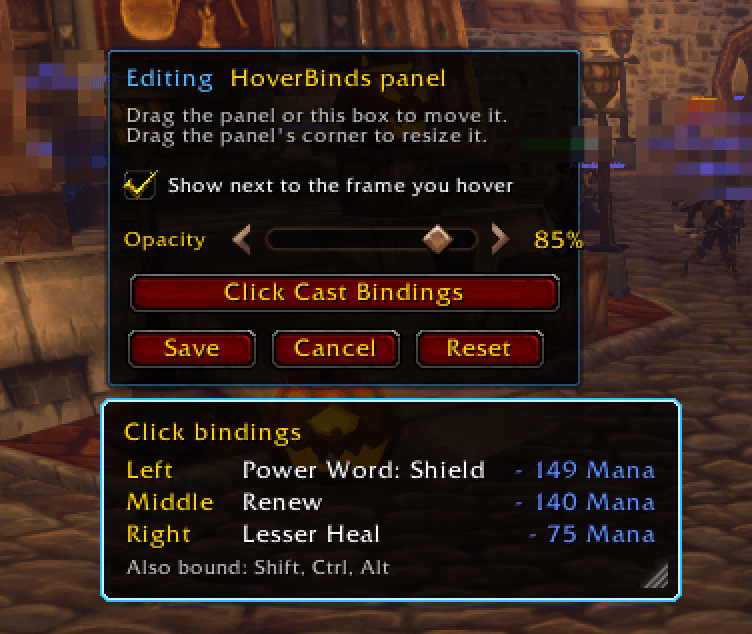
- Edit it like Blizzard's own frames: drag to place it, drag the corner to resize, set the opacity in a small toolbar, then Save (it also joins Esc > Edit Mode)
- One click from edit mode to Blizzard's Click Cast Bindings window to change a binding
- A grey line names the other modifier keys that have bindings
- Optional always-on mode, as a cheat sheet
- Optional binding lines in the game's unit tooltip
Getting started
- Install it. Already using Blizzard's click casting? You're done: hover a raid or party frame.
- New to click casting? Set your bindings in Esc > Options > Keybindings > Click Cast Bindings.
Left-click the minimap button (or /cbt move) to move and resize the panel; right-click it (or /cbt options) for the settings.
Good to know
- It only shows information. It never casts, targets or changes your bindings.
- Built for Blizzard's unit frames. Frames that don't show the game's tooltip on hover won't trigger it.
Bugs or ideas? Comment with your version and the output of /cbt debug.
Tips keep the coffee and the updates coming.

HoverBinds - Click Casting & Click Cast Bindings Tooltip Forever Team