Hive
- By
Raid frames that keep up with you: the whole group on one grid, everything that matters on their button, a spell on any click.
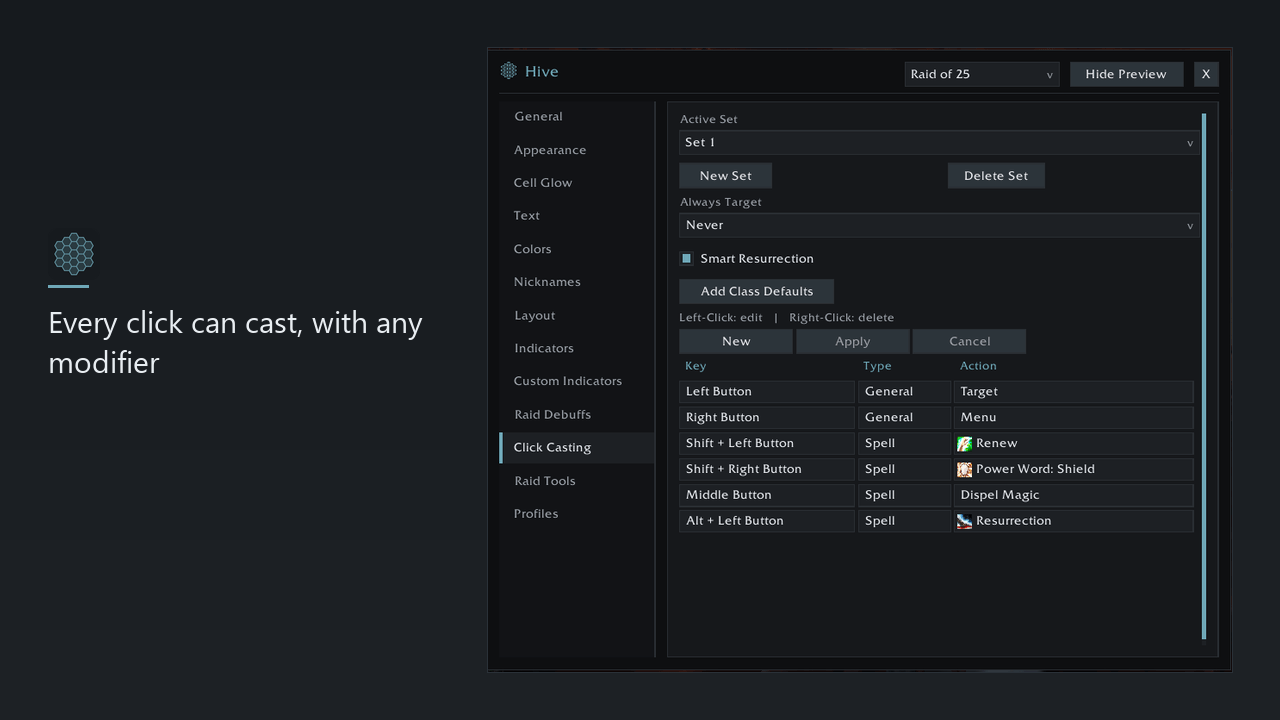
1 - Every click can cast, with any modifier.png
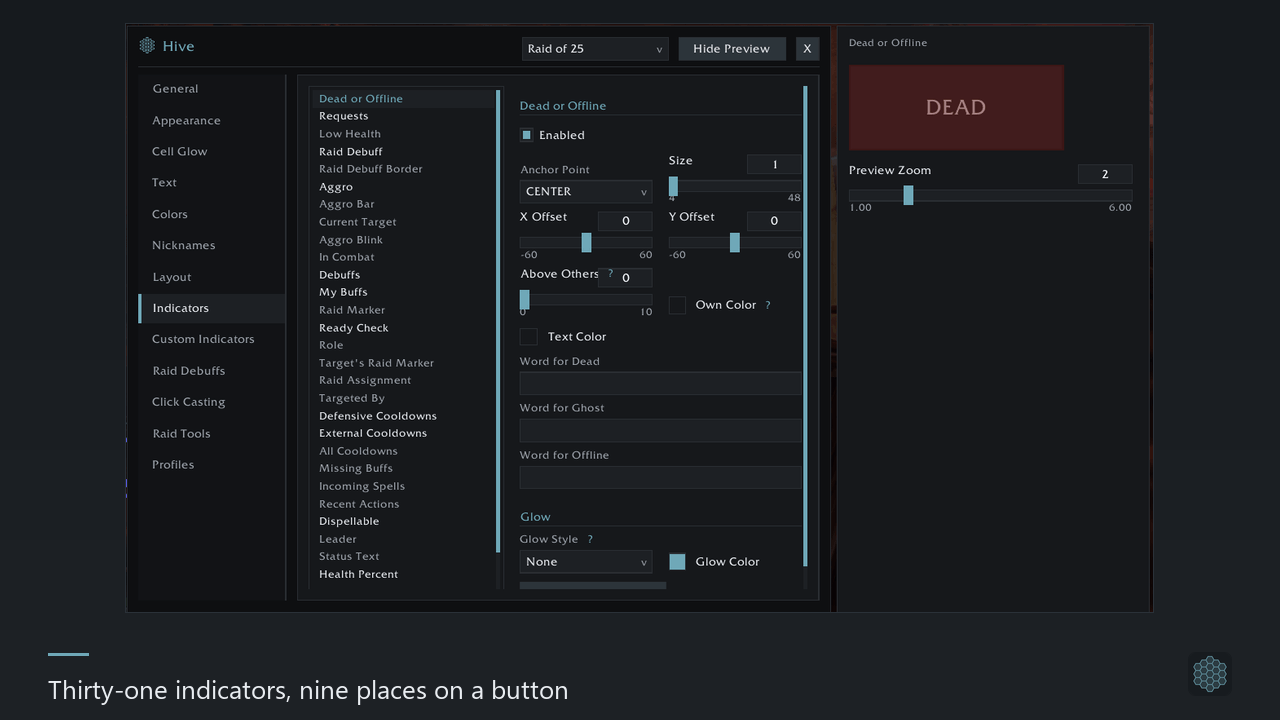
2 - Thirty-one indicators, nine places on a button.png
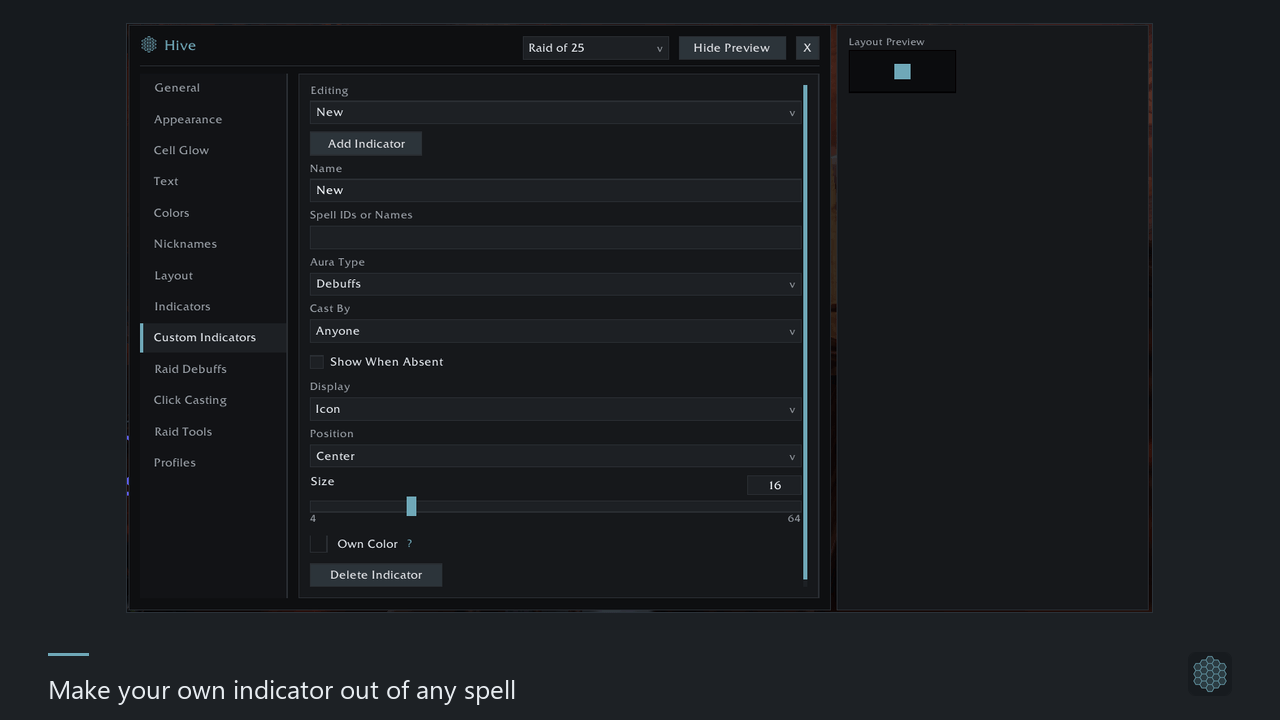
3 - Make your own indicator out of any spell.png
4 - Light the whole cell when it matters.png
5 - Bars, colours and textures are yours to set.png
Description
Hive replaces the game's party and raid frames with a grid of its own. One button per person, everything you need to know drawn on it, and a spell on every click.
It needs no libraries. Nothing is bundled, nothing has to be installed alongside it.
The grid
- It stays where you put it. Buttons do not move in combat and do not swap the person under your cursor mid-cast.
- Laid out your way: subgroups together or split apart, six sort orders, four growth directions, your own button size, spacing and scale. Pets get a row of their own, and the subgroups you do not heal can be switched off.
- A spotlight row for the people you watch most: tanks, healers, your target, your focus, or names you type in yourself.
- A preview outside a raid.
/hive previewdraws a full group so you can set everything up while standing in a city.
Clicks
- Any click can cast. Five mouse buttons and both wheel directions, each with any mix of Alt, Ctrl and Shift — 56 combinations. Keyboard keys work too while the cursor is over a button.
- Picked from your spellbook, with icons, in a list that narrows as you type. Macros and the plain actions — target, focus, assist, open the menu — go in the same slots.
- Bindings survive a change of client language, because they are stored by spell, not by the words on it. On Classic and TBC there is an exact-rank switch for healers who cast a cheap rank on purpose.
- Named sets, shared by your whole account; which set a character uses is that character's own choice.
What you see on a button
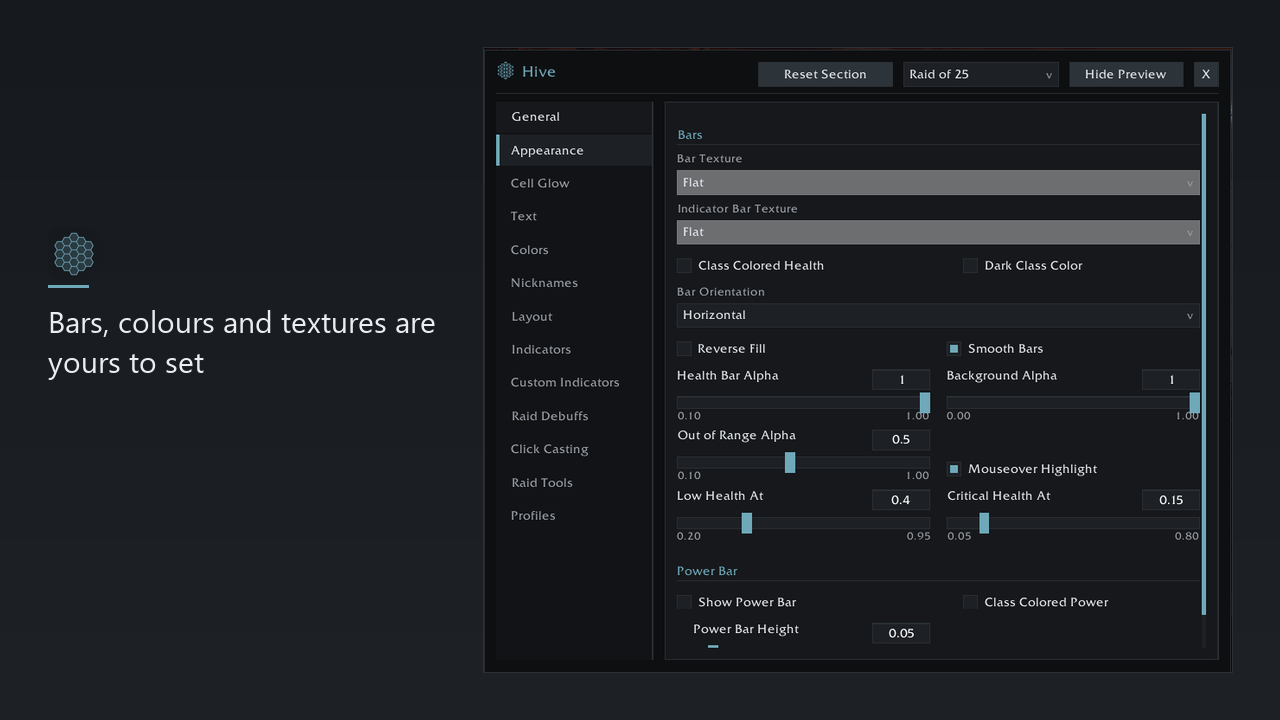
Health as a bar and as a number, class colour, missing health, power, the name, dimming when somebody walks out of range, a highlight under the cursor. The bar texture, the font, the colours and the position of every piece are yours to set.
On top of that, 31 indicators you can switch on: debuffs, what your class can dispel, your own HoTs, defensive cooldowns used by the target or cast on them, missing raid buffs, incoming heals, shields, aggro, raid markers, ready check, role, leader, raid assignments, how many enemies are targeting somebody, incoming casts, death and offline.
Each one has its own place among 9 positions, its own size, its own glow out of 8 styles, and you say which sits on top when two share a corner.
Not enough? Make your own: any of 13 shapes, driven by a list of spells, filtered by who cast it, with a "show when it is missing" mode. That last one is how you find the people without your buff in four seconds.
Whole-cell glow
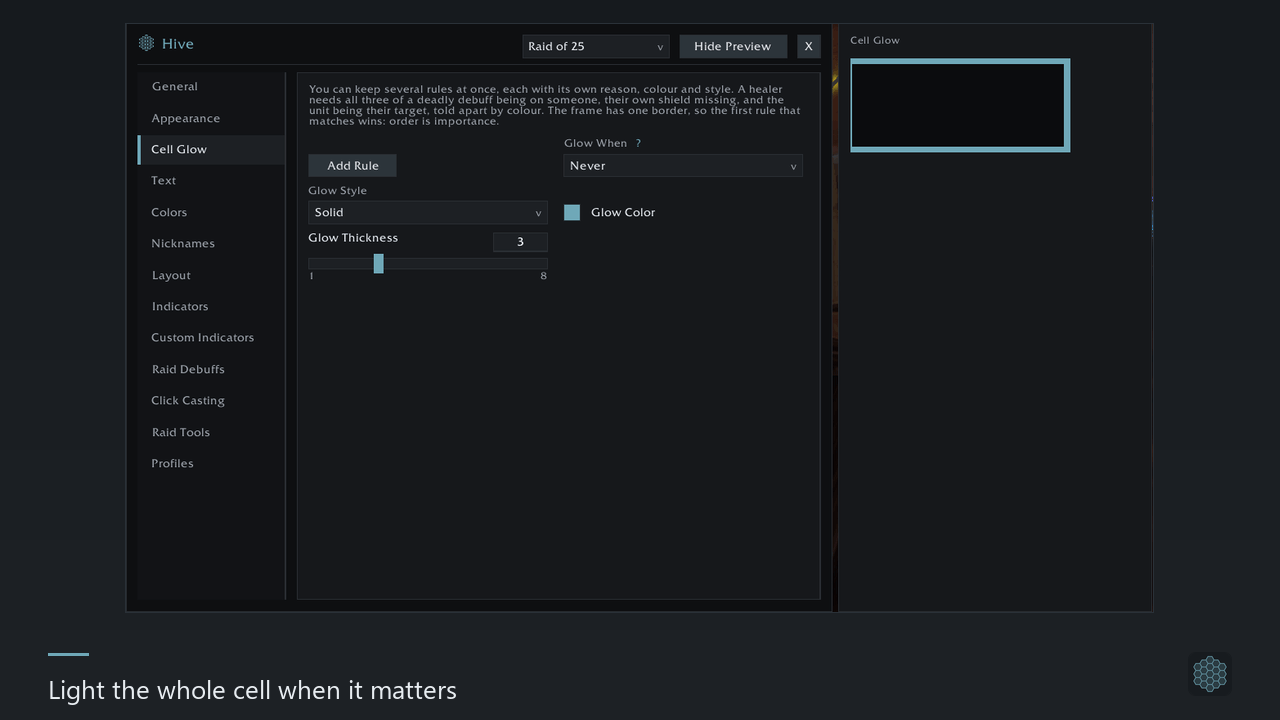
A list of rules, each with its own trigger, colour and style — one for a lethal debuff, another for a missing shield, a third for your current target. The first matching rule wins, so the order of the list is its priority.
Raid debuffs
A database of what actually matters on each boss, organised by instance and boss, with a switch per boss and an importance level per spell. The worst debuff on somebody shows as a large icon in the middle of their button, and a border round the cell says who has it.
It covers Classic, TBC and Mists: 22 instances, 137 encounters, 277 spells. You can add your own by spell ID or by name, and what you add outranks the database.
Raid tools
For whoever leads: a ready check with a line of who has not answered, a pull countdown into raid chat, a raid marker row, a death report naming who died and to what, a counter of missing raid buffs and a battle-res counter. All of it is off by default.
Profiles
The whole look of your frames saved under a name, and switched automatically by where you are — alone, in a party, in a raid of 10 through 40, in a battleground, in an arena — and by what you are doing there: your role or your specialization. The rules are kept per character, so your healer and your tank can want different things.
Profiles and sets of custom indicators export as a single line of text you can paste to a friend.
Getting started
Open it with /hive. The settings window has thirteen pages with live
previews beside the ones that need them, 28 colours you can change, and a
per-section reset that asks before it fires. English, Russian and Ukrainian.
Out of the box Hive shows party and raid frames and nothing else — everything beyond that is off until you switch it on.
Clients
Classic Era, Classic 1.60, TBC, Wrath, Cataclysm and Mists. The addon is the same on every line; what differs is the data, and Wrath and Cata carry click defaults only for now. Retail is out of scope: its frames and its auras work differently enough that Hive refuses to load there rather than half-work.
If something looks wrong, /hive report builds a bug report for you and
selects it — press Ctrl+C and paste it into an issue. It carries no character
name, no realm name and no names of anybody in your group.
The Hive Team