


HideBattleNetFriends
- By
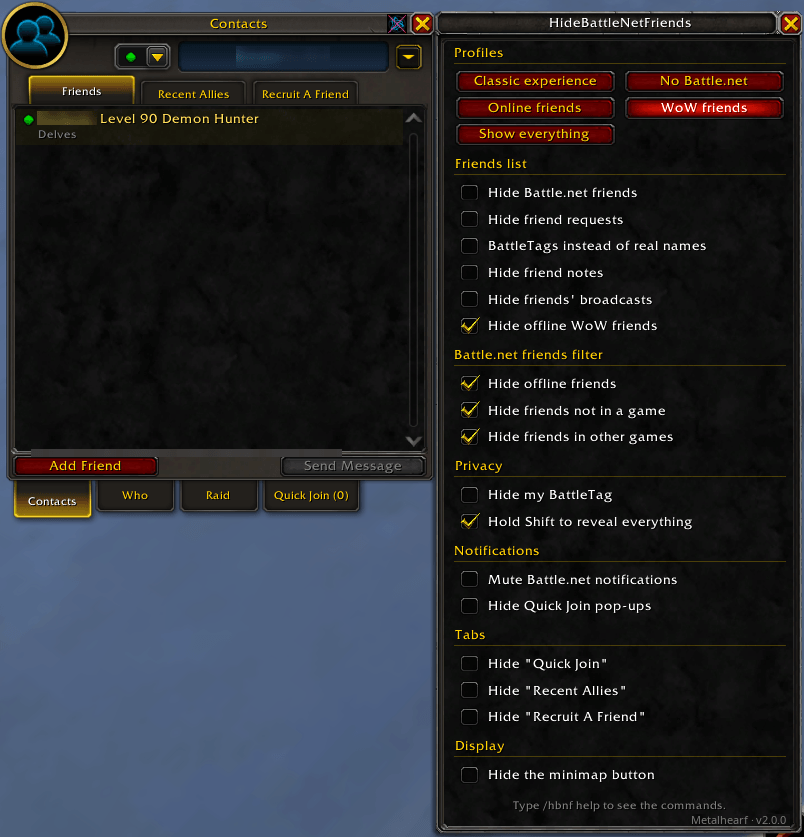
Settings window next to the friends list
Description
HideBattleNetFriends
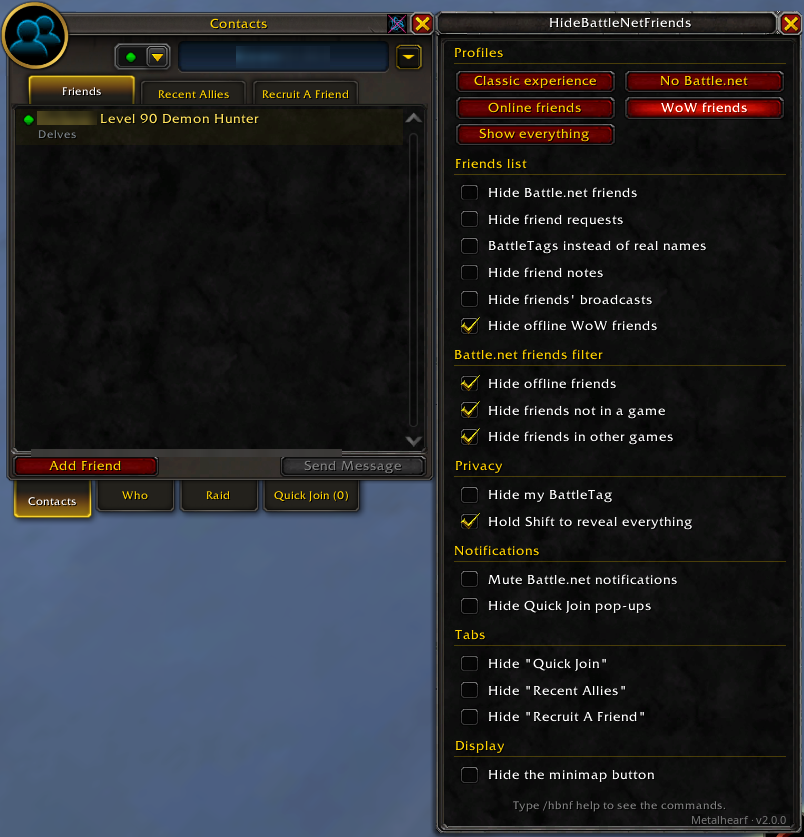
Keep your real names and Battle.net contacts out of World of Warcraft. Hide Battle.net friends entirely, show BattleTags instead of real names, or filter the list down to the friends who are actually playing WoW. Every change shows up live in your friends list.
Why?
- Streaming and screenshots - real names never show up on stream: not in the friends list, tooltips, whispers, pop-ups or chat.
- A cleaner friends list - see only the people playing WoW right now, not everyone idling in the Battle.net app or playing another game.
- The classic feel - one click turns the friends list back into the plain WoW friends list, without Battle.net clutter or modern tabs.
Profiles
Pick a starting point, then fine-tune any option by hand.
| Profile | What you get |
|---|---|
| Classic experience | No Battle.net at all: friends, requests, notifications, your BattleTag and the modern tabs are hidden. |
| No Battle.net | Same, but keeps the tabs. |
| Online friends | Every friend, but only those who are online. |
| WoW friends | Only friends playing World of Warcraft right now. |
| Show everything | Nothing hidden, the friends list as Blizzard made it. |
Options
Friends list
- Hide Battle.net friends
- Hide friend requests
- BattleTags instead of real names, everywhere a real name can appear (see below)
- Hide friend notes and friends' broadcasts
- Hide offline WoW (character) friends
Battle.net friends filter
- Hide offline friends
- Hide friends who are only in the Battle.net app or mobile app
- Hide friends playing another game
Privacy
- Hide your own BattleTag at the top of the friends list
- Hold Shift while opening the friends list to see everything until you close it
Notifications
- Mute Battle.net notifications (online, offline, broadcasts, requests). Your previous settings come back when you turn it off.
- Hide Quick Join pop-ups
Tabs (Retail)
- Hide the Quick Join, Recent Allies and Recruit A Friend tabs
Options that do not exist on your version of the game are not shown.
Where real names are replaced
With BattleTags instead of real names, the BattleTag (without its #number) replaces the real name in:
- the friends list and its tooltip
- Battle.net whispers, sent and received, and the "Tell …" line while typing (
/rstill works) - separate whisper tabs
- online/offline messages in chat (clicking the name still opens a whisper)
- Battle.net pop-up notifications
- the right-click menu on a Battle.net friend
- the block, remove and note confirmation dialogs
Commands
| Command | What it does |
|---|---|
/hbnf |
Open or close the settings window |
/hbnf off |
Turn all hiding off until the next /reload |
/hbnf on |
Turn it back on |
/hbnf help |
List these commands in chat |
Where to find the settings
- Friends list: the HideBattleNetFriends button at the top right of the friends list, next to the close button.
- Minimap: the round HideBattleNetFriends button (drag it to move it).
- Addon compartment: the addons button under the minimap (Retail).
- Game options: Options > AddOns > HideBattleNetFriends.
- Chat:
/hbnf.

A key binding for on/off is in Options > Key Bindings > AddOns.
Hiding the minimap button is safe: /hbnf always opens the window.
Compatibility
| Client | Supported |
|---|---|
| Retail | Yes |
| Classic (Mists of Pandaria) | Yes |
| Classic Era | Yes |
| Anniversary Edition | Yes |
| Forever | Yes |
Available in English, French, German, Spanish, Italian, Portuguese, Russian, Korean and Chinese (simplified and traditional).
Nothing is changed on Blizzard's side: the addon only changes what your game displays. Your Battle.net friends are still there in the Battle.net app, and whispers and friend requests keep working.
Screenshots
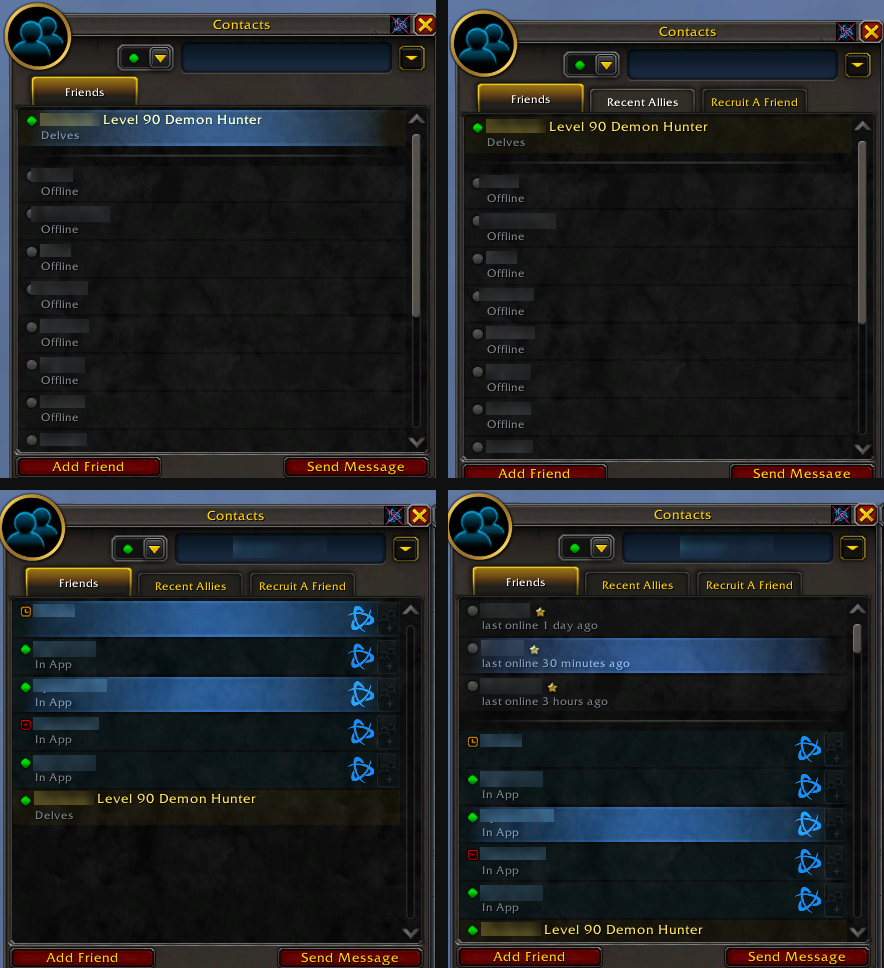
The same friends list under Classic experience, No Battle.net, Online friends and Show everything.
Source and issues
The addon is open source (GPL v3) on GitHub. Bug reports, translation fixes and suggestions are welcome in the issues.
HideBattleNetFriends Team
