HexPad – Controller Action Bars & Gamepad HUD
- By
A honeycomb controller HUD for WoW Forever: hex action buttons with LT/RT layers, unit frames and minimap, all set up with your gamepad.
Screenshot 2026-11-13 221645.png
Screenshot 2026-11-13 221720.png
Screenshot 2026-11-13 221726.png
Description
# HexPad
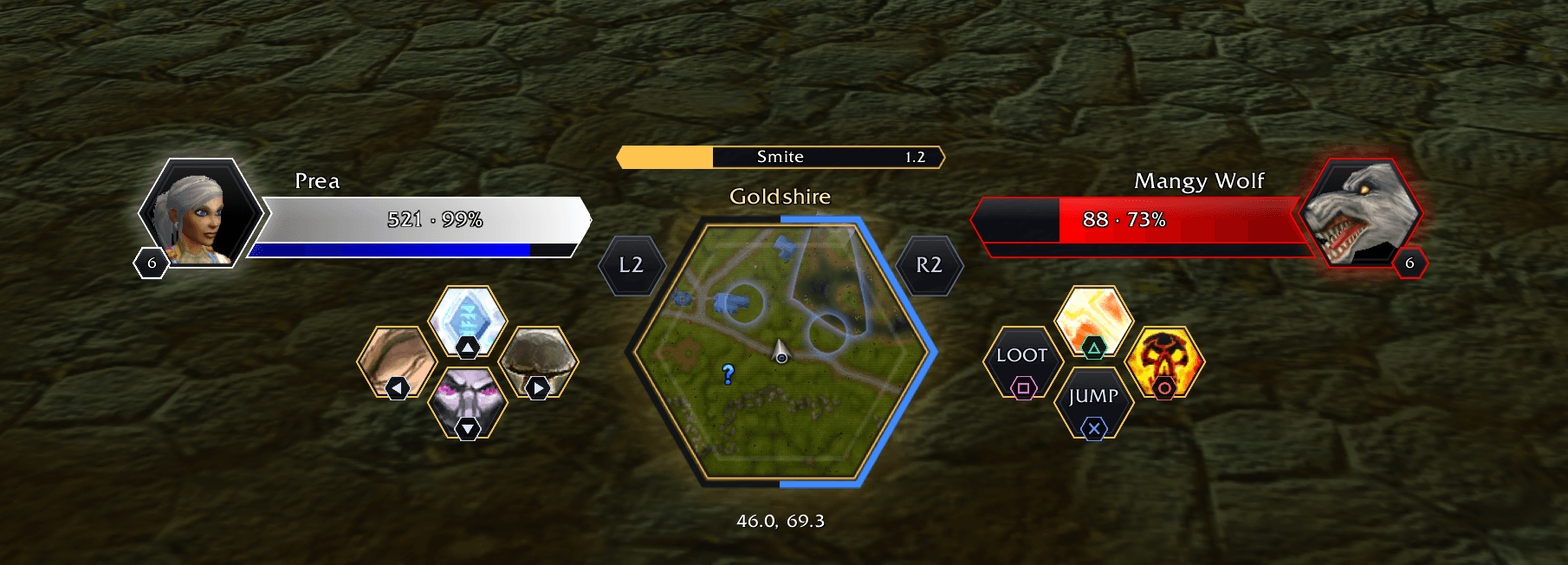
**A honeycomb controller HUD for WoW Forever.** Your action buttons, unit frames and minimap become clean
hexagons in one compact block at the bottom of the screen, laid out the way your controller is.
## Features
- **Buttons shaped like your controller**: the D-pad and the face buttons are two small honeycombs, with
the minimap in the middle and your back paddles around it.
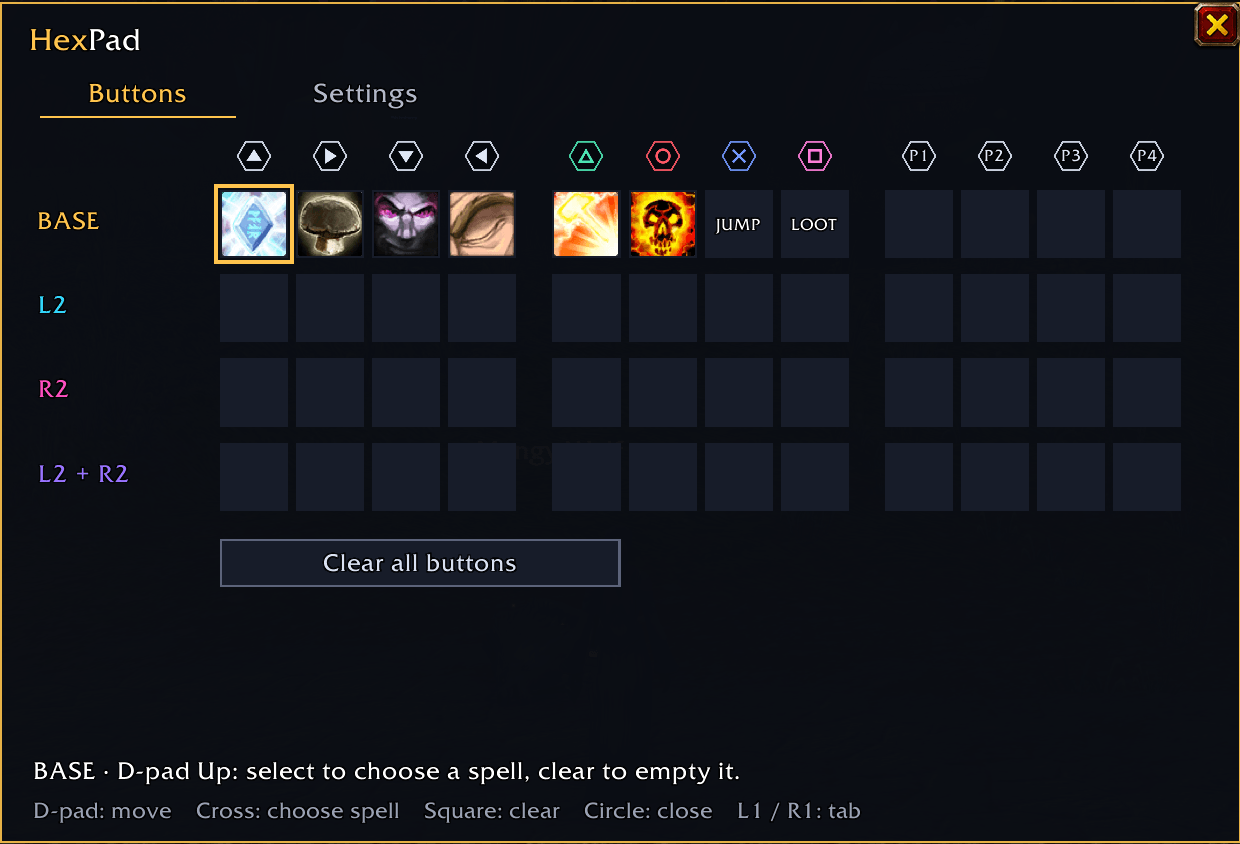
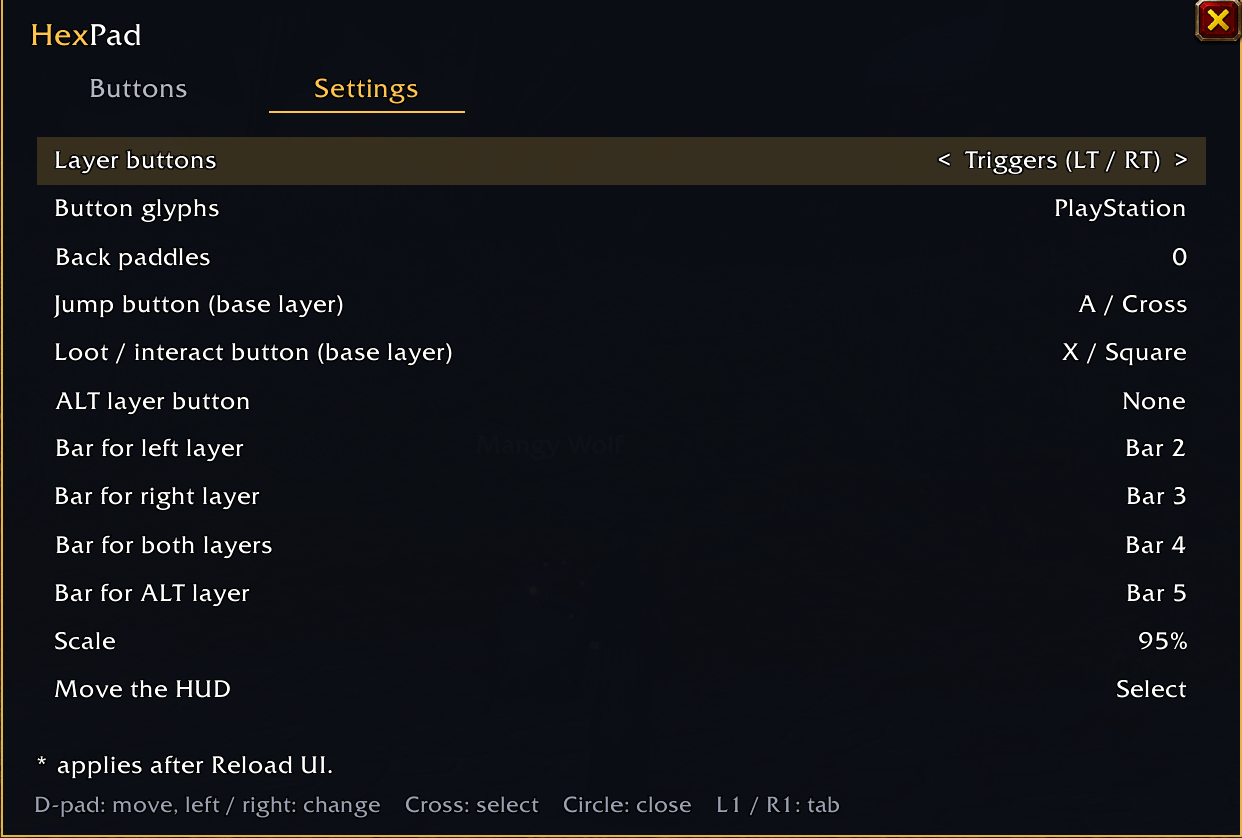
- **Layers on LT / RT**: hold LT, RT or both for three extra sets of 12 buttons. The whole HUD changes color,
so you always know which layer you are on. An optional ALT layer can go on a paddle or shoulder button.
- **Set up everything with your gamepad**: open the menu with LT + RT + Start. Pick a slot, pick a spell or
macro, done. Clear one button or all of them, and change every setting without touching a keyboard.
- **Health and power as one block**, against a hexagon portrait for you and your target.
- **Hexagon minimap** in the center of the HUD or in the top right corner, with the zone, your
coordinates, the time, and your XP as a ring around it.
- **Own cast bar**, with spell name and time left.
- **Polished buttons**: hexagonal cooldown swipes, proc glow, range and mana tinting, and a glow on every press.
- **A tidy screen**: the default action bars, the client's own controller bars, the XP bar and the default
player and target frames are hidden. Optionally hide the aiming dot and the chat background too.
- **JUMP on A and LOOT on Square** in the base layer, so moving and looting work the way they always did.
Both can be changed or turned off.
- Fades out of combat if you like, and fades away completely at 0%.
## Controls
| Button | What it does |
|---|---|
| LT / RT (hold) | switch to the left, right or both layers |
| LT + RT + Start | open the HexPad menu |
| In the menu: D-pad | move, change a value |
| In the menu: A | select / assign |
| In the menu: X | clear a button |
| In the menu: B | back / close |
| In the menu: LB / RB | switch between Buttons and Settings |
Prefer the shoulder buttons for layers? Change *Layer buttons* in Settings.
## Layers and action bars
Each layer uses one of the game's own action bars, so your spells stay on your character.
| Layer | Hold | Action bar |
|---|---|---|
| Base | — | Bar 1 (follows forms, stealth and vehicles) |
| Left | LT | Bar 2 |
| Right | RT | Bar 3 |
| Both | LT + RT | Bar 4 |
| ALT | a button you choose | Bar 5 |
The bars can be changed in Settings.
## Commands
- `/hexpad` opens the menu
- `/hexpad help` lists every chat command
- `/hexpad debug` shows what the client does with the layer buttons, if something does not respond
## Good to know
- Made for **WoW Forever** with a gamepad. Turn on the game's gamepad support; HexPad takes care of the rest.
- If you also use another controller addon that draws its own action bars, turn that one off to avoid
double bars and bindings.
Feedback and bug reports are welcome in the comments.
HexPad – Controller Action Bars & Gamepad HUD Team