HandkerQuest
- By
Organize your Quest Log, Objective Tracker, and Map Icons by stacking nearby quests, sorting by level, and filtering by rewards or difficulty.
Screenshot 2026-11-06 200327.png
Description
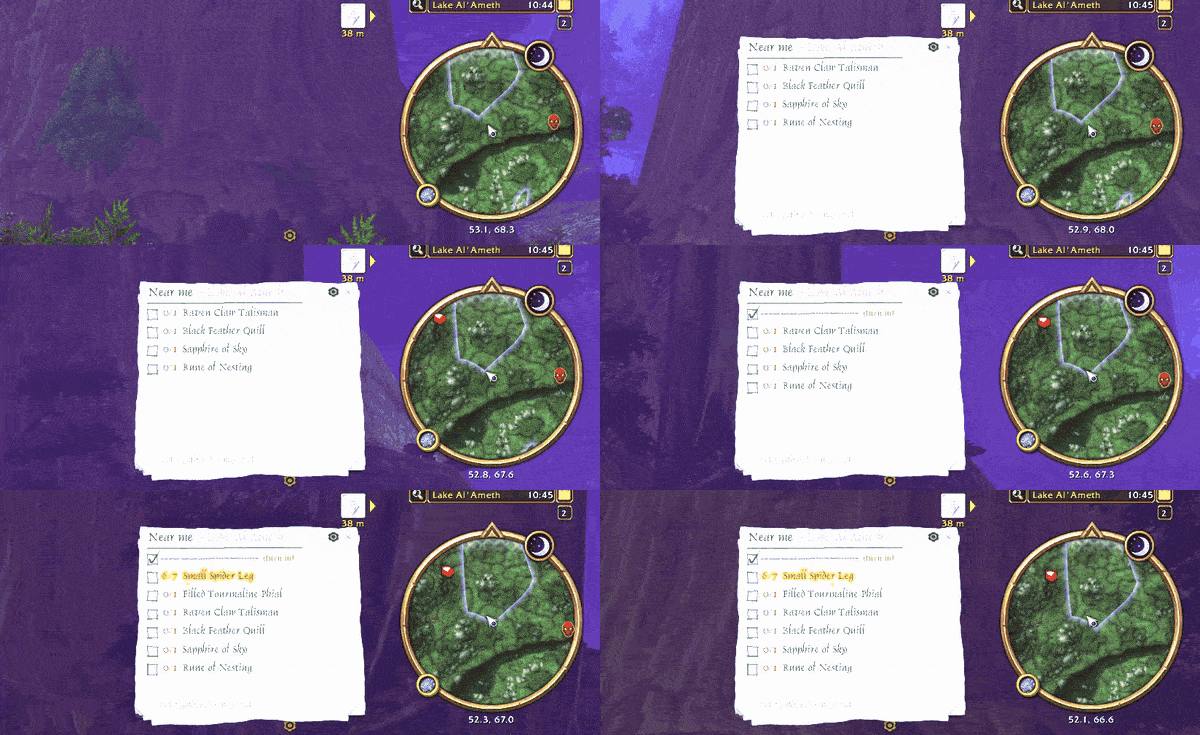
Handkerquest keeps your Quest Log, Objective Tracker, and Zone Map organized by stacking nearby quests, sorting by level or distance, filtering by rewards or difficulty, and keeping a handwritten tally of the quest items left to gather.
Key Features:
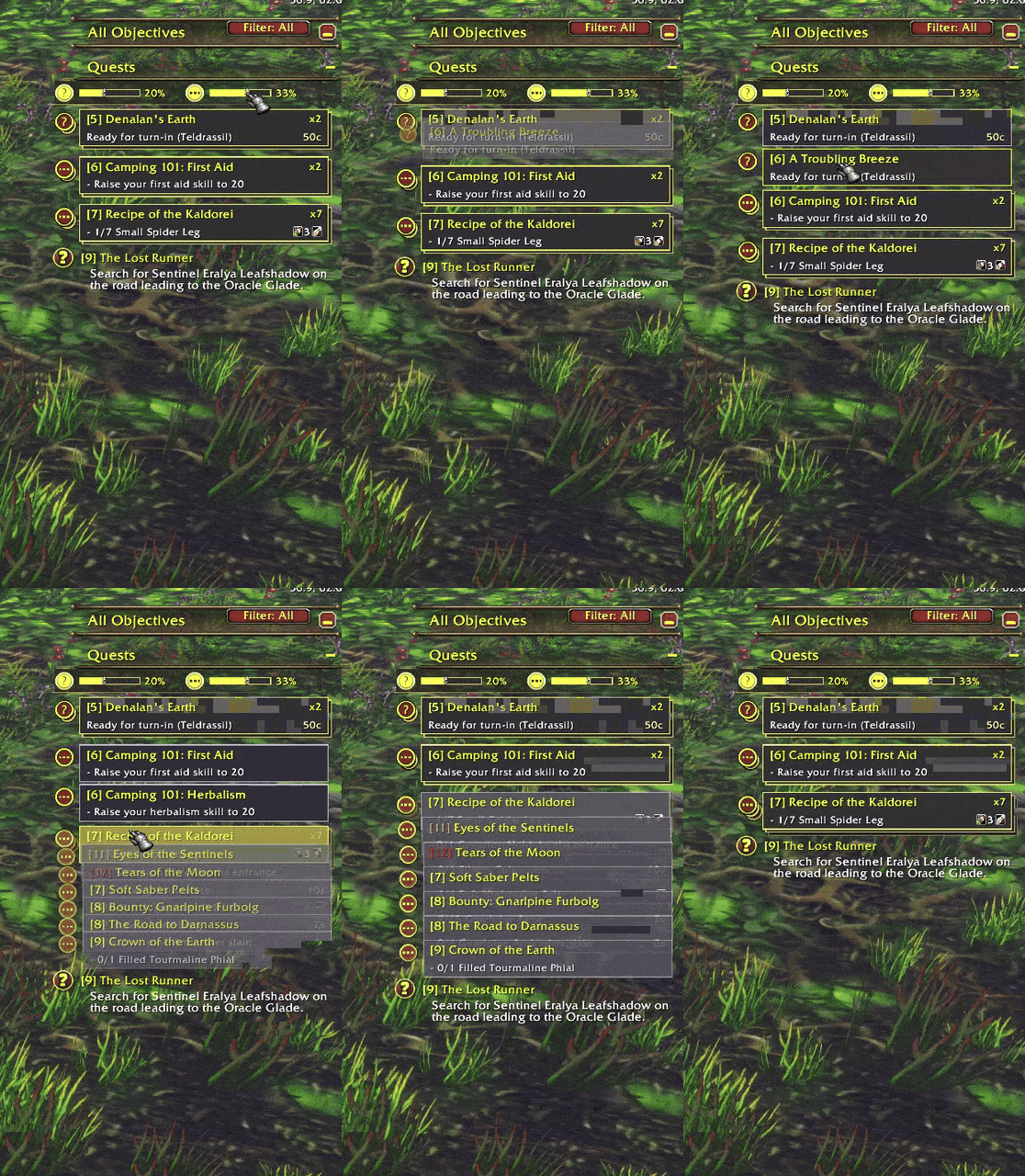
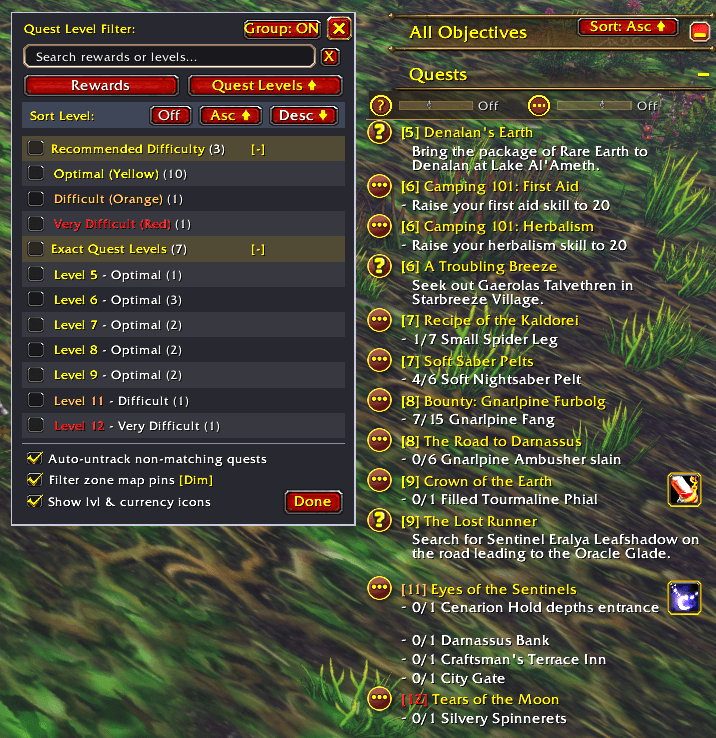
- Stacked (?) & (•••) Tracker Cards: Group nearby turn-ins (?) and in-progress quests (•••) into compact stacks on your Objective Tracker. • Hover a stack to fan it out; Left-Click a card to track it, Right-Click for quest details. • Toggle stacking and set the grouping distance right under the "Quests" header.
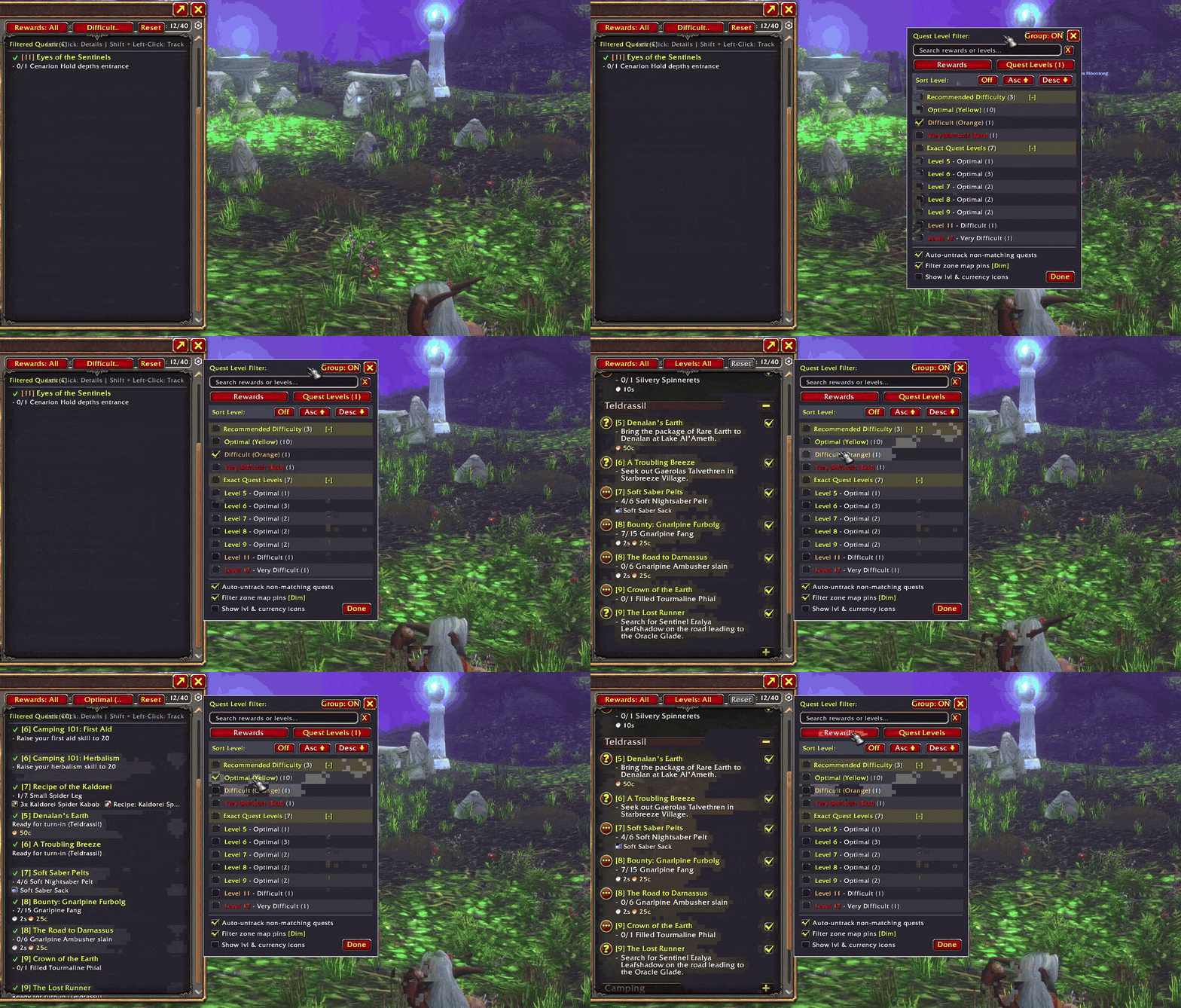
- Level & Distance Sorting: Sort your Objective Tracker and Quest Log by level or distance, ascending or descending.
- Reward & Difficulty Filtering: Filter by difficulty, exact quest level, or rewards (Currencies, Reputation, Items, Gear, and Money). • Quest Log Rewards: See each quest's rewards right in your log. • Auto-Untrack: Optionally hide non-matching quests from your tracker until filters are reset.
- Zone Map: Quest pins show level and rewards on hover; non-matching pins dim or hide while filtering.
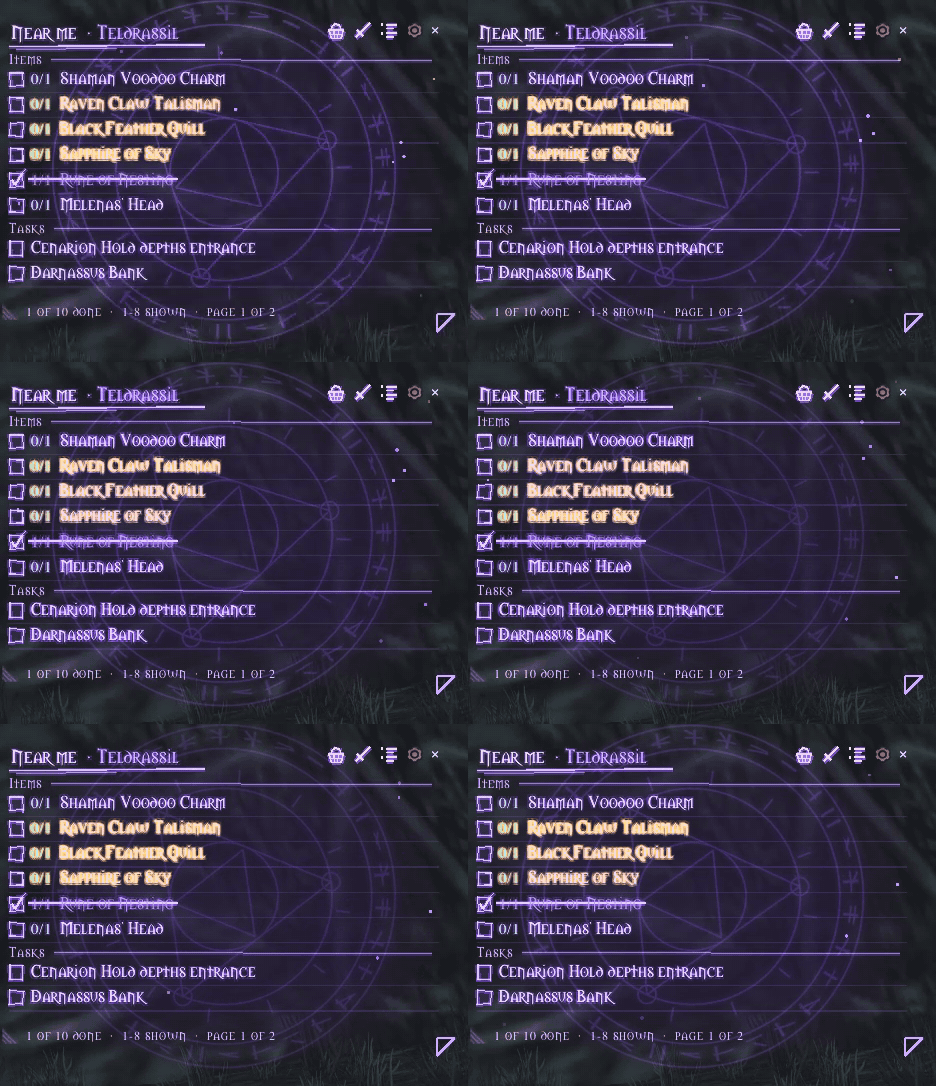
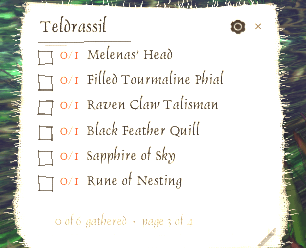
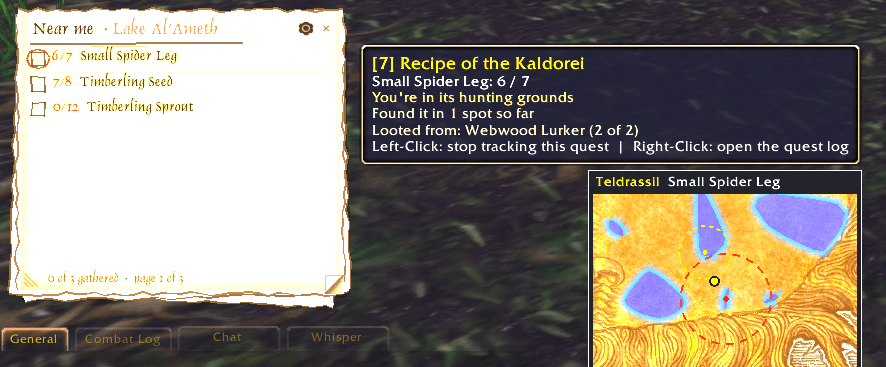
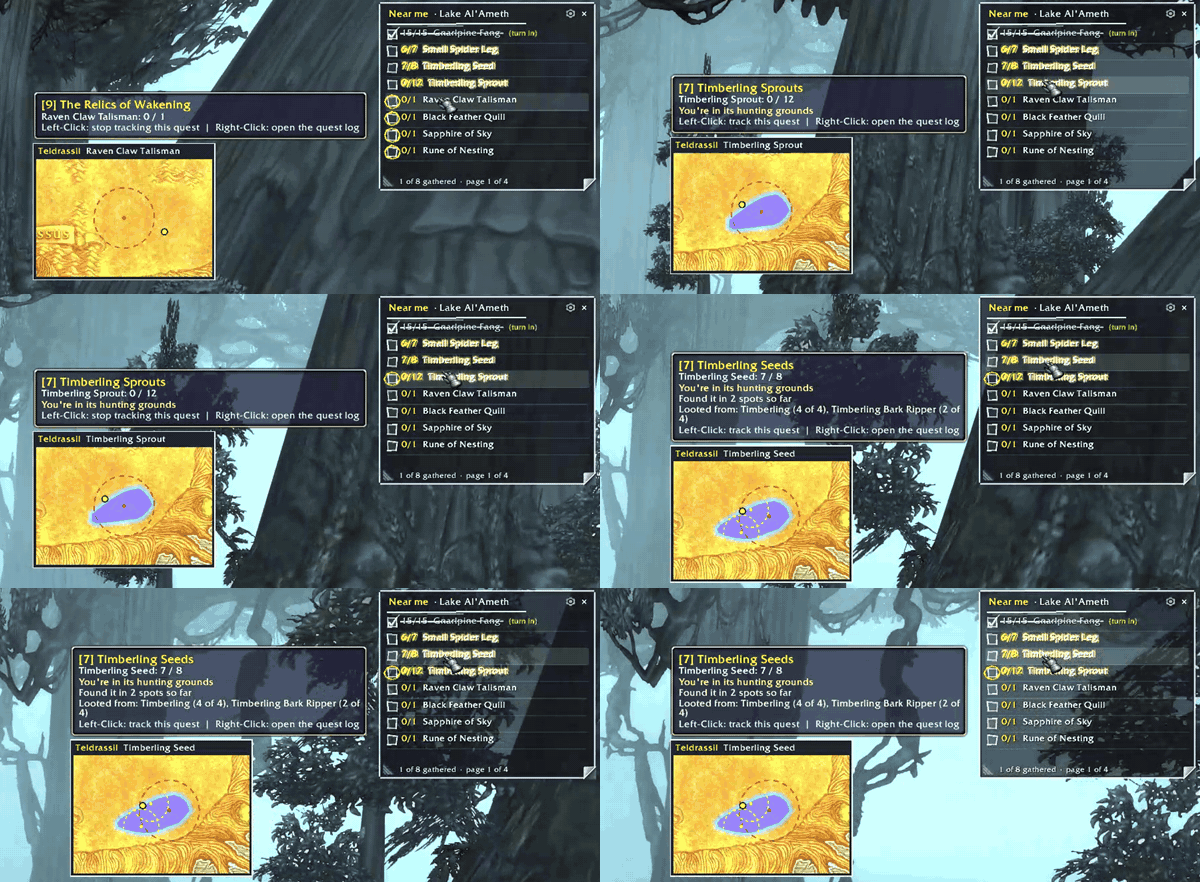
- Field Tally: A handwritten list of the quest items you still need, nearest first, with a page for each area. • Left-Click an item to track its quest; hover for a small map of where to find it. • Items glow in their hunting grounds and catch fire when your target drops them. • Minimap pins mark where you've found the tracked quest's items. • Write it on a handkerchief, parchment, or a transparent window.
Quick Controls & Slash Commands:
- Tracker Filter Button: Left-Click to open the menu; Right-Click to reset all filters and sorting.
- Quest Log Rewards / Levels Buttons: Left-Click to open either tab; Right-Click to clear that tab.
- Slash Commands: /hanky or /handkerquest to open the menu (/hanky options, lvl, dist, list, look, or reset). /cfq still works.
HandkerQuest Team