ReciPeek
- By
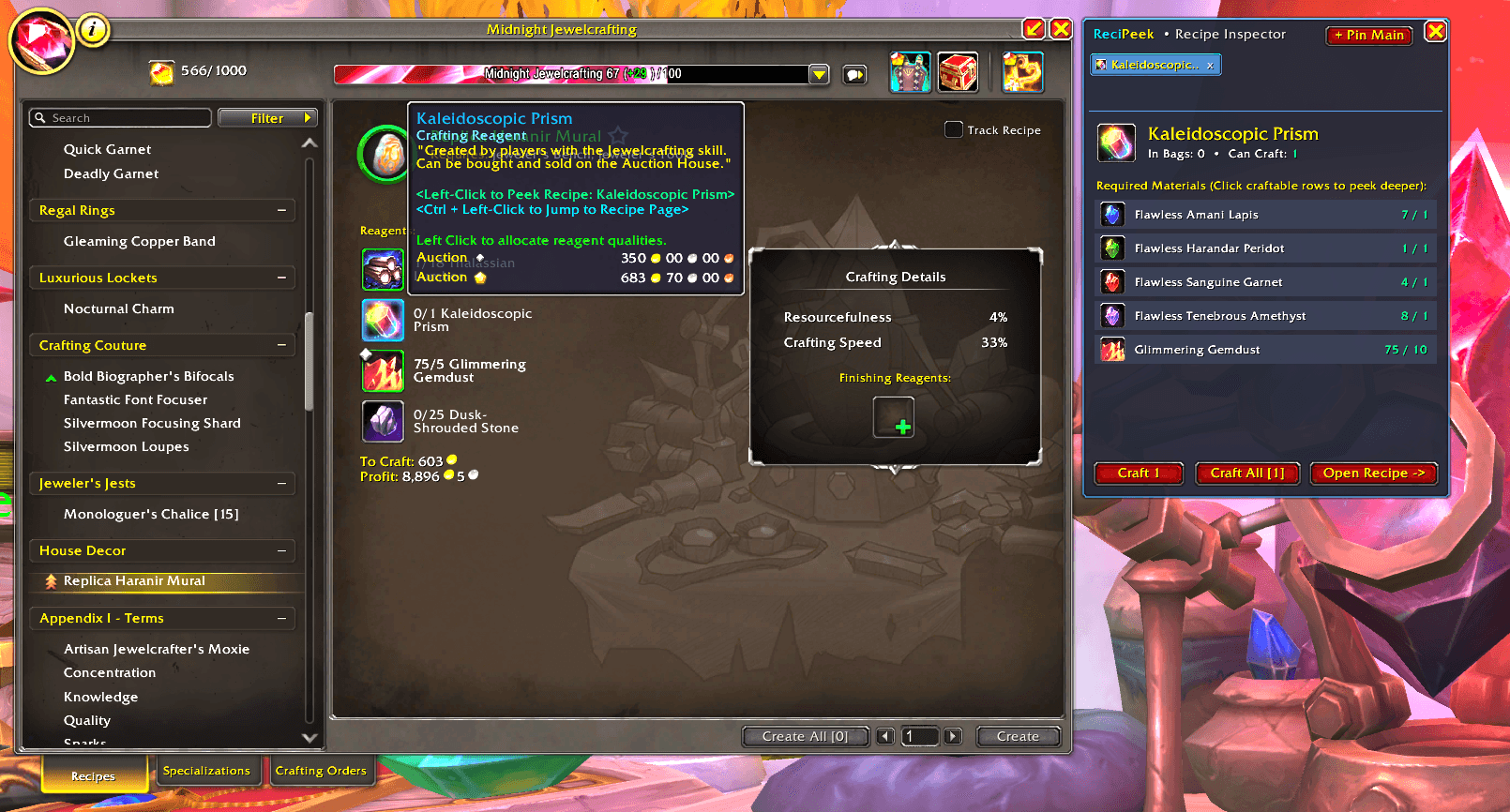
Click craftable reagents in your Profession window to peek at their required materials in a tabbed side panel, craft them on the spot, or jump straight to their recipe.
Screenshot 2026-11-02 204308.png
Screen_Recording_2026-11-02_204916_1.gif
Screen_Recording_2026-11-02_204351_1.gif
Description
ReciPeek adds a tabbed recipe inspector and quick-craft side panel to the default World of Warcraft Profession window. Instead of losing your place searching for craftable reagents and intermediate ingredients (like alloys, prisms, bolts, or inks), simply click any craftable reagent right inside your current recipe to peek at its required materials, craft it on the spot, or jump straight to its recipe page.
Key Features:
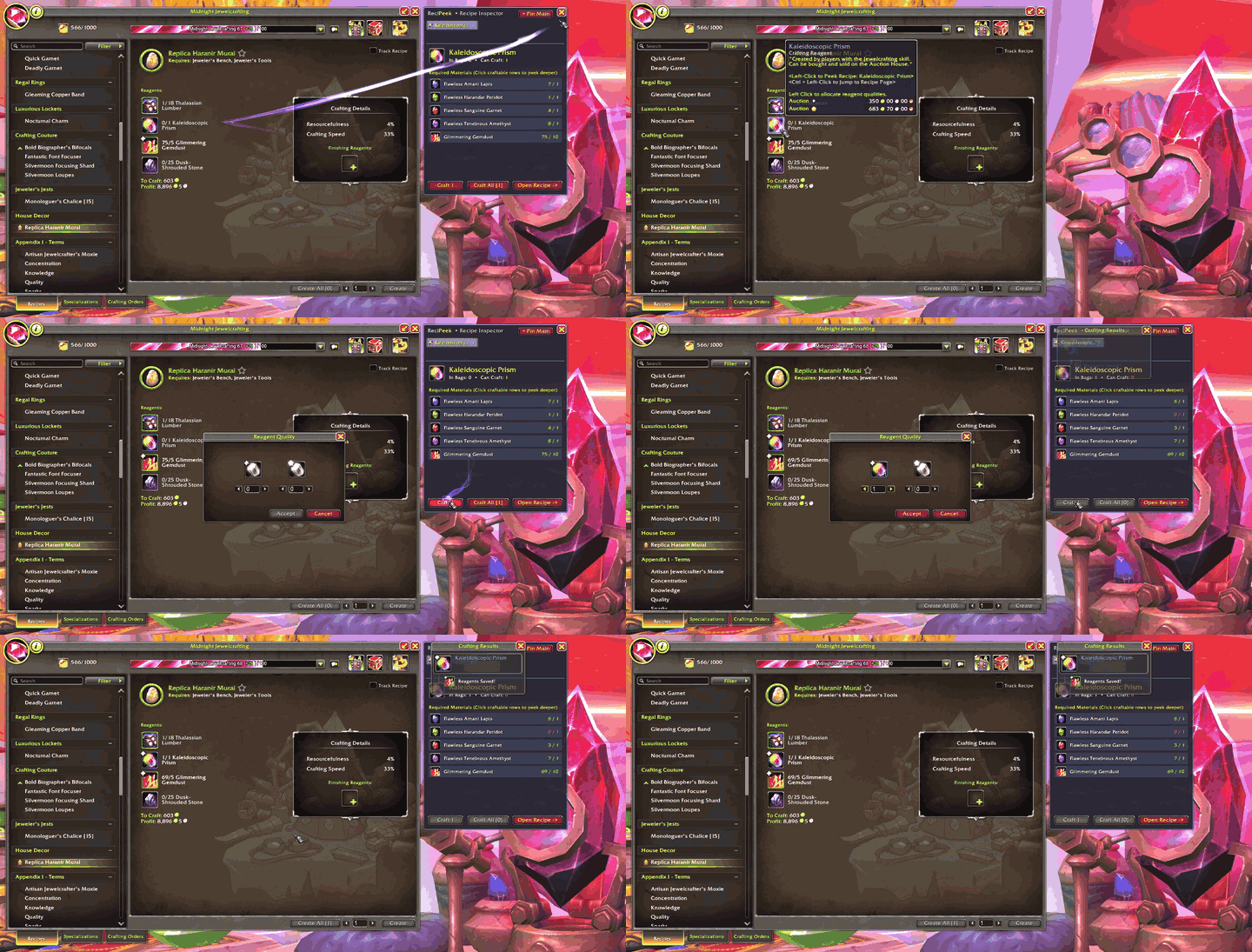
• Instant Reagent Peek Window: Left-Click any craftable reagent inside a recipe to open the ReciPeek side panel right next to your Profession window, showing all required reagents and your stock of those reagents.
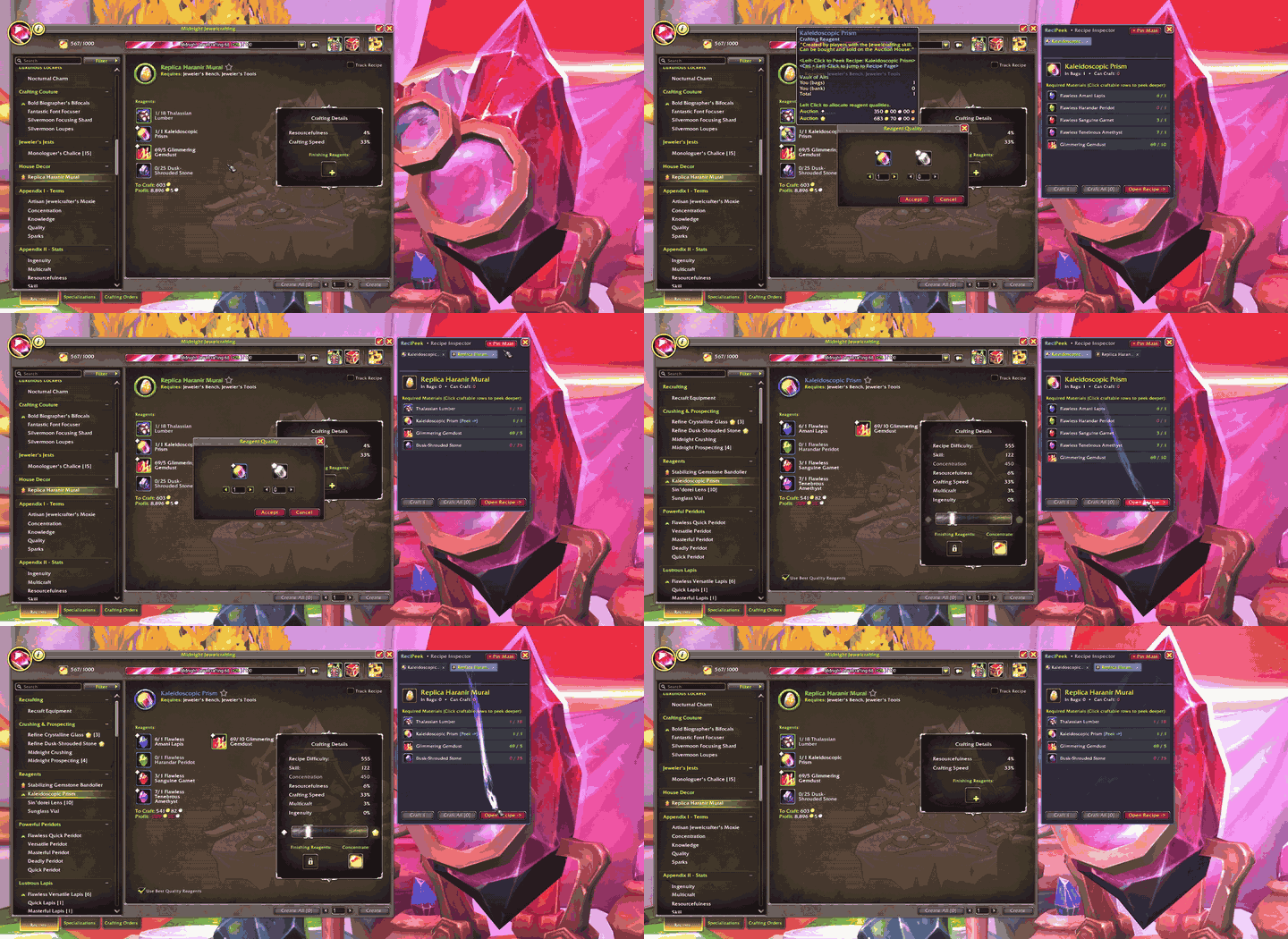
• Browser-Style Multi-Recipe Tabs: Keep up to 6 recipes open at once in tabs. If a craftable reagent requires another craftable reagent of its own, Left-Click [Peek ->] inside the side window to inspect the next layer in a new tab.
• 1-Click Reagent Crafting: Already have the raw materials? Click Craft 1 or Craft All directly inside the ReciPeek side window to craft your missing reagents without ever leaving your main recipe.
• Direct Recipe Jump: Click Open Recipe -> inside the Peek window (or Ctrl + Left-Click any craftable reagent slot) to jump your main Profession window straight to that recipe.
• Pin Main Recipes for Comparison: Click + Pin Main (or type /rp or /recipeek) to save your currently viewed main recipe as a tab so you can compare reagent requirements across multiple recipes side-by-side.
ReciPeek Team