GuildStock
- By
Find profession materials in your guild, browse shared inventories, and choose what you share in WoW Forever.
GuildStock
Find the materials you need among your guildmates. GuildStock brings profession materials, shared guild inventories and your own supplies into one window for World of Warcraft: Forever. It synchronizes automatically between players in the same guild who use the addon.
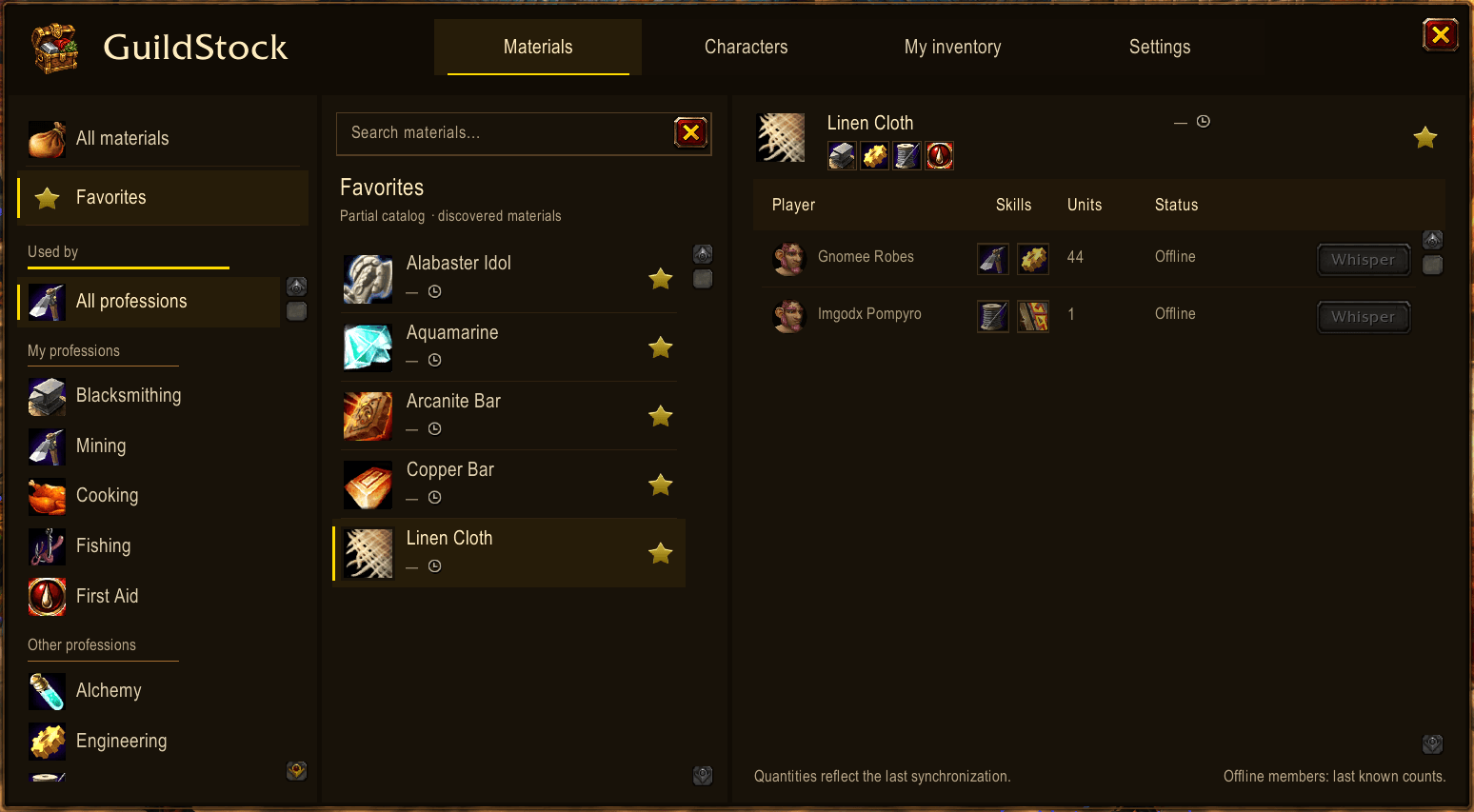
Find materials and the guildmates who have them
- Search materials by name and filter them by profession. Your learned professions appear first, including secondary professions.
- Save favorites with a star and return to your most-used materials quickly.
- See who has a material, their recorded quantity, primary professions, online/offline status and the age of the inventory observation.
- Start a whisper to an online guildmate from a material's owner list or the Characters tab. You write and send the message yourself.
- View offline inventory history with the age of the observation. Choose whether offline members appear in material results.
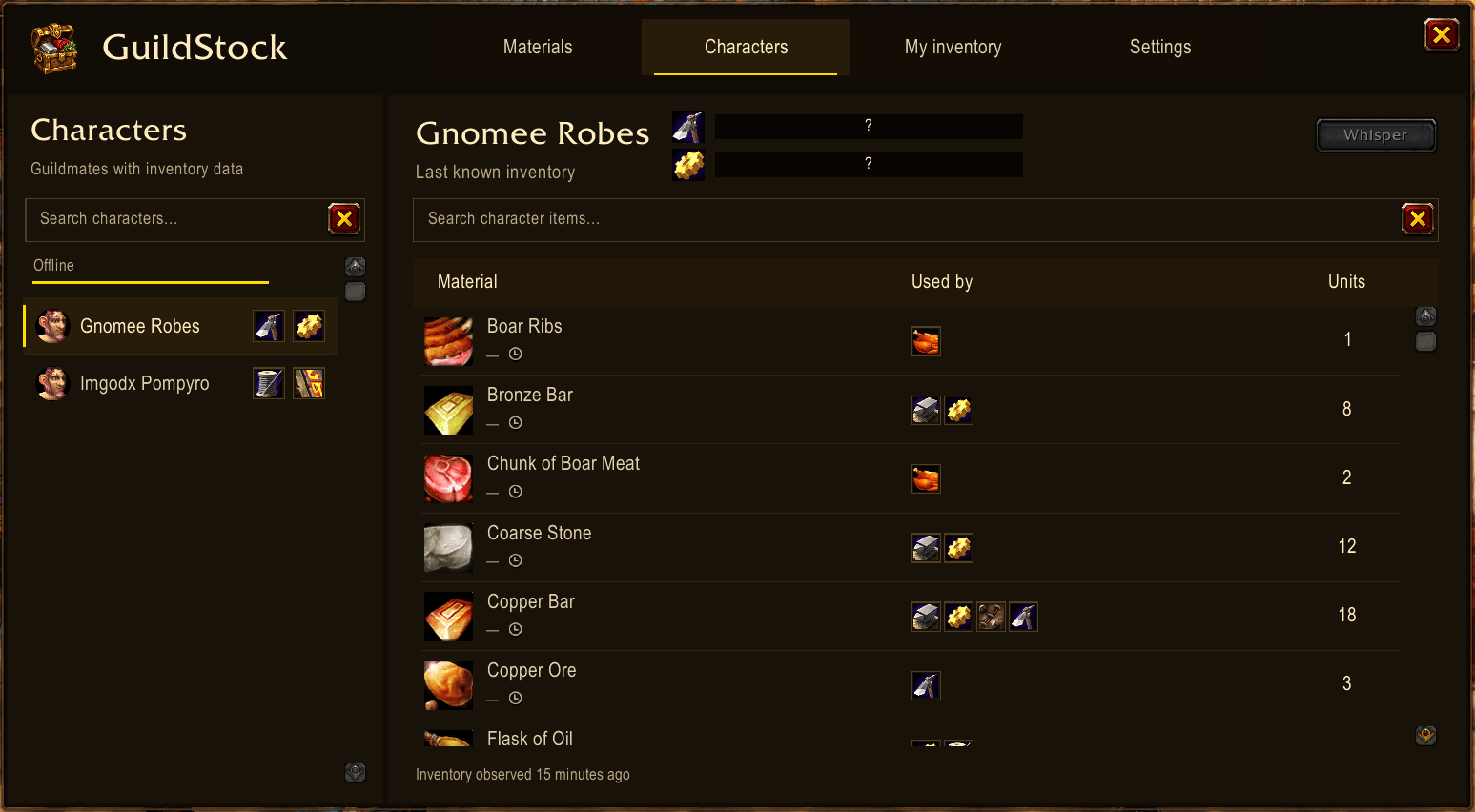
Guild characters and profession levels
Browse Characters to search participating guildmates, grouped by online and offline presence, and explore each character's shared material inventory. Beside the selected character's name, two primary-profession bars show the levels shared by that character's addon, on a fixed 0–300 scale. Missing levels display ?; both players need GuildStock 0.4.4 or later to exchange levels. Previously received levels remain visible with the character's dated inventory while offline.
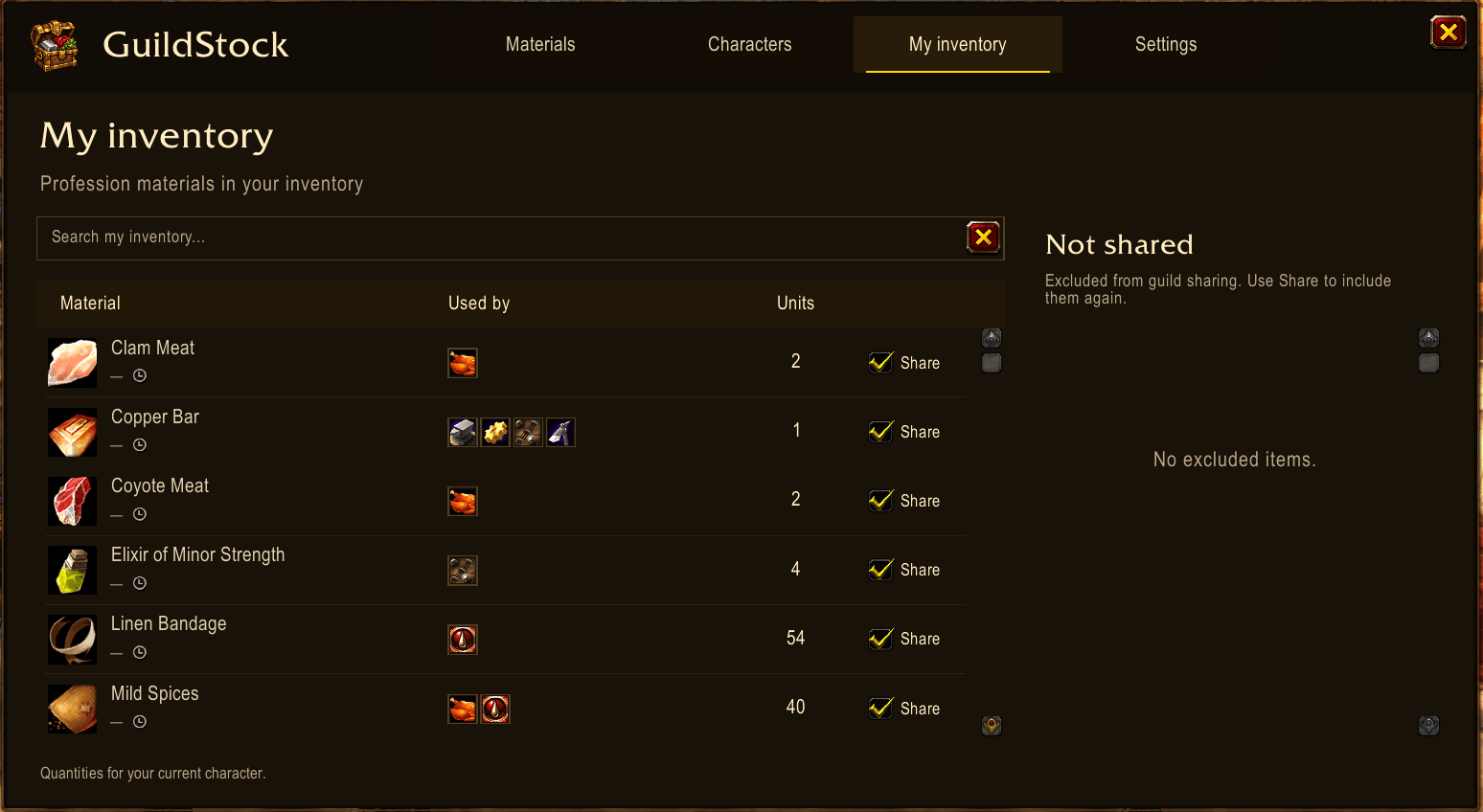
Your inventory, your choice
- My inventory combines known profession materials in your bags and personal character bank into one quantity per material.
- Search your supplies and see which professions use each material.
- Choose what to share: uncheck Share for an individual material, manage exclusions in the Not shared panel, or turn off item sharing entirely in Settings.
- Keep browsing other guildmates' shared inventories even when your own sharing is disabled.
- Automatic synchronization keeps participating guildmates' inventories updated; no manual publishing is required.
Last observed auction prices
See a local estimated buyout price per unit beside materials and in inventory lists. GuildStock records the lowest valid unit buyout from auction results observed during your visits and completed searches. The estimate is marked with ~; a dash means no valid price has been recorded.
Hover the clock to see the observation's age. It turns orange after 12 hours and red after 24 hours, reminding you to visit the auction house. Earlier prices keep their original date when fresh data is unavailable. These are historical asking-price estimates, not live quotes or guaranteed sale values. Prices are stored per character and are never shared with the guild.
Built into your crafting routine
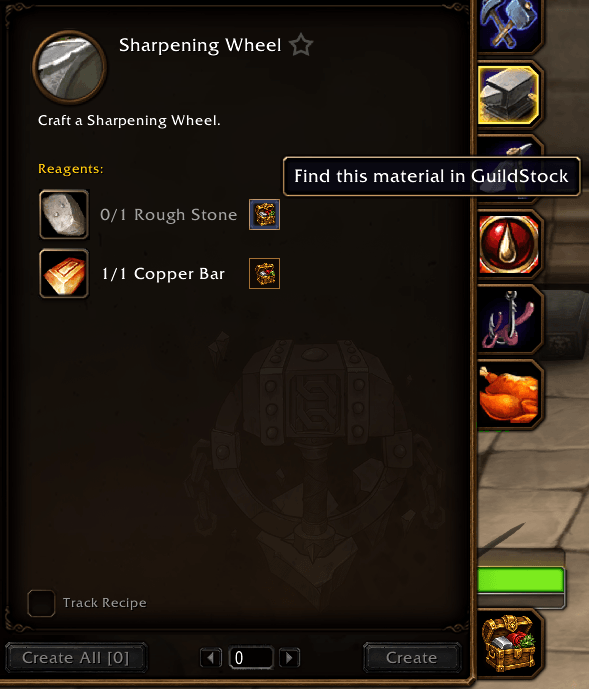
- Open GuildStock from its chest minimap button, with /guildstock, or from the shortcut in the native Professions window.
- Click the chest beside a recipe material to find that exact material in GuildStock, including materials missing from your bags.
Item tooltips and useful materials
- Hover item icons inside GuildStock for native item tooltips in Materials, Favorites, My inventory, Not shared and Characters.
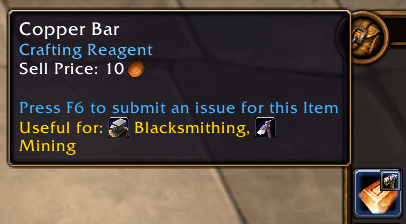
- Spot useful materials in native bags and your character bank: a small hammer marks known materials used by your learned professions, and the item tooltip lists those professions under Useful for.
- Adjust the hammer's size or turn material hints off. Hints also work while the GuildStock window is closed.
- Start with a partial catalog of 589 materials across 12 professions, with additional discoveries as you use your profession windows.
Automatic updates and offline history
Each character shares only their own inventory, using guild addon messages. Startup discovery requests complete inventories automatically; later ordinary changes are grouped for 30 seconds. Keep GuildStock 0.5.1 or later on every participating client to remove the older inventory-forwarding behavior throughout your guild.
Offline history is the last complete inventory you received directly from its owner, with the original observation time. Other guildmates cannot refresh that owner's record. If you have never received it, or missed a later change, you need direct contact with the owner to receive an update. Upgrading removes records marked as forwarded by another player while retaining direct history and your own settings, favorites and inventory.
Make it yours
Move the window, adjust its scale, choose All materials or Favorites as the opening view, and show or hide the minimap button. Drag the minimap button to reposition it. Favorites, sharing choices and display preferences are saved per character.
The interface supports English, Spanish, French, German, Italian, Brazilian Portuguese, Russian, Korean, Simplified Chinese and Traditional Chinese. Use the game language automatically or select a language in Settings and use /reload to apply it. Item names keep your game's language; searches also recognize translated names for hundreds of included materials.
Getting started
- Install GuildStock for WoW Forever and enable it on the character selection screen. For a manual install, extract the GuildStock folder into your Forever client's Interface/AddOns folder, then restart the game.
- Have participating guildmates install the same current version.
- Open GuildStock with /guildstock or the chest button. Sharing is enabled by default; review My inventory and Settings to choose what you share.
- Visit your personal bank once to discover materials already stored only there.
Good to know
Inventories show the latest known quantities, including bound materials; they are not promises that an item can be traded. Offline records can be out of date, and an empty search does not mean that nobody in the guild owns the material. The catalog and profession hints are partial and do not check your learned recipes or skill level. Account and guild banks are not included; bag and bank hints target Blizzard's native interface.
This release targets WoW Forever 1.60.1. The game client's beta restrictions can delay updates or affect saved data. Live auction-data acquisition, broader multiplayer and full-restart checks remain ongoing. Compatibility with Retail or Classic Era is not claimed.
Report an issue or suggest a feature · Source
Translated material search names include data from LibItemDB by Pimptasty, used under the MIT license; attribution is included with the addon.
GuildStock Team