Guild Runs
- By
A guild-only board for scheduling dungeon and raid groups, with sign-ups by role, a calendar, reminders, and officer tools for organizing raid groups.
Guild Runs 01.png
Guild Runs 02.png
Guild Run 03.png
Guild Runs 04.png
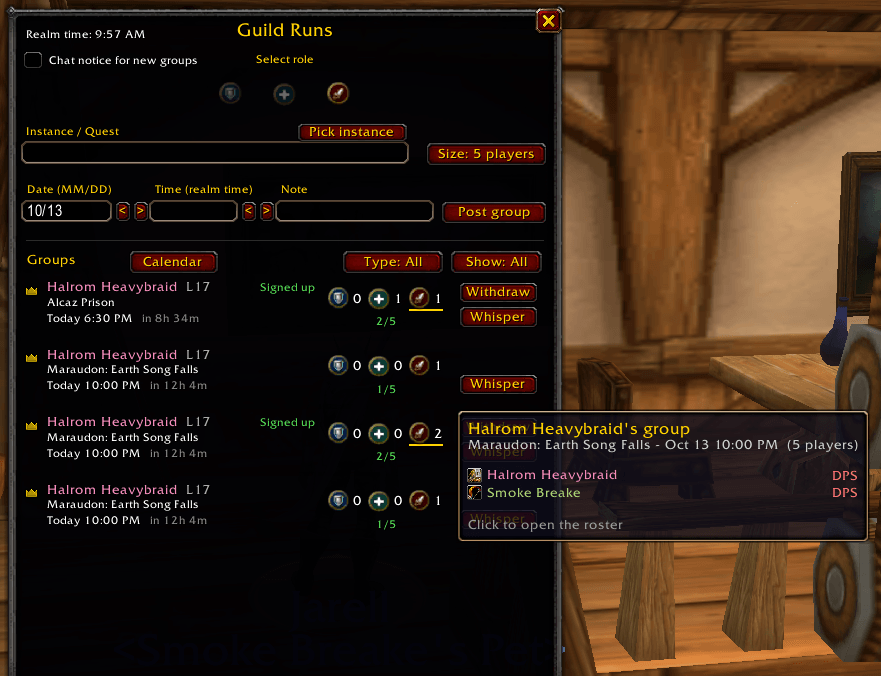
Guild Runs 05.png
Description
Guild Runs
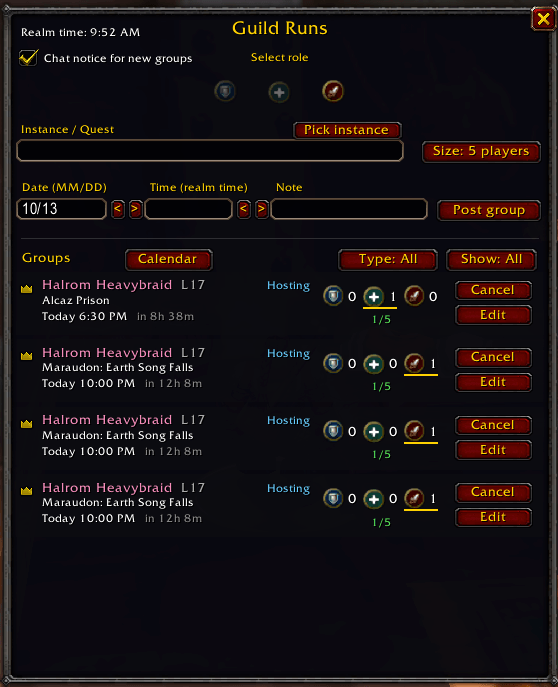
A guild-only Looking for Group board for planning dungeon and raid groups ahead of time, tied into the game's own calendar.
Post a group, pick a time, and it appears on the in-game calendar for the whole guild. Guildmates sign up as Tank, Healer, or DPS, and the roster, bench, invites, and raid groups are handled for you.
You need the addon to use the board, but not to see the events. Groups show up on everyone's calendar. Signing up in the calendar without the addon still puts you on the roster, with a ? in place of your role until you or the host pick one. Nothing is sent outside your guild.
What it does
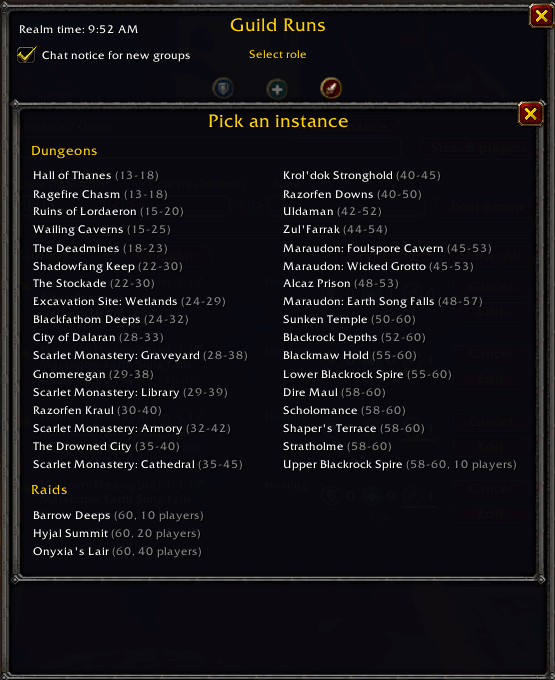
- Post a group for a dungeon or raid at a date and time you choose. Pick the instance from a list, or type your own for quests.
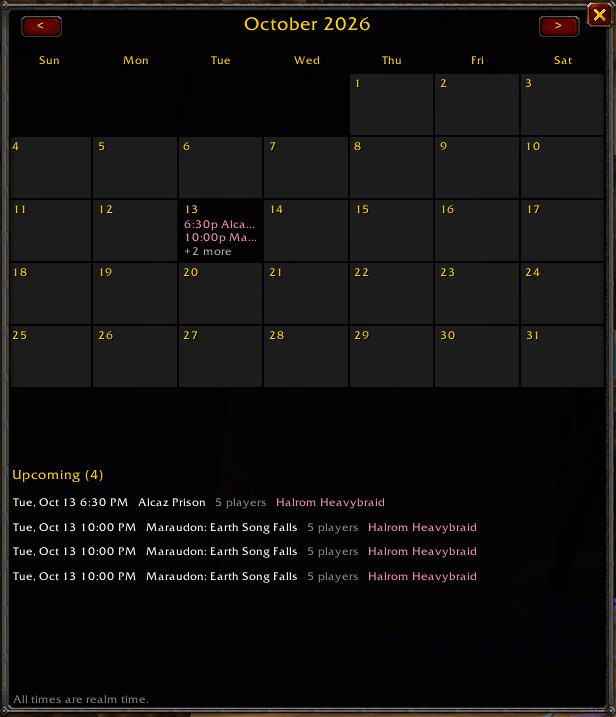
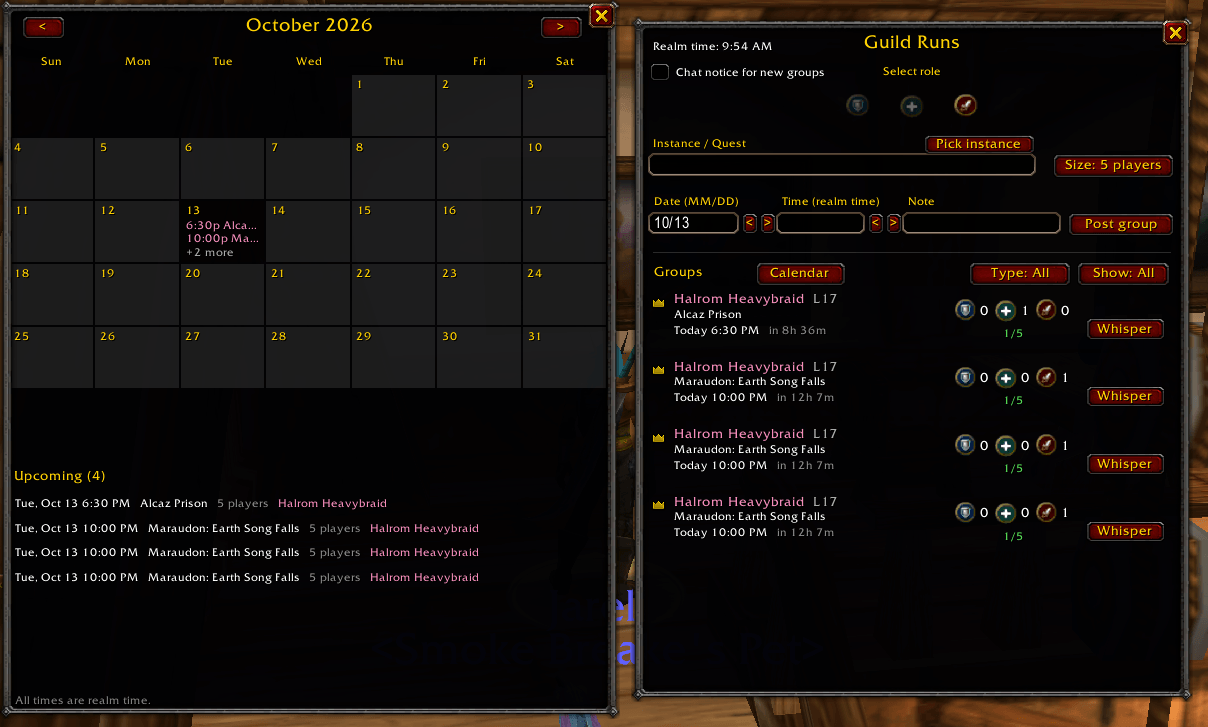
- It goes on the game calendar. One guild event is created for every group. Cancel the group and the entry is removed, delete the entry and the group is cancelled, and change its time in the calendar and the group moves with it.
- Sign up as Tank, Healer, or DPS, from the board or from a panel that appears beside the calendar event. Once a group is full, extra sign-ups wait on a bench in the order they joined.
- Calendar sign-ups count too. Players who sign up in the game calendar appear on the roster with a ? role. Mage, Rogue, Hunter, and Warlock are added as DPS. The host can set anyone's role from the roster window.
- Roster window. Click a group to see who is signed up, with a green or grey dot for who is online. Hosts and officers set roles and invite the roster (offline players are skipped and named).
- Edit a group instead of cancelling it. Sign-ups carry over.
- Calendar view of every upcoming group. Click a day to see just that day, or click a group to open its roster.
- 10-minute reminder before a group you posted or joined starts.
- Officer tools for raids (10, 20 and 40 players): officers place players into raid subgroups, invite the roster, and move people into their group as they join. Officers and the Guild Master can also cancel any group.
- It repairs itself. If messages are lost or you log in late, sign-ups and rosters catch up so everyone sees the same thing.
- Quiet: no chat spam. Sign-ups for your own group are summarized, at most one line a minute.
How to open it
Open the Guild & Communities window and click the Guild Runs tab, or type /gruns. You can close the guild window and leave the board open.
Install
Install it from the CurseForge app like any other addon or download files and drop in your Addons folder. Then log in, or type /reload if you're already in the game. A line in chat says Guild Runs loaded.
Beta notes
It was built for World of Warcraft: Forever (Interface 16001). The parts that need several players at once are the newest and least tested: inviting the whole roster, moving players into raid subgroups, and officers cancelling other people's groups. If something doesn't work, please report it and include:
- what you clicked and what happened
- what you expected instead
- the version shown when you log in (it should say 0.7.0)
- any error text, copied exactly (type
/console scriptErrors 1first so errors show as a popup) - the output of
/gruns debug, if groups go missing or look wrong
Times are realm time (the in-game clock). Soft reserve and other loot tools may come later.
Guild Runs Team