Guild Recipes
- By
Automatically scans, syncs, and searches your guild's profession recipes so you can instantly find who can craft what.
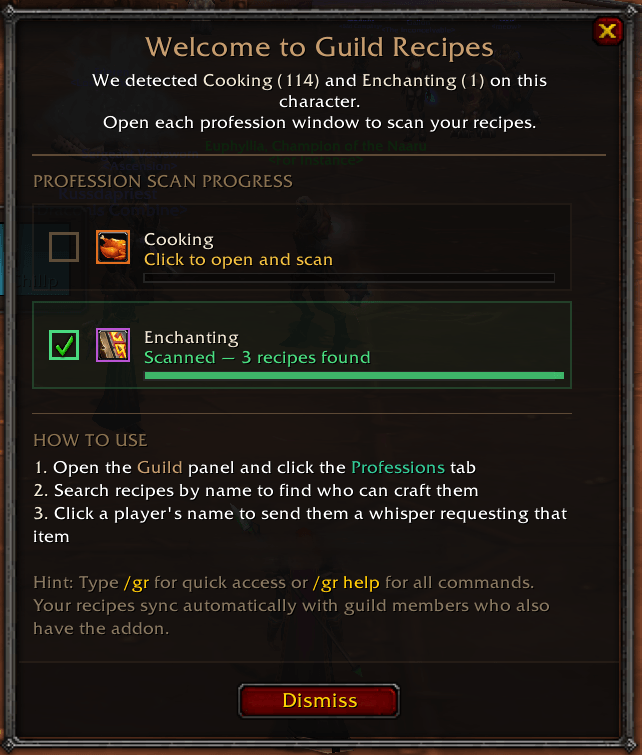
Onboarding.png
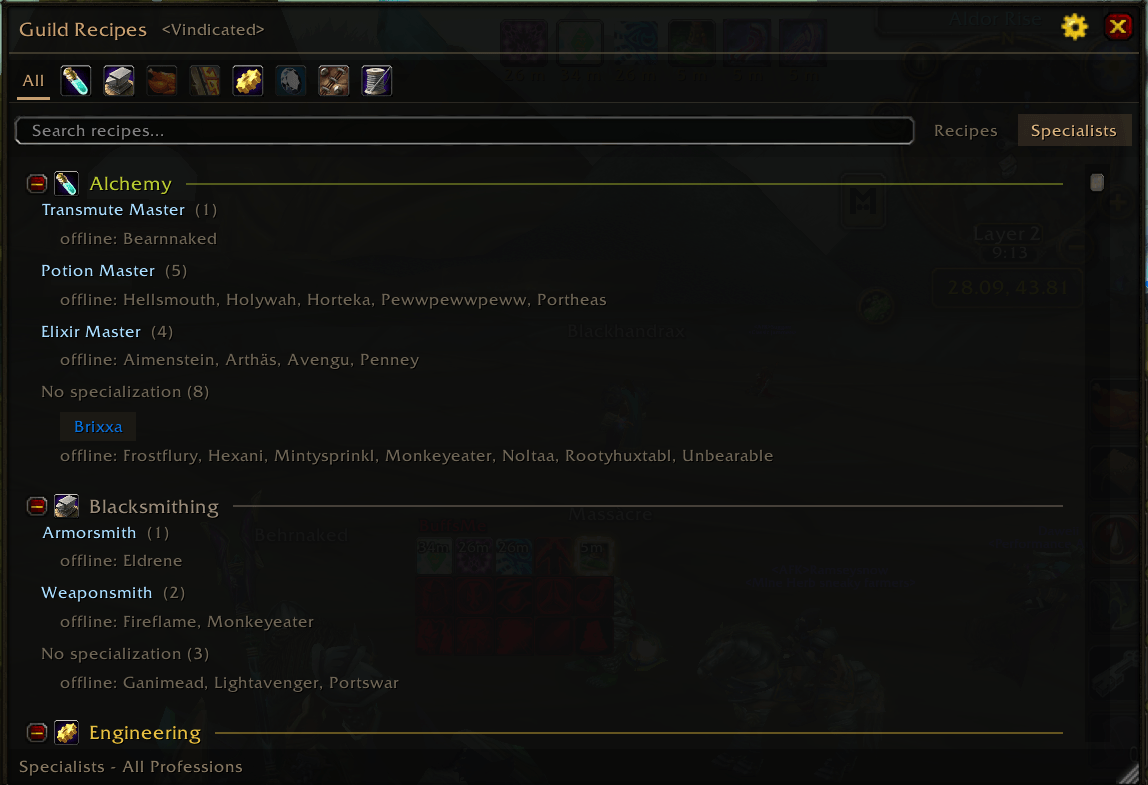
Main Window - Specialist View.png
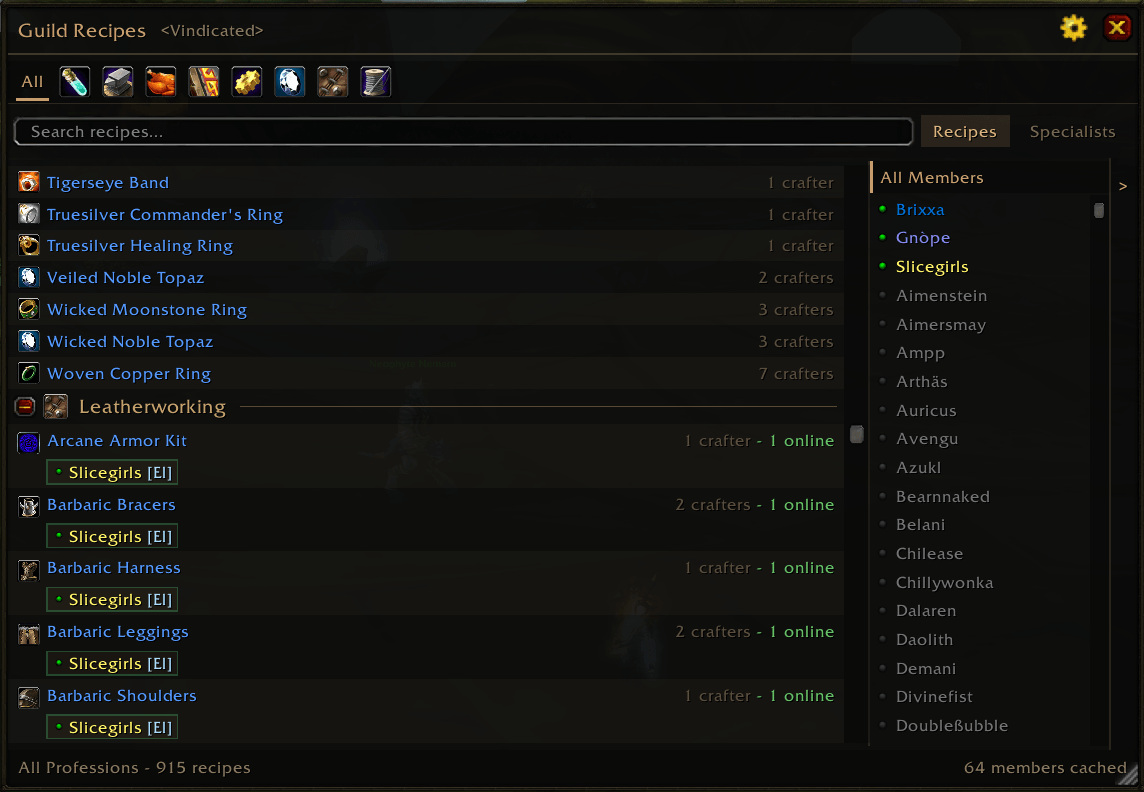
Main Window - List View.png
Description
Guild Recipes
Automatically scans, syncs, and searches your guild's profession recipes so you can instantly find who can craft what.
Tired of asking "anyone got Flask of Relentless Assault?" in guild chat and waiting? Guild Recipes builds a shared recipe database passively. Just install it, open your profession windows, and your recipes sync to every guildie who has the addon. Need something crafted? Search by name and get an instant answer — or just hover over the item.
Features
- Automatic Scanning — Open a profession window and your recipes are captured instantly. No manual entry, no setup required.
- Passive Guild Sync — Your recipes are shared with online guildmates automatically in the background.
- Instant Recipe Search — Type a recipe name and instantly see who in your guild can craft it.
- Tooltip Integration — Hover any craftable item to see which guild members can make it, their profession level, and online status — plus the materials required.
- One-Click Whisper — hover the crafter count to see a popup of online crafters. Click a name to send a craft request whisper instantly.
- Standalone Recipe Browser — A movable, resizable window opened from the minimap button or
/gr. Remembers its position and size; Escape closes it. - Specialists View — A phone-book of guild crafters grouped by profession and specialization (Potion Master, Armorsmith, and so on). Click an online specialist to whisper them.
- Player Tooltips — Hover a guildmate to see their professions, skill levels, and specializations (optional).
- Chat Linking — Shift-click a recipe in the browser to link it in chat, or shift-click the crafter count to paste a ready-made "who can craft this" message.
Slash Commands
| Command | Description |
|---|---|
/gr |
Open/close the UI |
/gr search <name> |
Search for a recipe crafter |
/gr scan |
Rescan your professions |
/gr sync |
Force sync with guild |
/gr settings |
Open settings panel |
/gr status |
Show registry status |
/gr toggle |
Toggle tracking on/off |
/gr versions |
Show addon versions in your guild |
/gr purge |
Remove departed members now |
/gr debug |
Toggle debug output |
/gr help |
Show the help menu |
How It Works
- Install the addon and log in.
- Open each of your profession windows once — recipes are scanned automatically.
- Your recipe data syncs to online guild members who also have the addon.
- Use
/gror the minimap button to search for any recipe across your entire guild. - Hover any craftable item to see guild crafters and required materials at a glance.
Guild Recipes Team