GuildOS — Guild Management for WoW Forever (roster, attendance, loot council)
- By
Guild management for WoW Forever and TBC Classic. Roster, gear, professions and attunements sync on their own. Raid attendance from the game, loot council and wishlists, enchant audits. No spreadsheets. Web dashboard and Discord bot at guildos.me.
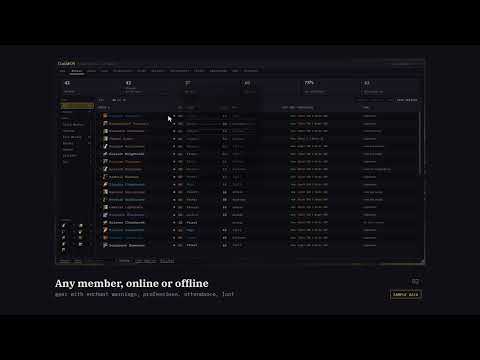
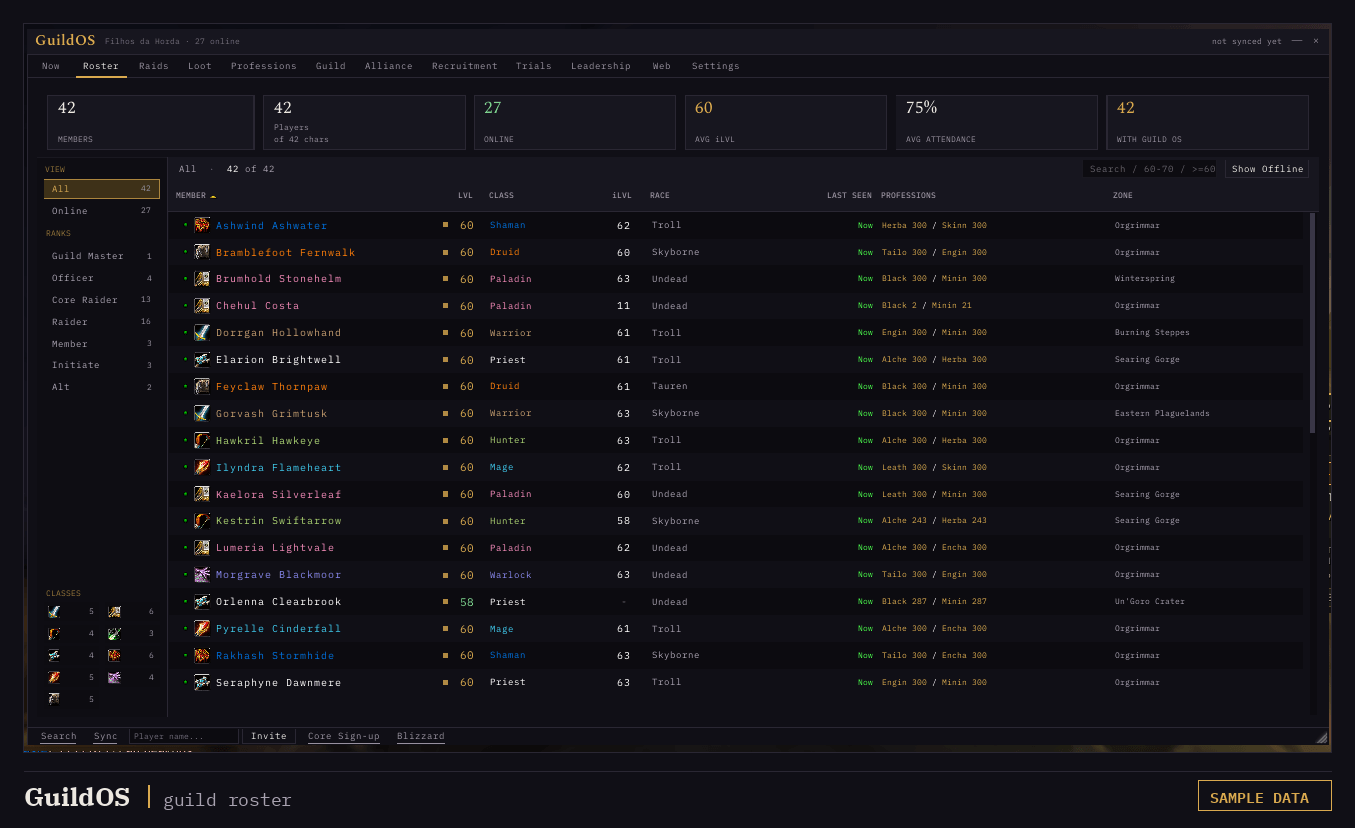
Level, class, item level, professions, attendance and zone for every member, collected automatically from everyone running GuildOS. Nobody fills anything in. Shown with sample data.
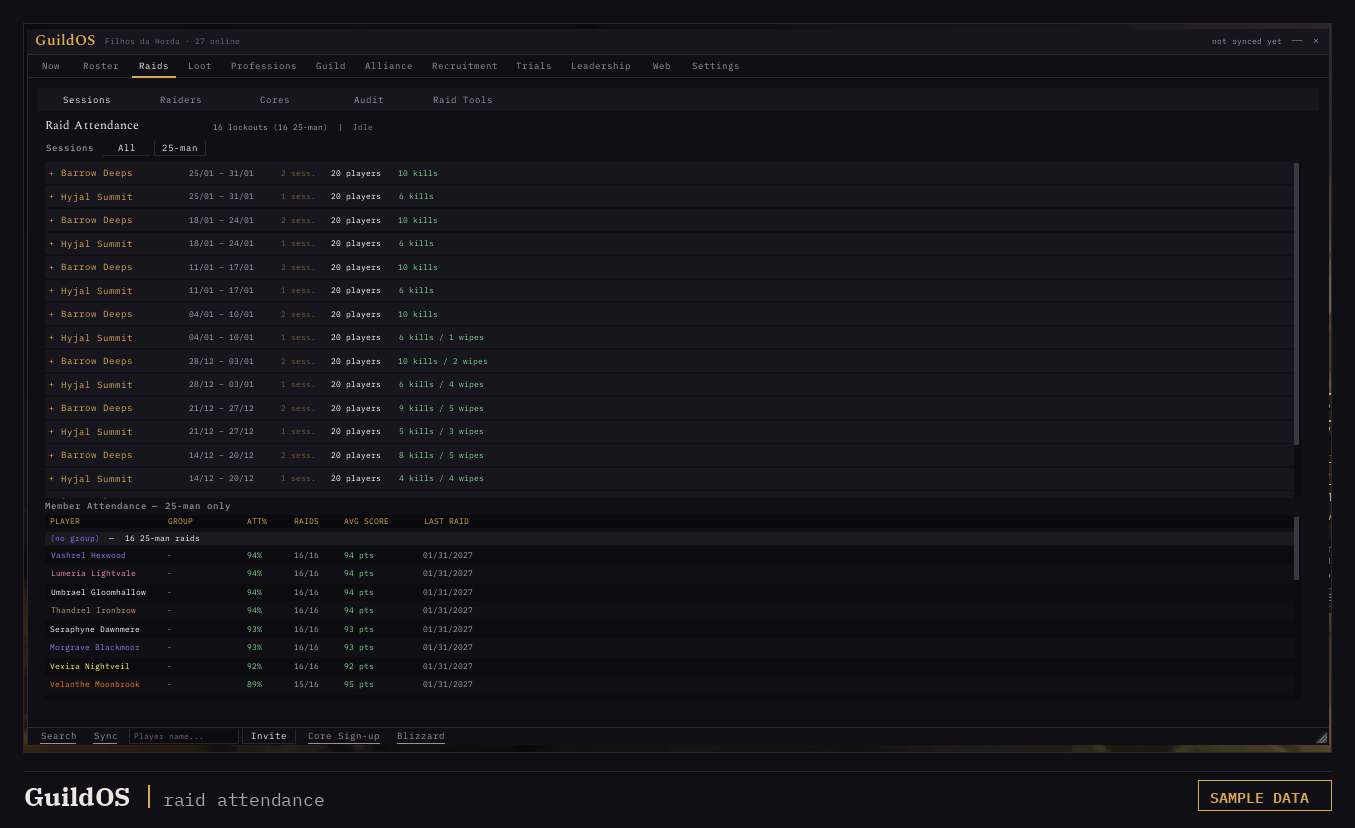
Session history per lockout with kills and wipes, plus attendance percentage, raids attended and average score per member. Shown with sample data.
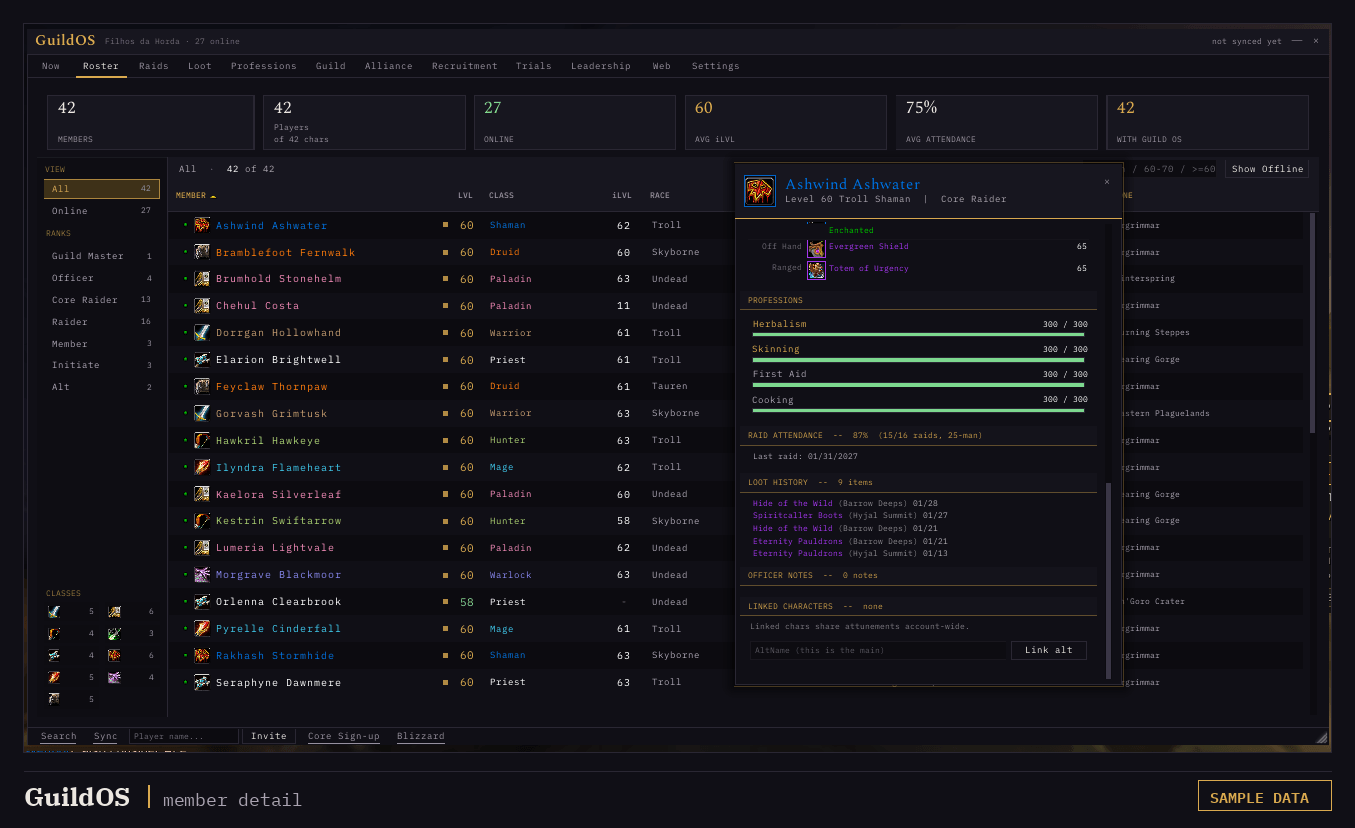
Gear with enchant warnings, professions with rank progress, raid attendance and loot history for any character in the guild. Shown with sample data.
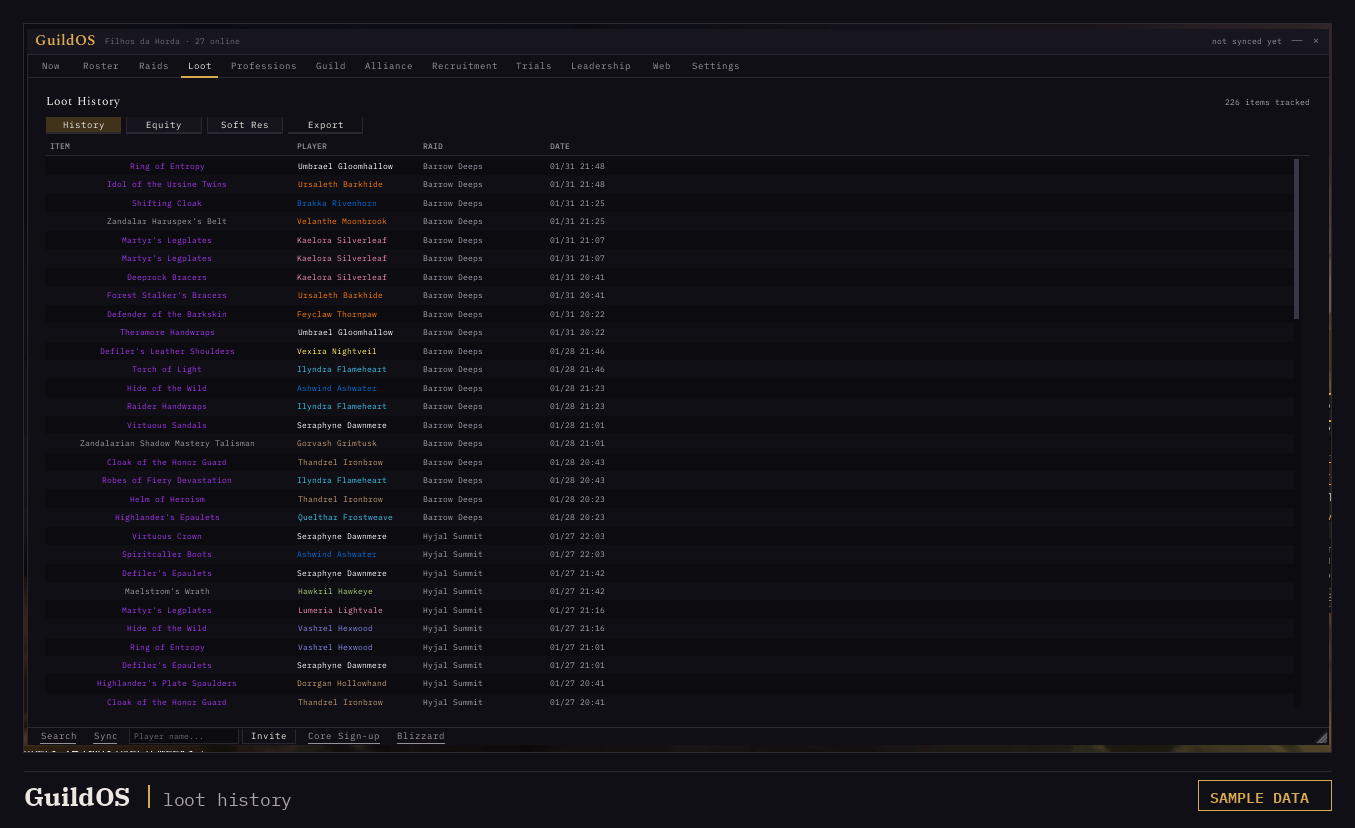
Every drop recorded with item, recipient, raid and date, feeding the loot master, the wishlist and the soft-res. Shown with sample data.
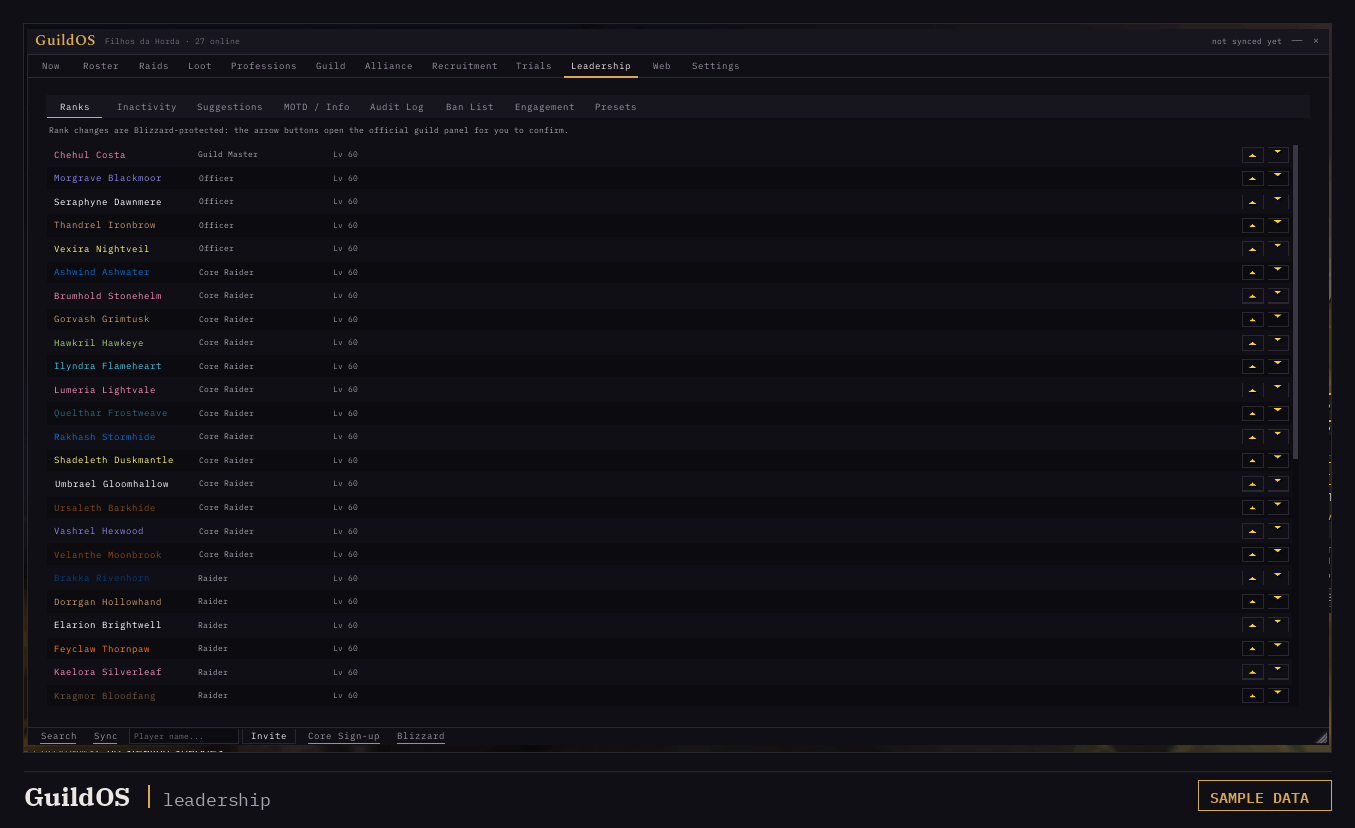
Ranks, inactivity, audit log, ban list and recruiter engagement in one tab, synced between officers. Shown with sample data.
Description
GuildOS — Guild Management for WoW: Forever & TBC
GuildOS is not just an addon. It is four pieces that run as one system: the in-game addon, a web panel at guildos.me, a Discord bot for raid signups, and a small Windows companion that carries the data out of the game.
WoW cannot talk to the internet. That is the wall every guild tool hits, and it is why your roster lives in a spreadsheet that someone stopped updating in week three. GuildOS goes around it: the addon collects and syncs, the companion forwards, the site and the bot publish. One officer installs it and the guild's roster, attendance and loot start recording themselves.
Running today on WoW: Forever (1.60.1) and Burning Crusade Classic (2.5.6), from the same download.
What you actually get
In game. A full replacement for the bare guild panel. Roster with gear, specs, professions, attunements and attendance. Member inspection for anyone, online or offline. Loot master, soft reserves, wishlists, enchant audits, raid tools, trials, officer notes.
On the web. guildos.me turns the same data into a page you can send to anyone: roster, loot history, attendance, raid planning. Optional, off until you turn it on, and the addon behaves identically if you never touch it.
In Discord. Raid signups your members answer without creating an account. Each signup comes back carrying that character's item level, spec and attendance, so you are not asking "what's your gear?" for the twentieth time.
The companion. A small Windows app that moves the encoded data from your saved variables to the site when you log out. Set up once, then forget it exists.
Recruiting for Forever
If you are forming a guild for November 4th, this is the half most tools skip.
- Recruit scanner. Scan unguilded candidates with level and class filters, whisper a template to the ones you pick, and read their replies in an inbox inside the addon. Throttled, batch-capped, and it asks before it sends.
- Auto-invite. A keyword whisper invites the player automatically, with level and class filters, a per-player cooldown, and a check that skips rather than guesses.
- Recruitment beacon. Compose your guild ad once and it propagates between nearby players, so it keeps reaching recruits even when no officer is online.
- Blacklist. A synced per-guild ban list that blocks auto-invites and alerts officers when a banned player rejoins or whispers.
- Trials. Once they join, trials carry a start date, a sponsor, notes, and automatic gear and attunement snapshots.
- Recruiter stats. Who is actually recruiting, how many invites they sent, and how many joins came from them, week over week.
Loot, without the argument
- Loot master with MS / OS / Pass rolls, configurable duration, rarity threshold and a designated disenchanter.
- Loot council from the wishlist. GuildOS resolves an item's council from who has it wishlisted and ranks them. With a clear winner it offers a direct award instead of opening a roll, and officer priorities override the wishlist council.
- Soft reserves and TMB (That's My BiS) import, with wishlist marks shown on the item tooltip.
- Attendance-weighted tiebreakers, penalties for players who already looted this lockout, and a configurable minimum attendance for main-spec rolls.
- Loot history recorded automatically for every rare and epic drop, with award history, undo and pending-trade tracking.
Officer tools
- Enchant audit. One click, guild-wide, every equipped-but-unenchanted slot, sorted by worst first.
- Attendance scoring with a transparent penalty system, built from raids the addon detected on its own rather than from signups.
- Consumable checker across flask, food, weapon buff, battle elixir and guardian elixir, feeding straight into the attendance score.
- Raid tools: composition by class, buff coverage, cooldown coverage, so you see what the raid is missing before you pull.
- Officer notes with quick tags, synced between officers in real time.
- Rank configuration: you choose which guild ranks count as officers, and it syncs to everyone.
Roster and characters
- Sortable roster: name, level, class, race, item level, professions, attunements, attendance, last seen.
- Member detail with all 17 gear slots, enchant warnings, profession progress, character stats and attunement progress.
- Account-wide attunements: link a player's alts and an attunement done on any character counts for the whole account.
- Guild recipe browser for every recipe known across the guild.
- Five languages: English, Português (BR), Español, Deutsch, Français.
Try it with data before you have data
A brand new install is an empty panel, which tells you nothing. GuildOS ships a demo mode that fills the whole suite with a sample guild so you can see every screen populated, decide if it fits, and then reload back to your real data. The screenshots on this page are that demo.
On WoW: Forever
One download serves both clients. The same file is marked for Forever (1.60.1) and TBC Anniversary (2.5.6), so any addon manager installs it normally.
GuildOS was read against the Forever client before the beta opened and runs there today. It was hardened for Forever's Secret Values, so when the client keeps a player's identity or a chat line private, GuildOS skips that one instead of throwing errors at you, and it follows Forever's own tooltip system so reserves, wishlist marks and the ban flag still appear where you point the mouse.
What does not apply there. Some trackers are about TBC content, raid attunements and TBC consumables, and a Classic-era client has nothing for them to find. Profession recipes and specs read APIs that Forever replaced, so they come back empty for now rather than wrong, and they are next on the list. Nothing about that stops the rest from working.
Something off on Forever? /guildos errors says what the addon could not find on that client, and /guildos probe records what it does have. Both are welcome in the support Discord.
Getting started
- Install, log in, press J. GuildOS takes over the default guild frame.
- Your gear, professions, attunements and stats are collected automatically and shared with other GuildOS users in your guild.
- Officers unlock the rest: audits, raid tools, attendance, loot master, recruiting, trials, alt linking and rank configuration.
- Optional: turn on the web side with
/gos web onand the site walks you through the companion and the guild token.
The more of your guild runs it, the more complete the picture gets.
Slash commands
| Command | What it does |
|---|---|
/guildos or /gos |
Toggle the GuildOS window |
/gos scout |
Recruit scanner |
/gos beacon |
Compose the guild ad |
/gos lfg |
Browse guilds recruiting nearby |
/gos ban <name> |
Blacklist a player |
/gos roster |
Pull in the roster planned on the website |
/gos roster invite |
Invite everyone on it |
/gos sync |
Broadcast your data to the guild |
/gos web on / off |
Turn the website link on or off |
/guildos errors |
Dump recent captured errors |
Legacy /brutus and /br still work. Officers also get /guildos recruit ... and /gos autoinvite for the recruitment settings.
Notes
- Data is stored per guild in SavedVariables, isolated by guild name and realm.
- Channel messages (LookingForGroup, Trade) require a click, because Blizzard requires a hardware event. GuildOS uses a clickable popup instead of sending silently.
- Officer status is a configurable guild-rank threshold, adjustable in Settings by current officers.
- The companion is Windows only. The site and the Discord bot work anywhere.
- Upgrading from the old BRutus? Your data migrates automatically on first load.
Support
Bugs, ideas and Forever reports are welcome in the support Discord, which is where the fastest answers happen. If GuildOS has been useful to your guild and you want to help keep it maintained, you can buy me a coffee.
Made by Chehul.
GuildOS — Guild Management for WoW Forever (roster, attendance, loot council) Team