Guild Enhanced Forever
- By
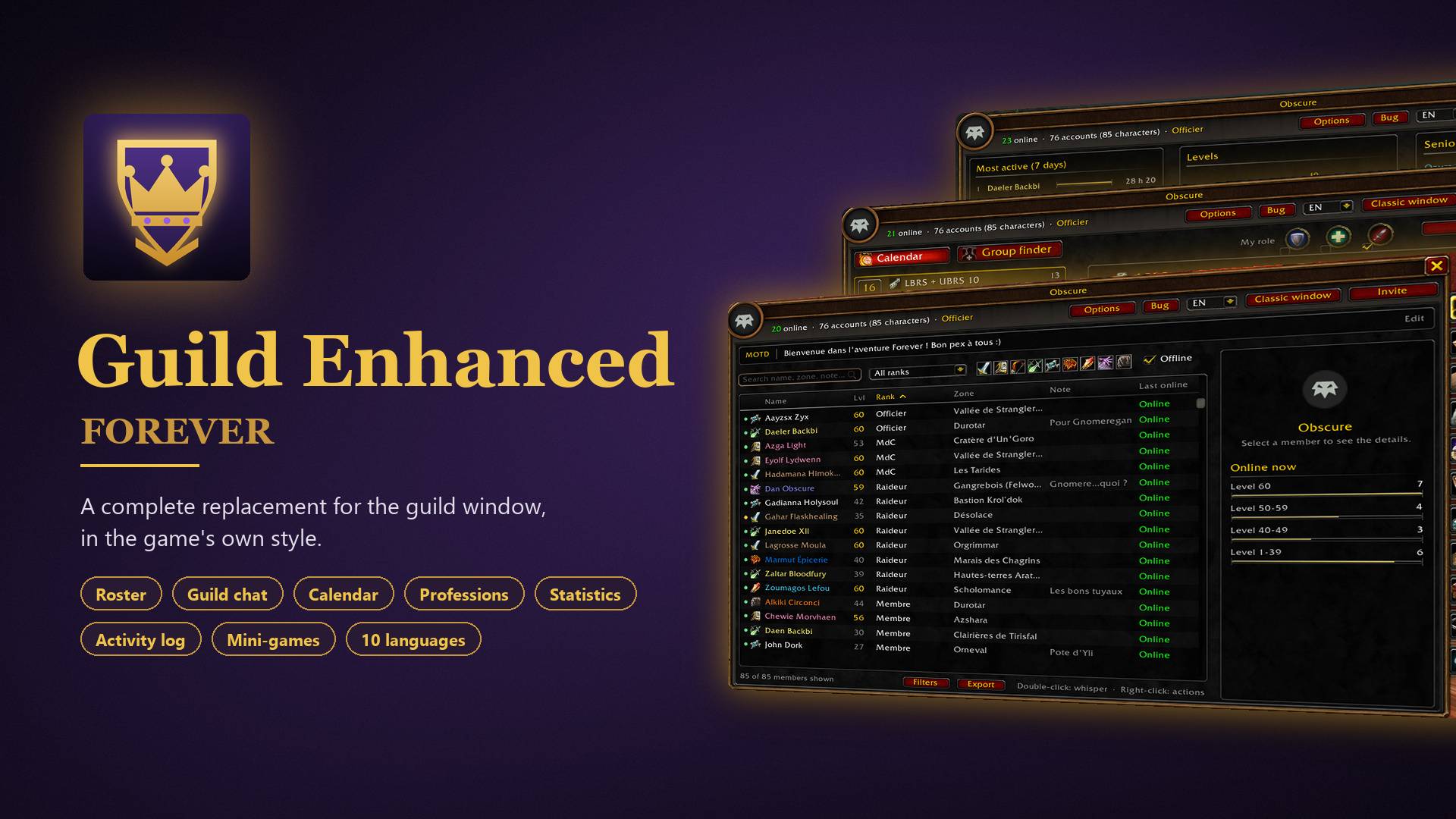
A complete replacement for the guild window, in the game’s own style: roster, events, professions, stats, guild games and more.

Description
Guild Enhanced Forever
Guild Enhanced Forever replaces the guild window (J) with a full guild hub built with the game’s own interface. Everything your guild needs is in one window, split into 11 tabs along the right side.
Members
• Sortable roster with search, class and rank filters, and saved filters
• Member card with a 3D portrait when the player is near you, status, rank, zone and last online
• Public and officer notes, plus a personal note that only you can see
• Favorites: get a pop-up when a favorite guildmate comes online
• Promote, demote, remove, invite to group and whisper in one click
• Export the roster to a spreadsheet
Communication
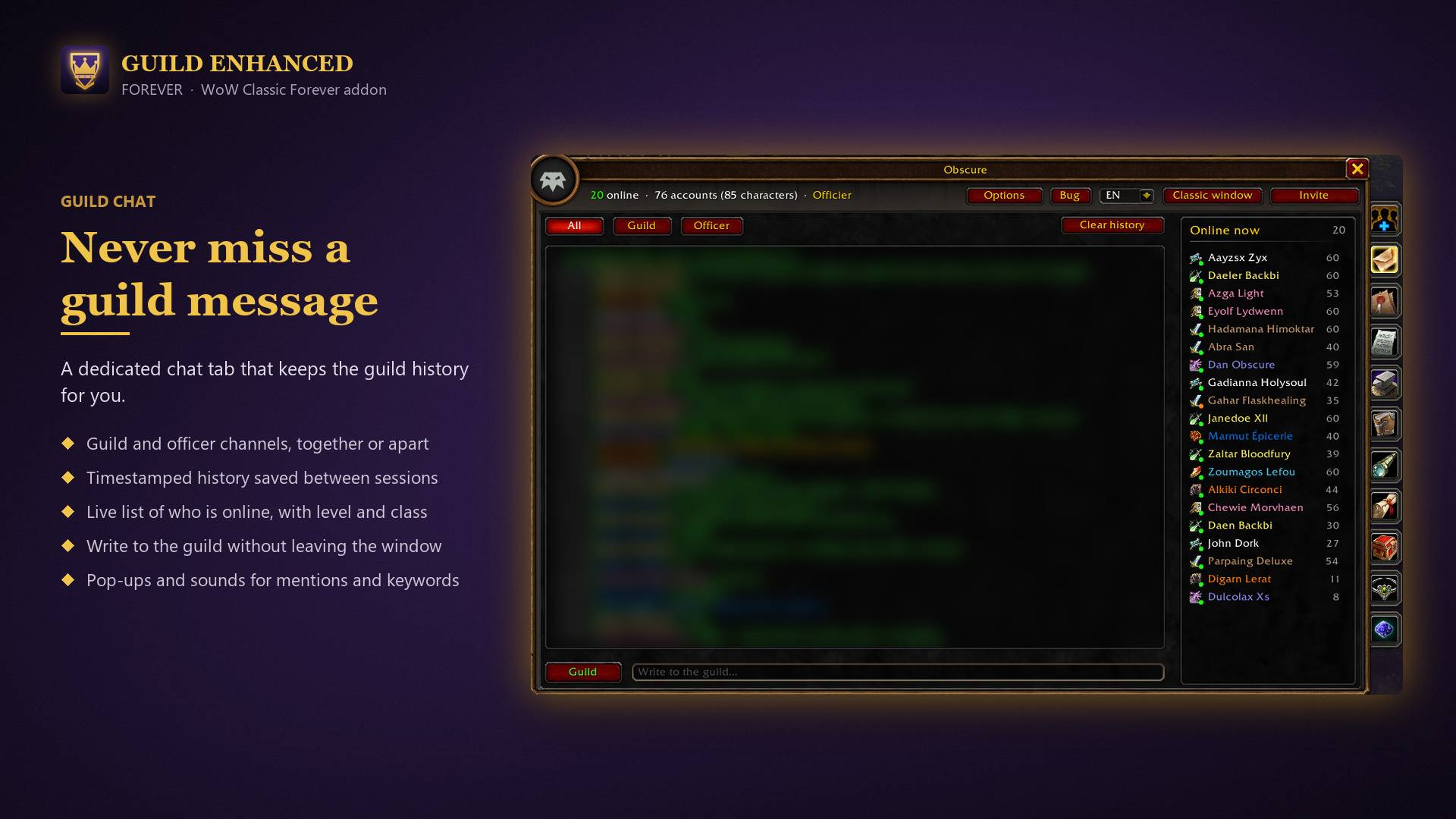
• Guild and officer chat, kept between sessions, with the list of members online
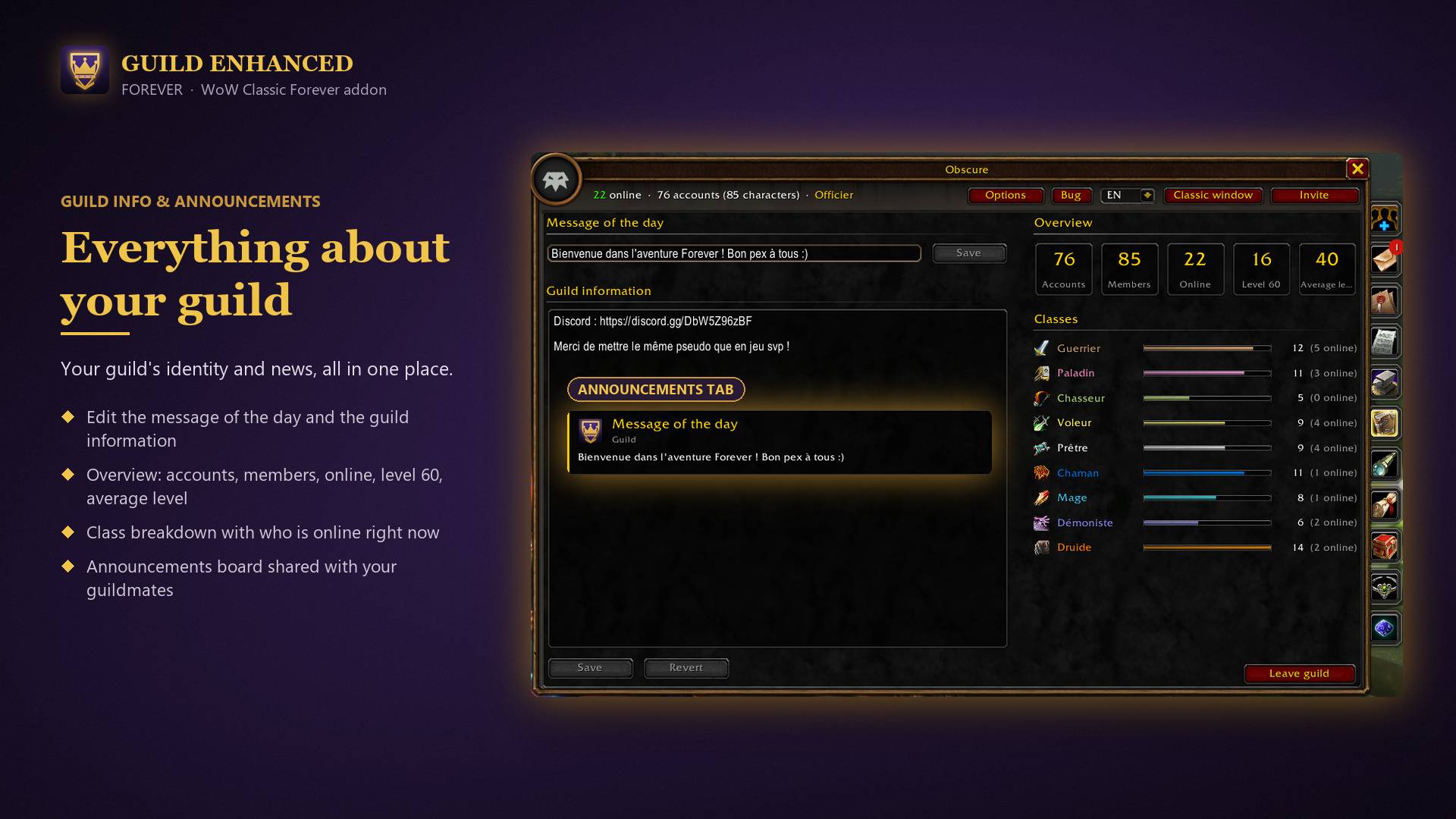
• Announcements board for the officers
• Message of the day and guild information, editable with the right permissions
Events and groups
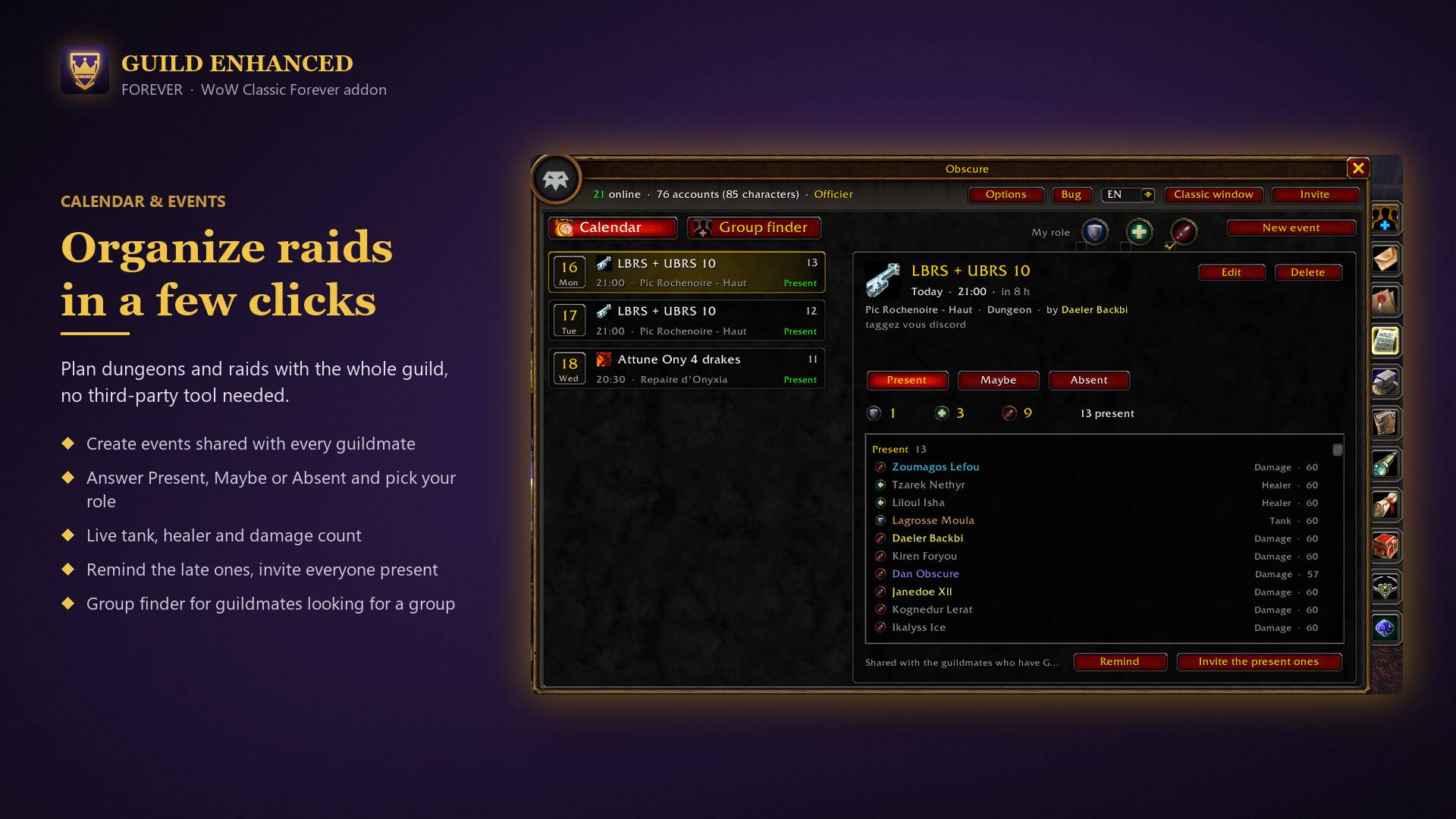
• Events calendar with sign-ups, roles (tank, healer, damage), role counters and a waiting list
• Group finder to set up a dungeon or raid group inside the guild
Professions
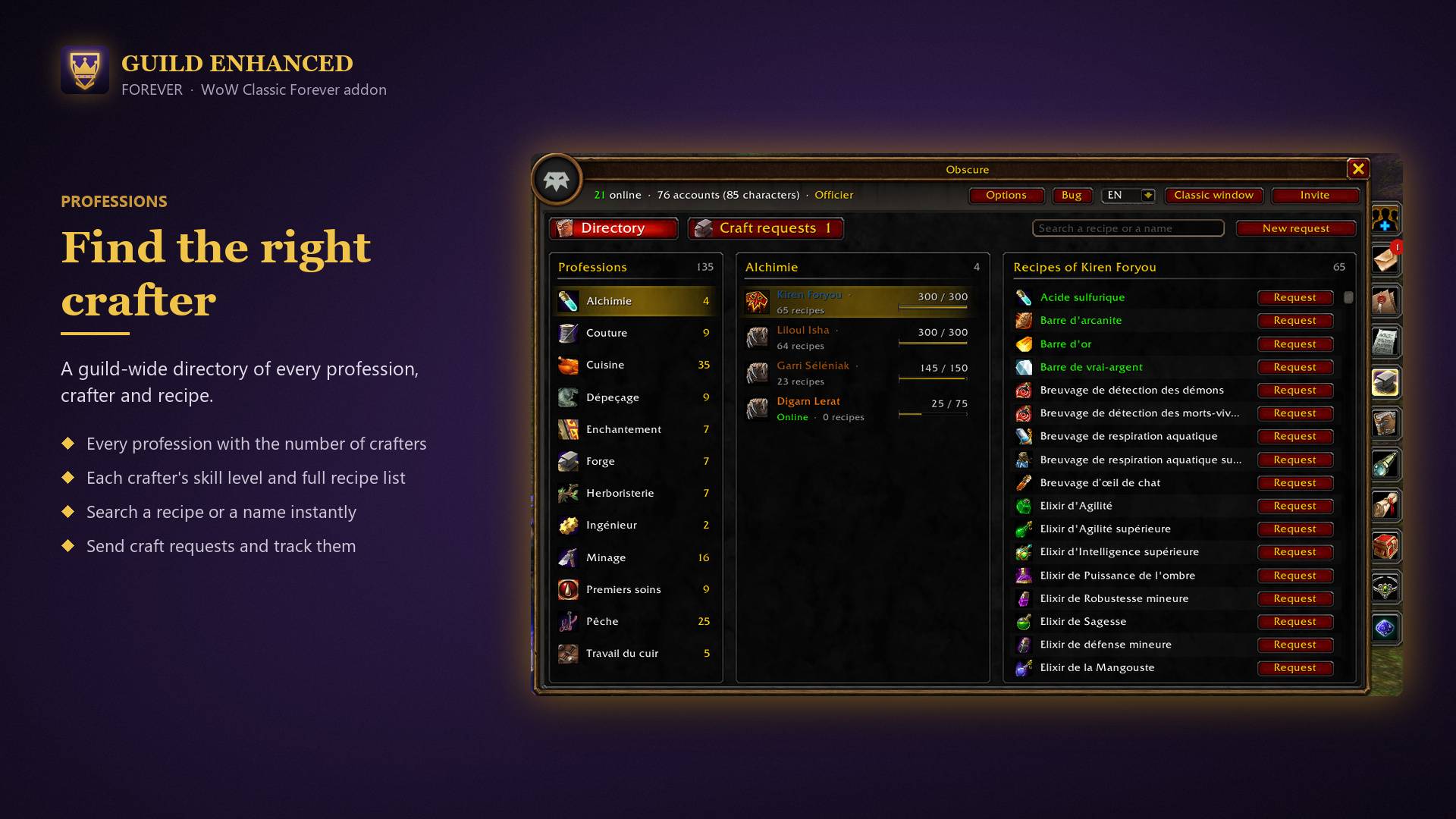
• Directory of the guild’s professions and recipes, shared automatically
• Craft requests sent straight to the right crafter
Statistics
• Overview: accounts (alts of the same player count once), members, online, max level, average level
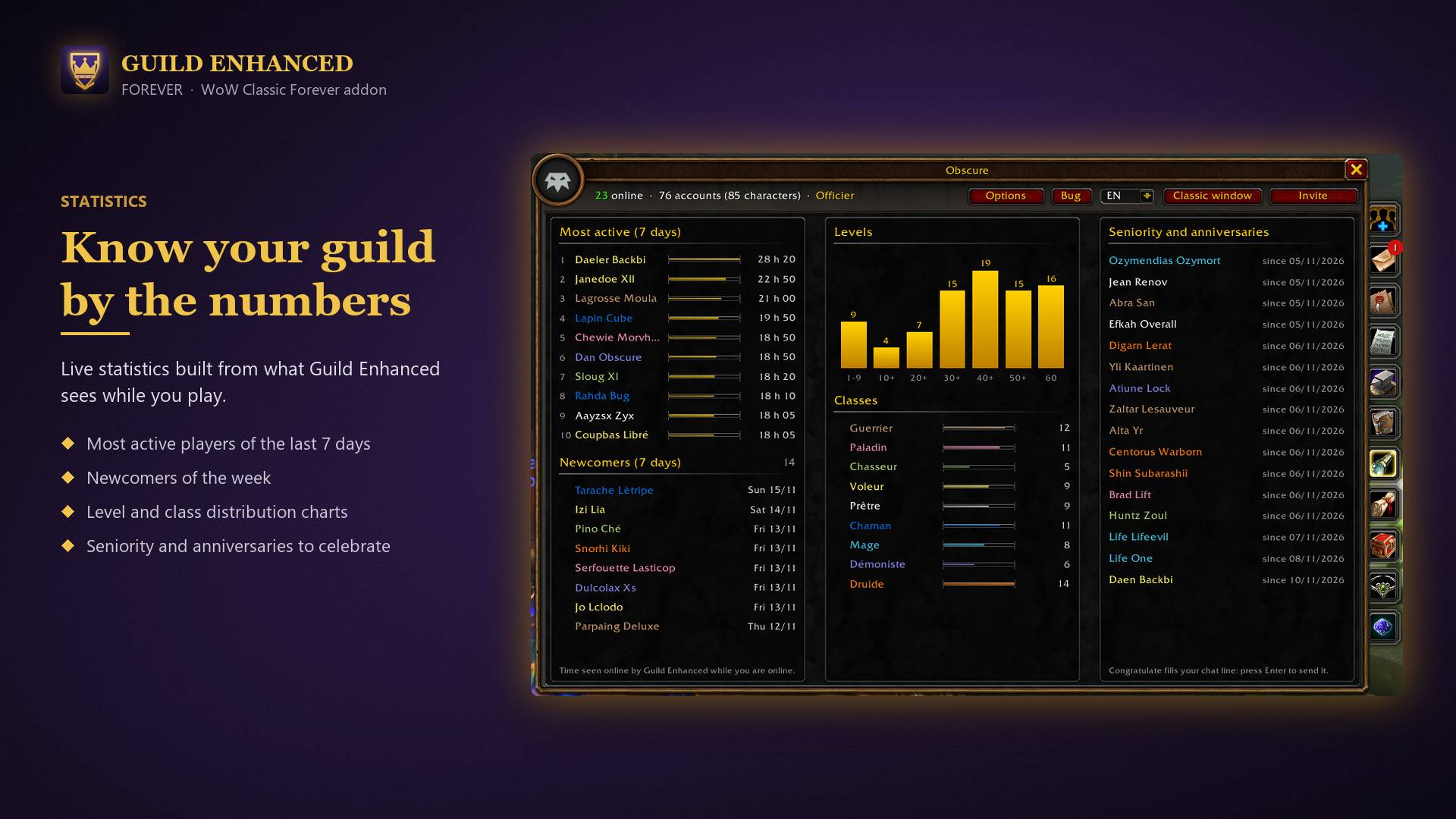
• Class composition, activity, newcomers, level and class charts
• Guild anniversaries with a Congratulate button
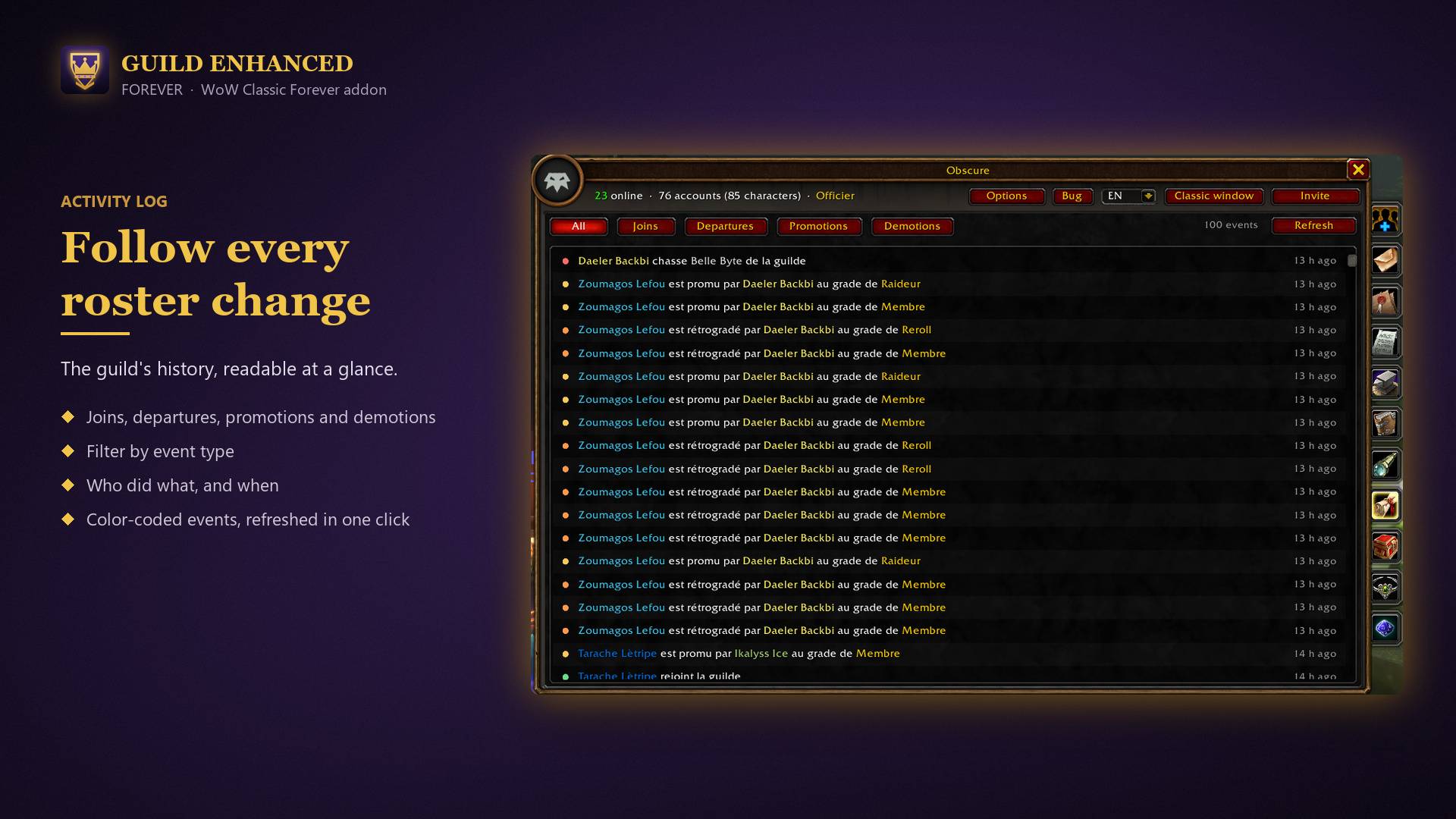
• Guild news and the event log, with filters
• Ranks with their members
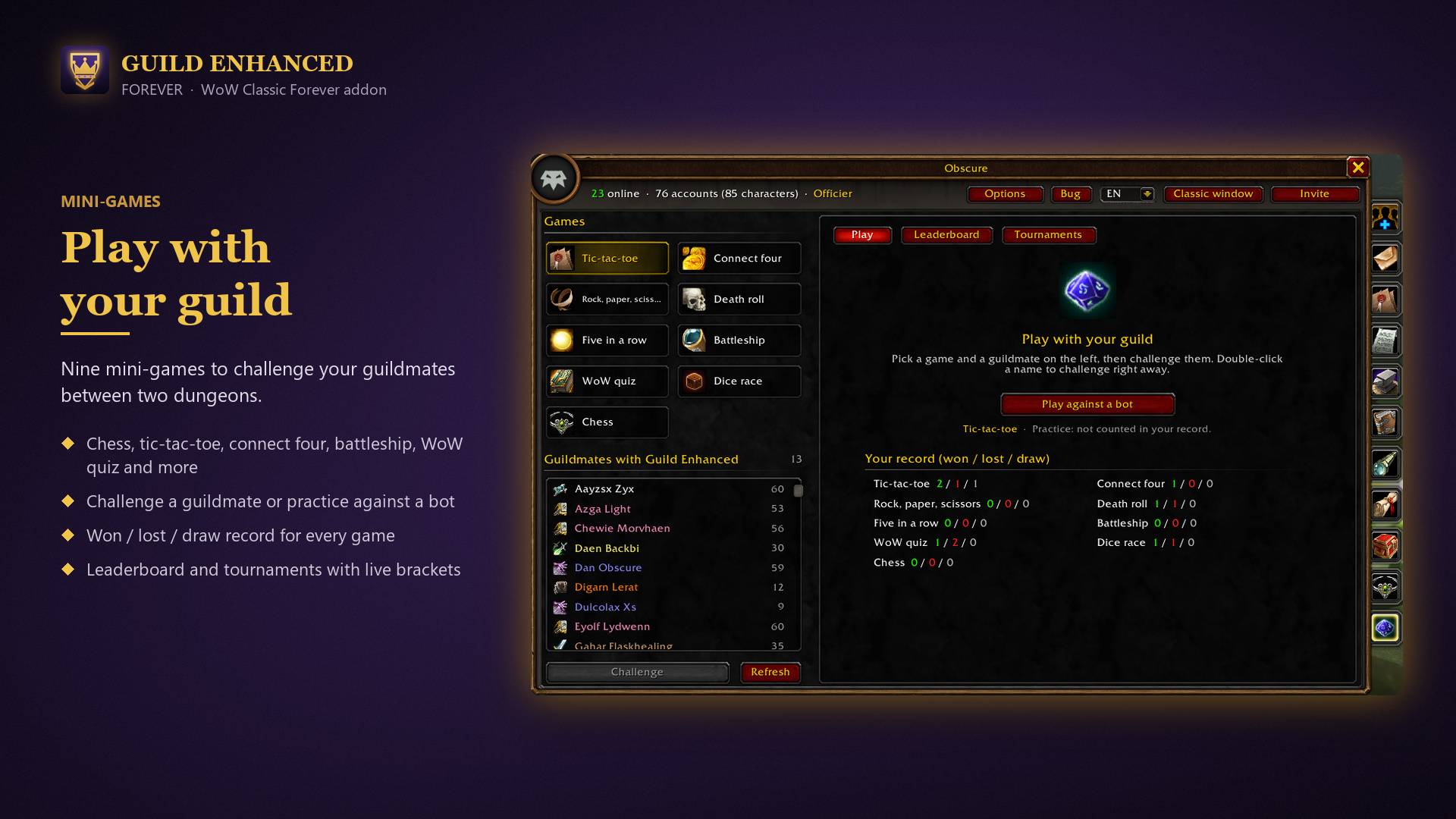
Guild games
Play against your guildmates or against a bot:
• Tic-tac-toe, Connect four, Five in a row, Battleship, WoW quiz on Classic lore, Dice race
• Leaderboard and tournaments
Notifications
Pop-ups and sounds for favorites coming online, your name or chosen keywords in guild chat, new events, groups, craft requests, announcements and anniversaries. Everything can be turned on or off in the Options window.
Good to know
• Shared features (events, professions, board, games, stats) work between guildmates who have the addon
• Available in English, French, German, Spanish, Italian, Portuguese, Russian, Korean, Simplified and Traditional Chinese, with a language selector
• The Classic window button opens the game’s own guild window. Type /gui blizzard to make J open it by default
• Commands: /gui, /guildui, /guildenhanced
• Found a bug? The Bug button gives you the link to the Discord server
Guild Enhanced Forever Team

Owner