

Guild Bank Logger
- By

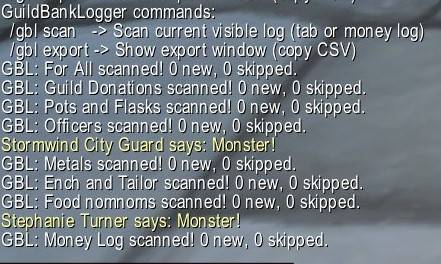
gblcommands.jpg
Scans when on log panes.jpg
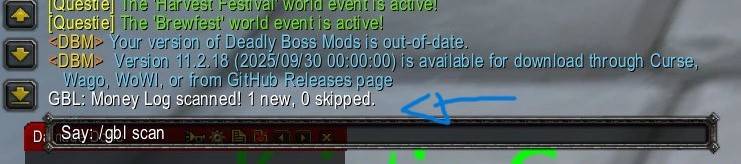
gblscannewentry.jpg
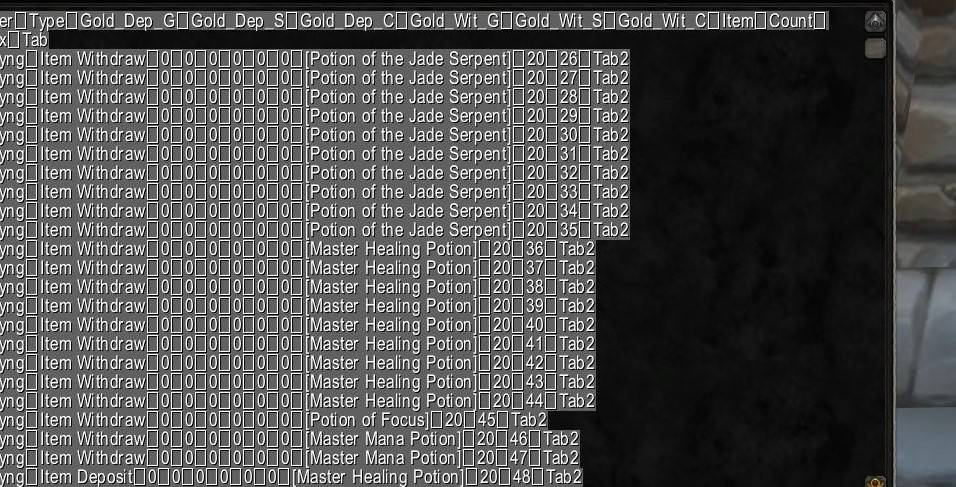
gblexport.jpg
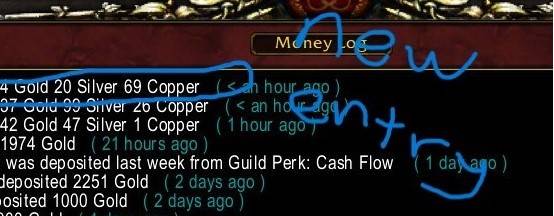
Newscan.jpg
Description
GuildBankLogger (MoP Classic) – User Guide (V2.0)
Welcome to GuildBankLogger, a reliable tool to help your WoW guild track all guild bank activity for gold and items, with easy copy-paste export for spreadsheets!
For all the people who originally downloaded please see this updated version . If you need to save a copy of your previous log then head to the "Important Notes" section below and check the last bullet point :)
Features
- Logs ALL deposits and withdrawals (gold & items) in your guild bank, across all tabs and the money log.
- Full history export – copy-paste into Excel or Google Sheets.
- Smart deduplication – never miss a transaction, even with repeated identical actions.
- No duplicates – only new entries are ever added after the first scan.
- Warns of log rollover – if too many actions happen between scans, you’ll be notified to prevent lost records.
Installation
- Copy the files:
- Place
GuildBankLogger.luaandGuildBankLogger.tocin yourInterface/AddOns/GuildBankLoggerfolder.
- Place
- Enable the addon:
- At character select, make sure GuildBankLogger is checked in AddOns.
Usage
1. Scanning Guild Bank Logs
GuildBankLogger works per-tab and with the money log.
- Open the Guild Bank in-game.
- Select the tab you wish to scan or switch to the money log.
- Type:
/gbl scan- The addon will check for new entries, append them to its history, and tell you how many were added or skipped.
- Repeat for every tab and the money log you want to record.
Tip: Scan each tab and the money log after major guild bank activity to keep your records complete.
2. Exporting Data
Export all recorded transactions (for Excel/Sheets):
- Type:
/gbl export- A window will appear with all your guild bank history in tab-separated format.
- Use Ctrl+A to select all, Ctrl+C to copy, and then Ctrl+V into Excel or your spreadsheet tool.
Columns:
Player Type Gold_Dep_G Gold_Dep_S Gold_Dep_C Gold_Wit_G Gold_Wit_S Gold_Wit_C Item Count Index Tab3. Commands
| Command | What it does |
|---|---|
/gbl scan |
Scan the current visible guild bank tab or money log |
/gbl export |
Show the export window for all logged history |
How Logging & Deduplication Work
- First scan: All visible logs are recorded.
- Next scans: Only new entries since your last scan are appended.
- Repeat actions: Even if a player deposits or withdraws the same item/gold repeatedly, every unique action is logged.
- Smart marker system: Ensures no entries are missed or duplicated, even with WoW’s rolling log window.
Important Notes
- Scan each tab and the money log individually!
WoW only shows logs for the currently selected tab/log. - Export shows ALL history – you never lose data.
- If you see a warning about log rollover (
Previous marker sequence not found...), it means too many actions happened between scans. Some older entries may not be logged, so scan more frequently if you need every entry. - If you ever wish to delete the database/check the data that you have saved. Go to the _classic_/WTF/Account/65numbers545/savedvariables and look for GuildBankLogger.lua. You can see the full string of logs here . Delete this lua file and a new one will be created on your next scan:)
Troubleshooting
- Addon not loading?
- Check that both
.luaand.tocfiles are in the correct folder and enabled.
- Check that both
- Export window not appearing?
- Make sure you’re not in combat and the addon is enabled.
- Duplicate/old entries appearing?
- If you see a warning, too many actions may have happened since your last scan. Export regularly!
Credits and Support
Author: MarshallJD
Version: 2.0 (MoP Classic)
For questions, suggestions, or bug reports, contact MarshallJD on GitHub.
Happy logging!
The Guild Bank Logger Team
