Group Rolls
- By
Group loot in one window: everyone's Need/Greed/Pass, rolls and winners, plus master looter tools.
gallery-1.png
group-rolls.png
Description
GroupRolls
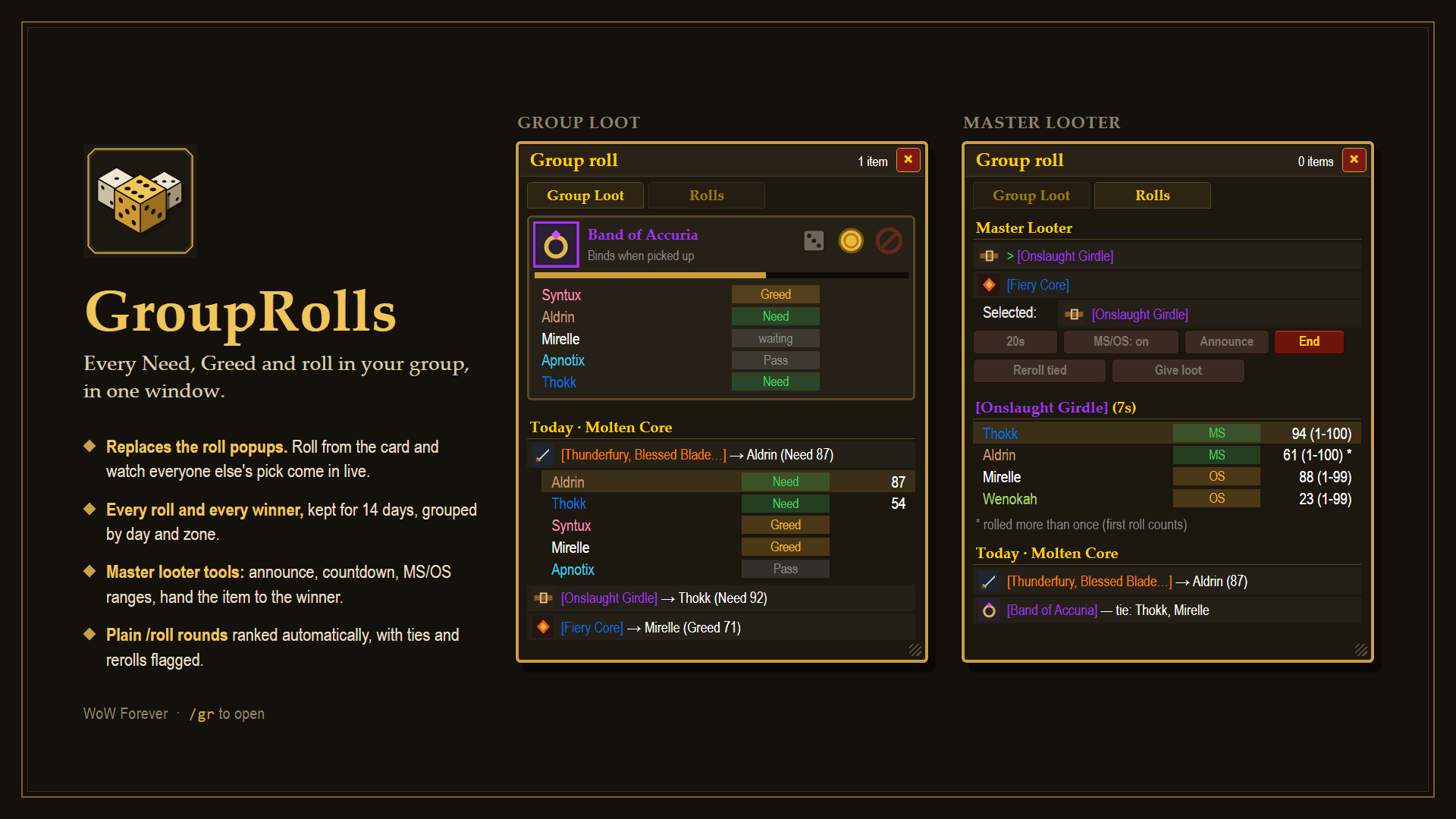
See who picked Need, Greed or Pass, what everyone rolled and who won, without scrolling through chat. GroupRolls replaces the default group loot roll popups with a single window, keeps a history of every roll, and gives master looters a countdown and a one-click hand-off.
Group Loot tab
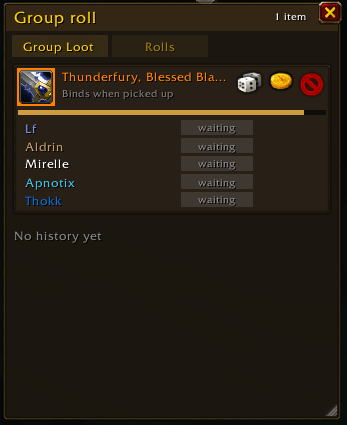
- Roll from the card. Each item gets a card with Need, Greed, Disenchant (when available) and Pass buttons, replacing the default roll popups.
- Everyone's pick, live. Every group member is listed under the item, and their choice appears as it happens. Anyone still deciding shows as waiting.
- Rolls and the winner. Once the rolls land, each player's number is shown and the winner is highlighted.
- History. Finished rolls are kept for 14 days, grouped by day and zone (Today · Molten Core). Click an entry to see everyone's pick and roll again.
Rolls tab
- Plain
/rollrounds are picked up automatically and ranked as they come in. - If the leader or master looter linked an item in group chat just before, the round is labelled with that item.
- Ties are called out, and a reroll is flagged: only the first roll counts.
Master looter tools
When you are the master looter, the Rolls tab gets a toolbar:
- Pick the item from the open loot window, or shift-click any item link while the Rolls tab is open.
- Announce posts the item and the roll rules to raid warning, raid or party, then counts down in chat (10, 5, 3, 2, 1).
- MS/OS ranges:
/roll 100for main spec,/roll 99for off spec. Main spec always beats off spec, and other ranges are marked invalid. - End closes the round early and announces the winner.
- Reroll tied starts a new round open only to the tied players.
- Give loot hands the item to the winner, after a confirmation.
Commands
| Command | What it does |
|---|---|
/gr or /grouprolls |
Show or hide the window |
/gr demo |
Try it solo with a fake roll and a fake /roll round (nothing is sent to chat or saved) |
/gr config |
List the settings |
/gr set <setting> <value> |
Change a setting, e.g. /gr set mlDuration 30 |
/gr reset |
Move the window back to its default position |
/gr clear |
Clear this character's history |
Settings
| Setting | Default | |
|---|---|---|
autoShow |
on | Open the window when a roll starts |
autoTimeout |
20 | Seconds before a plain /roll round closes |
mlDuration |
20 | Master looter countdown, in seconds |
mlRanges |
on | MS/OS roll ranges |
mlChannel |
auto | Announce channel: auto, RAID_WARNING, RAID or PARTY |
mlTicks |
on | Post the countdown in chat |
useBlizzardRollFrames |
off | Keep the default roll popups instead (needs /reload) |
historyDays |
14 | Days of history to keep |
historyMax |
2000 | Most history entries to keep |
scale |
1 | Window size |
Good to know
- Made for WoW Forever. Master looter tools need the master loot method, which Forever has.
- Replaces SexyLoot. Both addons take over the same roll popups. If SexyLoot is enabled, GroupRolls offers to disable it and reload.
- Any client language. Messages are read using the game's own text, not English phrases.
- Saved per character. History lives in your SavedVariables, so it survives logouts and reloads.
Found a bug? Please include the BugSack/BugGrabber error text if there is one.
Group Rolls Team