


EasyMarksForeverConfigurable
- By
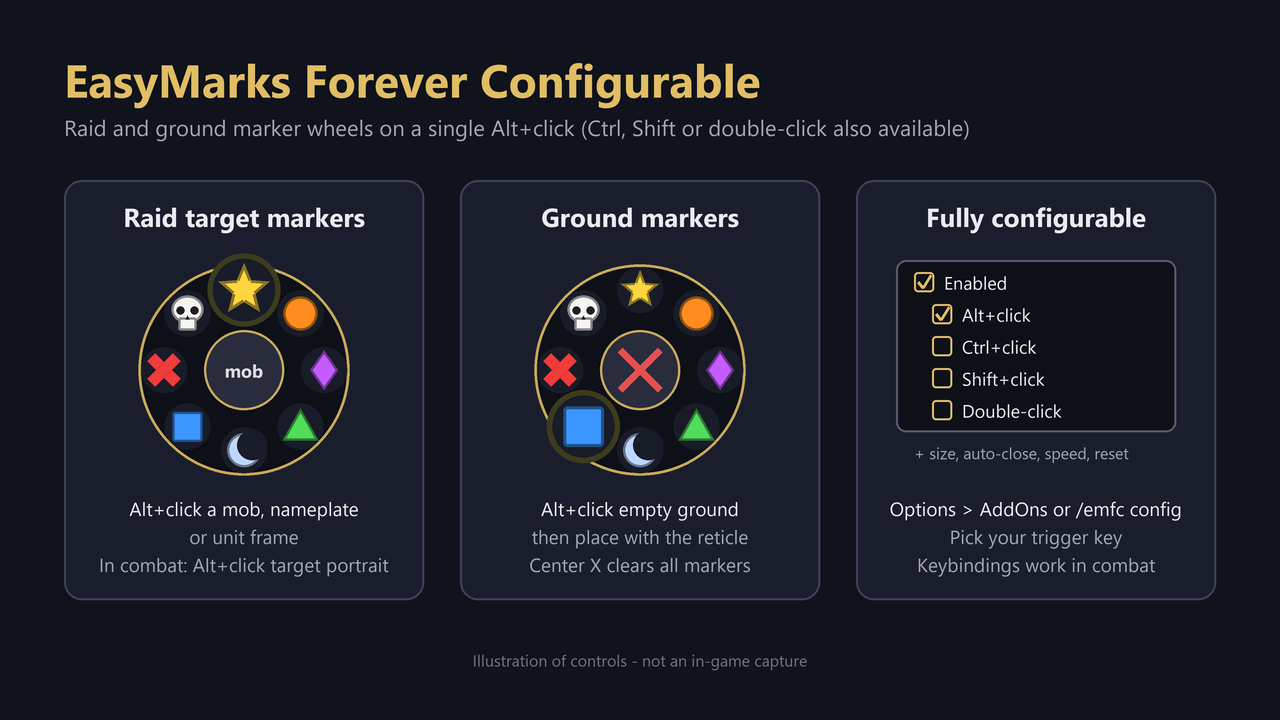
Alt+click mobs to raid-mark them and Alt+click the ground for world markers. The trigger can be changed to Ctrl, Shift or double-click.
controls-overview.png
Description
Mark targets with one Alt+click. EasyMarks Forever Configurable opens a radial wheel with all eight raid target icons right at your cursor. Pick an icon and the mob is marked. You don't need to double-click, and there are no menus to dig through.
It is a fork of EasyMarks Forever by Hammerdance. The wheels and marking are the same as the original. The difference is that you choose how to open them.
Raid target markers
- Alt+click a mob's model, nameplate or unit frame to open the marker wheel
- Click an icon to mark the unit, or click the center portrait to remove its mark
- Right-click to close the wheel
- Icons smoothly enlarge on hover
Ground (world) markers
- Alt+click empty ground to open the ground-marker wheel
- Pick a marker, then click the ground with the placement reticle
- The center X clears all ground markers
- Requires a party or raid and marking permissions
In combat
- Alt+click the default target portrait to open the wheel for your current target
- Or bind keys under Options → Keybindings → EasyMarks Forever Configurable:
- Toggle raid marker wheel
- Target mouseover and open wheel (works well on a spare mouse button)
- Toggle world marker wheel
Fully configurable
Open Options → AddOns → EasyMarks Forever Configurable (or type /emfc config):
- Trigger: Alt+click, Ctrl+click, Shift+click, or the original double-click
- Wheel size
- Auto-close time for an unused wheel
- Double-click speed (when using the double-click trigger)
- Enable/disable and reset to defaults
Slash commands
| Command | What it does |
|---|---|
/emfc config |
Open the options panel |
/emfc trigger alt\|ctrl\|shift\|double |
Change the trigger |
/emfc |
Toggle the wheel for your current target |
/emfc world |
Toggle the ground-marker wheel |
/emfc hide |
Close all wheels |
/emfc on / /emfc off |
Enable / disable |
/emfc scale 0.6-1.8 |
Wheel size |
/emfc speed 0.15-0.8 |
Double-click speed |
/emfc reset |
Reset settings |
/emfc status |
Diagnostic info (please include it in bug reports) |
Notes
- Disable the original EasyMarks Forever while using this one, or both will react to your clicks. Settings and keybindings are separate, so you can switch back at any time.
- Marking runs through the game's secure action buttons. The addon only stores its own settings.
- Settings can't be changed during combat. That is a game restriction.
Credits
Original addon EasyMarks Forever by Hammerdance, released under the MIT License. This fork adds the configurable trigger and the options panel.
EasyMarksForeverConfigurable Team
