GRIP - EMS (Enhanced Macro Sequencer)
- By
Free macro sequencer for WoW: turn a multi-step rotation into one keybind, with a visual editor, smart context switching, import/export, and player-to-player sharing.
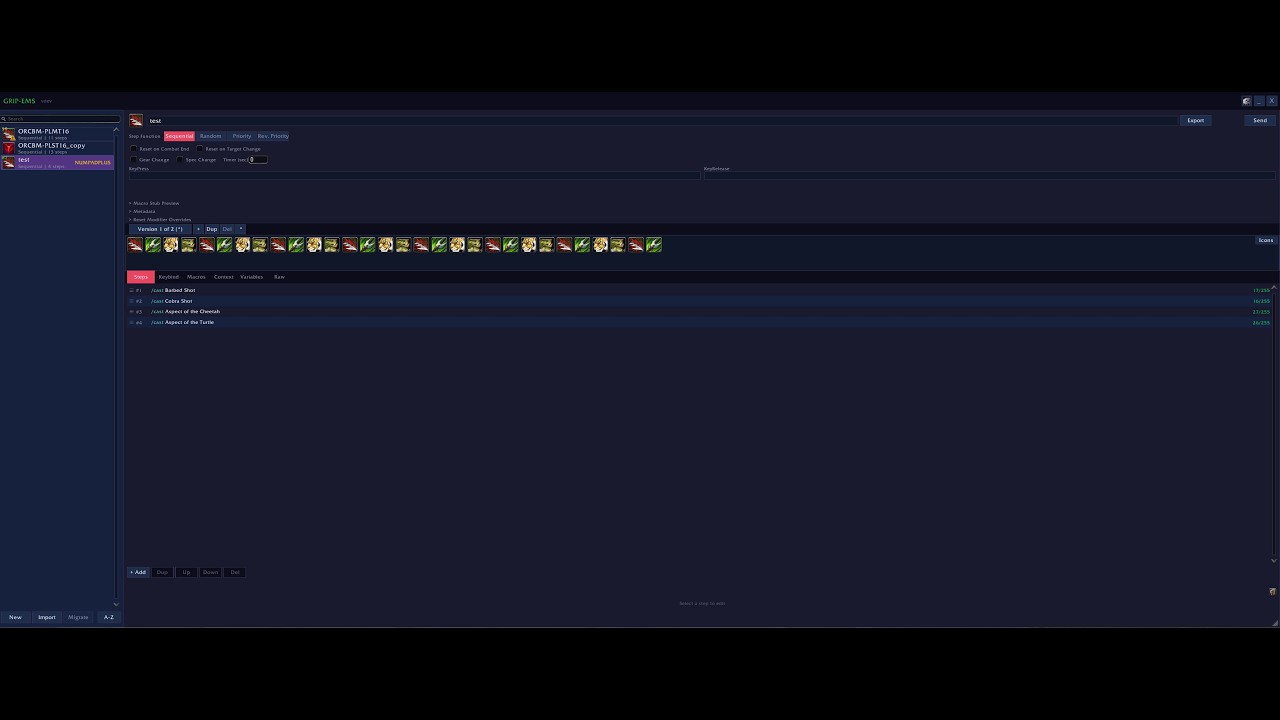
It is the future.
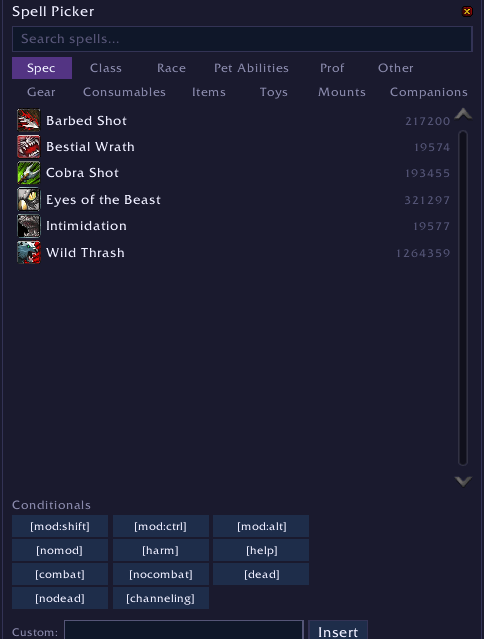
Easy spell picker for your macros, no longer is a notepad or searching in your spell book / bags needed! Just click!
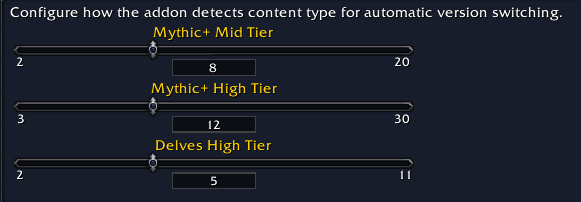
Decide when your sequence evolves!
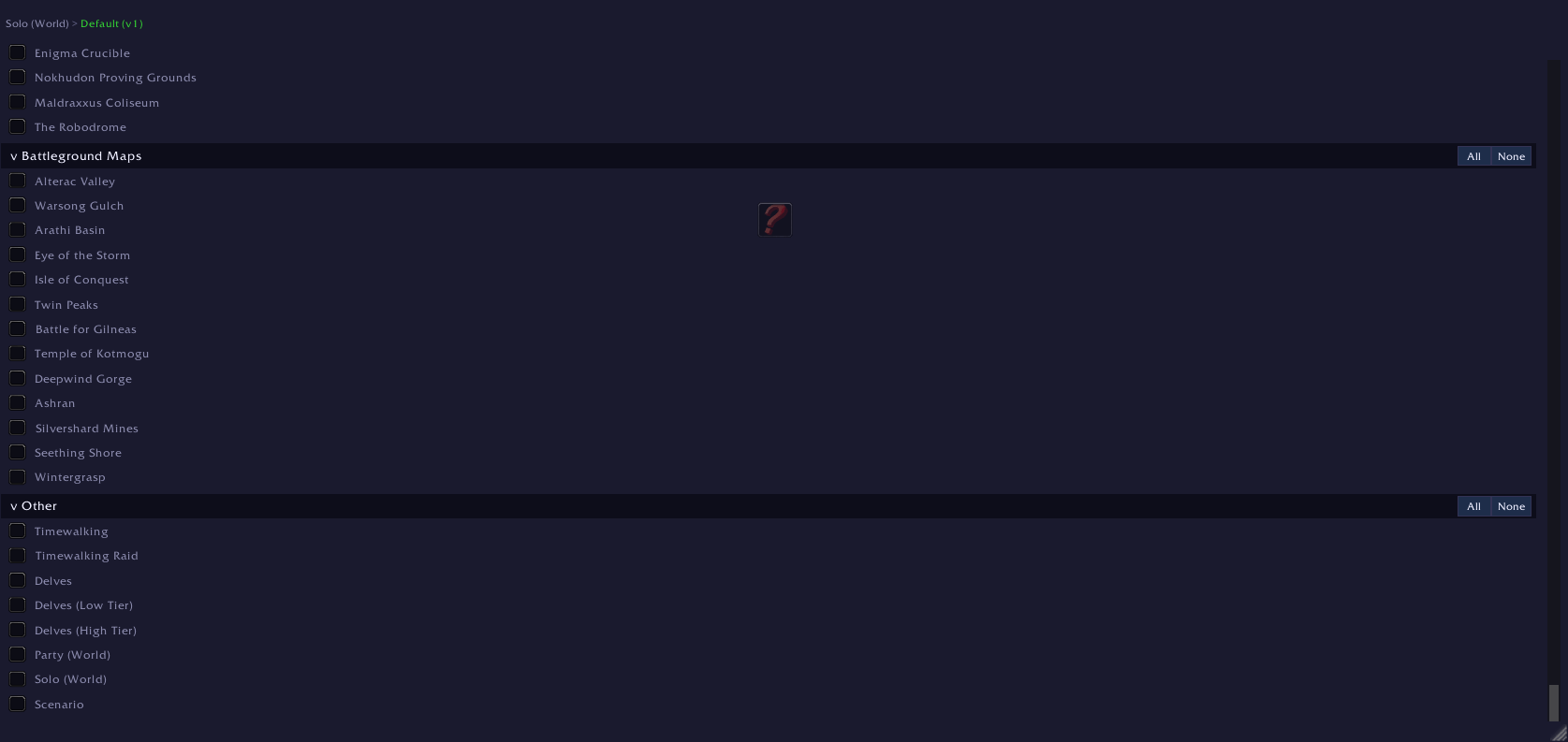
How many sequences and versions of sequences do you have?!
What about all your Sequences from other Macro Compilers? Migrate them all in one go!
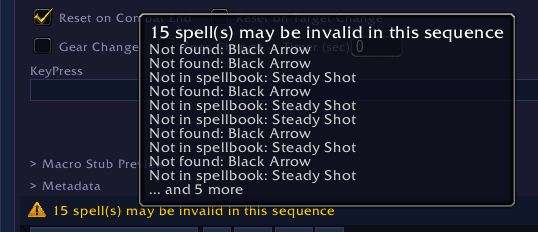
EMS will warn you if your sequence might not work, or if you are missing things!
1 button to rule them all.
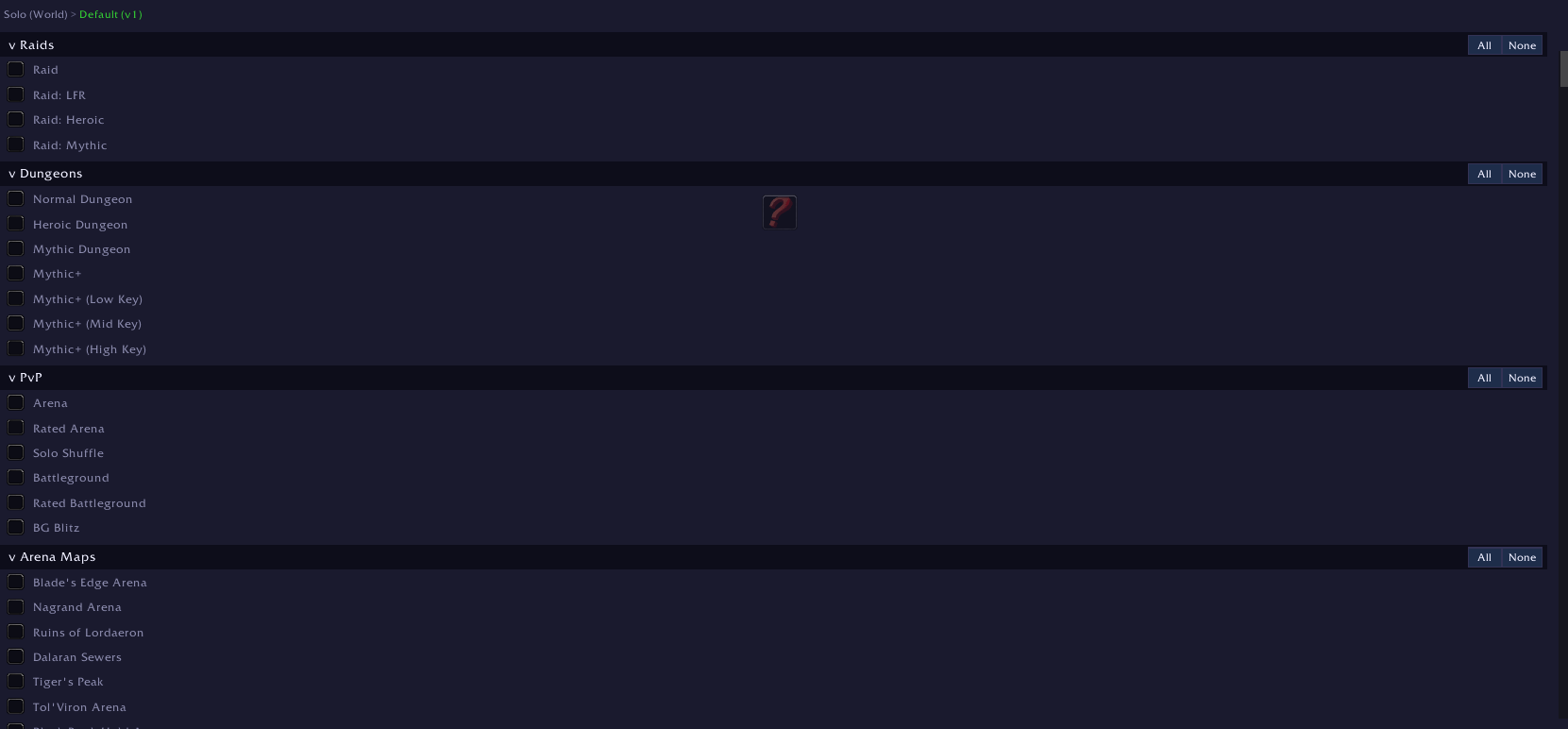
Different version of the same macro for different content? No problem!

When do you want your sequence to reset?
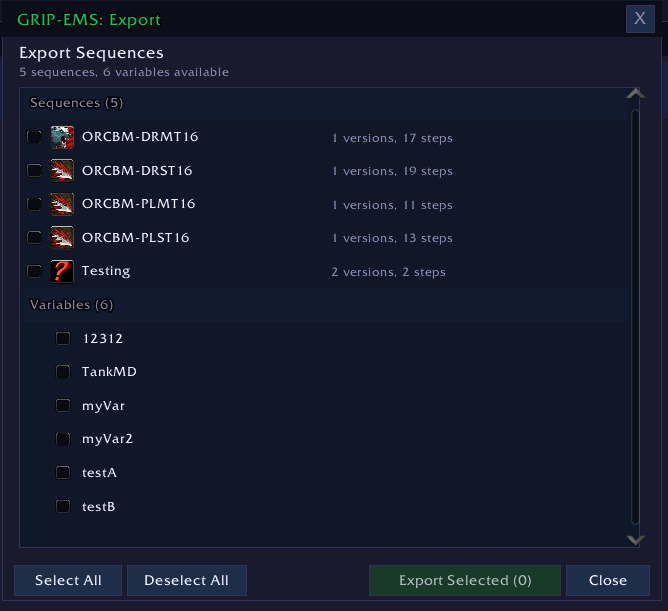
Multi Export Support - Select sequences, variables and more!
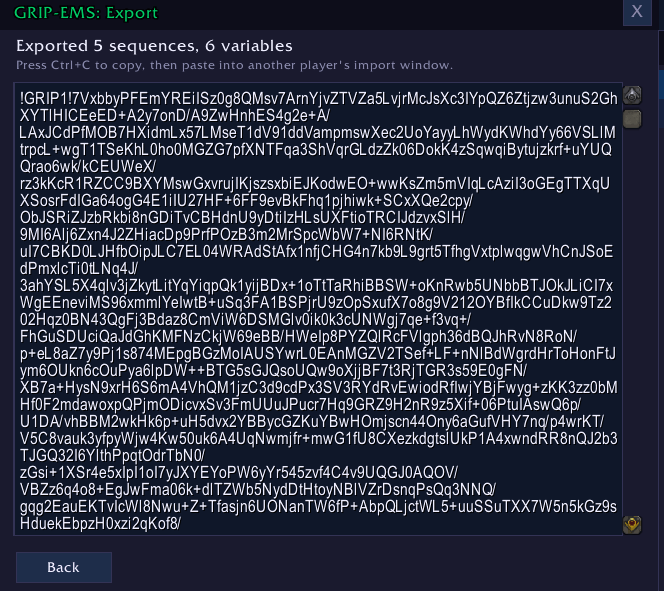
Export 1, or multiple, sequences in beautifully encoded string!
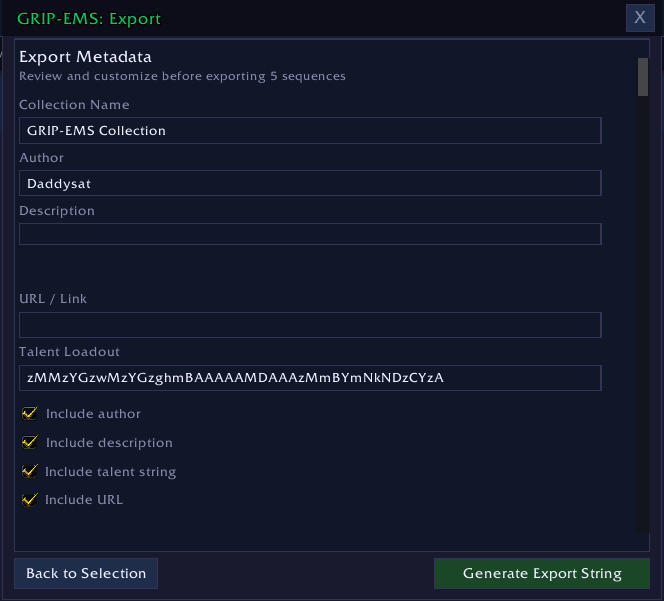
Give your exported string some flair and information!

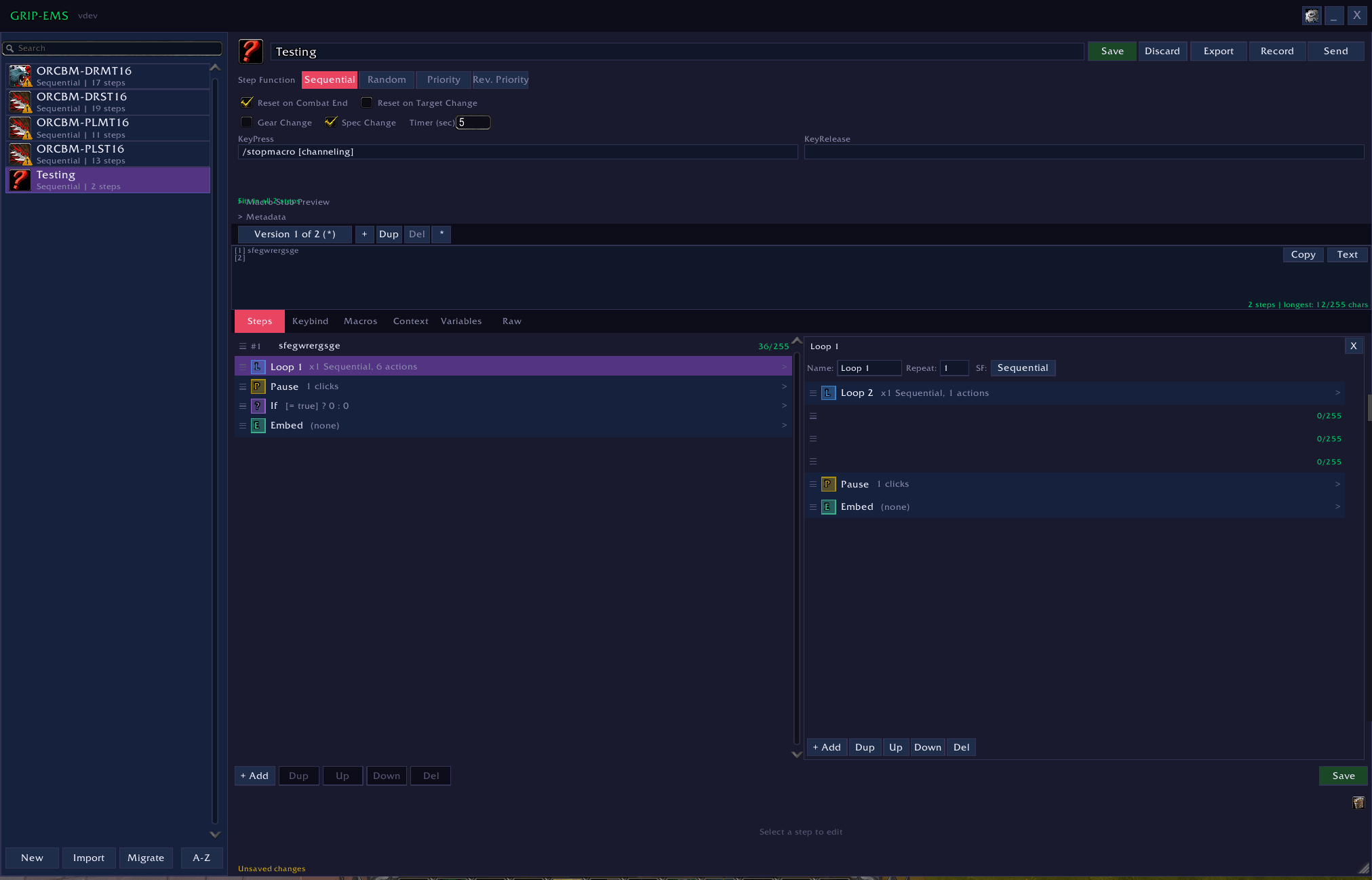
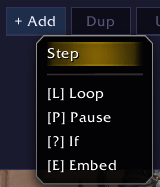
Want a loop, inside a loop, that is inside a loop? Now you can! And them for easy spotting!
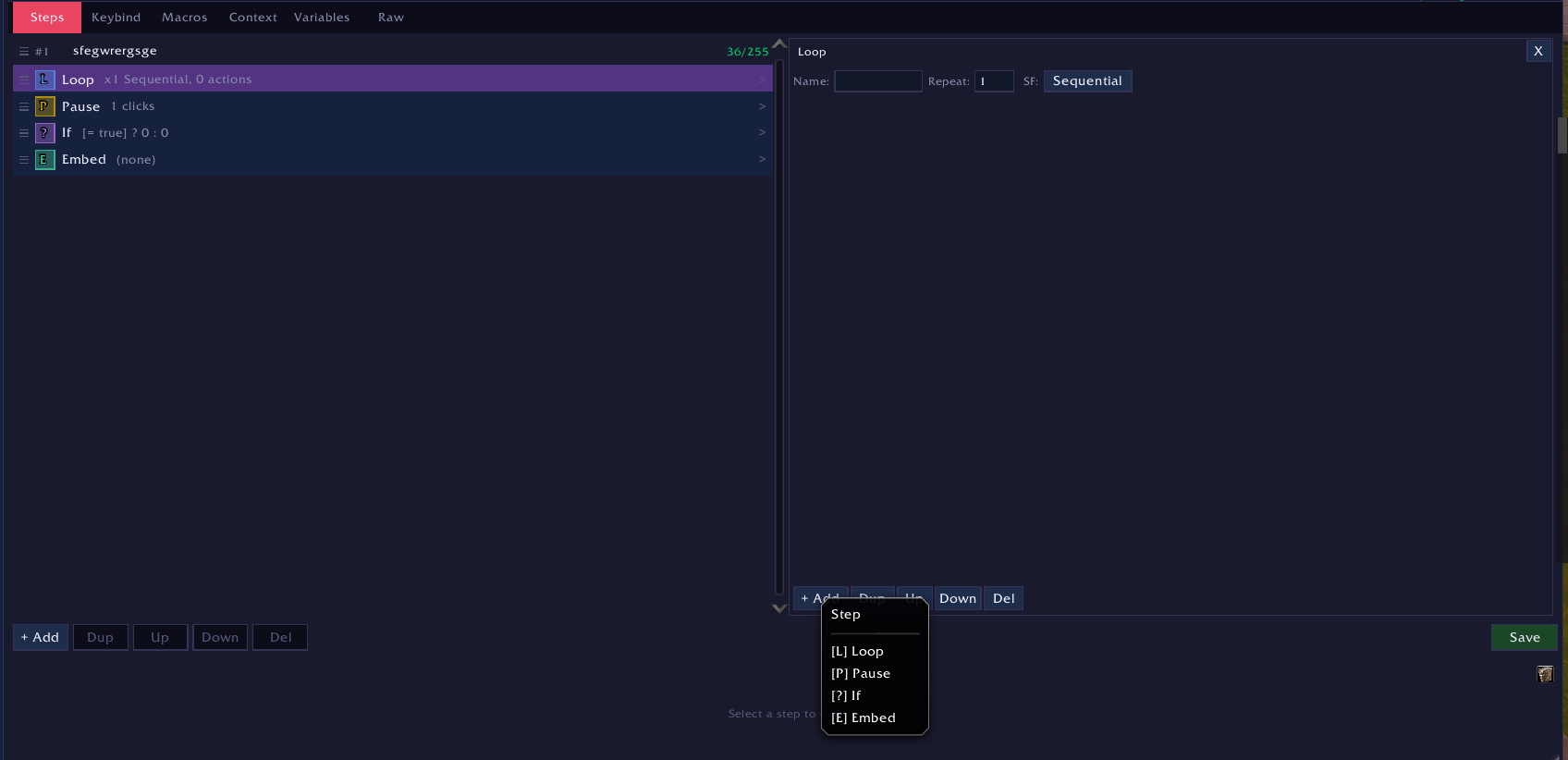
Easily create steps, or other nodes, inside a node!
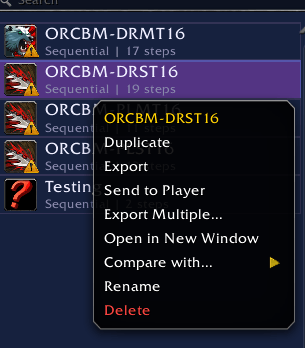
Character to Character sharing, Compare with other sequences, duplicate and more!
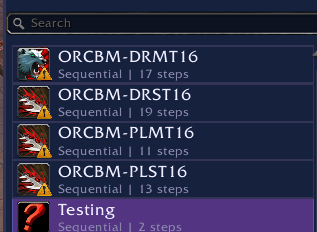
Informative sequence listing.
Big brother is recording your every move!
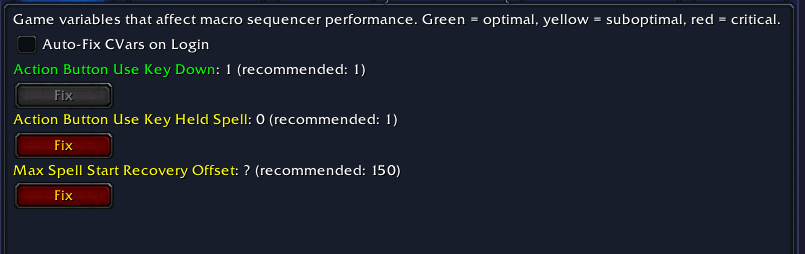
Included recommendations for your CVar's so that everything will run smooth as butter!
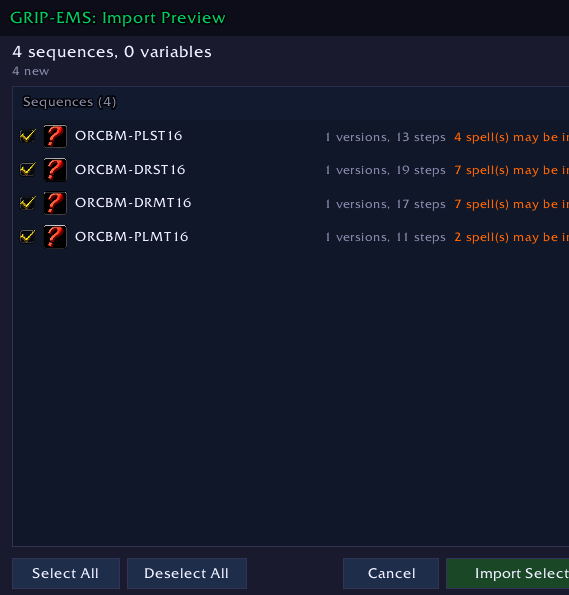
Import as many as you like, 1 or more sequences. With useful information!
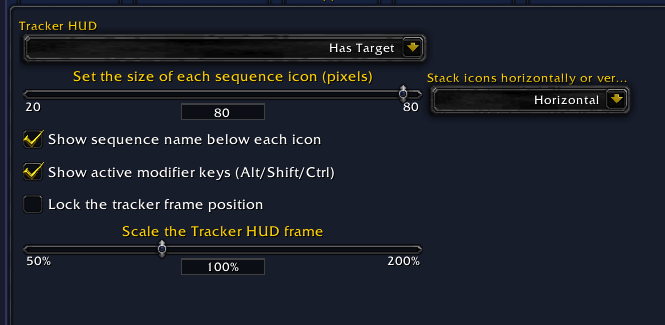
Visual Representation of your sequence as you are going through it.
Description
GRIP - Enhanced Macro Sequencer
One key. Your whole rotation.
Free macro sequencer for World of Warcraft Retail. Midnight 12.0.1 to 12.1. Eleven languages. Every feature included.



Drop your spells into the editor, bind one key, and press it. EMS fires one step per press and walks the rotation for you. Keep a separate version for raid, Mythic+, PvP and solo and it switches between them on its own. Hand a sequence to someone in your group as a chat link they click once.
Free means free.
Everything on this page is in the download. Four editor windows at once, all twelve vehicle bar slots, the whole context system, the accessibility panel. No paid tier, no key, no account, nothing held back for later.
Sixty seconds to your first sequence
- Type
/gemsin chat. - Click New and give it a name.
- Type your spells, one per step. Press Tab for autocomplete out of your own spellbook.
- Hit Save, open the Keybind tab, press the key you want.
- Target something and start pressing.
Stuck at any point, type /gems guide for the walkthrough in game, or read it in a browser.
The engine
One press, one step. Which step counts as next is a setting on the sequence, not something you have to write into the macro.
| Step function | What a press does |
|---|---|
| Sequential | Your steps in written order, top to bottom, then back to the start. |
| Priority | The first step that is castable right now, so cooldowns slot themselves in around your filler. |
| Reverse Priority | The same check read from the bottom of the list upward. |
| Random | Picks a step at random each press. |
Sequences put themselves back to step one on whatever you pick: combat ending, a target change, a gear swap, a spec change, or an idle timer. Tick more than one and write the timer in seconds.
Reset conditions live on the sequence, so the counter is where you expect it when the next pull starts.
Skyriding. With Auto Dismount in Flight on, pressing your sequence key while you have an attackable target dismounts you and casts in the same press. Druid flight forms are handled too. Press it with nothing targeted and the press goes to the skyriding bar as normal.
Hold While Channeling. A press that lands mid channel casts nothing and leaves the step counter where it was, so you stop clipping your own channel and stop burning steps on it. A third setting ends an empowered spell the moment it reaches maximum rank instead of running the hold window down.
The editor
Six tabs per sequence: Steps, Keybind, Macros, Variables, Context, Raw, plus a seventh, Variants, once you switch it on in Settings. Up to four sequence windows open at once, each with its own undo history on Ctrl+Z.
Steps are not limited to a flat list. Add a Loop, a Pause, an If, or Embed another sequence, and nest them as deep as the rotation needs. If and Else take multiple actions per branch, negate themselves correctly when you leave one side empty, and count characters against the 200 and 255 limits while you type.
Press Tab in a step and it completes out of your spellbook. The spell picker opens the same list with filters and a condition builder, so a modifier line or a stance check goes in without you typing the syntax from memory.
Every step is checked against your spellbook as you work. A yellow badge means the game knows the spell but this character does not have it. A red badge means the game does not know it at all. Loops and If nodes inherit the badge of anything flagged inside them, so nothing hides behind a collapsed container.
The rest of the editor, in short:
- Hover a step row and you get the game's own tooltip, the same one your action bar shows, with any validation warning added under it
- Numeric spell IDs draw as localised names in the list while the stored macro text stays exactly as you wrote it
- Drag to reorder with a drop indicator, or select a range with shift and move, duplicate or delete the block in one action
- Working copy editing: nothing touches your saved sequence until you press Save
- Rotation preview as an icon strip or as text you can copy out
- Side by side comparison of two sequences with a colour coded diff
- Six editor colours you can set, plus a per step character counter that changes colour as you approach the limit
- Spells revalidate on their own when you change spec or talents
Right click any sequence in the list: Activate, Fork, Copy to character, Export, Send to Player, Export Multiple, Open in New Window, Compare with, Repair, Rename.
One sequence, one keybind, every kind of content
A sequence holds as many versions as you want. Single target, cleave, AoE, a PvP build, whatever you run. Tick which content each version belongs to and the addon picks for you when you zone in.
There are 53 content types to choose from: raid difficulties, dungeon difficulties, Mythic+ tiers, rated PvP modes, Delve tiers, Timewalking, solo play, and per map detection for arenas and battlegrounds. Set nothing for a version and it stays your default. Set a chain and the fallback resolves in a visible order, so you can see which version is going to fire before the pull.
Where a tier is a judgement call, you set the number. Mythic+ mid and high tiers and the Delve high tier all have their own thresholds.
Keybinds that stay out of your way
- Keys are per spec and switch with the spec, with an optional per talent loadout layer on top
- Bindings are applied at runtime as override bindings. Your saved WoW keybinds are never edited
- Sequences suspend themselves in vehicles, on skyriding bars and in pet battles, then come back
- Twelve vehicle and override bar slots, and six pet battle buttons for abilities, swap, pass and forfeit
- Mouse buttons 4 to 31, wheel up and wheel down, and gamepad input with ConsolePort detection
- Sequence icons sit on your action bars for Blizzard, ElvUI and Bartender4
/gems keysopens a conflict panel that checks every sequence key, vehicle slot and pet battle slot against your saved bindings, override bindings, modified clicks and click bindings. Where it can name the addon behind a binding, it names it, with the file and line it came from. Two kinds of conflict clear from the panel itself, and Undo puts the last change back
Variables
Write ~myvar~ anywhere in a step and it substitutes at fire time, account wide. A variable can be plain text or a Lua body that re-evaluates on the events you care about. Function bodies run against a fixed read only list: spell, aura, item and unit queries plus the standard Lua functions. A variable can ask what your cooldown is. It cannot cast, send chat, change a setting, or reach another addon's data.
Sharing, import and export
Send a sequence to a player by whisper, or to your party or raid, and it arrives as a chat link they click to accept. /gems browse lists what the people around you are running. A block list keeps specific players out.
Export one sequence or a whole collection. Variables a sequence depends on come along on their own, including variables referenced by other variables. The export window lets you set a collection name, an author, a description, a help link and a talent loadout string before you generate the string.
Someone else's work stays theirs. Sending, exporting or answering a request for a sequence you did not write raises a confirmation naming the author first, and the name follows the content through however many times it has been copied. A sequence its author marked do not share is refused outright, and no confirmation can lift that. Sequences you wrote go out with no prompt.
Imports are a two stage preview. Conflicts are colour coded per item with skip, replace and rename, and Compare puts the incoming version side by side with yours before you commit.
- Paste plain
/castlines and they parse into steps - Storage and export use spell IDs, so a sequence written on a German client reads correctly on an English one, and step text retranslates on its own when you change client language
- Macros a sequence depends on travel with it and rebuild on import, with a warning naming anything the bundle is missing
- Copy as Text produces a readable version for a forum post or a Discord message
- Strings exported by GRIP - Forge import like any other string, labelled as such in the preview
Tracker HUD
A movable strip of icons for your active sequences, with the step counter on each one and the last pressed sequence highlighted. Four visibility modes: always, in combat, only with a target, or never. Scale it, stack it horizontally or vertically, lock it in place.
Tuning, diagnostics and repair
A sequencer is only as good as the client settings under it, so the tuning tools ship in the same box.
CVar Dashboard/gems cvar |
284 game variables across 14 sections, each with a recommendation and a one click fix. A health score that records itself at every login and draws a trend line, five profiles that switch by content type, and a What Changed list after a patch touches your settings. Search it, or filter to problems only. |
SQW Optimiser/gems sqw |
Tunes SpellQueueWindow against your measured latency, with smoothing, outlier rejection and an automatic restore at logout. |
Tempo Advisor/gems fs |
Watches how fast you are pressing against what the sequence needs and tells you faster or slower, learning as it goes. |
Repair/gems repairall |
Thirteen categories of sequence problem, found and fixed in place, with a health score per sequence and a warning before you export or send something broken. |
Diagnostics/gems trace, /gems test |
An execution tracer for when a step does something you did not expect, a debug window with 1000 lines of scrollback, and the addon's own test suite runnable in game. |
Recorder/gems record |
Casts what you press into a sequence, so you can build one by playing instead of typing. |
Also in the box: profile based settings, a minimap button and addon compartment entry, a What's New popup after an update, a plugin API at version 4 for other addons to build on, and a spell cache viewer with per spell renames.
Accessibility
EMS is built to be usable if you rely on a screen reader, play one handed, play with tremor, play with low vision, are Deaf or hard of hearing, or need the interface to stop moving. It all lives in one place under /gems settings, grouped by who it is for.
- Display. Editor scale from 0.8x to 2.0x, a resizable window, font switching through LibSharedMedia with Atkinson Hyperlegible bundled, three palette presets, an eight type colourblind matrix with a strength slider, and a large target density mode that meets WCAG 2.5.5 AAA
- Second channel. Spoken step announcements through Blizzard text to speech, a chat frame emitter for external screen reader bridges, four semantic sound cues, a visual flash that mirrors every cue for Deaf players, and a high contrast focus ring on every focusable widget
- Motor. Keyboard navigation across every widget that is not a text box, pickers with 14 filter modes so a long macro string never has to be typed by hand, a cursor overlay, and Simplified Mode for switch input, eye trackers, sip and puff and head tracking
- Photosensitivity. No repeating flashes anywhere. The two animations in the addon are both reduce motion guarded and audited against WCAG 2.3.1, with a flicker safe palette that damps alpha ranges below the threshold
- One switch. Accessibility Mode turns speech, reduce motion, high contrast, 1.25x scale, large targets, the cursor overlay and Simplified Mode on together. Turn it off and your previous settings come back
Reports and requests go in the Discord. Anything the WoW addon API cannot expose is written down rather than glossed over.
Coming from another sequencer?
Your sequences, variables, step functions, metadata, multiple versions and context settings all transfer.
Still installed? Open EMS and press Migrate. Everything comes across and you get a line by line report in chat.
Uninstalled already? Export from the old addon, run /gems import, paste the string. Conflicts are colour coded with skip, replace and rename per item.
Slash commands
Everything below also has a button somewhere. /gems help prints the list in game.
| Everyday | |
|---|---|
/gems |
Open or close the editor |
/gems create |
New sequence |
/gems list |
List your sequences |
/gems delete <name> |
Delete a sequence by name |
/gems reset <name> |
Put a sequence back to step one |
/gems settings |
Settings panel |
/gems guide |
The interactive walkthrough |
/gems status |
Version and sequence count |
/gems help |
Every command |
| Keybinds and tracker | |
|---|---|
/gems bind <name> <key> |
Bind a key to a sequence |
/gems unbind <name> |
Remove that keybind |
/gems binds |
Every keybind on this spec |
/gems keys |
Keybind conflict panel |
/gems tracker |
Cycle tracker visibility |
/gems tracker lock |
Lock or unlock the tracker |
/gems resetui |
Window position and size back to default |
| Sharing | |
|---|---|
/gems import |
Open the paste window |
/gems export <name> |
Export one sequence |
/gems exportall |
Multi select export |
/gems migrate |
Pull sequences out of another sequencer |
/gems send <name> <player> |
Send a sequence to someone |
/gems browse |
Browse what your group is running |
/gems accept |
Accept the last one received |
/gems block <player> |
Block a player from sending to you |
/gems unblock <player> |
Unblock them again |
/gems blocklist |
Who is currently blocked |
| Tuning and diagnostics | |
|---|---|
/gems cvar |
CVar Dashboard |
/gems sqw |
SpellQueueWindow optimiser |
/gems fs |
Tempo Advisor |
/gems msadvisor |
Analyse a sequence for its ideal click rate |
/gems repair <name> |
Diagnose and fix one sequence |
/gems repairall |
Diagnose and fix all of them |
/gems validate |
Check every sequence for stale or unknown spells |
/gems revalidate |
Re-tag every sequence with spell IDs |
/gems record |
Macro recorder on or off |
/gems spellcache |
Spell cache viewer |
/gems mapinfo |
What the addon thinks you are currently doing |
/gems trace |
Execution tracer |
/gems debug, /gems debugwindow |
Debug output and the debug window |
/gems test |
Run the in game test suite |
/gems testlocale |
Locale round trip test |
/gems compress, /gems decompress |
String tools for addon developers |
Install
Addon manager. Search for GRIP - Enhanced Macro Sequencer and install. Both folders come with it.
By hand. Download the file, unzip it, and drop both folders into your Interface\AddOns directory. The second folder is called GRIP-EMS_LocaleNames and it is a data bundle that loads on demand. Leave it enabled.
Requirements. Retail only, Midnight 12.0.1 to 12.1. No other addon is required for any of it.
Bugs, questions, requests
The Discord is the fastest route and where feature requests get picked up. Bug reports there get a thread. If something is broken, say what you pressed and what happened, and if the addon threw an error, paste it.
The interactive guide covers the editor tab by tab, and /gems guide opens the same thing in game.
If EMS saves you time and you feel like buying a coffee, there is a link. It changes nothing about what you get. Every feature is in the free download and always will be.
Part of GRIP (Gameplay Refinement & Interface Platform).
Other addons in the family are on the author page.

The GRIP - EMS (Enhanced Macro Sequencer) Team