Grimoire Field Guide
- By
grimoire-01-home.png
grimoire-02-guide.png
grimoire-03-leveling.png
grimoire-04-talents.png
grimoire-05-dungeons.png
Description
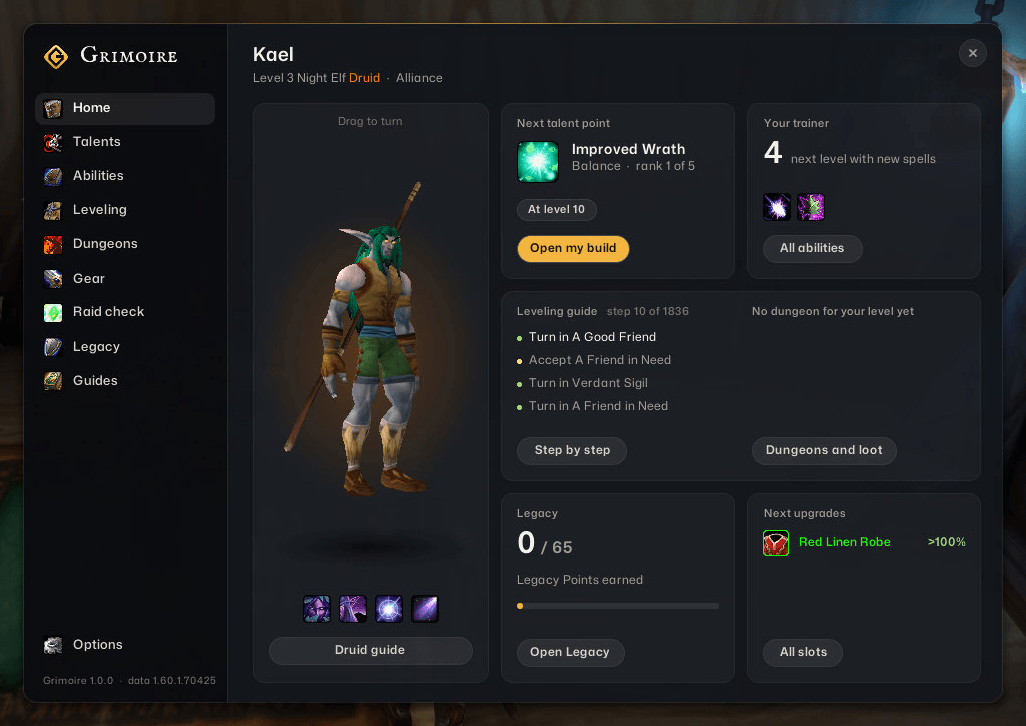
Grimoire is the WoW Forever field guide from wowgrimoire.app, in your game. Type /grim and it opens on your character in 3D, with what matters now beside it: your next talent point, what to train, your next leveling steps, the dungeons that fit, your next upgrades and your Legacy points. Dark rounded panels, the site's own fonts, nothing in your way. Two modes: Light, just the guide window, tooltips and level-up notes, or Complete, everything below.
Leveling guide
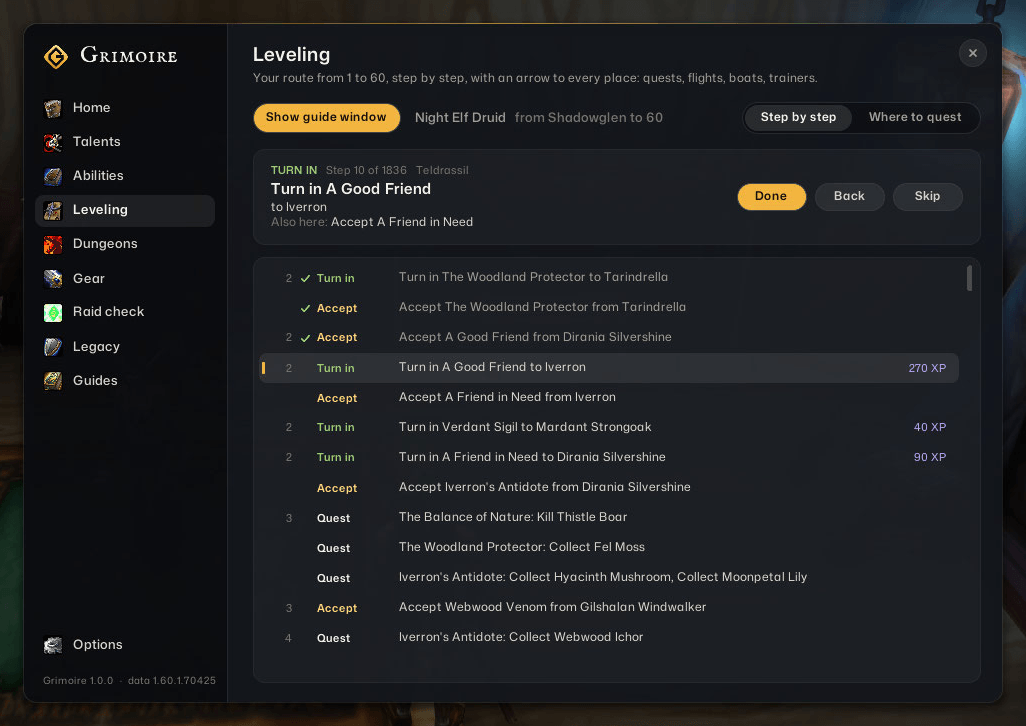
- Your own route to 60, for your race and class, every quest in order, your class quests included (forms, pets, demons, totems, stances, poisons).
- Nothing to set up: it starts where you are, at your level, in your zone, past the quests you have done.
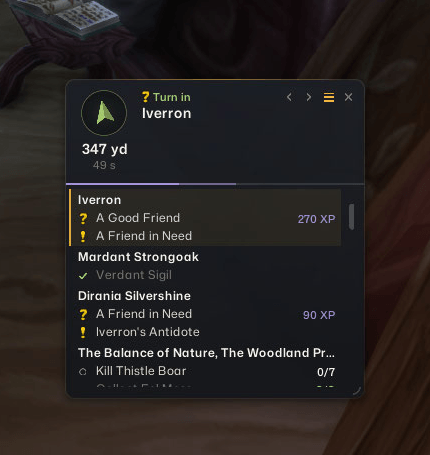
- A slim window with an arrow to the place, the distance and the walking time. Back and next look ahead without losing your place; the list button opens the route under it as a list that scrolls.
- On your world map: your next places as numbered pins, and a quest mark at every giver with a quest you can take now. Click one and the arrow takes you there.
- Steps tick themselves as you accept, finish and hand in quests, travel, train and level. Talk to a quest giver and the guide takes and hands in the route's quests for you (hold Shift to do it yourself).
- Quest experience at your level on every turn-in, and grind steps that count down the kills left, rested experience included.
- The whole route, zone by zone, is on the Leveling page and on wowgrimoire.app/tools/leveling. Every route is worked out by Grimoire from open game data.
Gear
- Upgrades in item tooltips: how much an item adds for your build over what you wear.
- The quest reward to take, marked in the quest window.
- Your best upgrade for each slot near your level, with where it drops or which quest gives it.
In the world
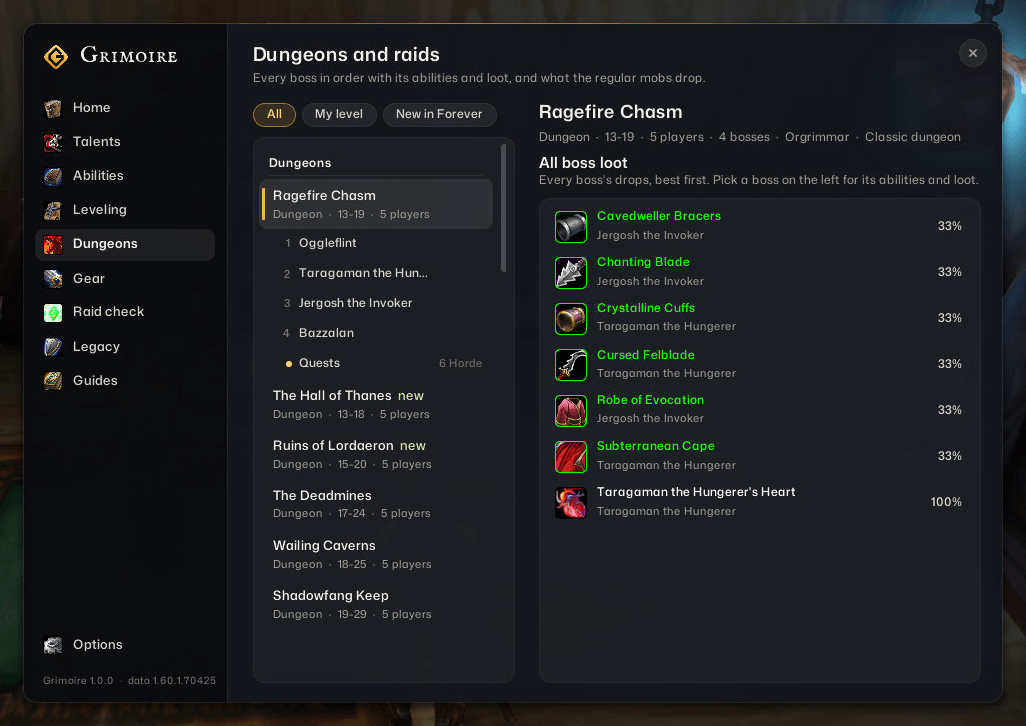
- Every dungeon and raid: bosses in the order of a run, their abilities and their loot with drop chances, and its quests, with the way to whoever starts them. A button beside the group finder opens them.
- Rare alerts: a quiet card when a rare is near, with its level, its best drops and the way to it.
- Kill bar: a thin bar on your target's health fills toward a skull as your DoTs come to cover what it has left. Full: they will finish it. Forever hides a creature's health from add-ons; the game draws the bar from it, so Grimoire never reads or guesses it.
- Tooltips show where an item comes from and what a creature drops.
Talents and training
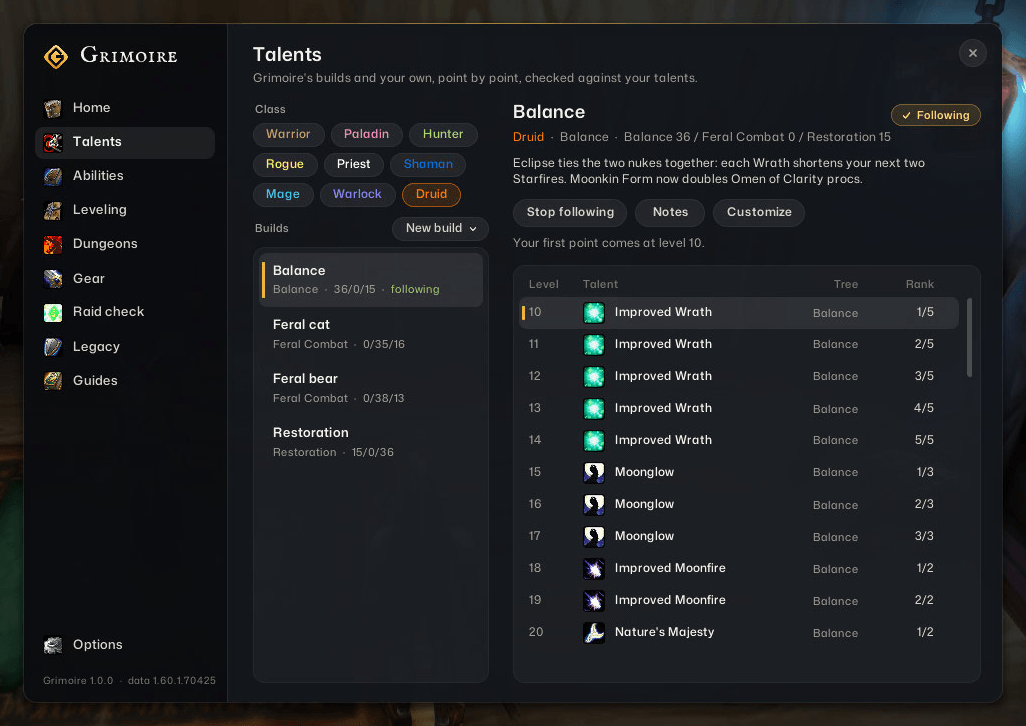
- Grimoire's builds for all nine classes, point by point from 10 to 60. Follow one and every level-up tells you where the point goes.
- Your own builds: from the talents you have, a wowgrimoire.app calculator link, or the in-game planner.
- What to train now, and what every level brings, Forever's new spells included.
Group and Legacy
- Raid check: the buffs, debuffs and utilities your group brings, and what is missing.
- Legacy: all 65 challenges, tracked across your account, and a perk planner with Grimoire's builds.
Commands
| Command | What it does |
|---|---|
/grim |
Open or close Grimoire |
/grim light, /grim complete |
Just the essentials, or everything |
/grim guide |
Show or hide the leveling guide |
/grim next |
Your next talent point and the spells to train |
/grim skip, /grim back |
The guide's next or previous step |
/grim talents, abilities, leveling, dungeons, items, raid, legacy, guides |
Open a page |
/grim minimap, /grim options |
The minimap button, the settings |
Grimoire is also in the add-on compartment under the minimap.
Good to know
- At a merchant, grey items are sold and your gear repaired (hold Shift to skip it, or turn it off in Options).
- Right-click the guide window for its look, its units and its lock.
- Where Forever has published nothing of its own, item stats, drop chances, boss abilities and quests are Classic's (patch 1.12): treat the numbers as a guide.
- It sends nothing anywhere. It saves only your settings, builds, place in the guide and Legacy progress.
Credits
- Talents, abilities, racials and Legacy: talentsforever.com (CC BY 4.0).
- Quests and where creatures stand: LibQuestDB by Pimptasty (MIT), with Classic facts from CMaNGOS (GPL-3.0).
- Items, loot, creatures and boss abilities: the VMaNGOS world database and scripts (GPL-2.0-or-later).
- Fonts: Mona Sans and IM FELL English SC (SIL Open Font License).
- The kill bar's idea: Does It Die by JoeGG. Grimoire's code is its own.
Free software under the GNU GPL, version 3 or later; source and data scripts on GitHub. A fan add-on, not affiliated with or endorsed by Blizzard Entertainment. World of Warcraft and Warcraft are trademarks of Blizzard Entertainment, Inc.
Grimoire Field Guide Team