Gravely - Streamer.bot / Twitch Integration
- By
Death counter for streamers: auto-enables combat & chat log and posts your deaths to Twitch chat via Streamer.bot.
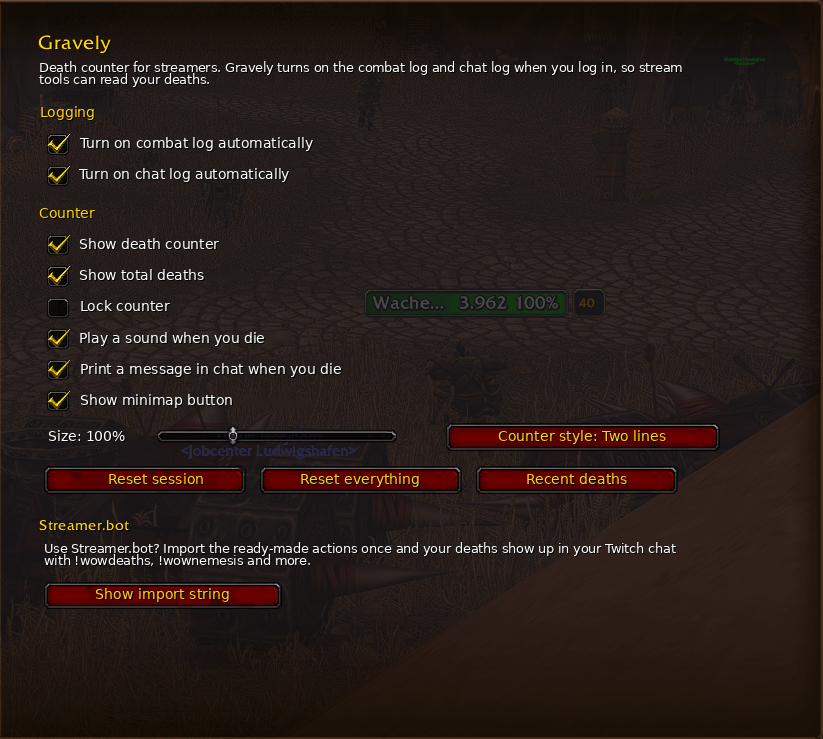
gravely_settings_en.png
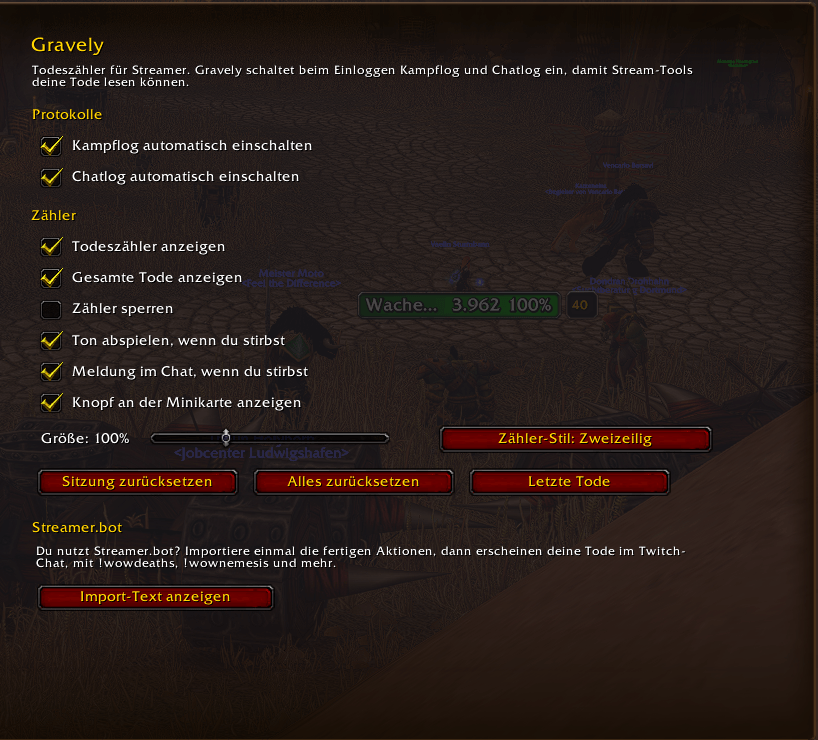
Settings.png
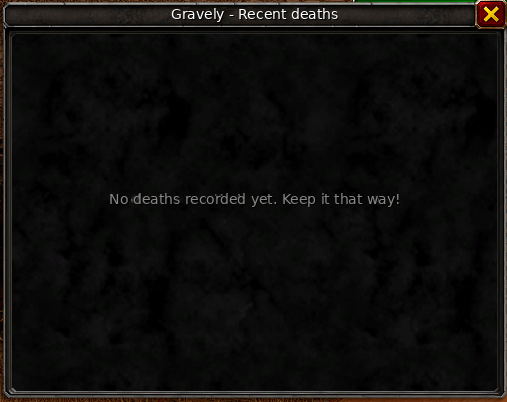
gravely_recent_deaths_en.png
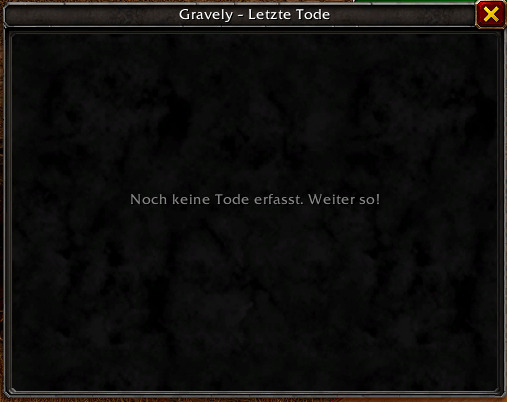
letzte tode.png

gravely_chat_en.png
Description
Gravely – Death Counter for Streamers
Every death counts. Gravely keeps score – and makes sure your stream tools can see it.
Gravely is a lightweight death counter for WoW: Forever. It shows your deaths on screen and turns on the combat log and chat log every time you log in, so stream tools that read the game's log files (chat bots, overlays, Streamer.bot) always have something to read. No more forgetting to type /combatlog before going live.
Features
- Automatic logging – turns on the combat log and chat log when you log in. WoW: Forever ignores logging requests for a few seconds after a loading screen, so Gravely keeps trying until it sticks.
- On-screen death counter – deaths this session and in total, in a small movable frame with a red flash on every death.
- Sessions – a new session starts automatically after 6 hours without a death, or reset it yourself.
- Streamer.bot import – one import string sets up chat messages and the commands
!wowdeaths,!wownemesis,!wowlastdeathand!wowdeathresetin Streamer.bot. (See "Streamer.bot" below.) - Plug and play – nothing to configure. Install, log in, done.
- English and German – the Streamer.bot import matches your WoW client language automatically.
Commands
| Command | What it does |
|---|---|
/gravely |
Show or hide the counter |
/gravely options |
Open the options |
/gravely lock |
Lock or unlock the counter |
/gravely reset |
Reset this session |
/gravely resetall |
Reset everything |
/gravely add / /gravely remove |
Correct the counter by one |
/gravely streamerbot |
Show the Streamer.bot import string |
Right-click the counter for options, Shift + right-click to reset the session. You can also open Gravely from the addon compartment next to the minimap.
Streamer.bot
- Type
/gravely streamerbotand copy the text. - In Streamer.bot click Import and paste it.
- Streamer.bot imports timers switched off: enable the timed action Gravely once (Settings → Timed Actions → right-click → Enabled).
- That's it: your deaths now show up in your Twitch chat, and viewers can use
!wowdeaths,!wownemesisand!wowlastdeath.
Streamer.bot reads the combat log file that Gravely keeps switched on. The game writes this file with a short delay, so chat messages arrive a few seconds after the death.
Good to know
- Addons in WoW: Forever cannot read the combat log during play. Gravely only switches the game's own log writer on – it does not read the log or send anything anywhere.
- The log files are in
World of Warcraft\_forever_\Logs. The combat log can grow large over a long evening; WoW starts a new file whenever logging is switched on again.
Gravely – Todeszähler für Streamer
Jeder Tod zählt. Gravely führt Buch – und sorgt dafür, dass deine Stream-Tools es mitbekommen.
Gravely ist ein schlanker Todeszähler für WoW: Forever. Er zeigt deine Tode auf dem Bildschirm und schaltet bei jedem Einloggen Kampflog und Chatlog ein, damit Stream-Tools, die die Logdateien des Spiels lesen (Chat-Bots, Overlays, Streamer.bot), immer etwas zu lesen haben. Nie wieder vergessen, vor dem Stream /combatlog einzugeben.
Funktionen
- Automatische Protokolle – schaltet Kampflog und Chatlog beim Einloggen ein. WoW: Forever ignoriert solche Anfragen nach einem Ladebildschirm einige Sekunden lang, deshalb versucht Gravely es so lange, bis es klappt.
- Todeszähler auf dem Bildschirm – Tode in dieser Sitzung und insgesamt, in einem kleinen verschiebbaren Fenster, das bei jedem Tod rot aufleuchtet.
- Sitzungen – nach 6 Stunden ohne Tod beginnt automatisch eine neue Sitzung, oder du setzt sie selbst zurück.
- Streamer.bot-Import – ein Import-Text richtet Chat-Meldungen und die Befehle
!wowdeaths,!wownemesis,!wowlastdeathund!wowdeathresetin Streamer.bot ein. (Siehe „Streamer.bot“ unten.) - Plug and Play – nichts einzustellen. Installieren, einloggen, fertig.
- Deutsch und Englisch – der Streamer.bot-Import passt sich automatisch der Sprache deines WoW-Clients an.
Befehle
| Befehl | Funktion |
|---|---|
/gravely |
Zähler ein- oder ausblenden |
/gravely options |
Einstellungen öffnen |
/gravely lock |
Zähler sperren oder entsperren |
/gravely reset |
Diese Sitzung zurücksetzen |
/gravely resetall |
Alles zurücksetzen |
/gravely add / /gravely remove |
Zähler um eins korrigieren |
/gravely streamerbot |
Streamer.bot-Import-Text anzeigen |
Rechtsklick auf den Zähler öffnet die Einstellungen, Umschalt + Rechtsklick setzt die Sitzung zurück. Gravely lässt sich auch über das Addon-Fach an der Minikarte öffnen.
Streamer.bot
/gravely streamerboteingeben und den Text kopieren.- In Streamer.bot auf Import klicken und einfügen.
- Streamer.bot schaltet importierte Timer aus: die Timed Action Gravely einmal einschalten (Settings → Timed Actions → Rechtsklick → Enabled).
- Fertig: Deine Tode erscheinen jetzt im Twitch-Chat, und Zuschauer können
!wowdeaths,!wownemesisund!wowlastdeathnutzen.
Streamer.bot liest dafür das Kampflog, das Gravely eingeschaltet hält. Das Spiel schreibt diese Datei mit kurzer Verzögerung, die Chat-Meldung kommt deshalb ein paar Sekunden nach dem Tod.
Gut zu wissen
- Addons können in WoW: Forever das Kampflog während des Spielens nicht lesen. Gravely schaltet nur die eingebaute Protokollierung des Spiels ein – es liest das Log nicht und sendet nichts irgendwohin.
- Die Logdateien liegen in
World of Warcraft\_forever_\Logs. Das Kampflog kann über einen langen Abend groß werden; WoW beginnt bei jedem erneuten Einschalten eine neue Datei.
Gravely - Streamer.bot / Twitch Integration Team