Fishly - One-Button Fishing
- By
One button equips your pole, applies a lure and casts – works in every client language. Minimap button, fishing log and Easy mode.
Fishly-Fenster für Orgrimmar-Fischfang.png
settings.png
ui.png
log.png
Description
Fishly – One-Button Fishing
One button does it all: equip your fishing pole, apply your best lure, cast – and put your weapon and shield back when you're done. Fishly works in every client language and fits right in with the classic World of Warcraft look.
Features
- One-button fishing – first click equips your pole (and a lure, if you carry one), the next click casts. Right-click puts your gear back.
- Works in every language – the Fishing spell name comes straight from your client, lures are detected by item ID. English and German zone names are built in.
- Minimap button – left-click shows or hides the fishing panel, right-click opens the fishing log, shift-click opens the settings. Drag it anywhere around the minimap.
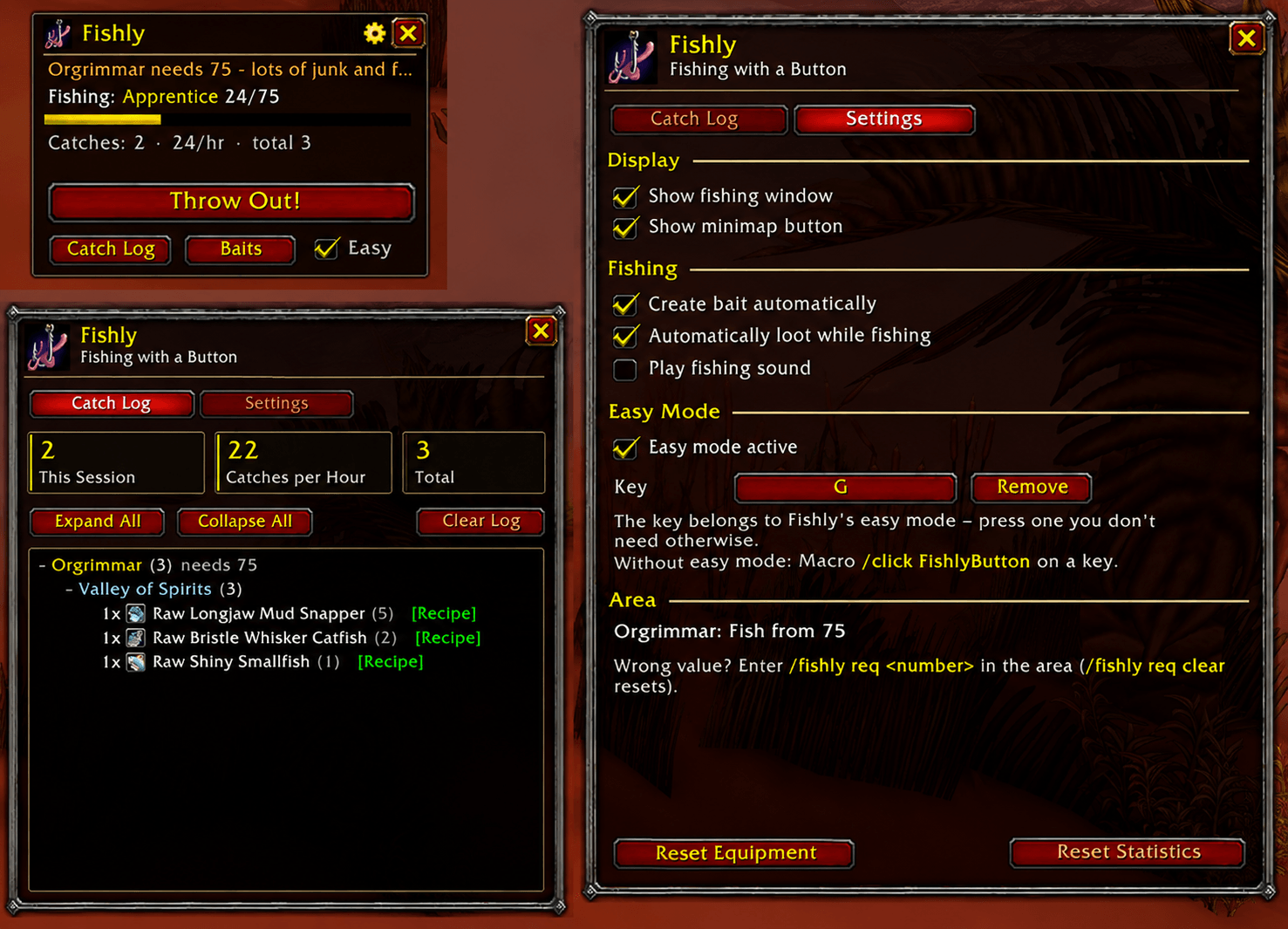
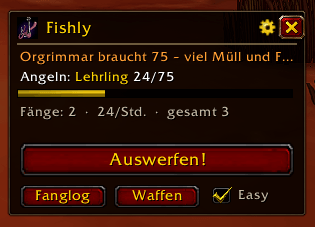
- Fishing panel – your zone (and whether your skill is high enough for it), your fishing skill with a progress bar, catches per hour and the big button.
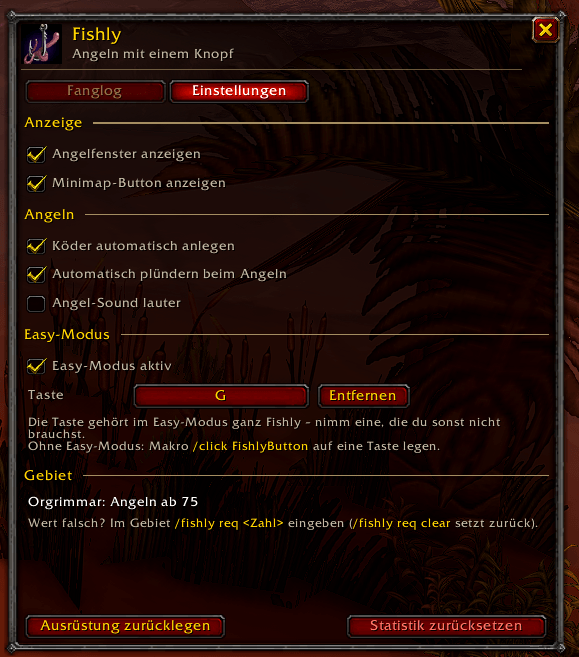
- Easy mode (optional) – one key equips, casts, hooks the bobber and loots. Set the key in the settings with a single key press.
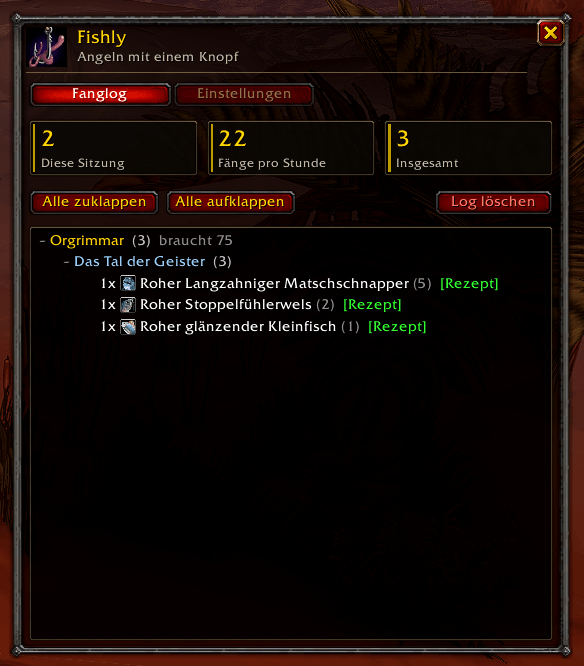
- Fishing log – every catch sorted by zone and sub-zone, tagged as recipe, worth a look or vendor, with session, per-hour and all-time stats.
- Auto lure – applies the best lure your skill allows when none is on the pole.
- Auto-loot while fishing – turned on while the pole is in your hands, your own setting is restored afterwards.
- Louder splash (optional) – effects at full volume, music and ambience muted while the line is out.
How to use
- Have a fishing pole in your bags and Fishing learned.
- Click the big button: the pole is equipped. Click again: you cast.
- Click the bobber when a fish bites – or use Easy mode and just press your key again.
- Right-click the button (or "Weapons") to put your gear back.
Keybind without Easy mode: create a macro with /click FishlyButton and put it on your action bar.
Commands
| Command | What it does |
|---|---|
/fishly |
Show/hide the fishing panel |
/fishly log |
Open the fishing log |
/fishly options |
Open the settings |
/fishly easy |
Toggle Easy mode |
/fishly key G |
Set the Easy mode key (/fishly key none clears it) |
/fishly req 150 |
Correct the fishing requirement of the zone you're in (/fishly req clear resets it) |
/fishly stats |
Session and all-time catches |
/fishly restore |
Put your gear back |
/fishly minimap |
Show/hide the minimap button |
Notes
- Gear can't be swapped in combat – that's a game restriction.
- In Easy mode the chosen key belongs to Fishly, so pick one you don't use elsewhere.
- A few zone requirements may be off – fix them in-game with
/fishly req <number>. - The log only records catches made after installing Fishly.
Fishly – Angeln mit einem Knopf
Ein Knopf für alles: Angel anlegen, den besten Köder setzen, auswerfen – und danach Waffe und Schild wieder anlegen. Fishly funktioniert in jeder Client-Sprache und passt sich dem klassischen WoW-Look an.
Funktionen
- Angeln mit einem Knopf – der erste Klick legt die Angel an (und einen Köder, falls du einen dabeihast), der nächste wirft aus. Rechtsklick legt deine Ausrüstung zurück.
- Funktioniert in jeder Sprache – der Zaubername „Angeln“ kommt direkt aus deinem Client, Köder werden über die Item-ID erkannt. Deutsche und englische Gebietsnamen sind eingebaut.
- Minimap-Button – Linksklick blendet das Angelfenster ein und aus, Rechtsklick öffnet das Fanglog, Shift-Klick die Einstellungen. Lässt sich frei um die Minimap ziehen.
- Angelfenster – dein Gebiet (und ob deine Fertigkeit dafür reicht), deine Angelfertigkeit mit Fortschrittsbalken, Fänge pro Stunde und der große Knopf.
- Easy-Modus (optional) – eine Taste legt an, wirft aus, holt den Schwimmer ein und plündert. Die Taste legst du in den Einstellungen mit einem Tastendruck fest.
- Fanglog – jeder Fang nach Gebiet und Teilgebiet sortiert, markiert als Rezept, ansehen oder Händler, mit Statistik für Sitzung, Stunde und insgesamt.
- Köder automatisch – setzt den besten Köder, den deine Fertigkeit erlaubt, wenn keiner an der Angel ist.
- Automatisch plündern beim Angeln – an, solange die Angel in der Hand ist; danach gilt wieder deine eigene Einstellung.
- Lauteres Platschen (optional) – Effekte voll, Musik und Umgebung stumm, solange die Schnur draußen ist.
So geht's
- Angel in die Taschen, Angeln erlernt haben.
- Großen Knopf klicken: Die Angel wird angelegt. Nochmal klicken: Du wirfst aus.
- Wenn ein Fisch anbeißt, den Schwimmer anklicken – oder im Easy-Modus einfach nochmal deine Taste drücken.
- Rechtsklick auf den Knopf (oder „Waffen“) legt deine Ausrüstung zurück.
Taste ohne Easy-Modus: Makro mit /click FishlyButton anlegen und auf die Aktionsleiste ziehen.
Befehle
| Befehl | Was er macht |
|---|---|
/fishly |
Angelfenster ein/aus |
/fishly log |
Fanglog öffnen |
/fishly options |
Einstellungen öffnen |
/fishly easy |
Easy-Modus an/aus |
/fishly key G |
Easy-Taste festlegen (/fishly key none entfernt sie) |
/fishly req 150 |
Angel-Anforderung des aktuellen Gebiets korrigieren (/fishly req clear setzt zurück) |
/fishly stats |
Fänge dieser Sitzung und insgesamt |
/fishly restore |
Ausrüstung zurücklegen |
/fishly minimap |
Minimap-Button ein/aus |
Hinweise
- Im Kampf kann keine Ausrüstung getauscht werden – das ist eine Sperre des Spiels.
- Im Easy-Modus gehört die gewählte Taste ganz Fishly, nimm also eine, die du sonst nicht brauchst.
- Einzelne Gebietswerte können abweichen – im Spiel mit
/fishly req <Zahl>korrigieren. - Das Log zählt nur Fänge ab der Installation von Fishly.
Inspired by "Let's Go Fish!". Zone requirements based on WoW Forever's fishing spot data.
Fishly - One-Button Fishing Team