Gamepad Quest Object Fix – Gear Cursor on Quest Objects, Herbs, Ore & Chests
- By
With a controller, the dot turns into the gear like the mouse cursor: grey from afar on quest objects, herbs and ore, gold in reach, and on chests once you've been near one once.
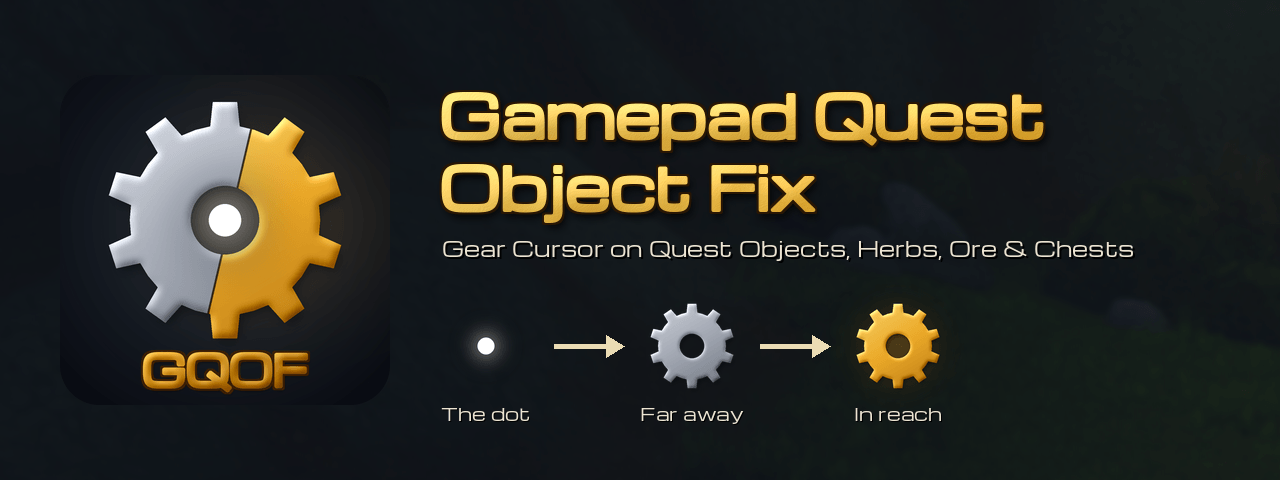
With a controller, the white dot turns into the gear: grey when far away, gold once you can use it.
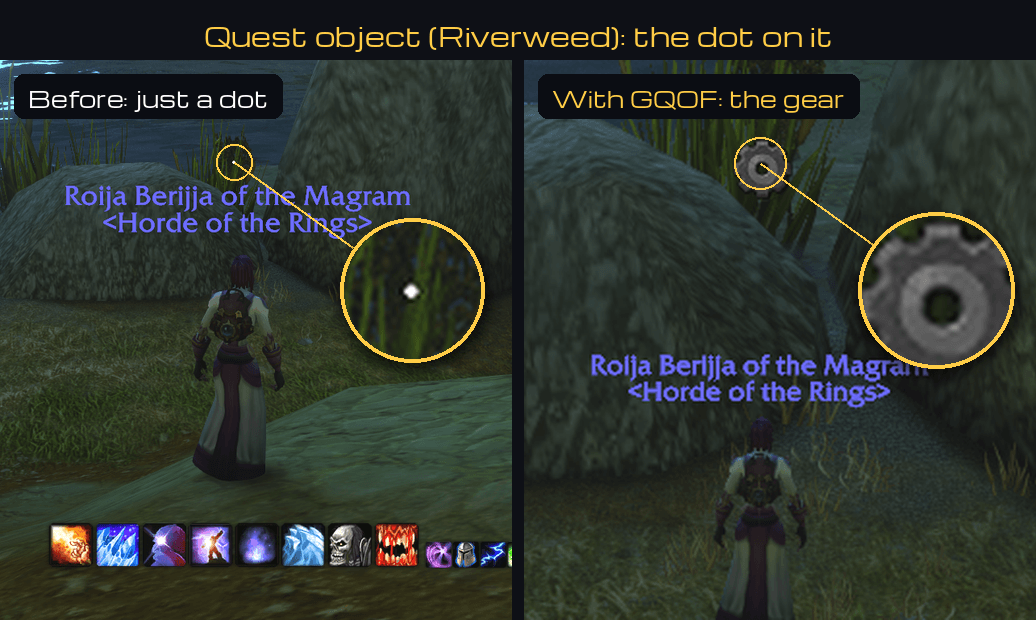
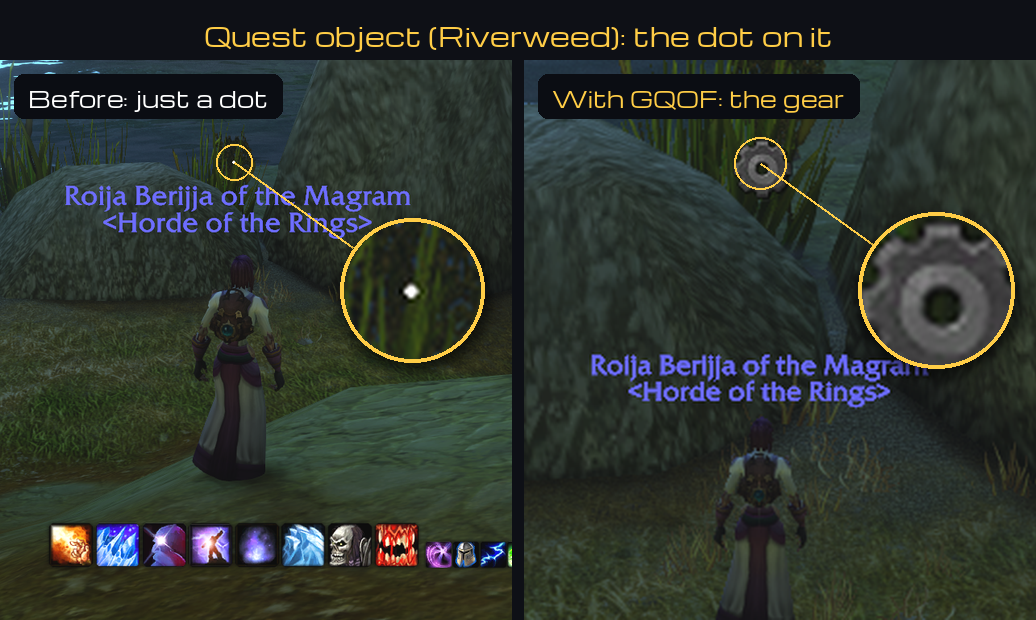
Before: the plain white dot on a quest object. With GQOF: the gear on the dot, as the mouse cursor shows it.
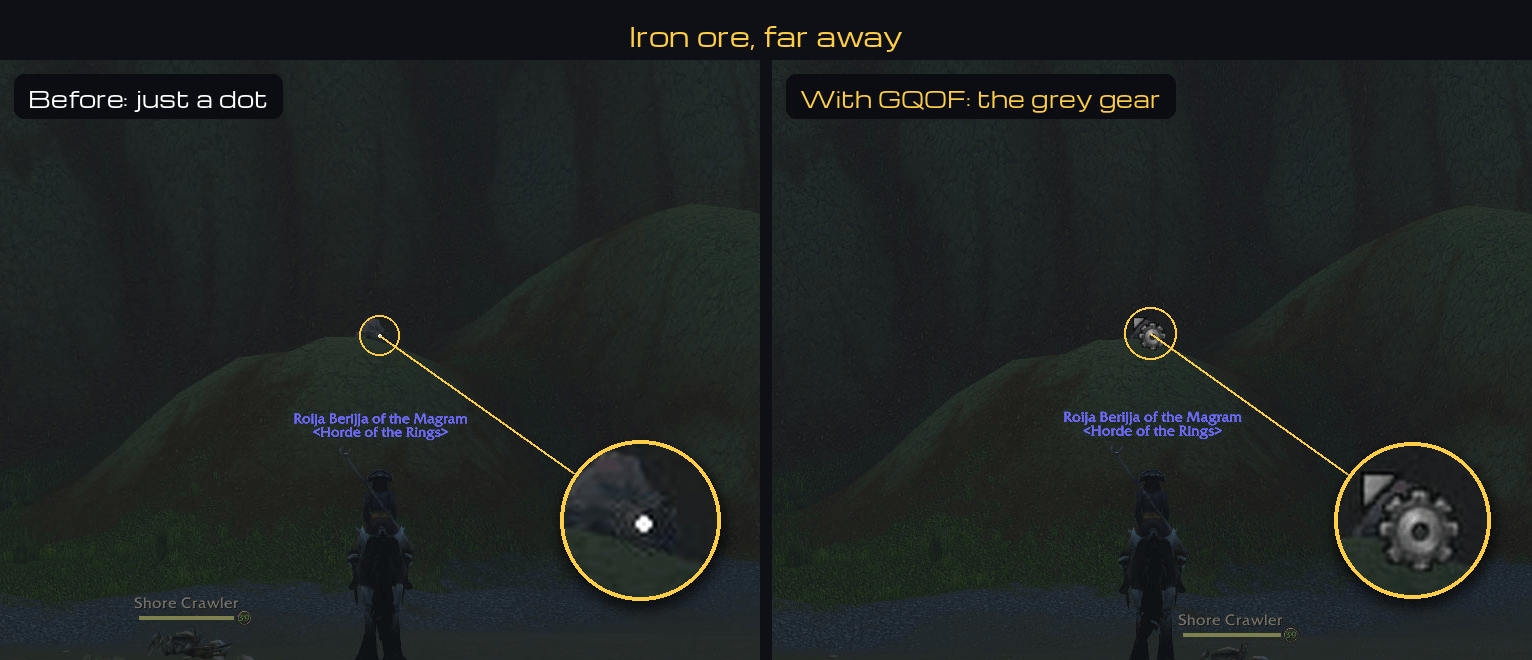
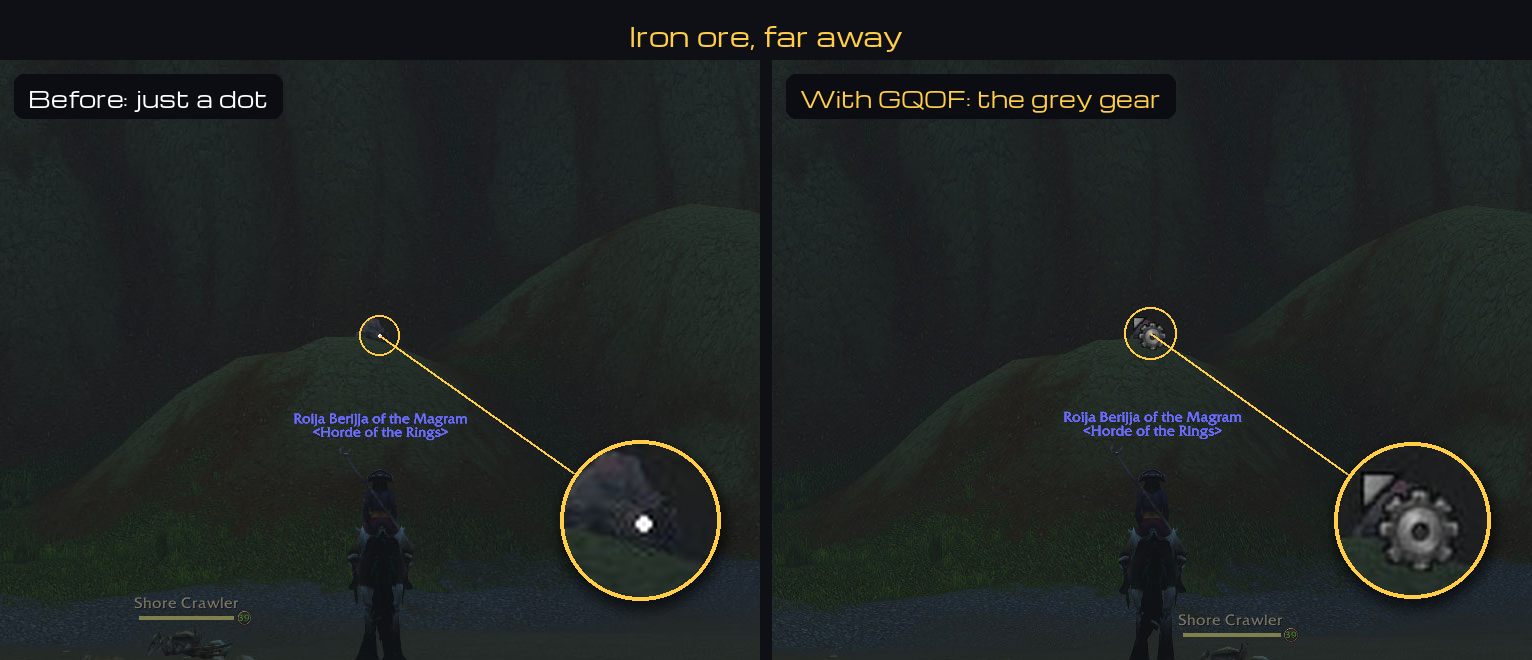
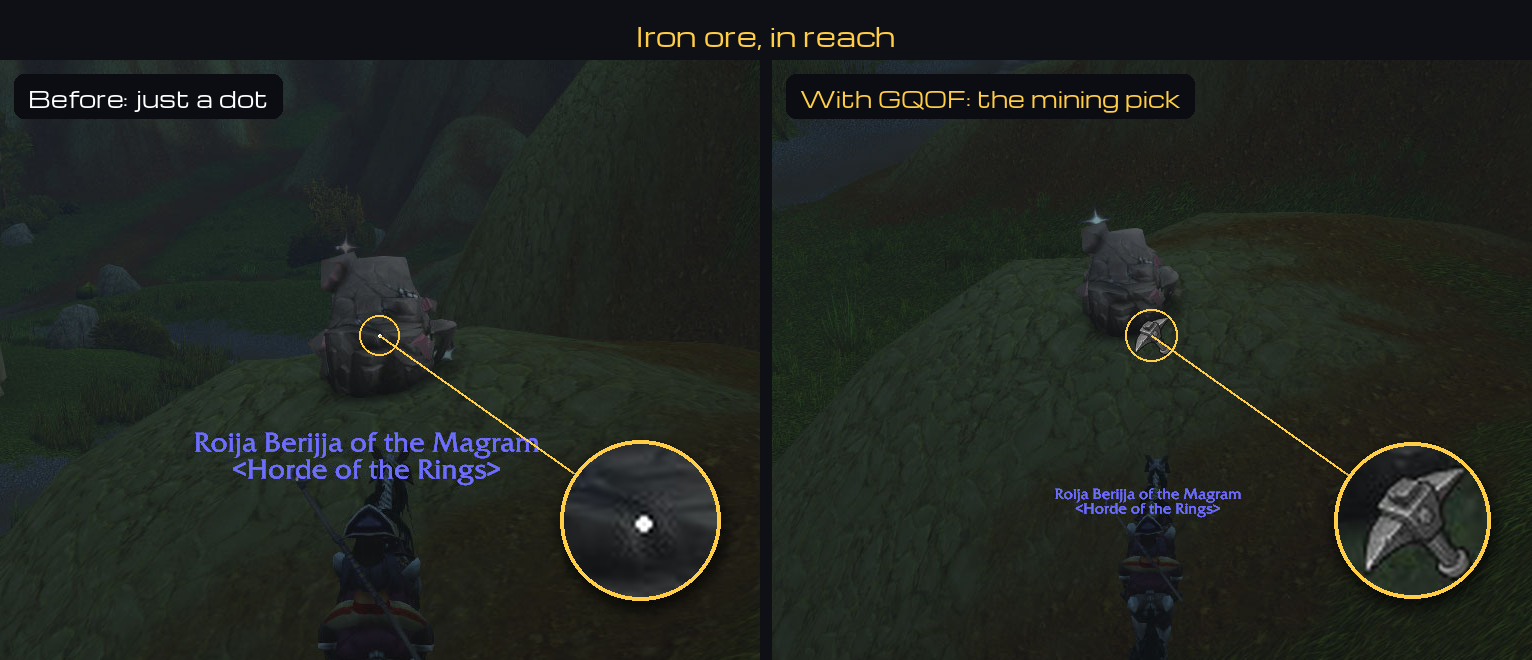
From across a field, the dot turns into the grey gear over an ore vein you can't reach yet.
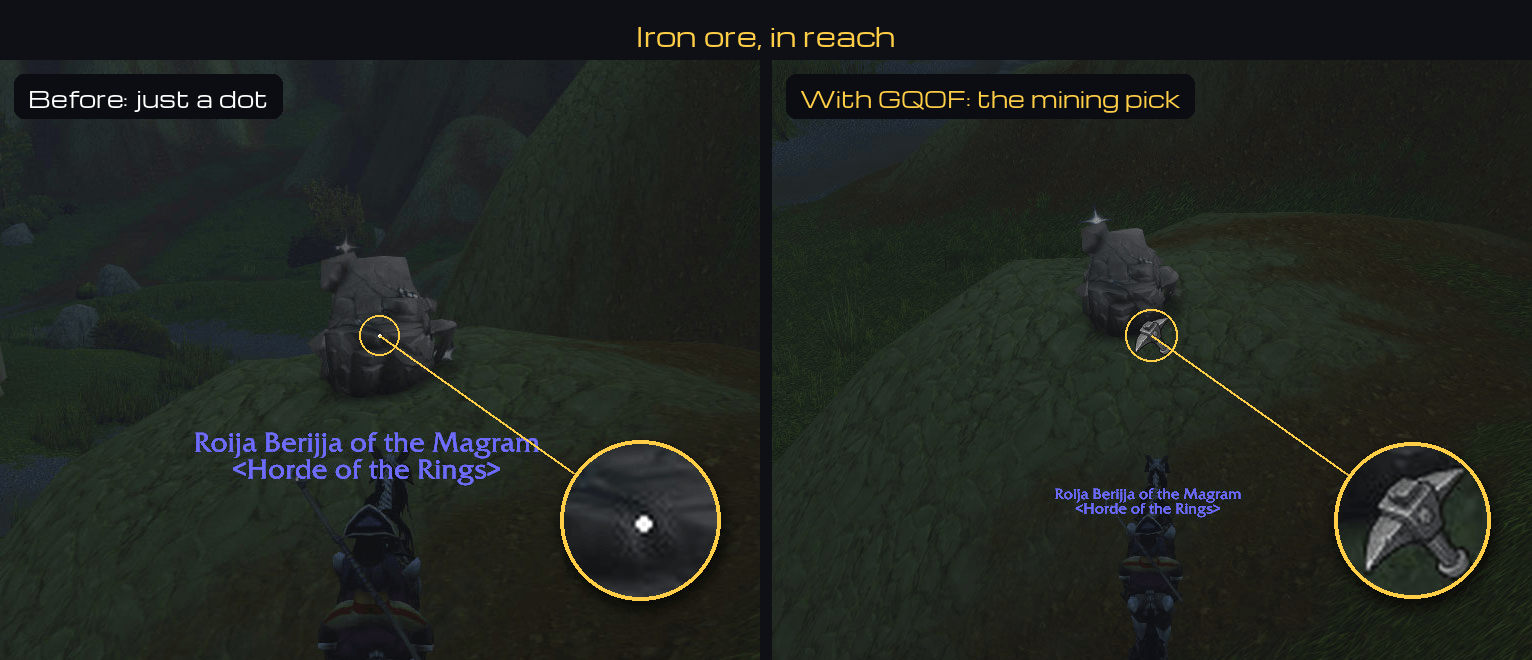
Close enough to mine: the dot becomes the game's own mining pick.
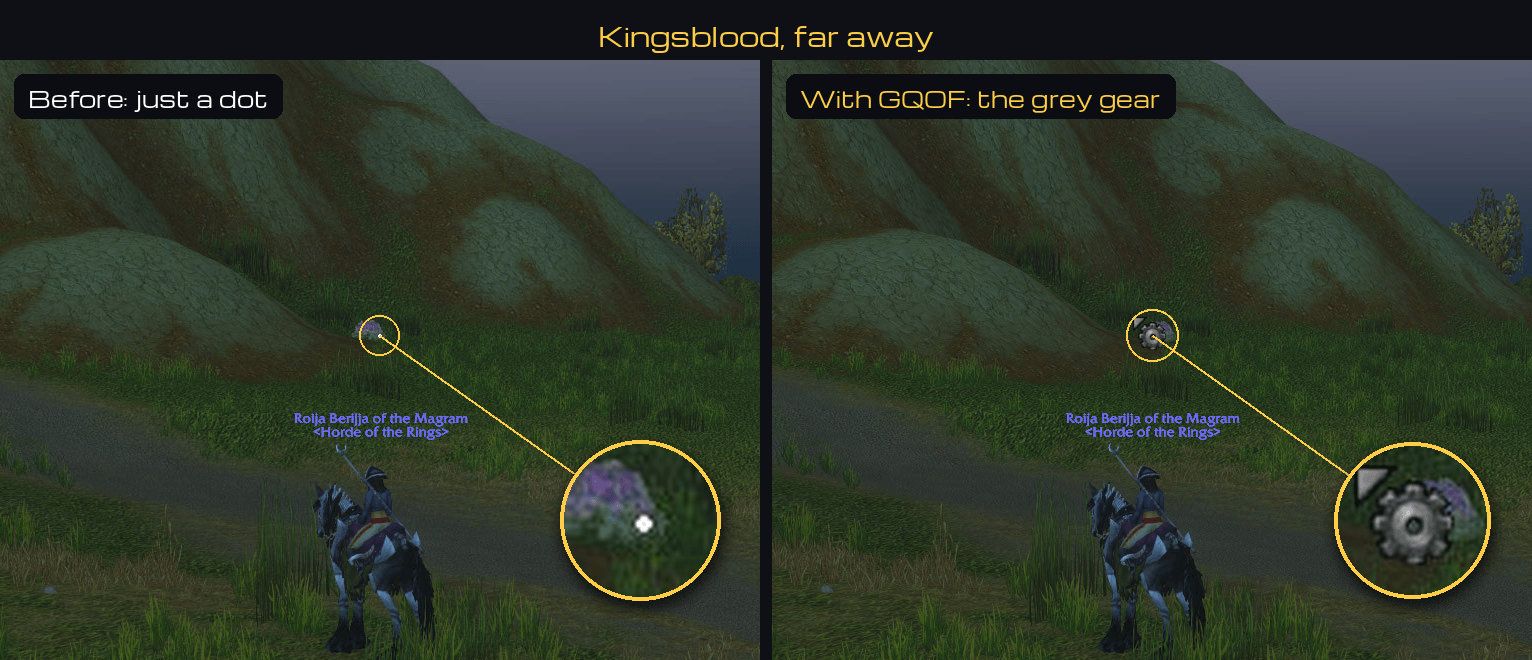
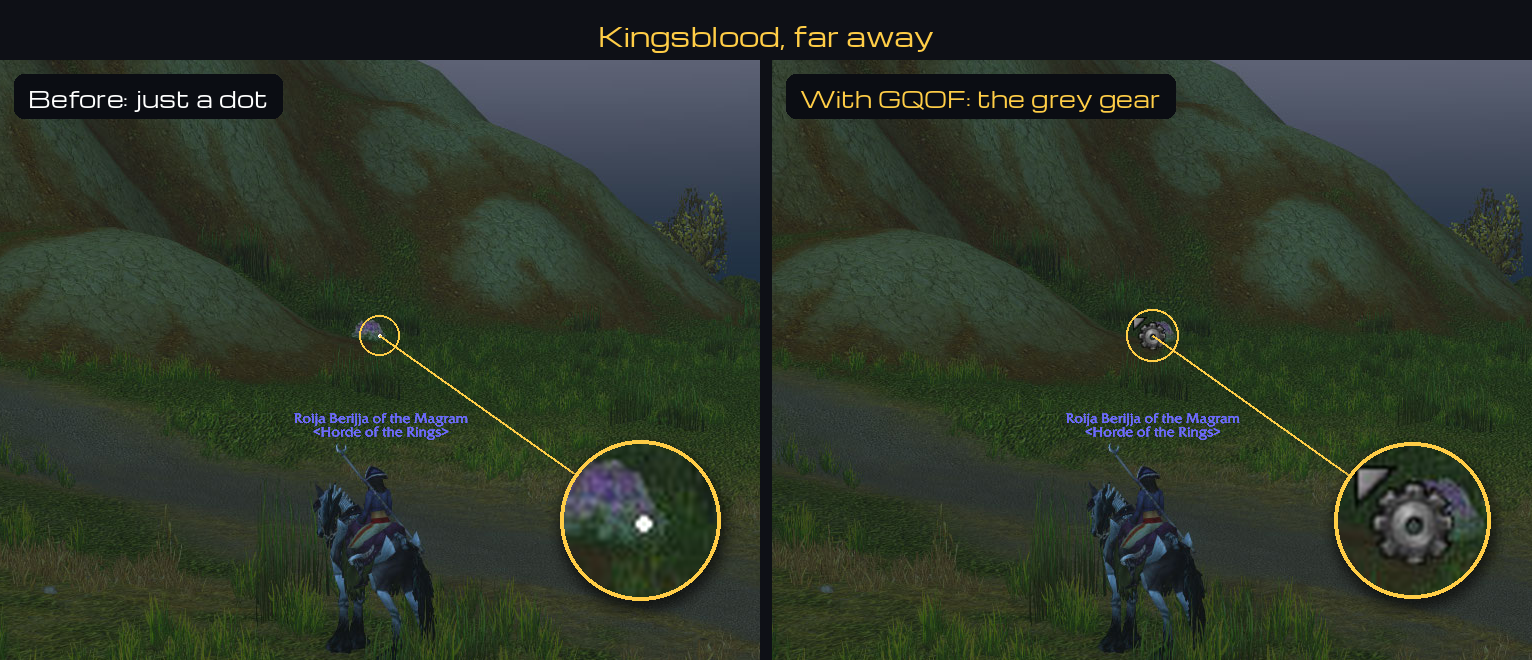
A herb far off: the grey gear tells you it's there before you walk over.
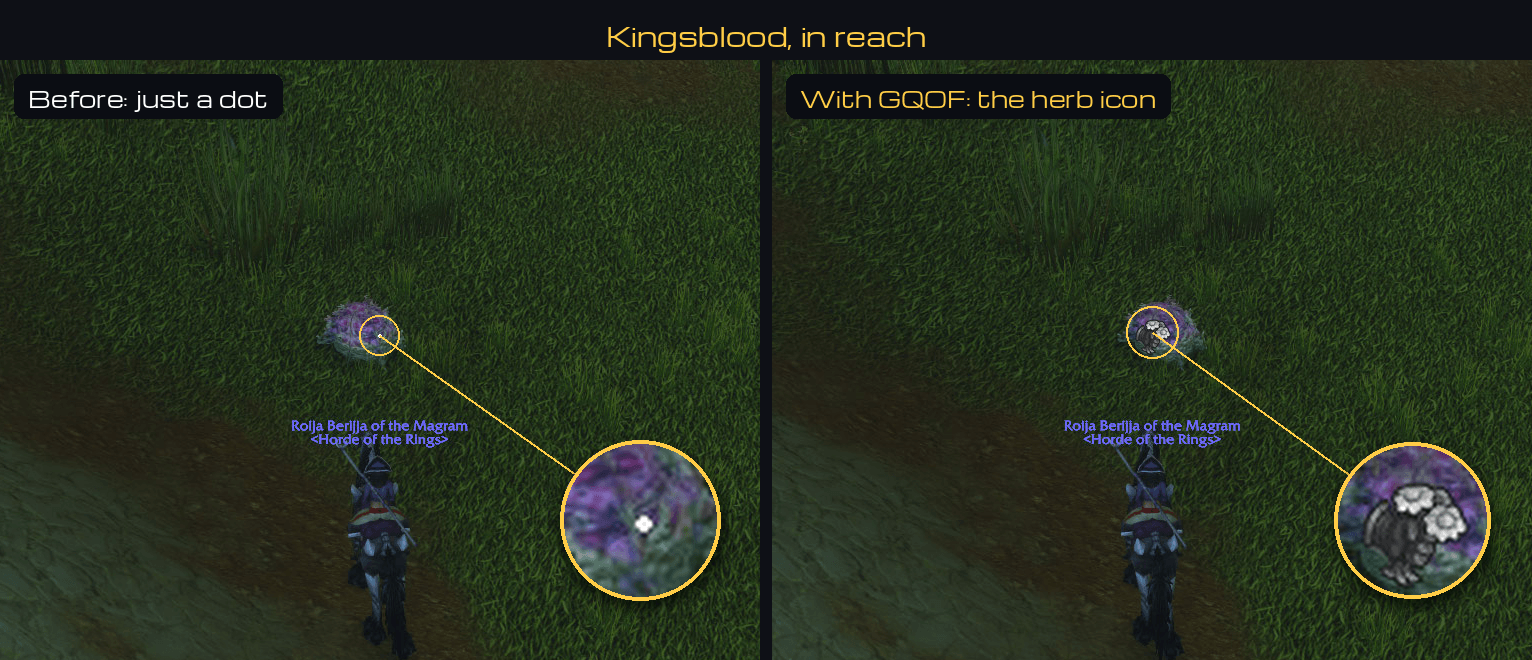
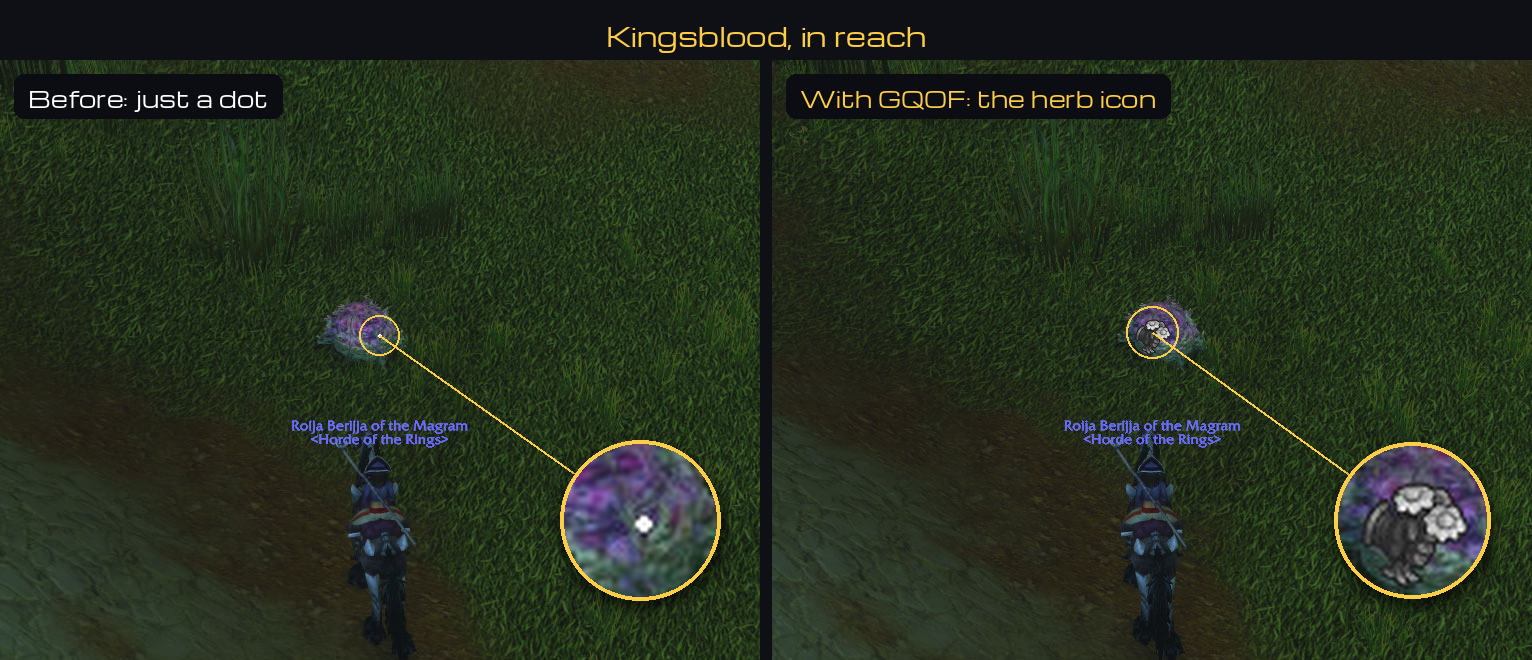
Close enough to pick: the dot becomes the game's own herb icon.
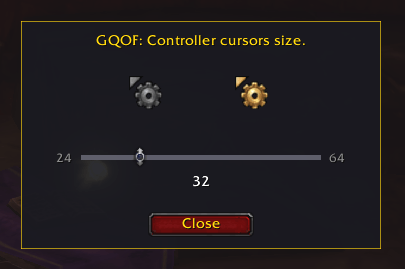
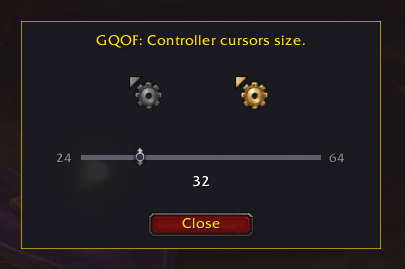
Type /gqof size, or click Adjust size in Options, to change the cursor's size from 24 to 64.
Description
Found a bug? Report it at:
bugs@auscraft.games
With a mouse, the cursor turns into a gear when it's over something you can use: a quest object, a herb, an ore vein, a chest. It's grey while you're too far away and gold once you can use it, so you can spot what to go get from across a field.
With a controller you get a white dot in the middle of the screen, and it stays a white dot whatever it's on. Quest objects look like every other bush and crate.
Gamepad Quest Object Fix turns that dot into the gear, the same way the mouse does:
- Its own grey picture, at any distance, as the mouse shows it: the gear on a quest object, the herb on a herb, the pick on an ore vein, the mail on a mailbox.
- Chests and other things you can use get their grey picture from any distance too, once you've been close to one of them at least once. The game only offers your interact button things you can use, so GQOF remembers each one it offers.
- In reach, the picture in full color, as the mouse does: the gold gear, the herb, the pick, the mail.
- The loot bag on lootable corpses, grey from far away and in full color in range, like the mouse.
- The ! or ? on quest givers, grey from far away and gold in range, like the mouse. From far away the NPC's nameplate has to be on screen (Options > Nameplates > Show friendly NPC nameplates), or the NPC has to be your target.
- A speech bubble over an NPC you can talk to, like the mouse.
- Back to the white dot when there's nothing usable under it. Scenery like campfires and tents keeps the plain dot, as the mouse cursor does.
Lightweight
One small file and nothing to set up. No dependencies, no UI changes. It only swaps the picture on the dot and leaves the rest of the game's controller mode alone. It works in combat too.
It uses the game's own data and the game's own cursor pictures, so it shows what the mouse would.
Commands
- /gqof shows a list of commands.
- /gqof status shows what's under the cursor right now.
- /gqof off puts the game's plain dot back; /gqof on turns it on again.
- /gqof size opens a slider to change the cursor's size, from 24 to 64, with a preview. 32 matches the mouse cursor. /gqof size 48 sets it directly.
- /gqof dot off hides the white dot when nothing is under it; /gqof dot on shows it again.
- Options > AddOns > Gamepad Quest Object Fix has the on/off switch, an Adjust size button, the white dot switch, and a switch for each kind of thing: quest objects, quests to pick up (!), quests to turn in (?), herbs, ore, chests, mailboxes, lootable corpses, NPCs and other things you can use. They're all on to start with.
Good to know
- It's for WoW Forever's controller mode. With the mouse it does nothing: the mouse cursor shows the gear itself.
- If another addon hides or restyles the dot, the gear still appears in its place.
More from AusCraft at auscraft.games. If Gamepad Quest Object Fix saves you a walk to the wrong bush, you can buy me a coffee.
Gamepad Quest Object Fix – Gear Cursor on Quest Objects, Herbs, Ore & Chests Team