Good Move UI: Move Anything - Frame Mover & Edit Mode for Unit Frames, Action Bars, Windows
- By
Move any UI frame without unlocking anything: hold it 2 s, drag, drop. Unit frames, action bars, buffs, cast bar, minimap, chat, quest tracker, bags, windows. Snap guides, grid, scale, opacity, profiles. Retail, Classic TBC Anniversary, Forever.
move-unit-frames.gif
Description
Good Move
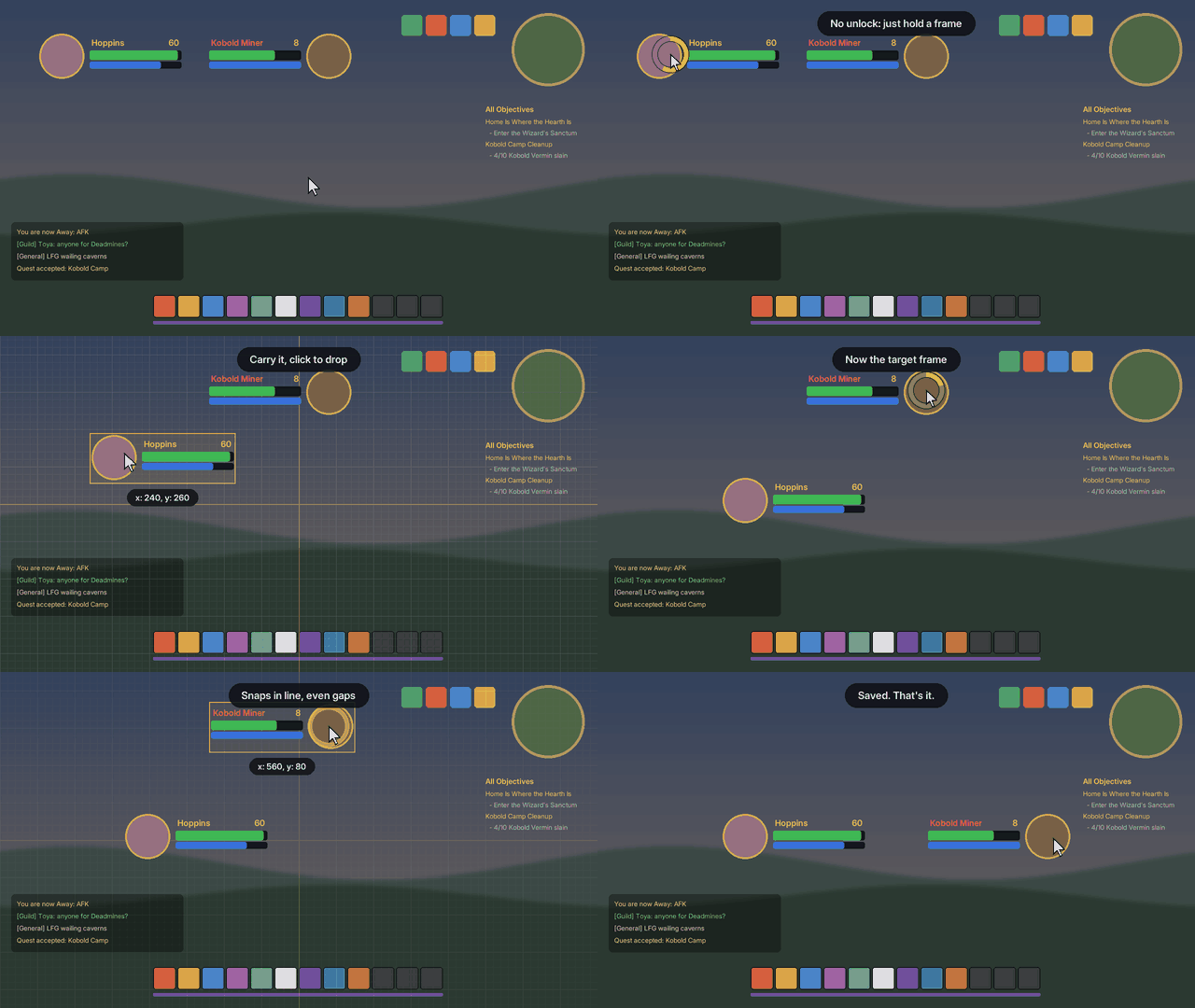
Hold any frame for 2 seconds. Drag it. Drop it. Saved.
No unlock button, no mode to enter, no list of frames to find first. Good Move works while you play: hold the mouse on your player frame, an action bar or any window, a gold ring fills, and it's in your hand. It lines up with what's around it, like in a design tool, and stays where you drop it.
What makes it different
- No unlocking. Other movers make you unlock, pick the frame in a list, then lock again. Here it's one press, on the frame itself.
- Anything on screen. Not just Blizzard's Edit Mode frames, not just windows: unit frames, action bars and their gryphons, buffs, cast bars, minimap, chat, quest tracker, bags and every window.
- Lines up by itself. Guides snap it to a neighbour's edge or centre and to the middle of the screen, show equal gaps between frames, and click it to a 10 or 5 px grid. Shift places it freely.
- Every client, one download. Retail, WoW: Forever and Anniversary (TBC Classic), which has no Edit Mode of its own.
Edit mode, for the whole layout
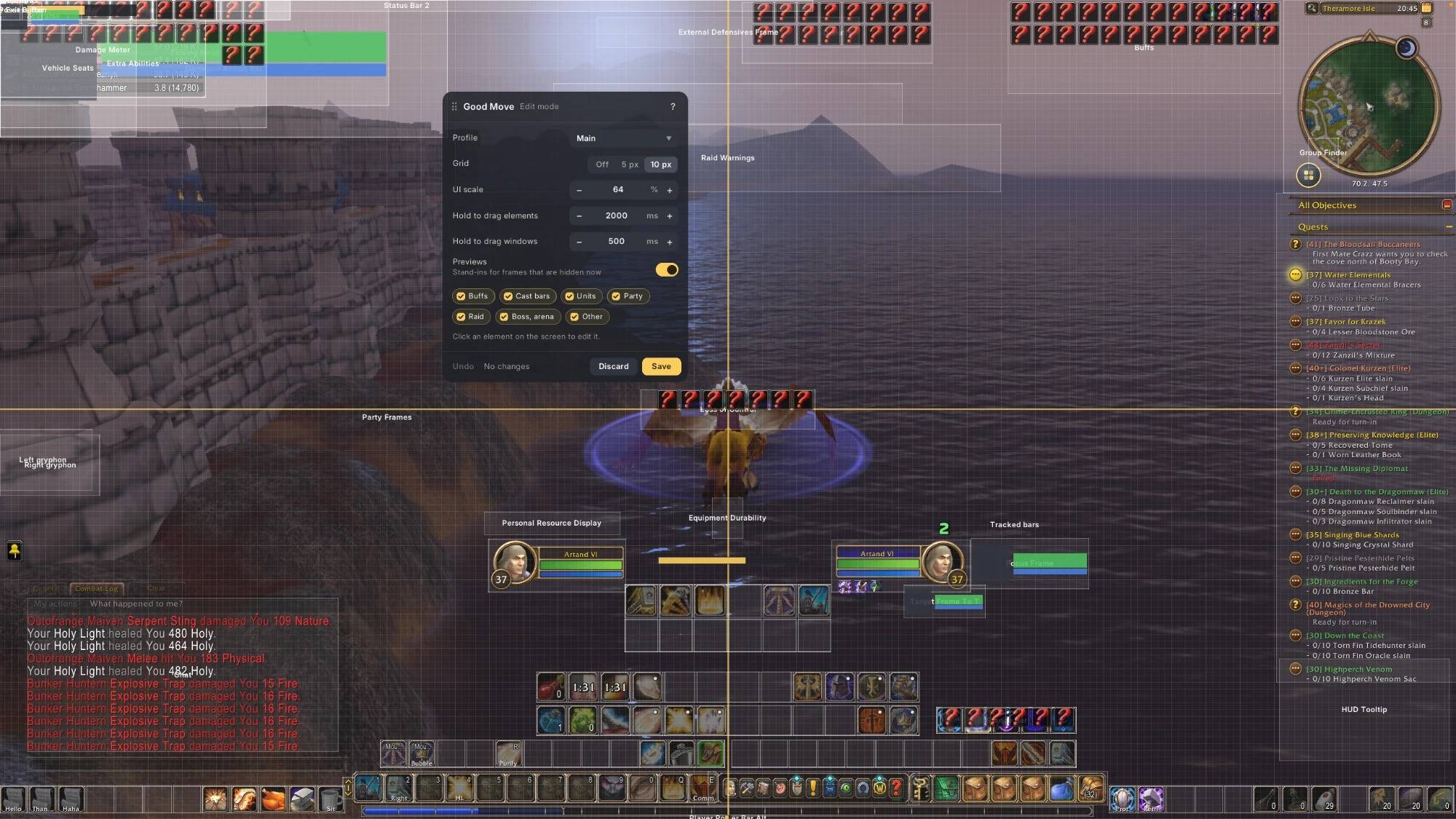
Click the minimap icon. Every element gets a box, hidden ones (target, party, raid, boss) a preview.
- Arrow keys move the selected element by 1 px, Shift + arrows by 10 px.
- Size and opacity to type or step; 0 % hides it for real. Match gives buff icons the size of your action buttons in one click.
- Reset gives an element back its Blizzard place, size and look.
- UI scale of the game and the hold times (2 s for elements, 0.5 s for windows) right there.
- Ctrl + Z steps back. Save keeps it all, Discard puts everything back.
- Profiles: a new character starts with the layout you set up last; switch it to Blizzard's or copy it under a new name.
Safe in combat
Nothing moves in combat: the game doesn't allow it for action bars and unit frames. Good Move puts them in place again as soon as the fight ends.
Tell a friend
Share in the edit mode panel copies the link or whispers it. When someone in your guild or group runs a newer Good Move, you hear about it once in chat.
/gmove edit edit mode · /gmove quick turns the hold on or off · /gmove reset forgets every change
Free, no ads, no tracking. Bugs and ideas: the Issues tab.
Good Move UI: Move Anything - Frame Mover & Edit Mode for Unit Frames, Action Bars, Windows Team