Good Addons: Handy Addon Manager & Minimap Button Bag
Addon manager in one window: collects minimap buttons, shows CPU, memory and FPS performance per addon, catches Lua errors and bugs, finds out of date addons and updates. Retail, Classic TBC Anniversary and Forever.
Good-Addons-error-tracker.png
Good-Addons-updates.png
Description
Good Addons
All your addons in one window: minimap buttons, performance, errors and updates.
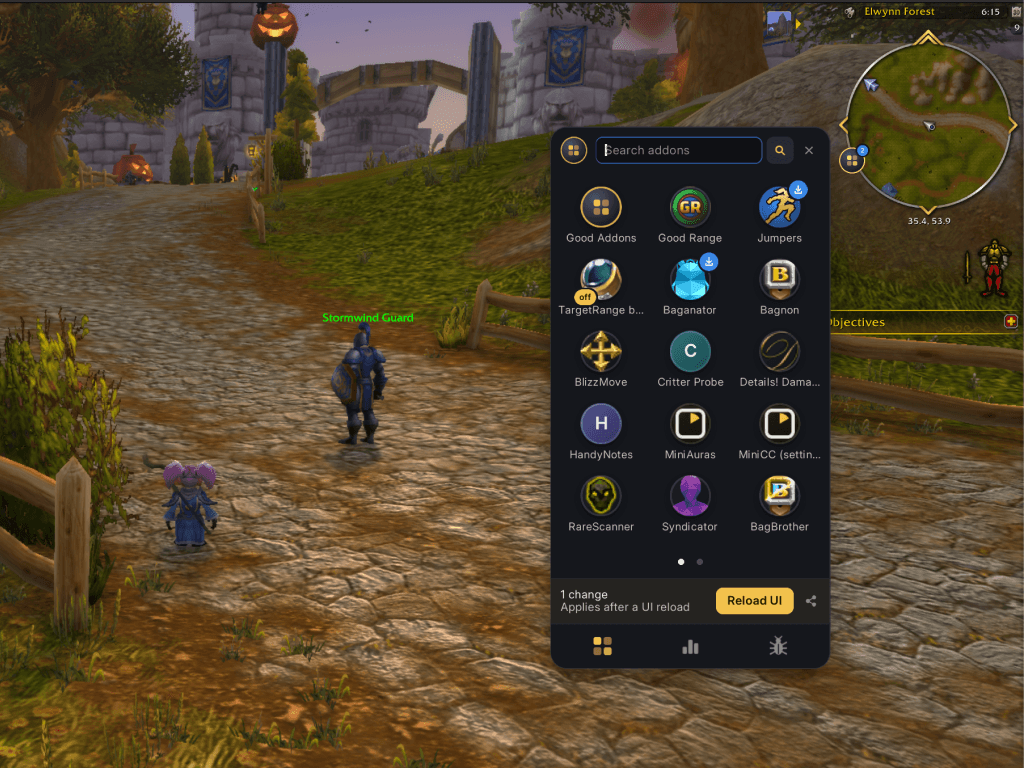
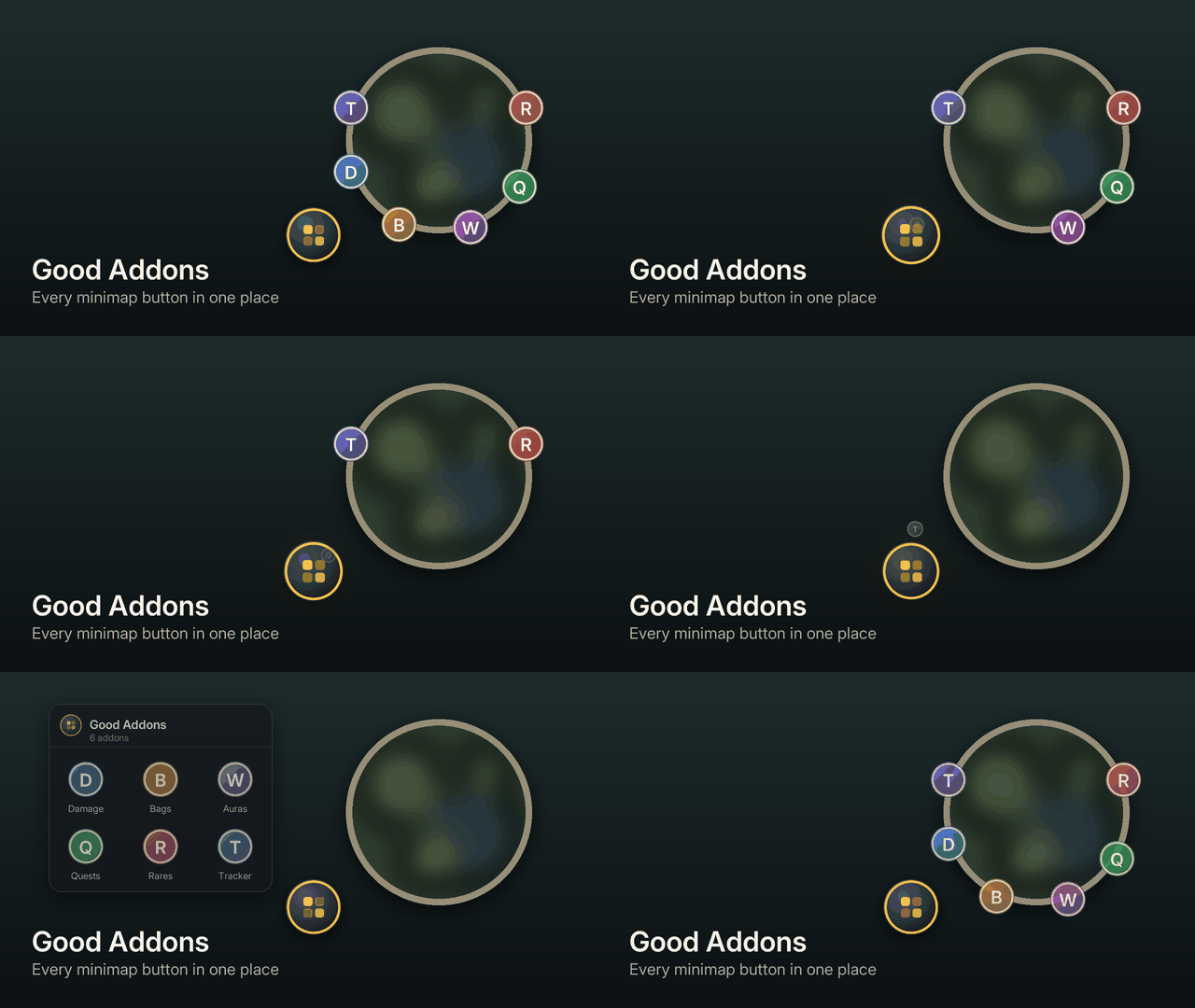
Good Addons puts one icon by your minimap. Click it and every addon you have is there: their minimap buttons, how much they cost your game, which ones broke and which ones need an update.
Minimap buttons, collected
- Addon buttons fly off your minimap into Good Addons. One click on its icon shows them all.
- Buttons keep working: click to open the addon, right-click for its options. Icons that change (an on/off state, a mode) change here too.
- Prefer them on the minimap? One switch sends them back.
Every addon in one place
- Pages of addon icons, the way you'd find apps on a phone. Search by name: type and press Enter.
- Click an addon to open it: its settings window or its slash command, found for you.
- Right-click for options: open, performance details, track it live, track its errors, turn it off or on. Changes wait for a UI reload, and the window offers the button.
- Hold an icon for 2 seconds to pick it up and move it.
Updates
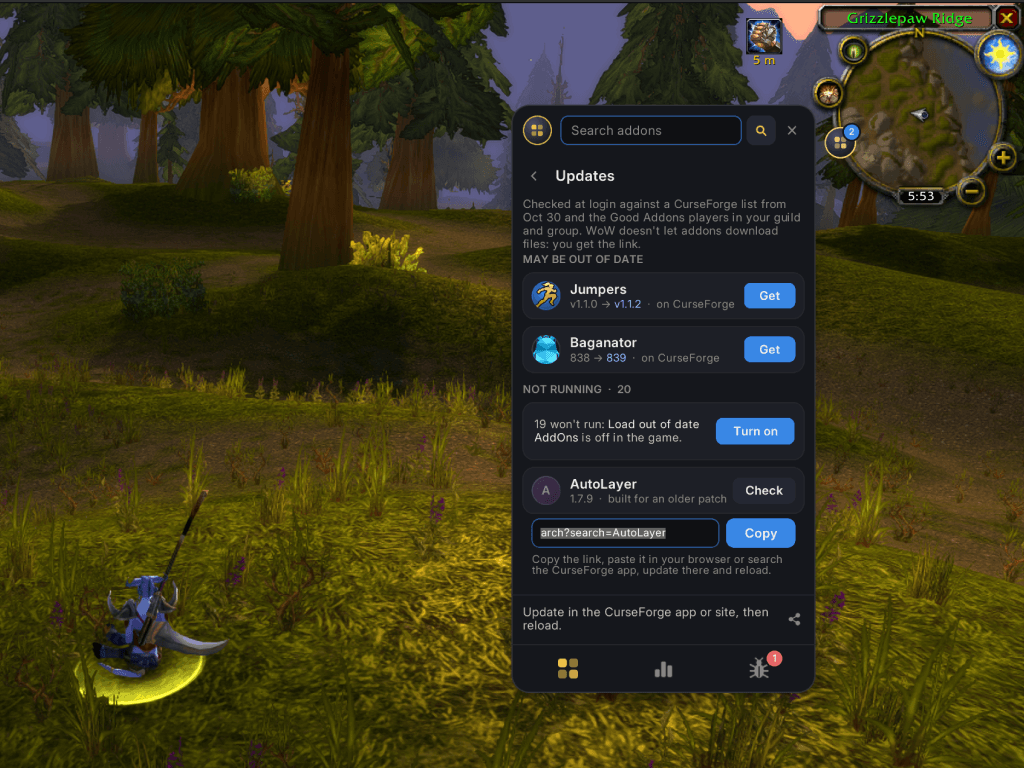
- At every login Good Addons checks your addons against a list of the newest CurseForge releases that comes with each Good Addons update.
- Players who have Good Addons in your guild and group quietly swap addon versions. When a friend has a newer version, you know.
- An addon built for an older patch is flagged too: a newer version may be out.
- WoW doesn't let addons download files, so you get the link with a Copy button.
- The game's Load out of date AddOns option is here as well, and addons it's holding back are labelled.
Performance
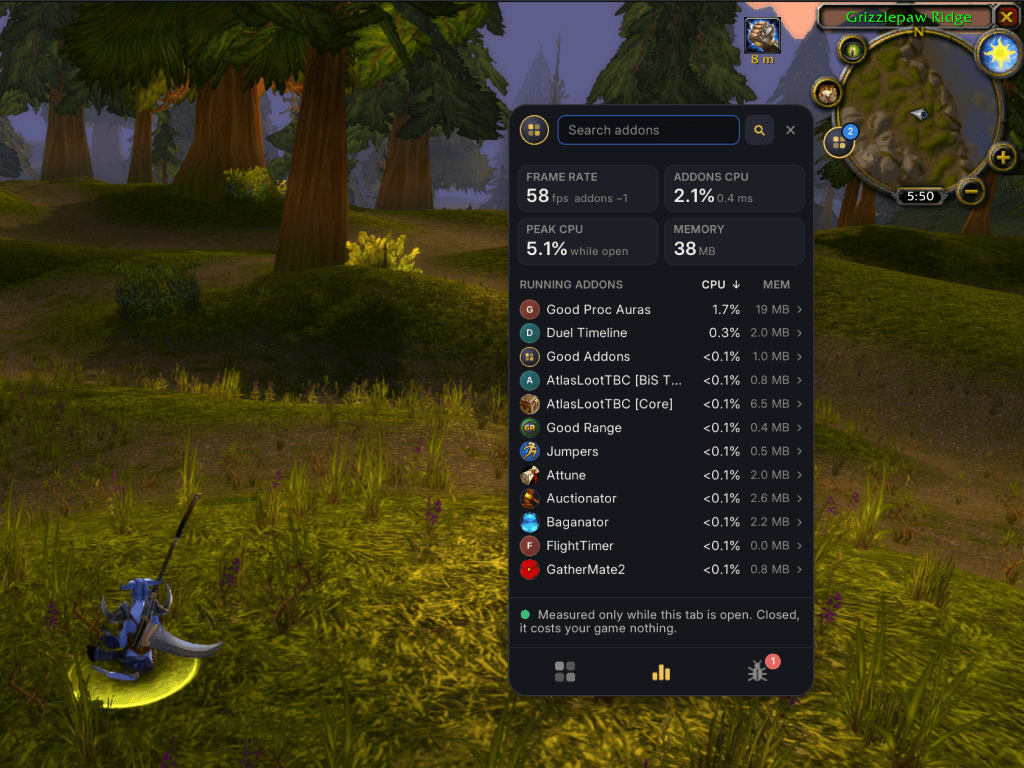
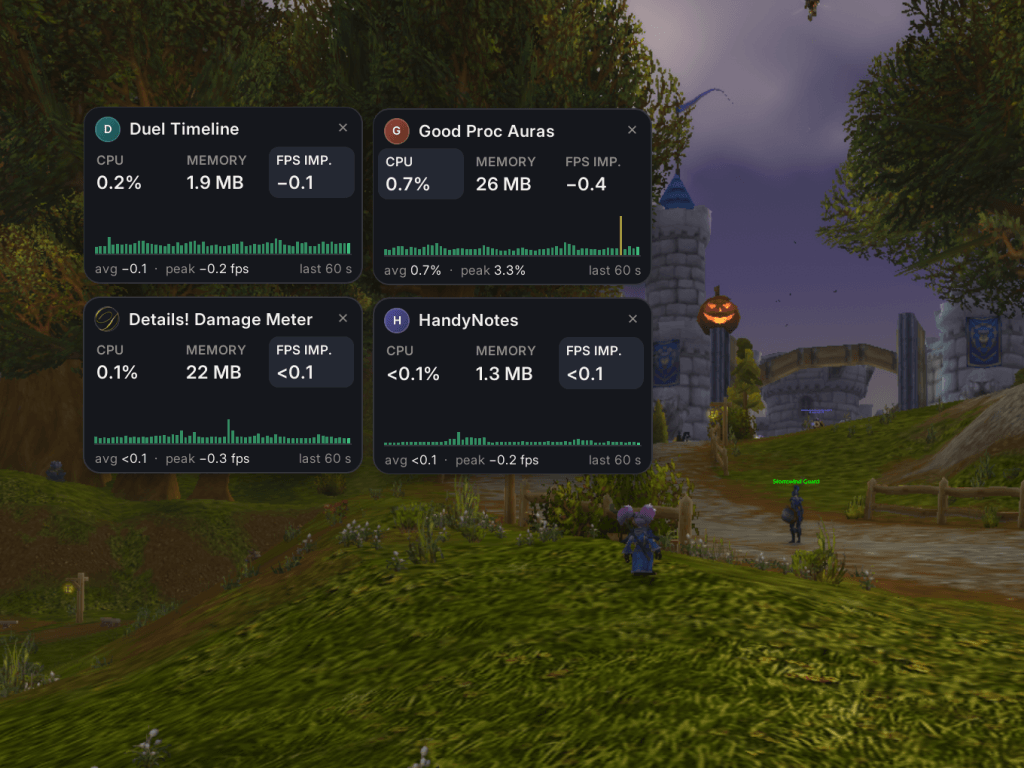
- CPU per addon from the game's own profiler, memory, and the frames per second each addon costs you.
- Sort by CPU or memory; open an addon for its live chart.
- Pin up to five small live trackers on screen. They stay after the window closes.
- Measured only while you look: closed, Good Addons costs your game nothing.
Errors
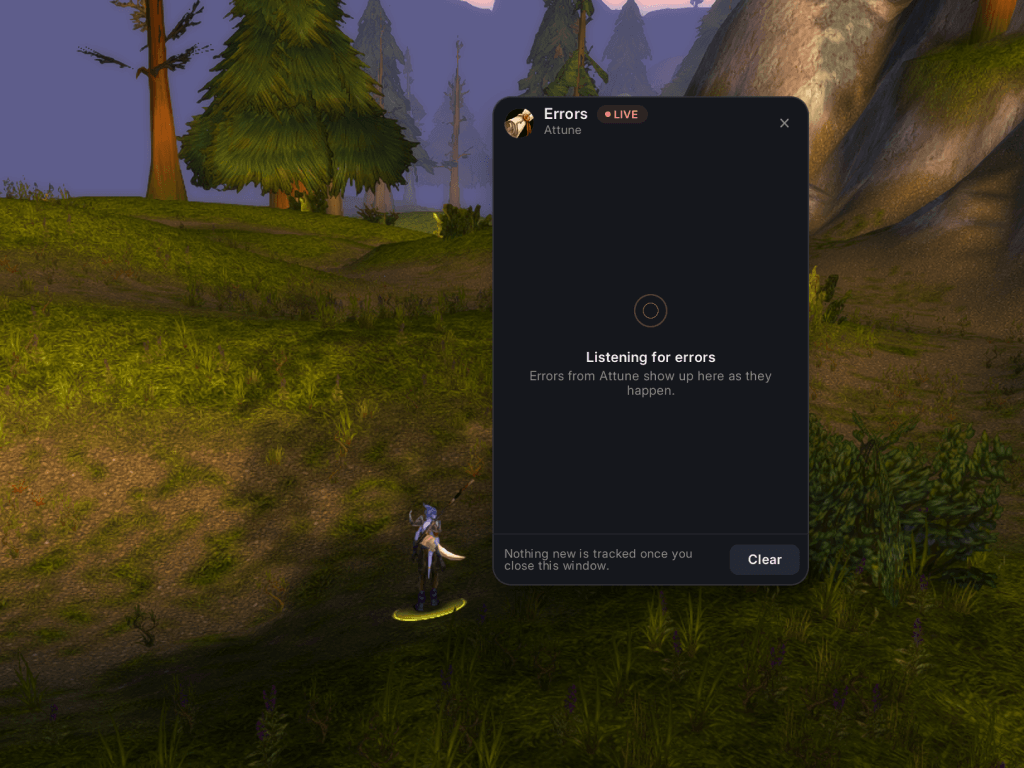
- When an addon breaks, Good Addons names it on a small card in place of the game's Lua error window, and offers to turn it off and reload.
- Every error is kept on the Errors tab: how often, when, and where in the code, with a Copy button for bug reports. The log stays small and forgets an addon's errors once it updates.
- Track errors opens a live window for one addon.
Clients
Retail, WoW: Forever and Anniversary (TBC Classic), from one download.
Light and private
- Nothing runs in the background while the window is closed.
- Version sharing sends only addon names and versions, a few short messages after login and when a group forms. Turn it off in Settings.
Commands
/ga: open Good Addons (also/goodaddons)
FAQ
Can it update my addons? No addon can: WoW doesn't let addons download files. Good Addons finds what's out of date and hands you the link; update in the CurseForge app or your browser, then reload.
Can it switch an addon off without a reload? No: the game loads an addon's code until the next reload. Good Addons switches it off and offers the reload.
Does it replace BugSack? For most players, yes: errors are caught, named, kept and copyable. It doesn't need !BugGrabber.
Bugs and ideas: the Issues tab, with the line from /ga probe if it's about your client.
Good Addons: Handy Addon Manager & Minimap Button Bag Team