GoldETA - Gold Tracker, Gold/Hour & Farming Log
- By
Gold tracker with gold per hour, a farming log of your best spots, a gold history graph and when you can afford your mount. Works with LevelETA.
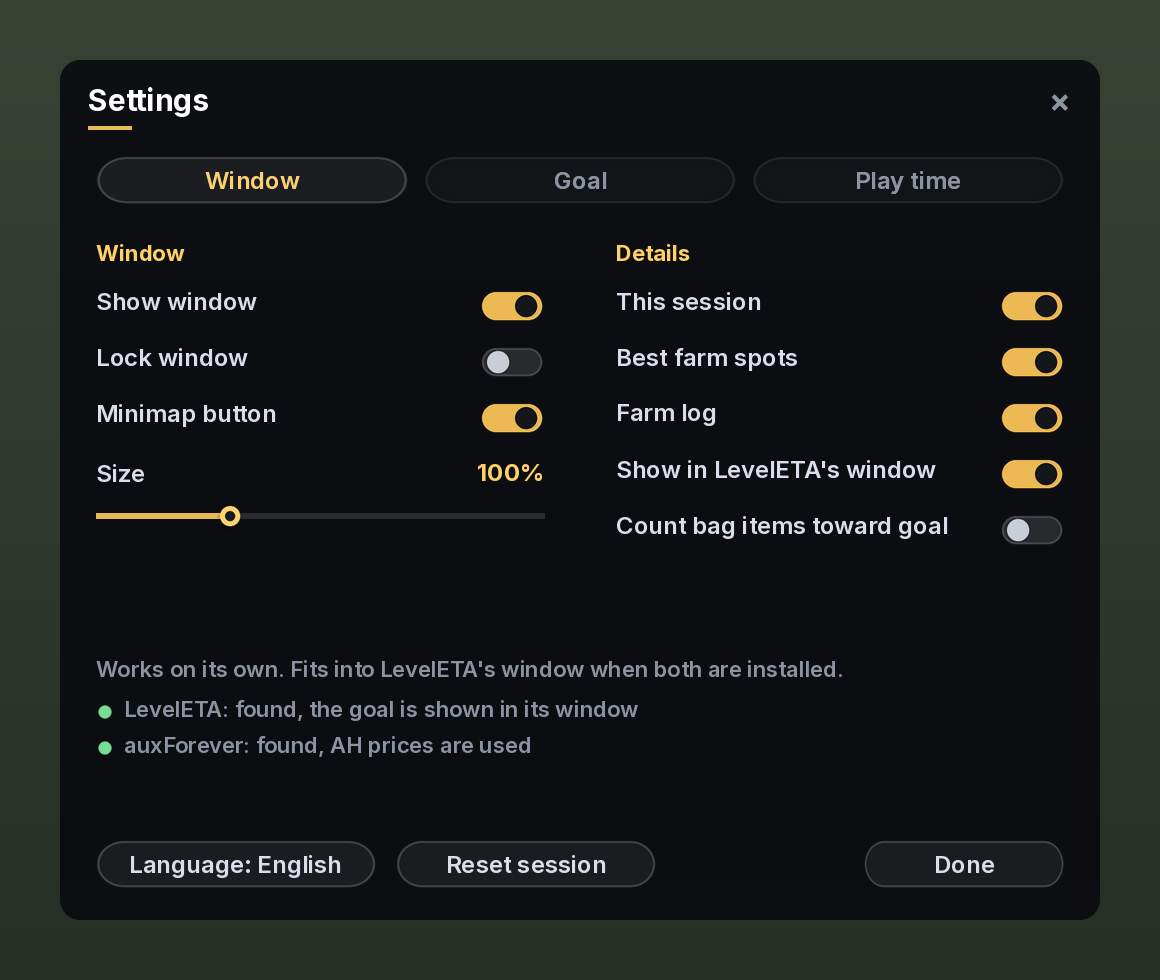
goldeta-settings.png
Description
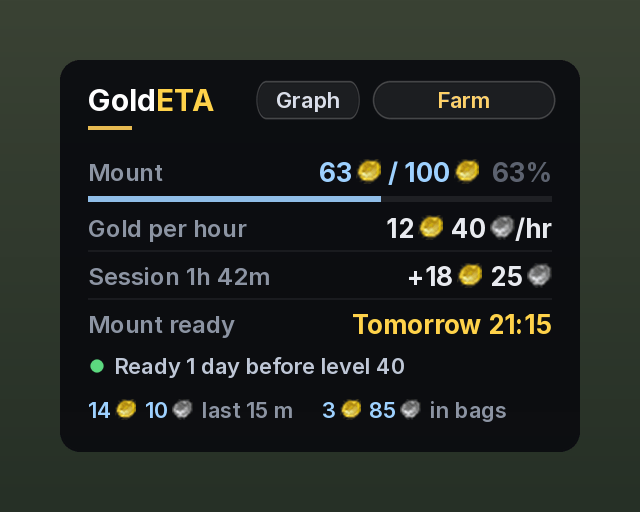
GoldETA tells you how much gold you make per hour, and when you can afford your mount.
Made for WoW Forever. It works on its own, and together with LevelETA the two addons share one window.
What it shows
- Gold per hour, measured over your last 2 hours of play, plus your pace for the last 15 minutes
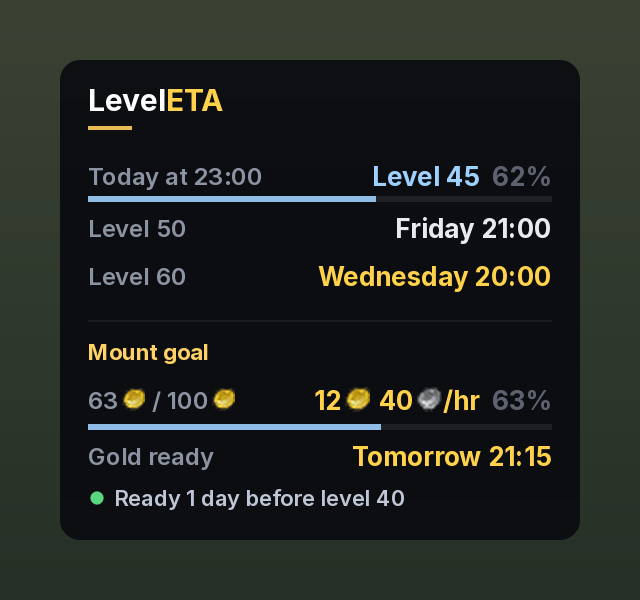
- When your goal is ready, as a real date like Tuesday 21:00, using your play times. Pick Mount, Epic mount, your own amount, or No goal
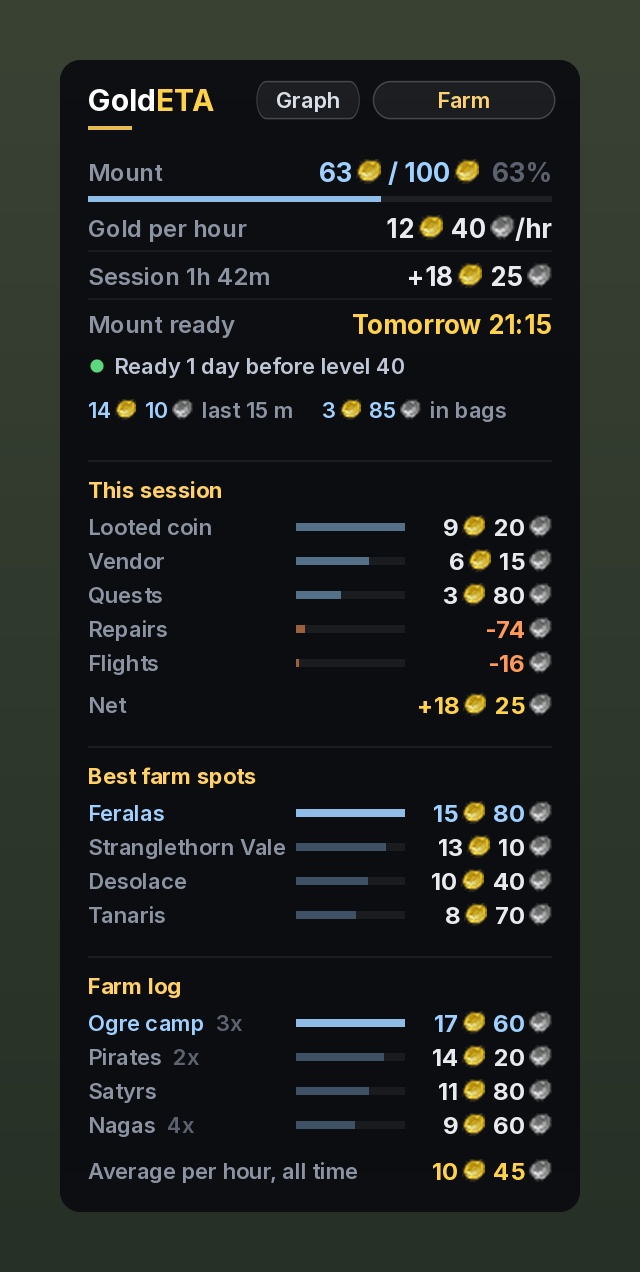
- This session: where your gold came from (looted coin, vendor, quests, mail and AH, trade) and what you spent it on (repairs, flights, training, AH, vendor buys)
- Best farm spots: gold per hour for every zone where you have farmed at least 10 minutes
- Farm log: start and stop a farm run, give it a name, and every run with the same name adds up to that farm. Your farms are sorted by gold per hour, so you can see which one is really the best
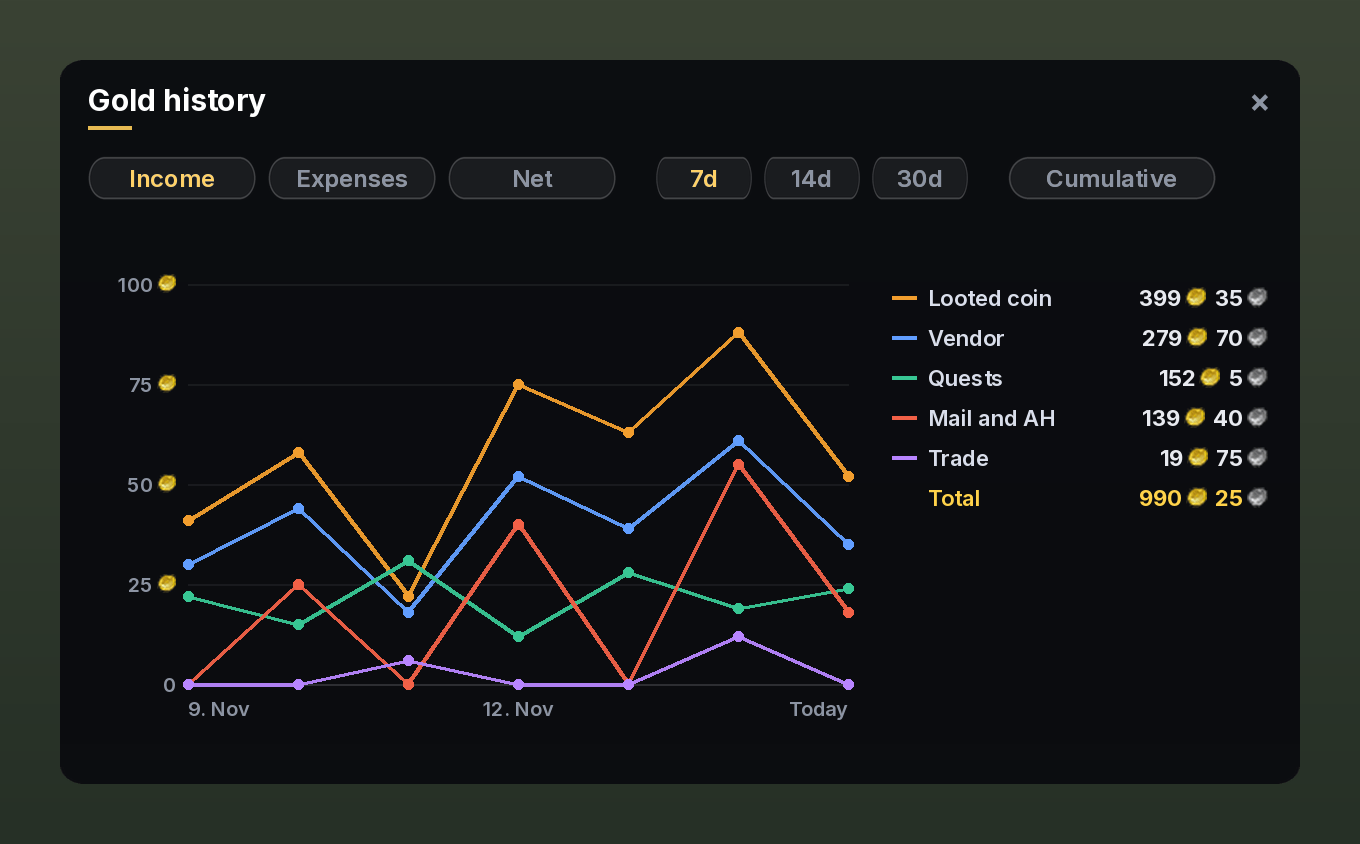
- Gold history graph: a line per income or expense source per day, with Income, Expenses or Net, 7, 14 or 30 days, a cumulative view, totals per source, and the exact numbers when you hover a day
- Item values from auxForever or Auctionator, or vendor prices when neither is installed
- Gold on all your characters in the minimap button tooltip
Every section can be turned on or off in the settings.
Works with LevelETA
When LevelETA is installed:
- Your mount goal shows up in LevelETA's window, right under your level rows, with a line like Ready 2 days before level 40
- Both addons use the same play times, so they agree on when you play
- LevelETA keeps a small gold history in the background, so GoldETA shows your gold per hour and mount time from the very first login
- LevelETA's settings show that GoldETA is connected, and you can hide the GoldETA section there if you want
Commands
/geta: settings/geta show: show or hide the window/geta farm: start or stop a farm run (also Shift click on the minimap button, or a key under Key Bindings)/geta graph: your gold history/geta log: your farm log in chat, best gold per hour first/geta summary: a short summary of this session
English and Danish. Source on GitHub.
GoldETA - Gold Tracker, Gold/Hour & Farming Log Team