Gold Advisor - TBC Anniversary
- By
Account-wide TBC Anniversary gold advisor with demand-aware crafting batches, owned-material analysis, precise shopping plans, TSM or standalone pricing, character memory, and disenchant estimates.
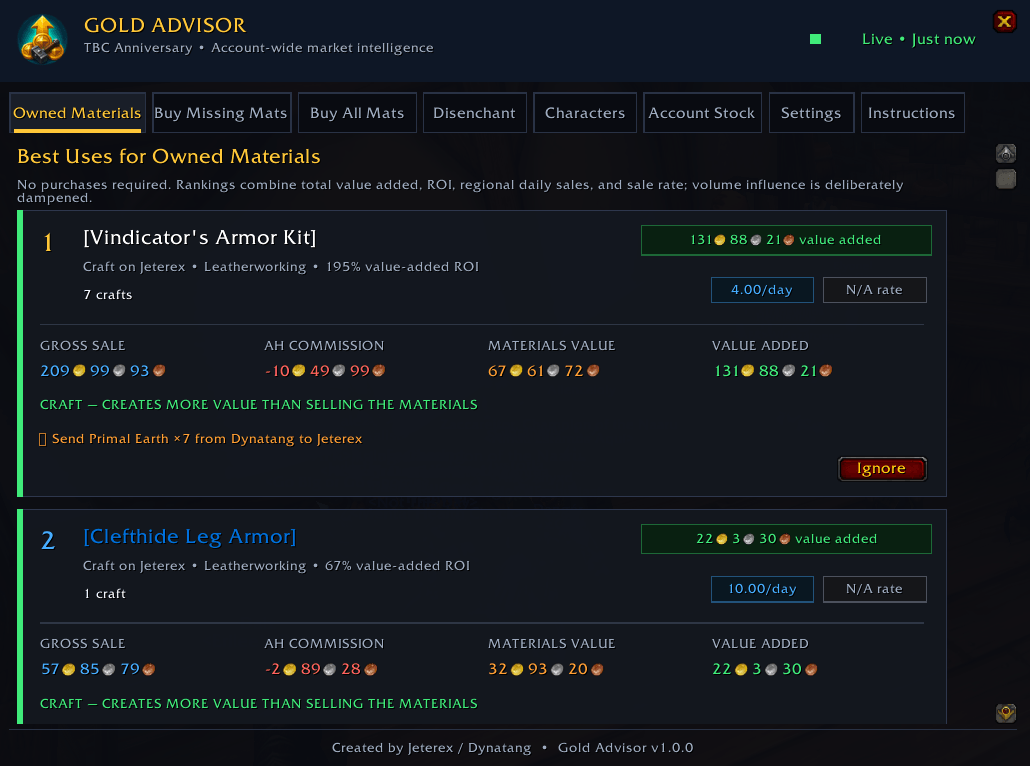
Gold Advisor evaluates materials across every remembered character as practical crafting batches, comparing gross sale value, commission, ingredient value, demand, and value added.
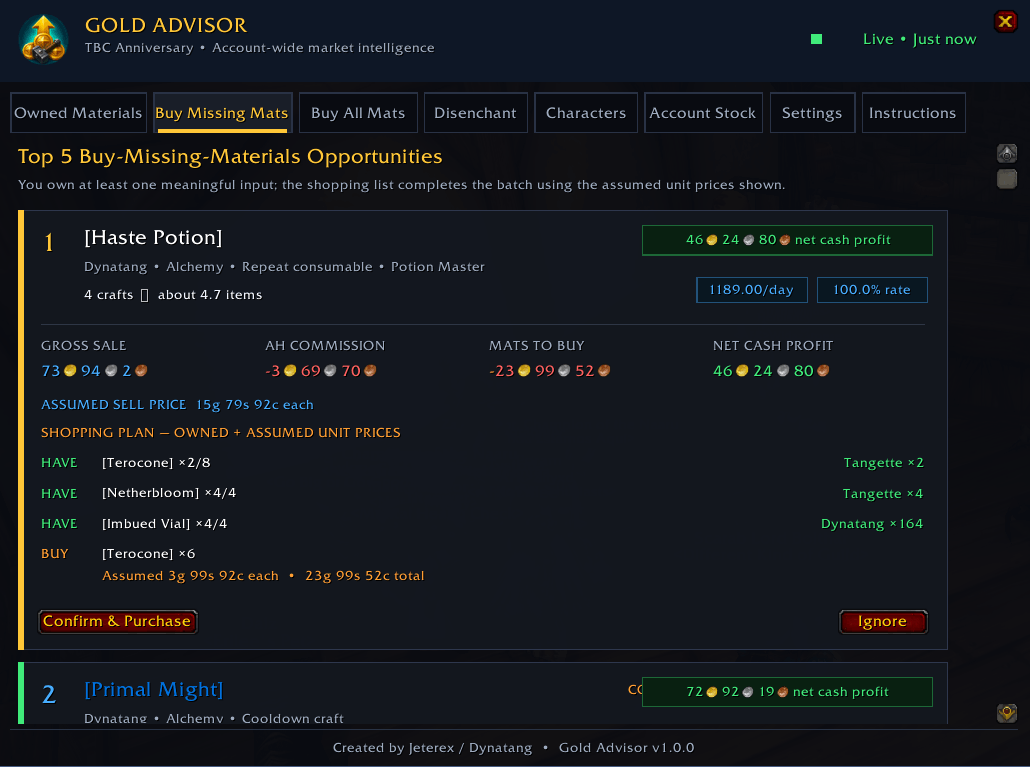
See what you own, where it is stored, what remains to buy, the assumed unit prices, regional demand, commission, and expected net cash profit.
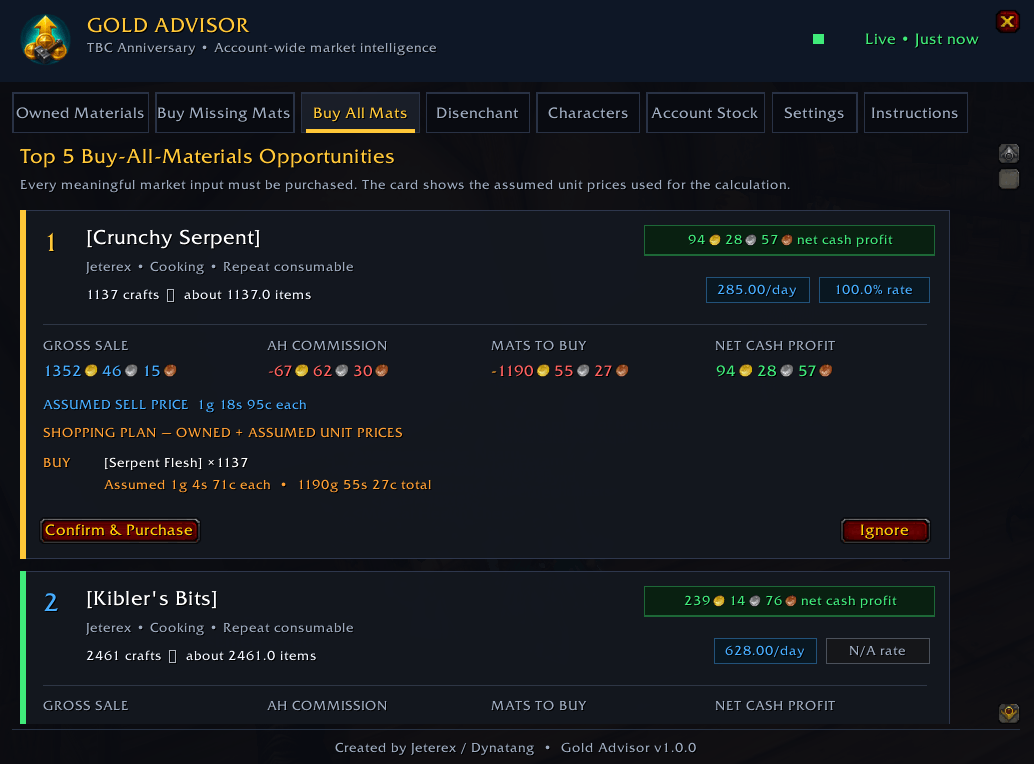
Evaluate batches where every meaningful market input is purchased, including vendor reagents, protected finished-item assumptions, demand, and net cash profit.
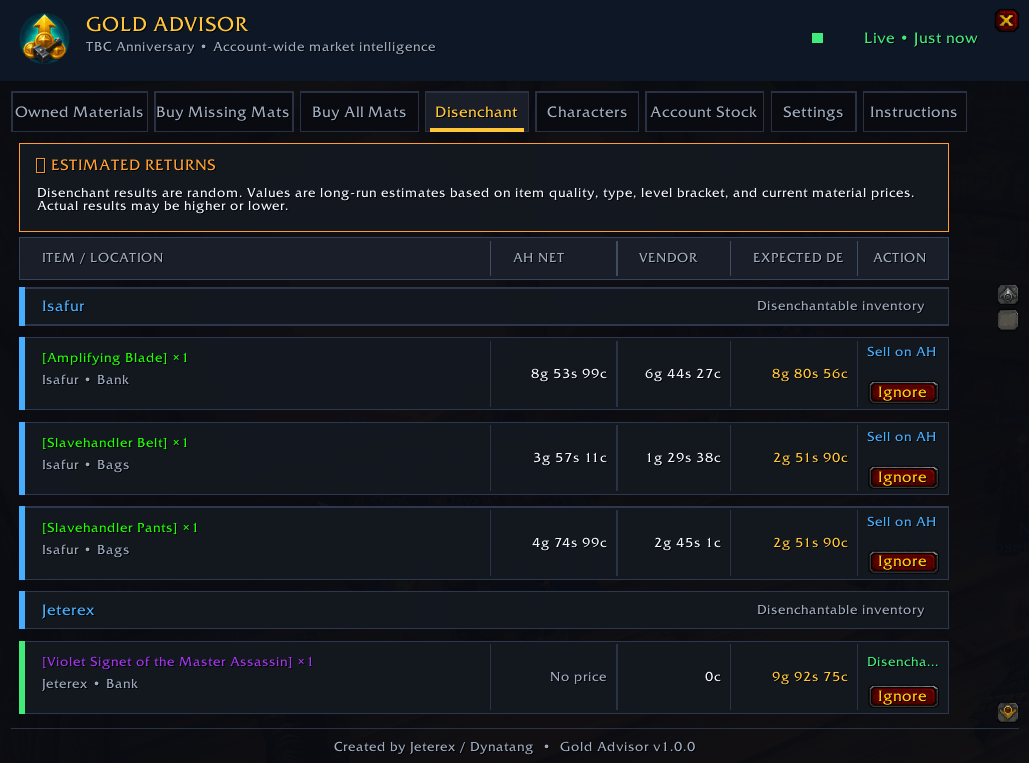
Eligible equipment is grouped by character and compared using Auction House net value, vendor value, and estimated disenchant returns.
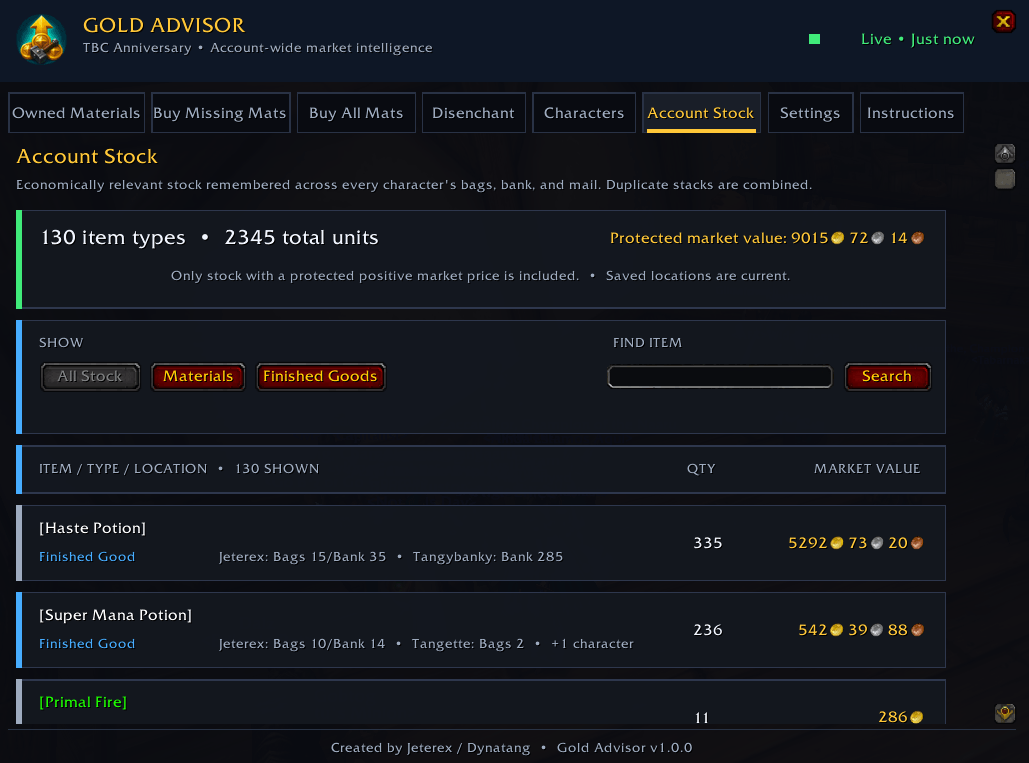
Positively priced economic stock is aggregated across saved bags, banks, and mail, with protected value, category filters, search, character locations, and snapshot-age details.
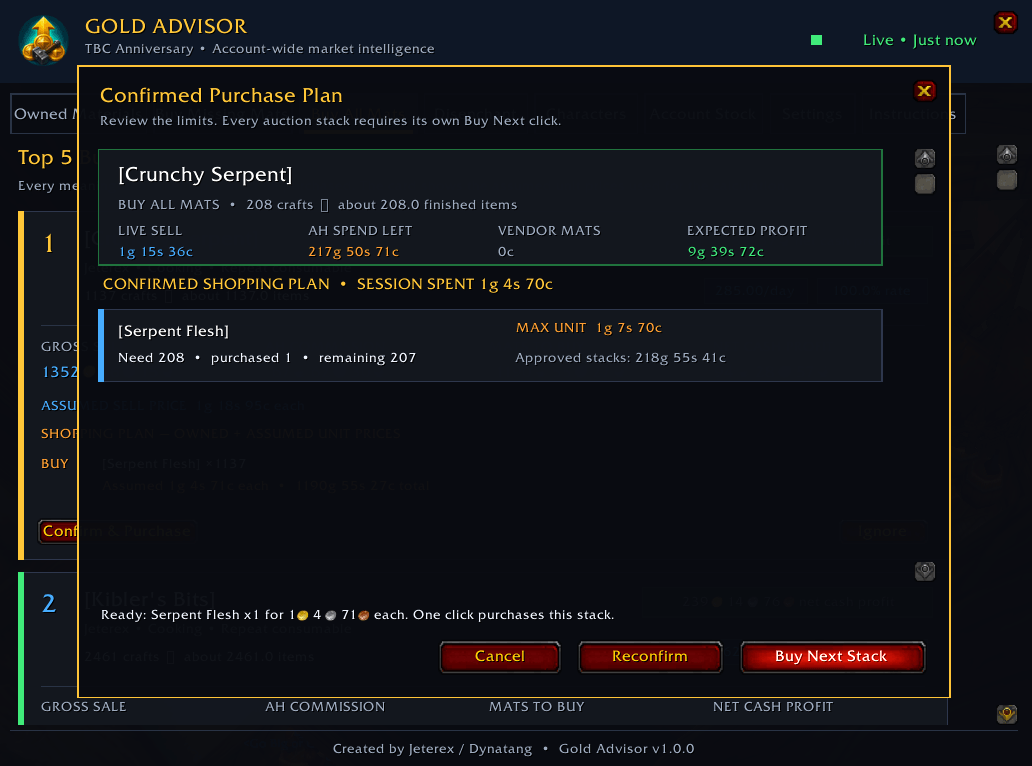
Live confirmation recalculates the profitable batch and creates a guarded shopping plan. Each approved Auction House stack still requires its own explicit click.
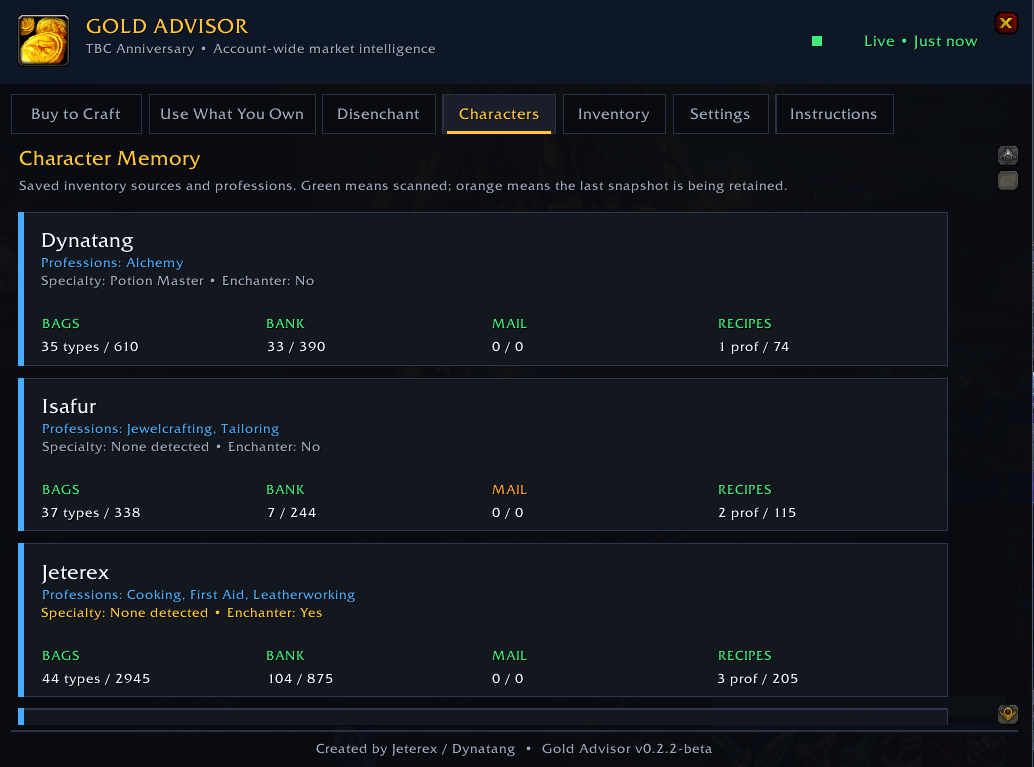
Character Memory tracks bags, bank contents, mailbox attachments, professions, specializations, and learned recipes across characters on the same realm and faction.
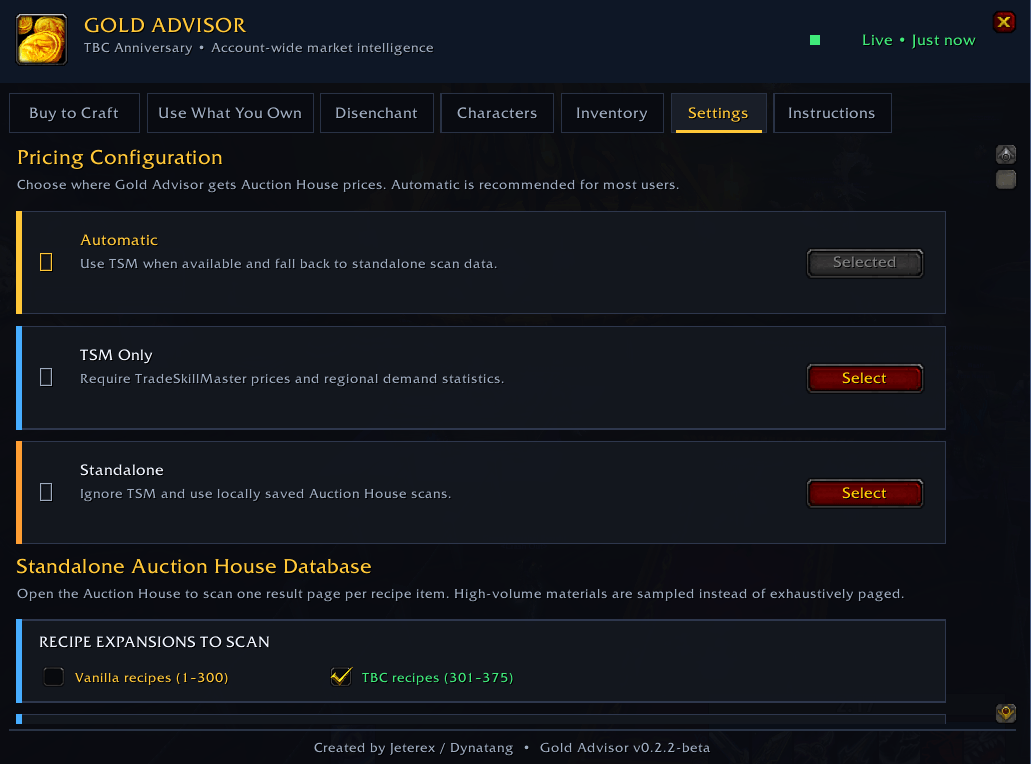
Choose Automatic, TSM-only, or Standalone pricing. The targeted standalone scanner supports expansion and profession filters and queries only materials and recipes relevant to your saved characters.
Description
Turn everything your characters own and know into a practical, demand-aware gold-making plan.
Gold Advisor combines account-wide inventory, professions, recipes, specializations, Auction House prices, and market demand to show what is worth crafting, what must be bought, and where materials should be moved.
Built specifically for World of Warcraft: The Burning Crusade Anniversary.
Three clear ways to find crafting profit
- Owned Materials: Find batches you can craft from materials already held across your characters. Only crafts adding at least 1 gold of value over selling the ingredients are shown.
- Buy Missing Mats: Complete promising batches when you already own at least one meaningful material. Each card shows what you have, where it is stored, what to buy, assumed unit prices, total cost, commission, and expected profit.
- Buy All Mats: Find fully purchased crafting opportunities where every meaningful market input is bought and converted into a profitable finished item.
Recommendations are evaluated as practical batches rather than isolated single crafts. If you can make 100 potions, Gold Advisor considers the combined opportunity while applying safeguards against producing far more than the market is likely to absorb.
Demand-aware recommendations
When TSM liquidity data is available, Gold Advisor uses regional sold-per-day and sale-rate information alongside profit. Conservative, Balanced, Aggressive, and Unlimited batch profiles let you choose how much market risk to accept.
- Finished items already owned are deducted from recommended quantities.
- Gems use tighter limits and are capped at 25% of daily sales.
- Cooldown recipes, specialty cloth, transmutes, equipment, and restricted reagents receive dedicated safeguards.
- Output-price outlier protection reduces the impact of unrealistic Auction House listings.
Account-wide character memory
Gold Advisor remembers data for every character you visit on the same realm and faction:
- Bags, bank contents, and mailbox attachments
- Professions, learned recipes, and profession specializations
- Which character owns each useful material
Bags update automatically. Open a character's bank, mailbox, and profession windows once to refresh those snapshots. Gold Advisor can then recommend moving herbs, ore, leather, gems, and other materials to the character who can use them most profitably.
Use TSM or run standalone
Automatic: Uses TradeSkillMaster data when available and falls back to Gold Advisor's local price database.
TSM: Uses TSM and TSM AppHelper price and liquidity data. Keep the TSM desktop application data current for the best results.
Standalone: Runs a lightweight, targeted Auction House scan for relevant recipe outputs, required reagents, and supported enchanting materials. Filter scans by Vanilla or TBC recipes and by profession.
The standalone scanner avoids known vendor reagents, limits the amount of Auction House data requested, and rejects extreme listing-price outliers. Where demand data is unavailable, Gold Advisor applies conservative standalone batch limits.
More tools
- Disenchant: Compare estimated disenchant returns with Auction House and vendor values. Soulbound items are considered only when they are held by an enchanter.
- Characters and Inventory: Review exactly what Gold Advisor has recorded for every character and storage location.
- Diagnostics: Copy selectable reports explaining missing prices, materials, and skipped recipes.
Getting started
- Install Gold Advisor and log into each character you want remembered.
- Open that character's bank, mailbox, and profession windows once.
- Enter
/gaor/goldadvisorto open the dashboard. - Choose Automatic, TSM, or Standalone pricing in Settings.
- If using Standalone, select the expansions and professions to include, visit the Auction House, and run the targeted scan.
- Review Owned Materials, Buy Missing Mats, Buy All Mats, transfers, and disenchant estimates.
Designed to advise, never automate
Gold Advisor never buys, crafts, mails, disenchants, or posts items automatically. It provides transparent recommendations for you to review and execute.
Important notes
- Character data is a snapshot from the last time that character and storage location were visited.
- Disenchant returns and profession-specialization yields are estimates, not guarantees.
- Auction House conditions change constantly; always review assumed unit prices before committing expensive materials.
Commands: /ga or /goldadvisor
Game version: Classic TBC 2.5.5
Author: Jeterex / Dynatang
Found a bug or an incorrect recommendation? Leave a CurseForge comment with the error message and the relevant copyable Gold Advisor diagnostic report.
Gold Advisor - TBC Anniversary Team