GoblinTax
Automate your economy by instantly routing gold to your bank characters the moment you open any mailbox.
Screenshot 2026-06-16 090751.png
Screenshot 2026-06-14 023558.png
Screenshot 2026-06-10 150550.png
Screenshot 2026-06-10 161338.png
Description
🪙 GoblinTax – Automated Wealth Routing & Finance Manager
Tired of manual mail operations? Let the Trade Princes handle it.
Welcome to GoblinTax, the highly intelligent, hyper-efficient solution for automated gold management within your World of Warcraft Classic (1.15+) and TBC Classic accounts. Stop wasting precious gametime drag-and-dropping gold stacks to your bank characters. GoblinTax handles the wealth routing seamlessly the moment you open any mailbox.
🚀 Key Features:
-
📬 Smart Mail Integration: GoblinTax automatically detects when you interact with a mailbox and executes your configured gold transfers instantly.
-
📊 Highly Customizable Tax Modes:
-
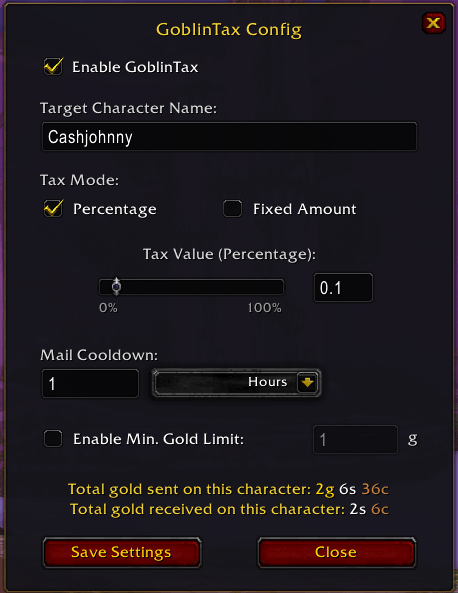
Percentage Mode: Route a specific portion (e.g., 0.1% to 100%) of your current wealth.
-
Fixed Amount Mode: Ensure you always send exactly X gold to your alt.
-
-
🎛️ Bidirectional Precision Control: Use our premium slider for quick adjustments or the integrated high-precision input field for exact values (like 0.1%). Both UI elements sync dynamically.
-
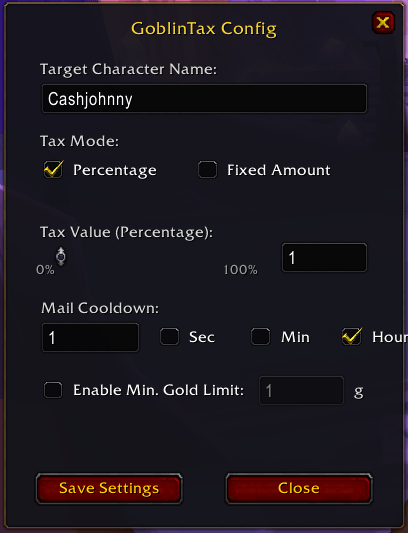
⏱️ Dynamic Cooldown Units (New in v1.0.2): No more manual math or converting hours into thousands of raw seconds! Easily set your mail cooldown using flexible unit toggles next to the input field: Seconds (Sec), Minutes (Min), or Hours (Hours).
-
🛡️ "Min. Gold Limit" Safeguard (New in v1.0.2): Protect your character's travel and repair budget! Set a minimum gold threshold (e.g., 50g) under which GoblinTax will never touch your money, ensuring you never run completely broke while funding your alts.
-
💾 Per-Character Profiles: Every alt can have its own dedicated target character, tax mode, and value. Your Hunter can fund your Blacksmith while your Mage funds your Enchanter.
-
⚙️ Dual-Access Interface: Toggle settings quickly via /tax or access the configuration panel elegantly through the official Blizzard Interface Options (ESC -> Options -> Addons).
-
🔒 Account Security Verification: GoblinTax is designed for authorized wealth routing only. Blizzard’s built-in mail safety verification popup still acts as a final safeguard if you misspell a target character name that doesn't belong to your account.
📋 How it Works:
-
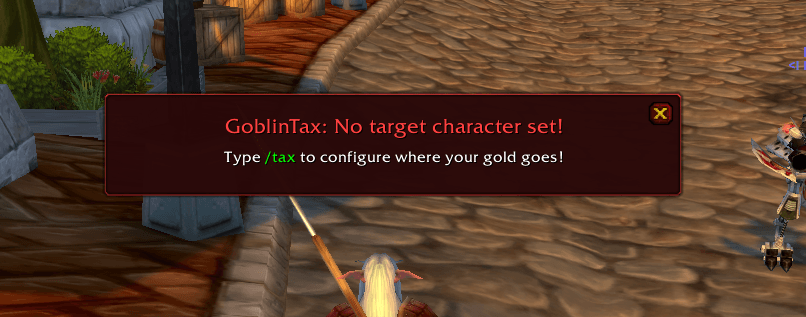
Log in and configure your settings by typing /tax.
-
Set your desired target character name.
-
Choose your Tax Mode (Percentage/Fixed) and adjust the Value.
-
Optional: Set your preferred Mail Cooldown unit and enable the Min. Gold Limit to safe-keep your emergency funds.
-
Walk to any Mailbox and open it.
-
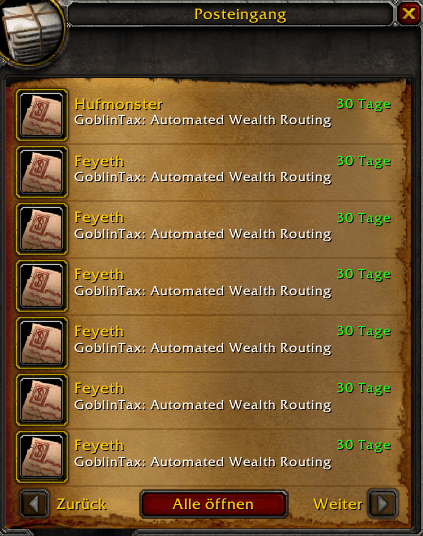
Tada! GoblinTax has routed your wealth, updated your chat log, and triggered the set cooldown. Profit.
GoblinTax – Because time is money, friend.
GoblinTax Team