GM CDM
- By
XXL.jpg
Screenshot 2026-04-29 180106.jpg
Screenshot 2026-05-02 122319.jpg
screeenshoooot132145.png
Screenshot 2026-04-29 180557.png
Description
ANOUNCEMENT:
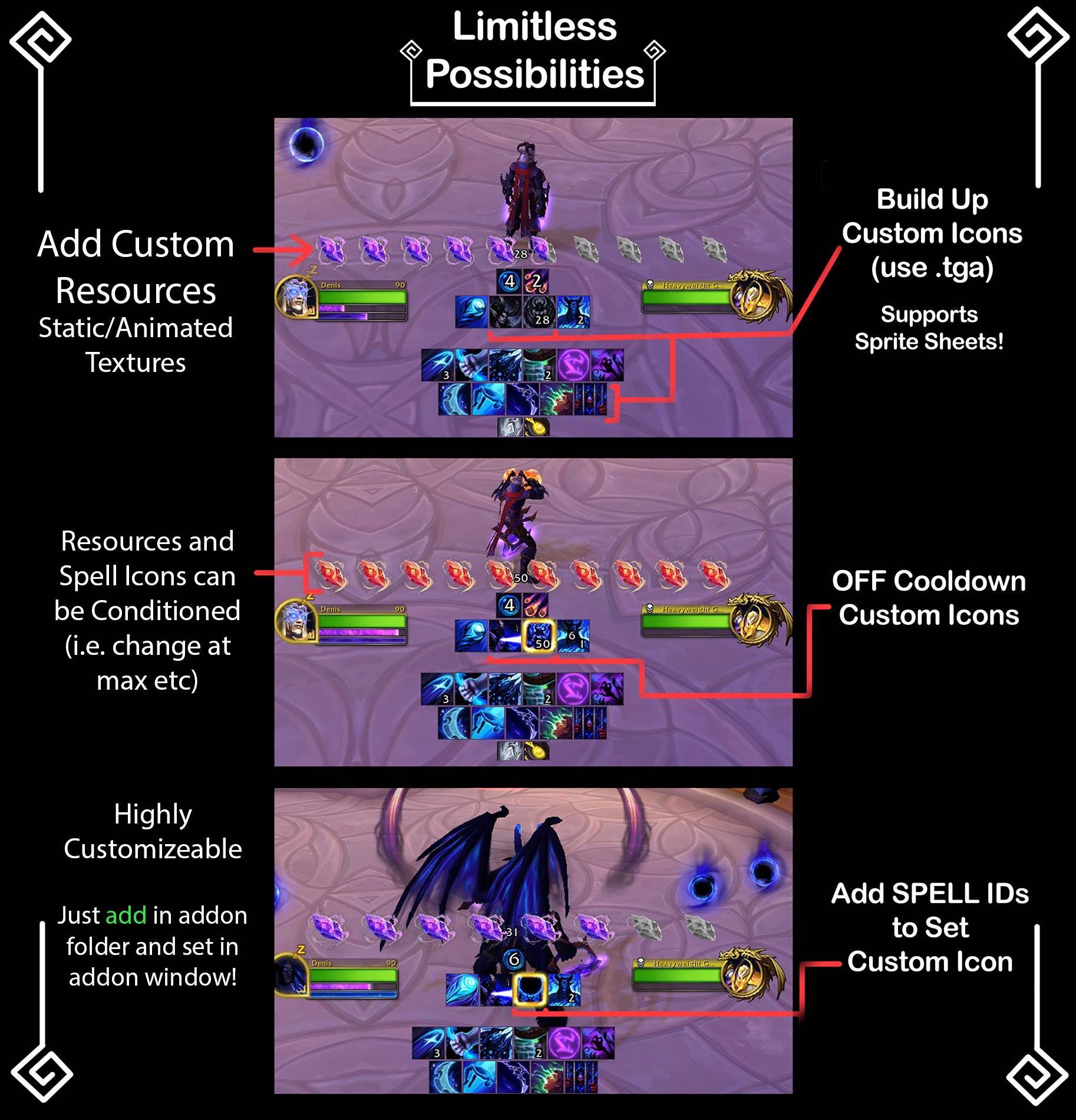
NEW STUFF: CUSTOM ICONS, CUSTOM RESOURCE ICONS (INCLUDING SPRITE SUPPORT!) AND MORE!!! Stay tuned!
ICONS WILL BE ABLE TO BE CHANGED FOR SPELLS! INCLUDING ANIMATED ONES! (SPRITES)
CASTING BARS TOO!!! (INCLUDING RESOURCE BARS LATER!)
ADDON RENAMED TO GM CDM, signifying its official release.
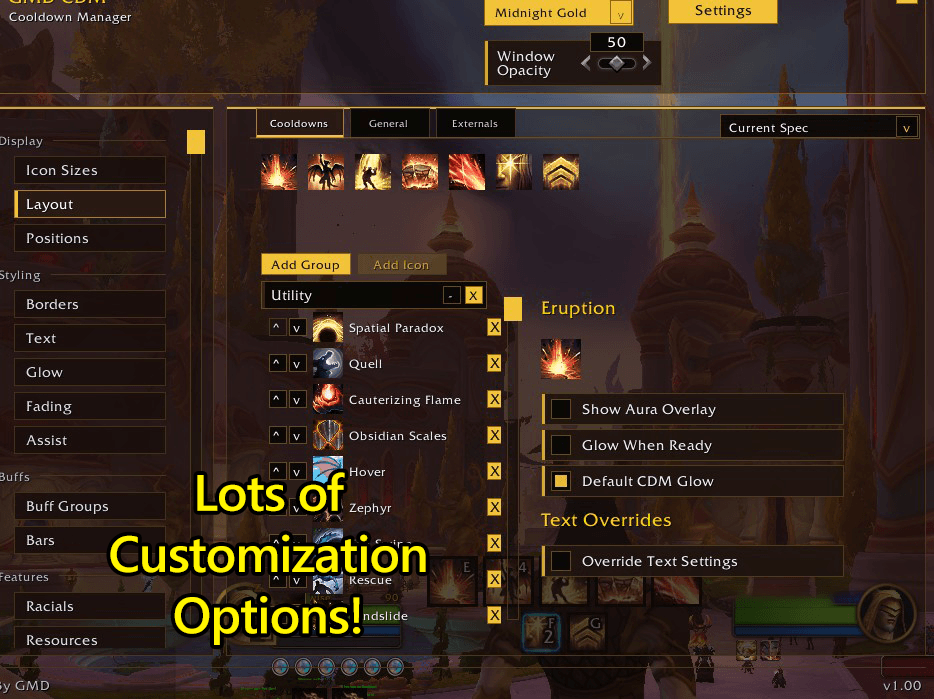
Many features showcased in the image will be in the 1.04 beta!
Icon Packs will be available in the future for many beloved classes, optimized preset icon packs will be the only paid feature (patreon), but you can make and add your own for free!
Features
- Custom Icon and Animated Icon Support (grid SpriteSheet).
- Custom Bar Static and Animated Texture Support (grid SpriteSheet).
- Condition-Based Asset Transitions.
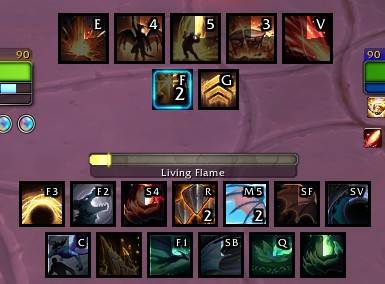
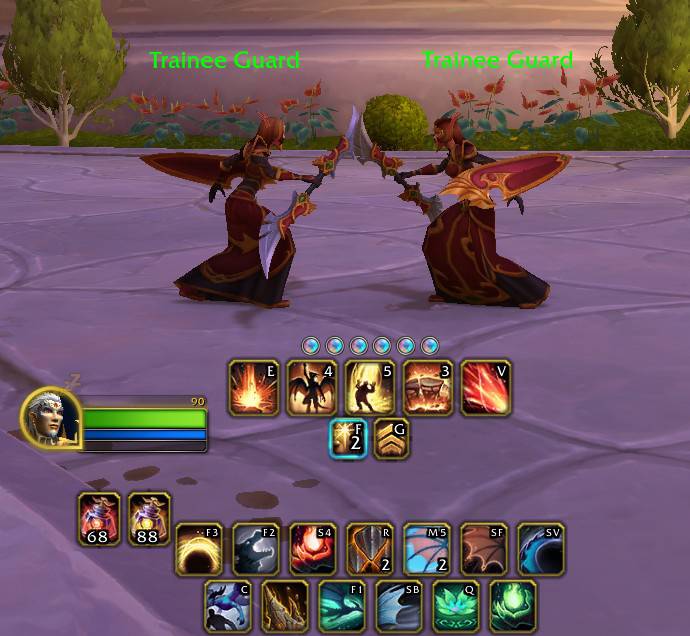
- Displays keybinds on Essential/Utility icons
- Fading of groups (no target/out of combat etc)
- Custom styling - borders, glows, it just works.
- Buff separation - split buffs into separate groups with per group options/anchors
- Defensives and racials trackers (including items! extra can be added by their ID)
- Trinkets Tracking
- Rotation assist and custom glows
- Resource bars Customization (light customization for simplicity)
- Duration Bars Fully customizable
- Cast bar and Custom cast bar support
- Add custom spells to trackers
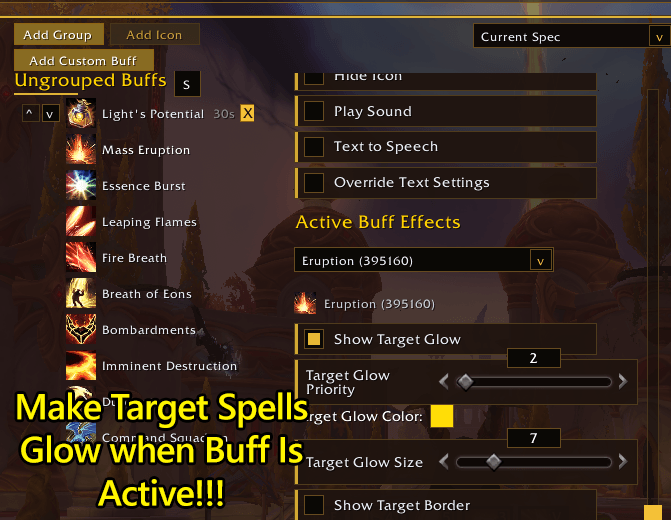
- Display active buffs as glow or border on target spells to help with rotations
- Create custom buff timers from your casts
...and Continuously Being Updated.
Slash command to Open Settings Window
- /gcdm
Custom Assets can be made using free tools just make sure the filesize is small and the tool exports in proper format, I recommend exporting to normal PNG and then converting PNG->TGA, spell icon size recommended 128x128 (thats plenty so it looks smooth), follow the in game tooltips for more advice. Throw the assets in their appropriate folder or add the path to them, reload after adding a file to the addon so it loads. Thats it!
Feedback and Bug Reports: here
If you liked this, you can support the author here:

I make 3$-4$ an hour on the day job fixing up computers and so on, a cup of ko-fi goes a long way!
Especially when this costs a bit to develop.
This project was found half baked somewhere and had to be rebuilt from the ground up, especially considering the removal or discontinuation of many addons recently.
Formerly GMD CDM now GM CDM.
The GM CDM Team