


GlanceCast
- By

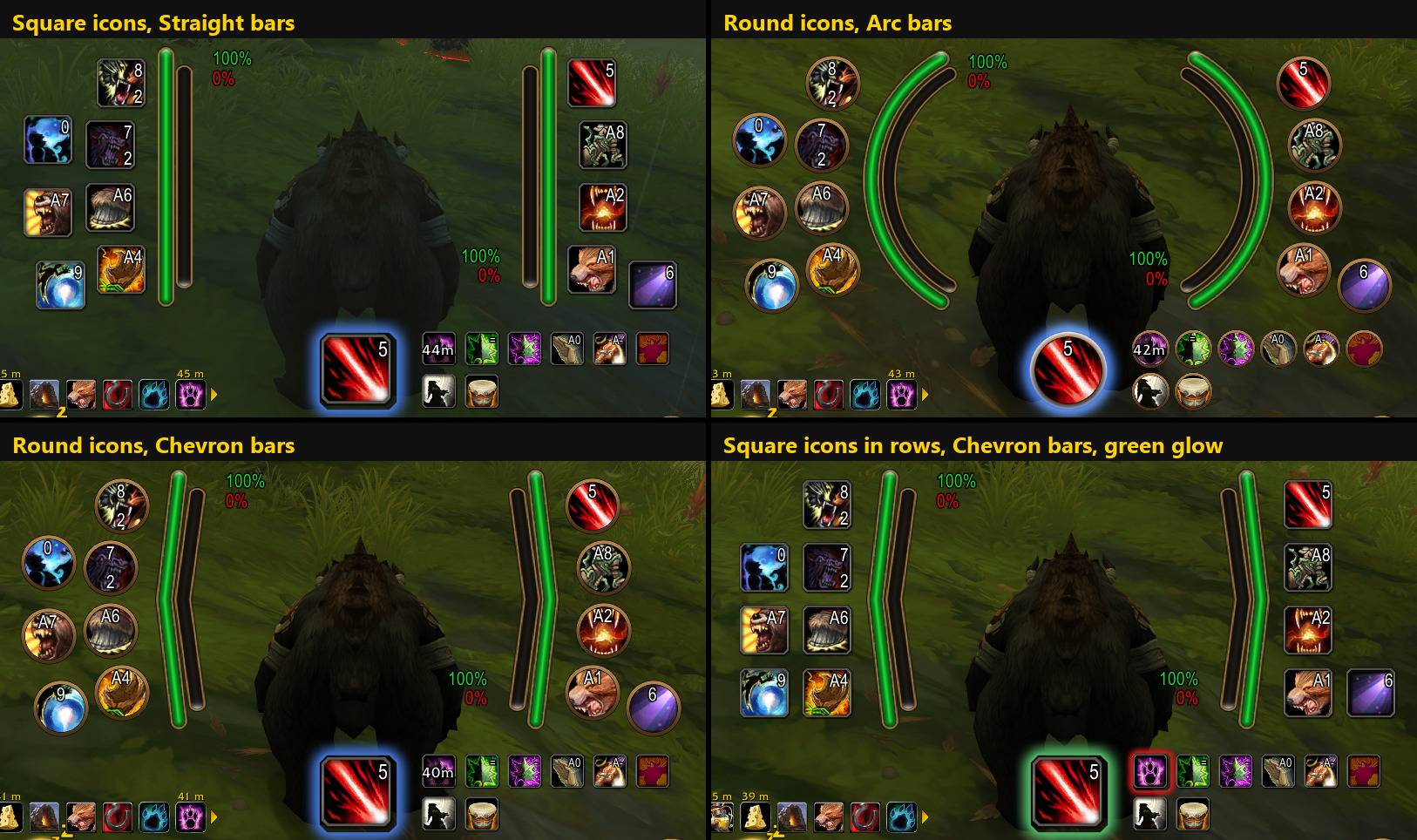
One HUD, four looks: icon shape, row arrangement, bar shape and glow are all Edit Mode settings, saved per Edit Mode layout
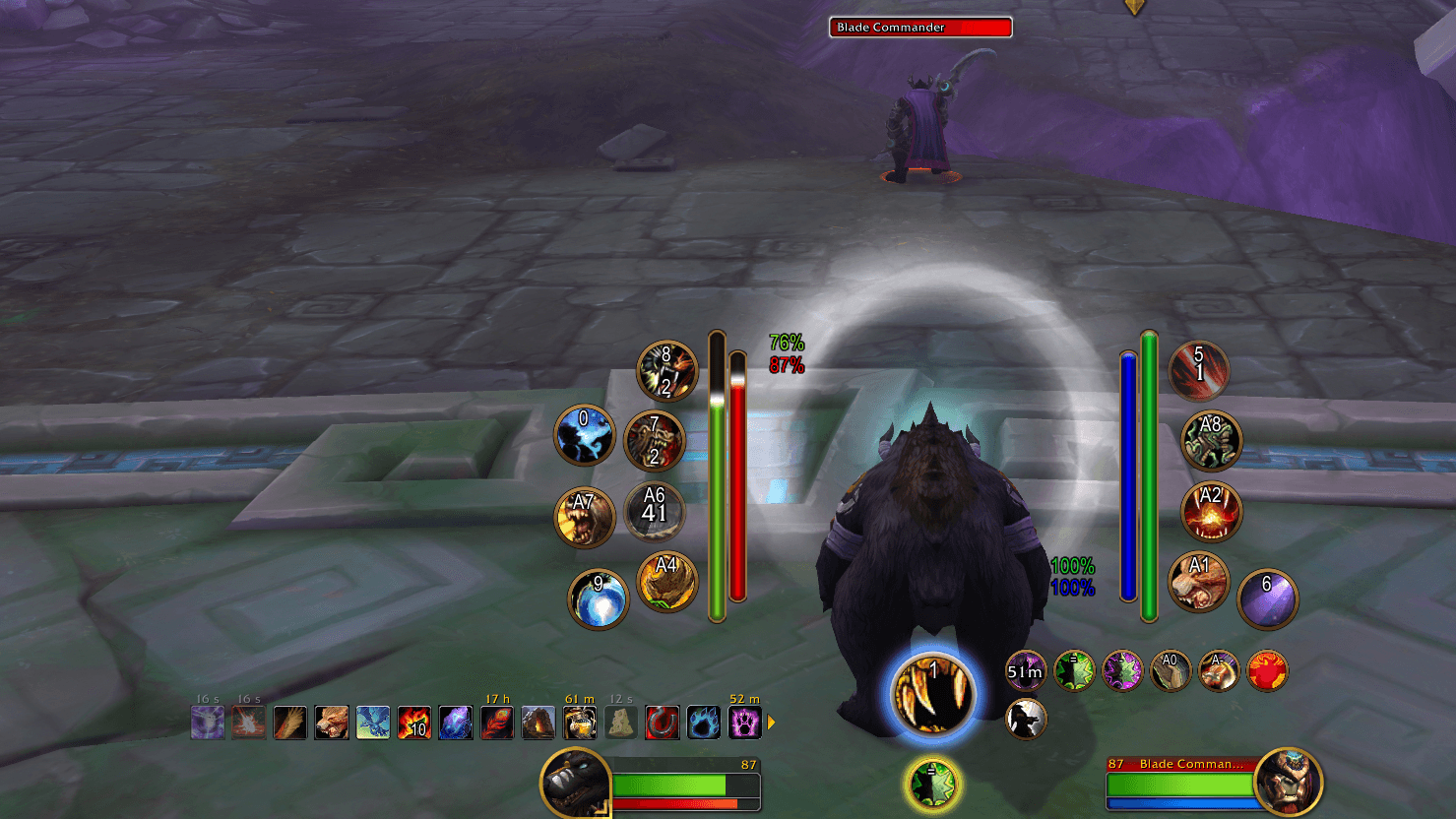
Everything at a glance: the next spell under your character, your ready spells and the spells in range in arcs on either side, health and power bars for you and your target, and the Utility window on the right
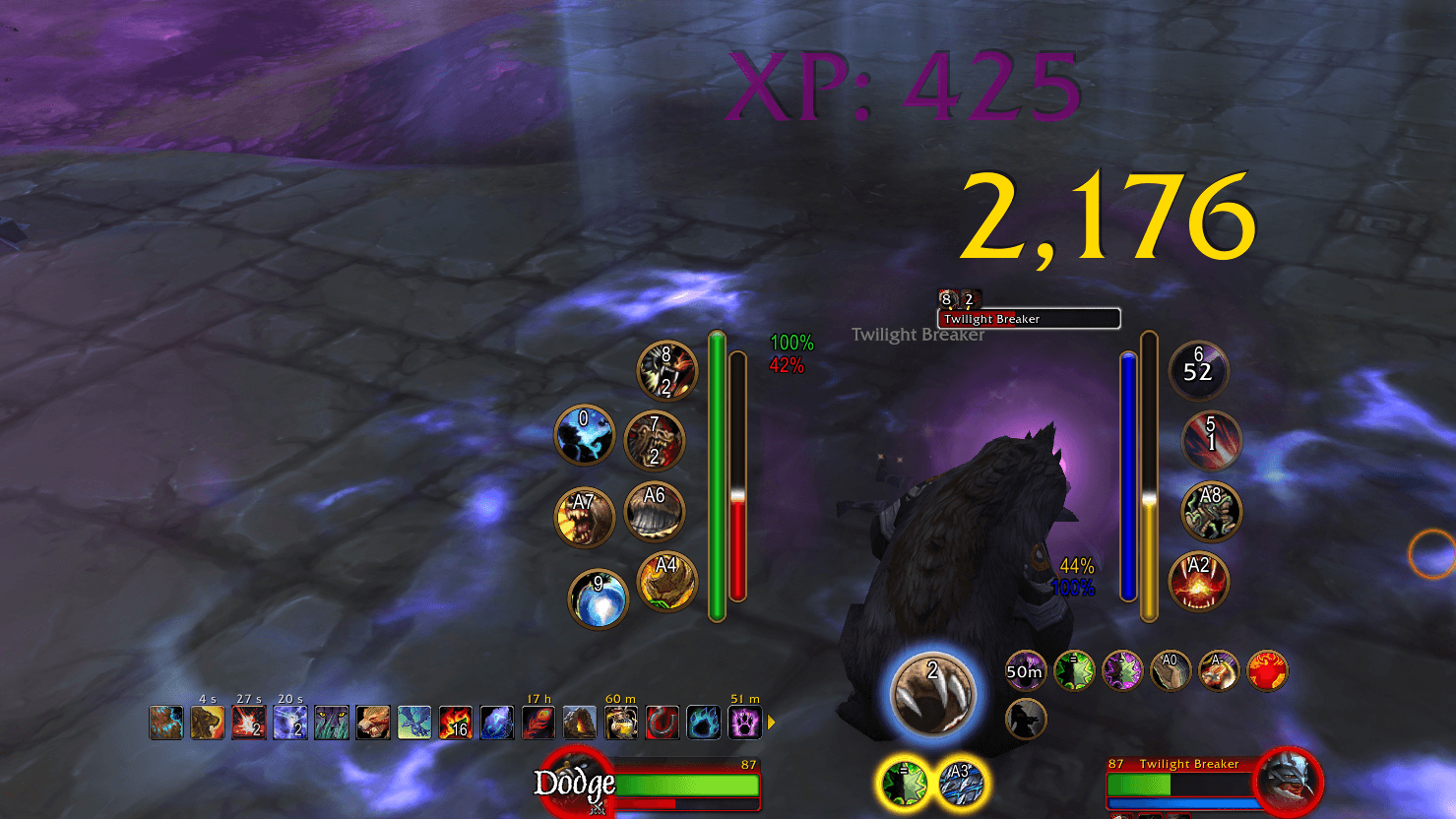
Two procs glowing in the procs window under the next spell, with Blizzard's gold spell-alert glow
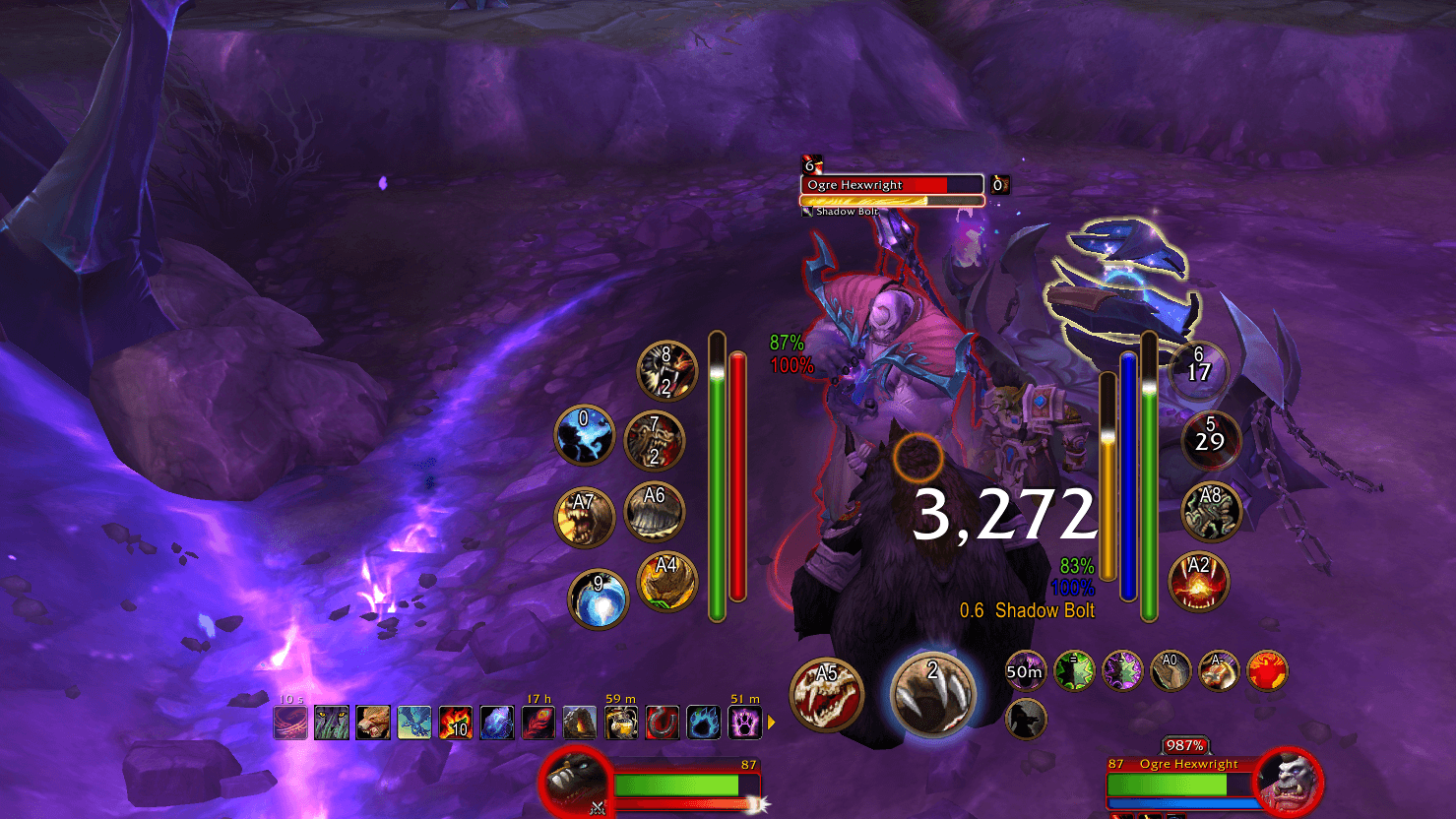
Your target starts casting: your interrupt shows beside the next spell, and the target bar shows the spell and its time left. The cursor ring marks your mouse
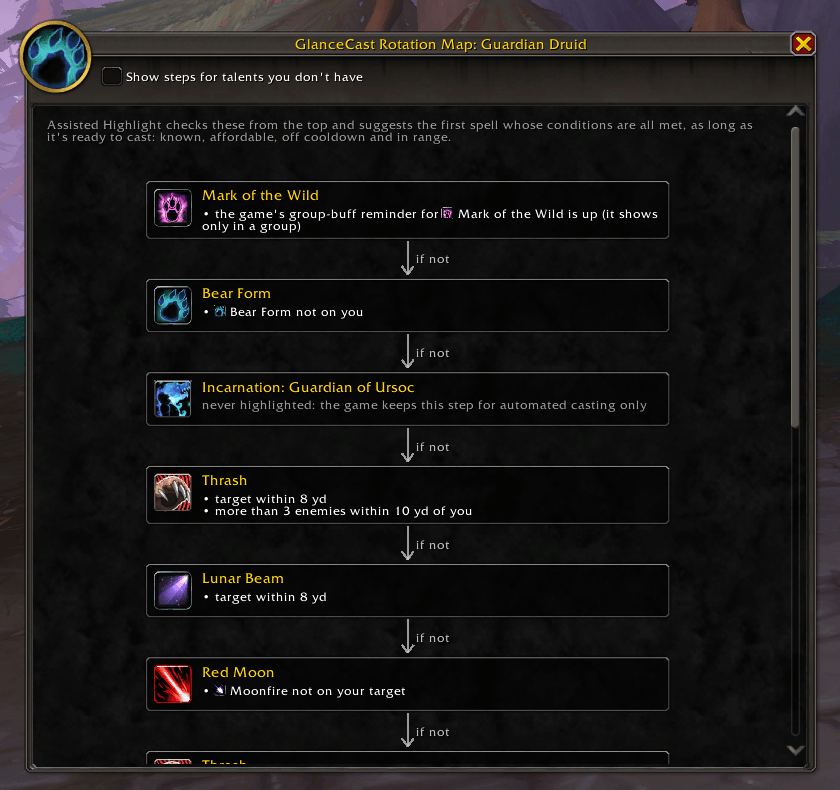
The rotation map: how Assisted Highlight picks your next spell, step by step, with each step's conditions in plain words
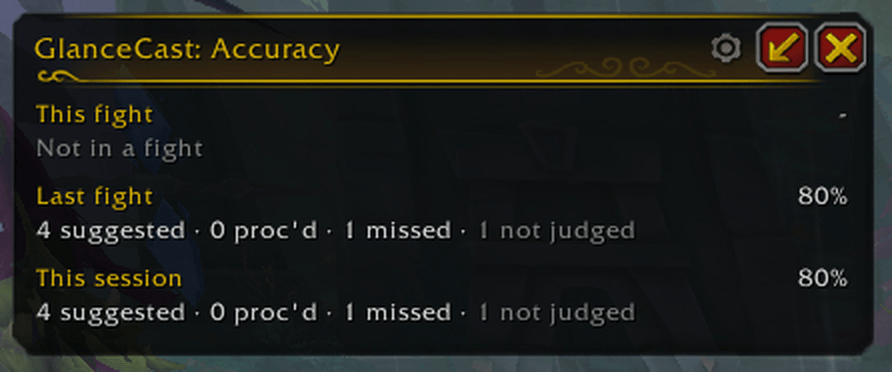
The accuracy window: how often you cast what Assisted Highlight suggested, this fight, last fight and this session
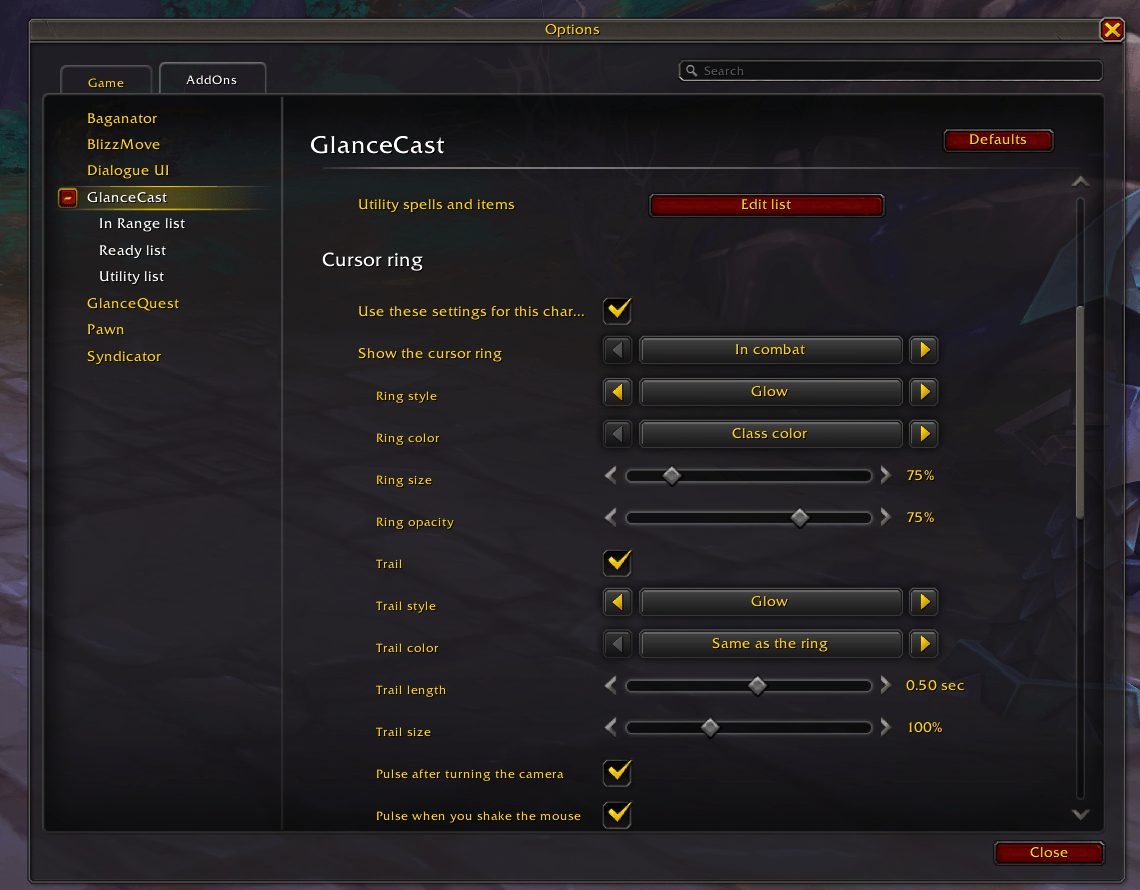
The cursor ring: style, colour, size and a trail, shown always or only in combat, with a pulse when you turn the camera or shake the mouse
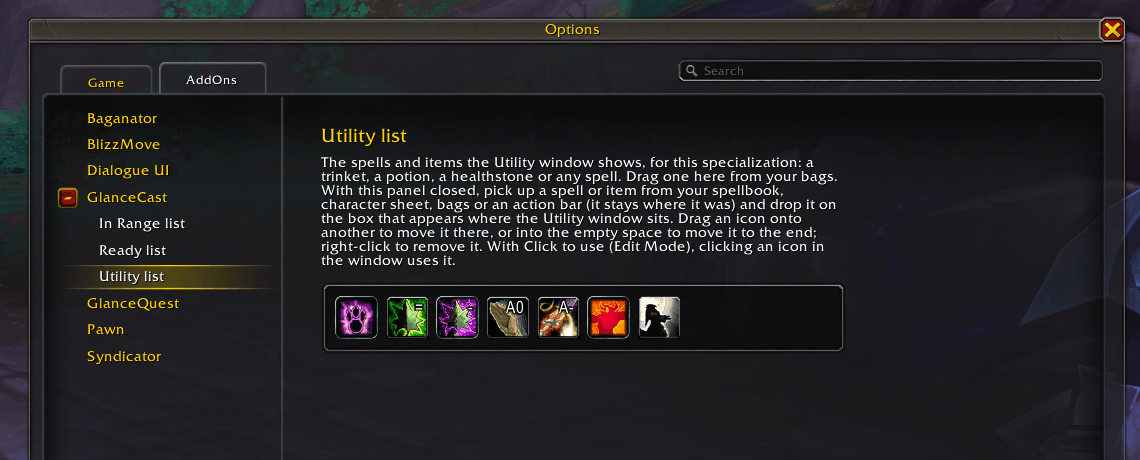
The Utility list: drag in a trinket, potion, healthstone or any spell; with Click to use on, its icons in the Utility window are buttons
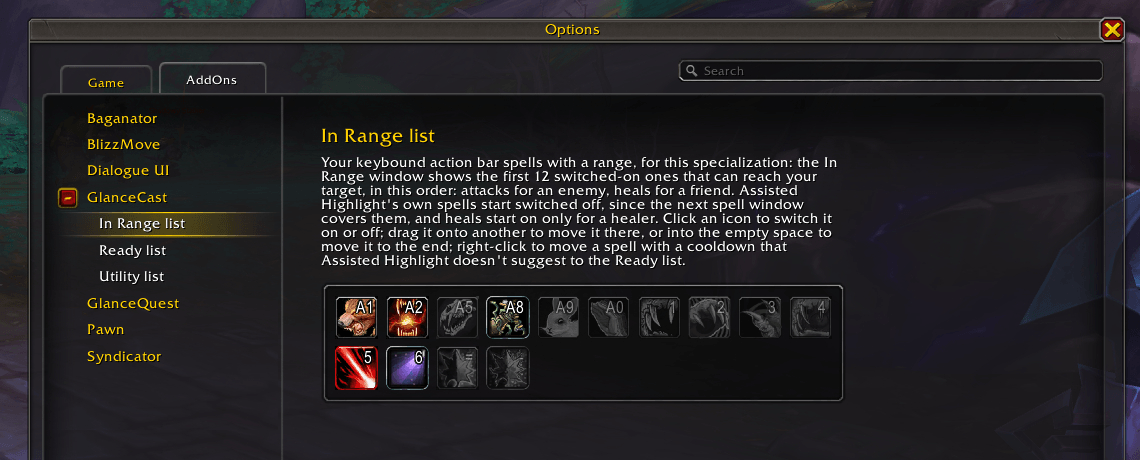
The In Range list fills itself from your keybound action bar spells, per specialization: click to switch one off, drag to sort
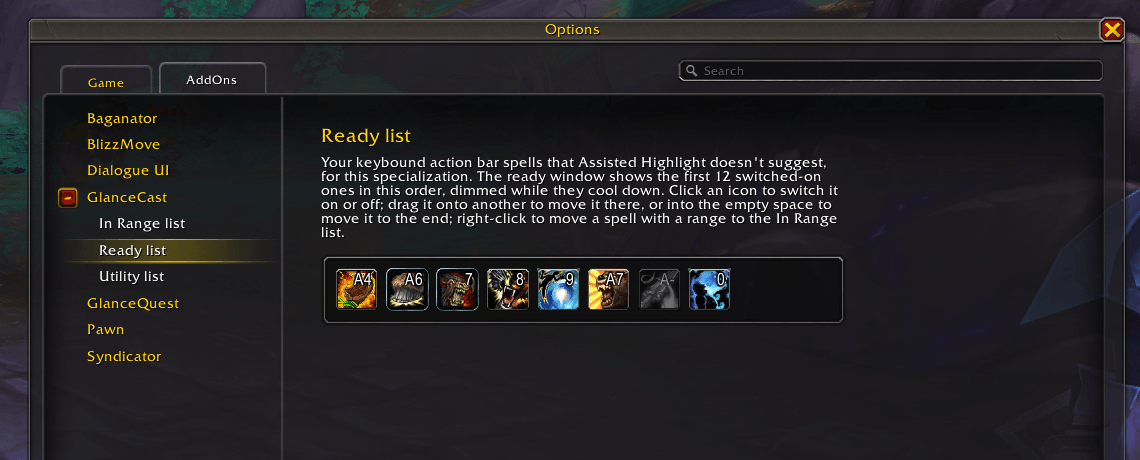
The Ready list: your cooldowns that Assisted Highlight doesn't suggest, dimmed in the ready window while they cool down
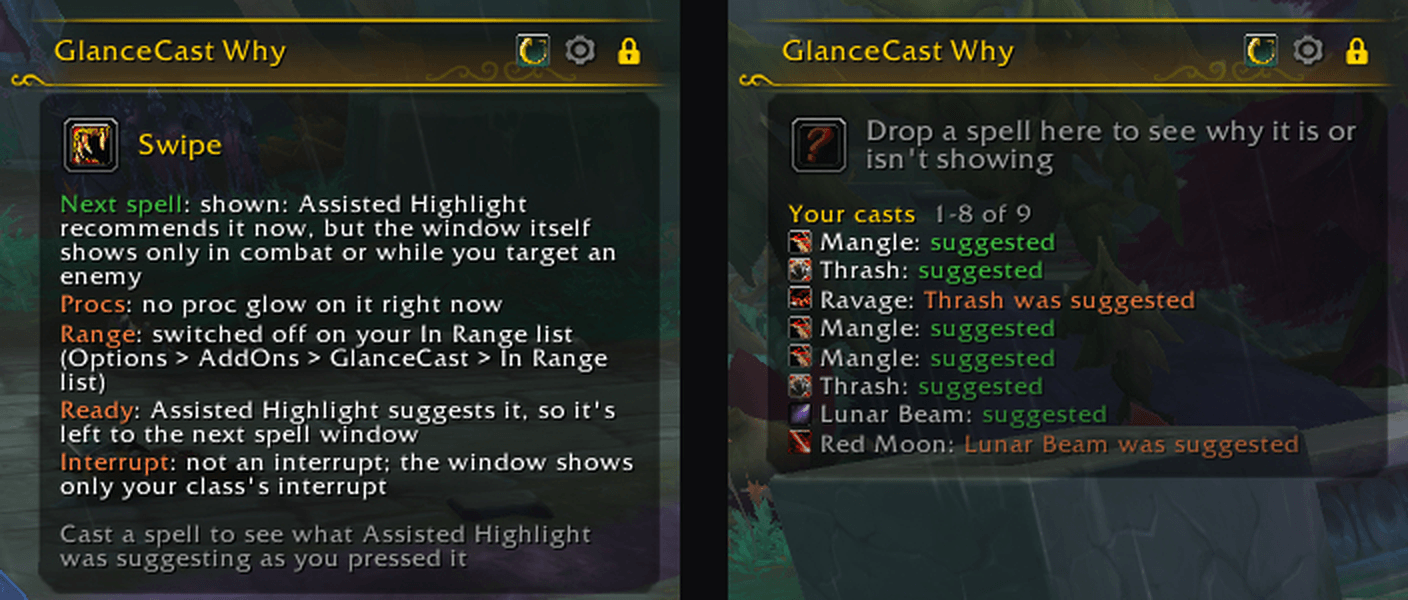
The Why window: drop a spell on it and each window says why it is or isn't showing it; cast and it logs what Assisted Highlight was suggesting as you pressed