Ghostmap
A clean, semi-transparent world map: only the map, no border or quest log. Movable, with a minimap toggle back to the normal map.
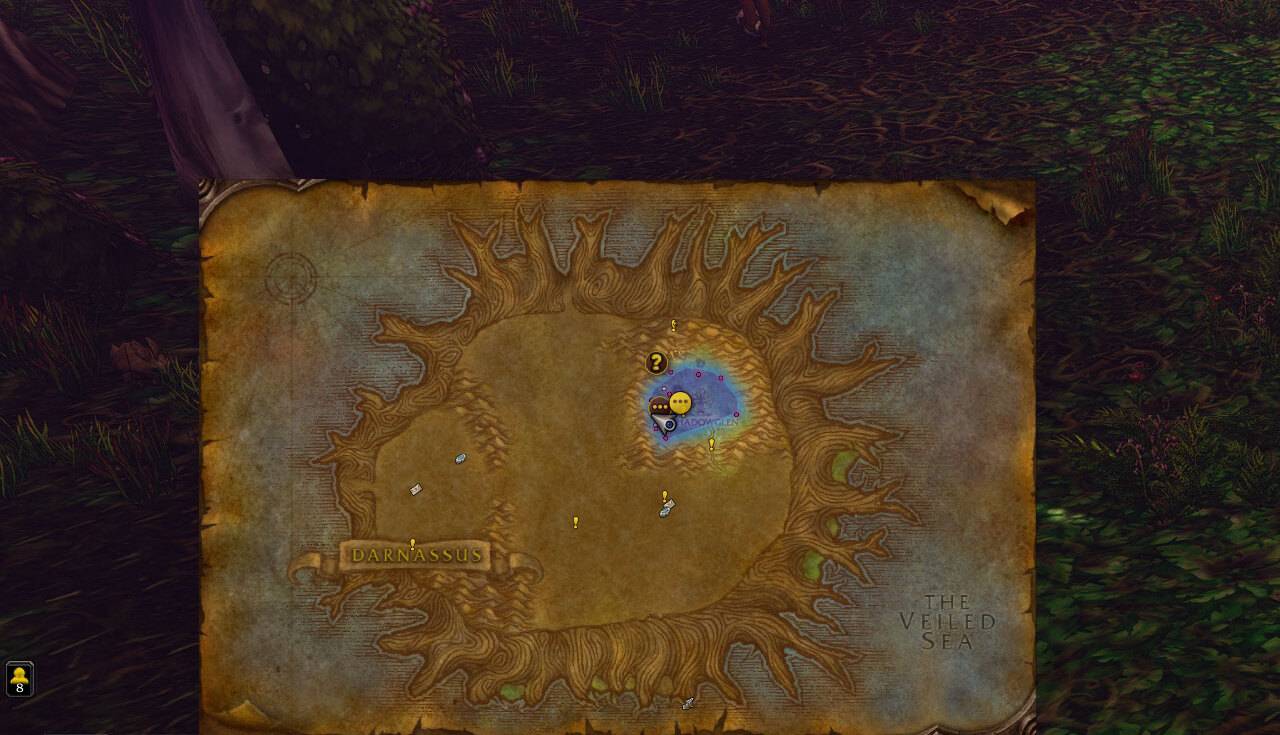
GhostMap_screenshot_crop.jpg
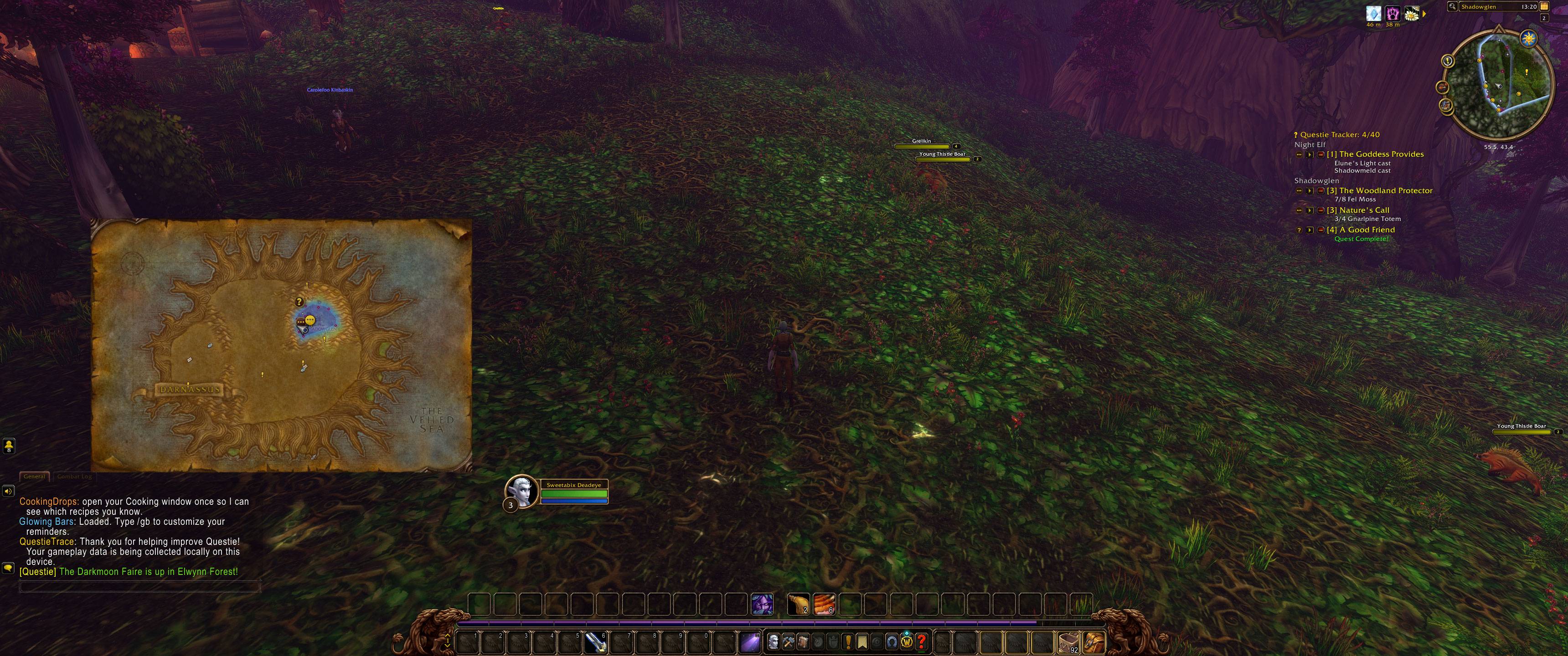
GhostMap_screenshot.jpg
Description
Keep the world map open while you play.
The normal world map covers a big part of your screen with a heavy frame, a title bar and the quest log, so you open it, look, and close it again. GhostMap turns it into a "ghost" map: only the map itself, semi-transparent, small enough to keep open beside your character while you run, fight or follow a quest.
What changes in your game
- Only the map is left. GhostMap hides the border, the title bar, the quest log panel and the map's buttons. What stays visible is what you open the map for: the zone, your own arrow, party members, flight points, quest markers and icons from other map addons such as Questie.
- You can see through it. The map is 85% opaque by default, so the world behind it stays visible. Want it fainter while you fight and clearer while you plan a route? Type
/ghostmap 40or/ghostmap 100(any number from 10 to 100). - Put it where you want. Hold Shift and drag the map to any spot, right up to the edge of the screen. For example: in the bottom-right corner above your action bars, as an extra-large minimap. GhostMap remembers the spot, also after a reload or relog.
- The map keeps its own shape. The ghost map is exactly as big as the map image itself, so it doesn't leave empty space around it. Zooming in on the map doesn't make the window grow.
- It stays open while you do things. In ghost mode, talking to most NPCs (vendors, quest givers, flight masters) doesn't close the map, so you can keep your route in view while you turn in quests.
- The normal map is one click away. Need the quest log or the full map frame? Left-click the minimap button and you get Blizzard's normal map back in its normal place, with everything on it. Click again and you're back to the ghost map.
Controls
- Minimap button: left-click switches between the ghost map and the normal map. Right-click opens or closes the map. Drag the button to move it around the minimap.
- M (or your map key) opens and closes the map as usual, in both modes.
- Keybinding: Key Bindings → GhostMap → Toggle ghost / normal map.
Commands
| Command | What it does |
|---|---|
/ghostmap |
Switch between the ghost map and the normal map |
/ghostmap 10-100 |
Set how opaque the ghost map is, in percent (default 85) |
/ghostmap reset |
Forget the dragged position; the ghost map opens at its default spot again |
Good to know
- GhostMap only changes how the world map looks and where it sits. It doesn't change any game data or other addons.
- It works on its own and needs no other addons.
- Made for World of Warcraft Forever.
Ghostmap Team