CookingDrops
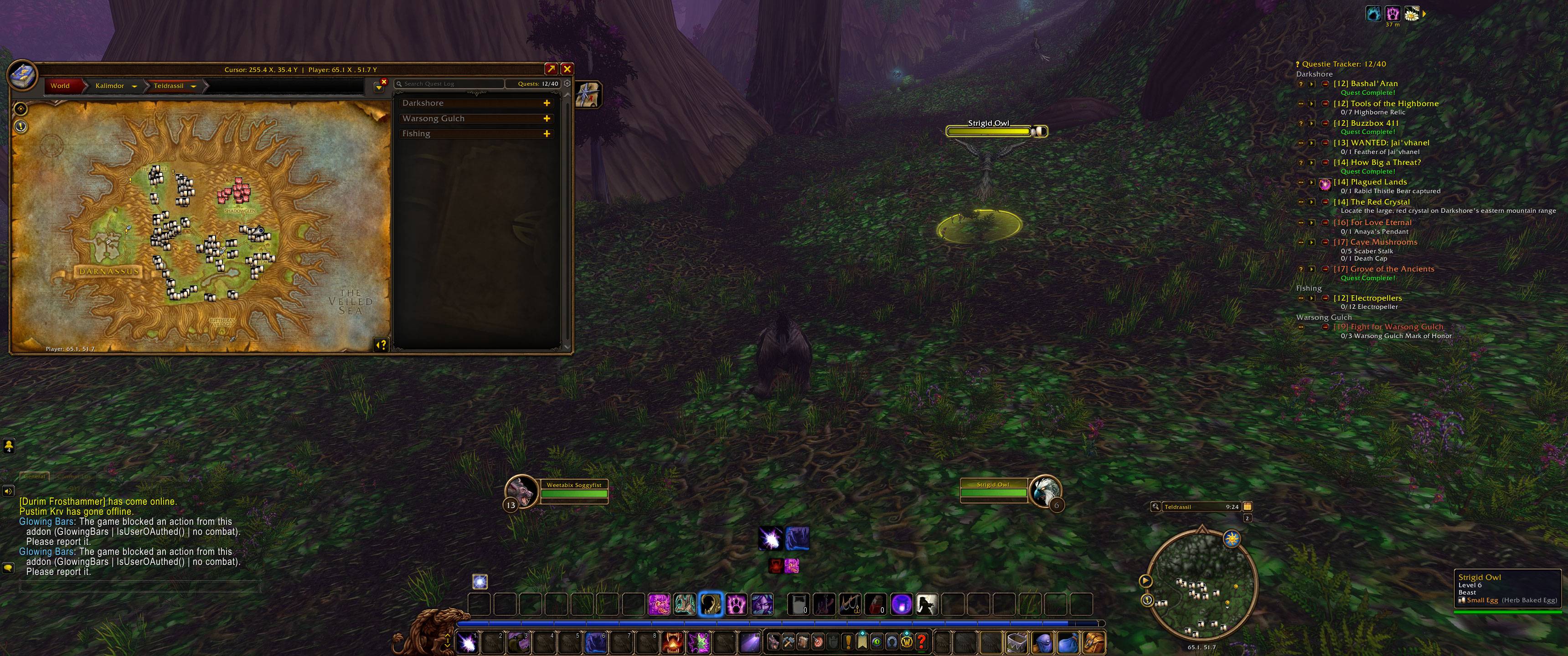
See which mobs drop ingredients for the Cooking recipes you know, on nameplates, tooltips, the world map and the minimap.
WoWScrnShot_111126_092518.jpg
Description
## 1.3.0 - First public release
### Features
- **Nameplate icons:** enemies that drop an ingredient for a Cooking recipe you know get that ingredient's icon next to their nameplate, past the level box.
- **Unit tooltips:** mouse over a mob to see which ingredient it drops and which of your recipes uses it.
- **World map:** the recipe's icon marks the spawn points of those mobs. Hover over it to see the mob, its level and the ingredient.
- **World map button:** a button at the top left of the world map turns the map icons on or off. It is greyed out while they are off.
- **Minimap:** the same recipe icons for mobs nearby in your current zone. This works with a rotating minimap too.
- **Options window:** turn the nameplate, world map and minimap icons on or off, choose which ingredients count, and change the icon sizes and the nameplate icon position. Open it with the minimap button or `/cookdrop`.
- **Minimap button:** opens the options window. Drag it to move it around the minimap.
### How it works
- Only learned recipes count. Open your Cooking window once per character so the addon can see them, and again after you learn a new recipe.
- Grey recipes (no more skill-ups) and ingredients a vendor sells are hidden by default. You can turn both back on.
- The drop and spawn data is built in (extracted from QuestieDB). No other addons are needed.
### Commands
`/cookdrop` opens the options window. `/cookdrop help` lists the commands: `list`, `nameplates`, `map`, `minimap`, `button`, `grey`, `vendor`, `friendly`, `size <n>`, `offset <x> [y]` and `reset`.
CookingDrops Team