GHH Haven
- By
GHHHaven - Houses.png
GHHHaven - House Details.png
GHHHaven - Collections.png
GHHHaven - Stats.png
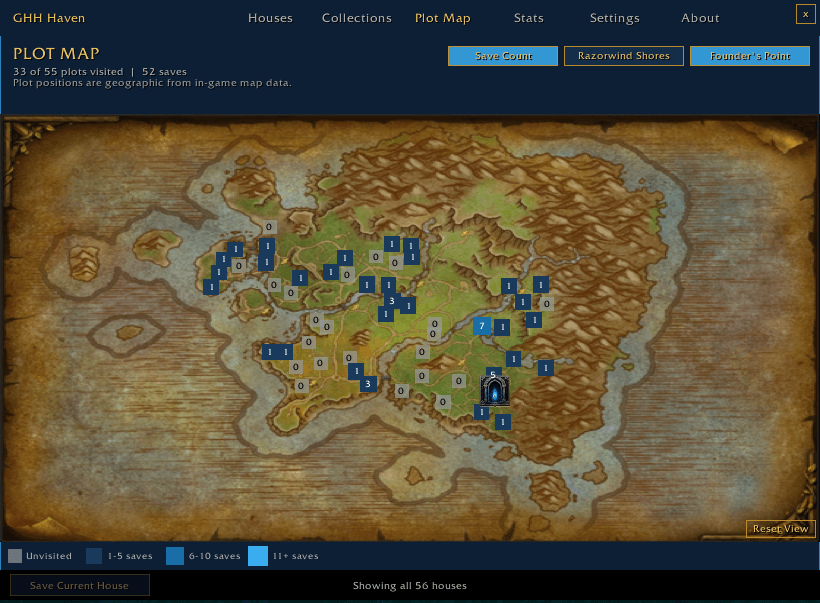
GHHHaven - Founders Point.png
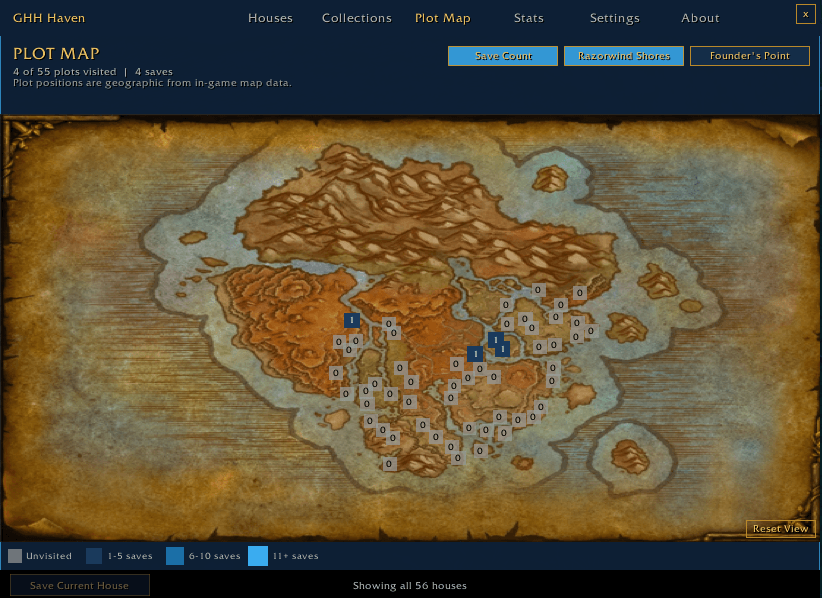
GHHHaven - Razorwind Shores.png
Description
🏡 Gloomhollow Housing: Haven
Your personal housing archive for World of Warcraft
Explore. Remember. Organize.
Haven transforms your housing adventures into a permanent, searchable archive. As you explore player-created homes throughout Azeroth, Haven automatically records the places you've visited, allowing you to build a personal library of inspiration that grows with every journey.
Whether you're looking for decorating ideas, tracking your exploration, or simply trying to remember that incredible house you found last week, Haven helps ensure no memorable home is ever lost again.
Why You'll Love Haven
Imagine being able to:
- ⭐ Save every memorable house you visit
- 🏘️ Track your exploration across neighborhoods and plots
- 📝 Rate and compare homes with visual Rating and Decoration scores
- 📸 Capture clean screenshots with a single click
- 📚 Organize favorite homes into custom collections
- 🔍 Find any saved house instantly
Haven gives World of Warcraft's housing system something it doesn't have by default—a memory.
Built For Every Housing Enthusiast
Whether you're:
- 🌍 Exploring neighborhoods for inspiration
- 🎨 Decorating your own home
- 🏆 Judging housing contests
- 📖 Collecting memorable builds
- ✅ Chasing exploration progress
Haven becomes your personal companion throughout your housing journey.
Features
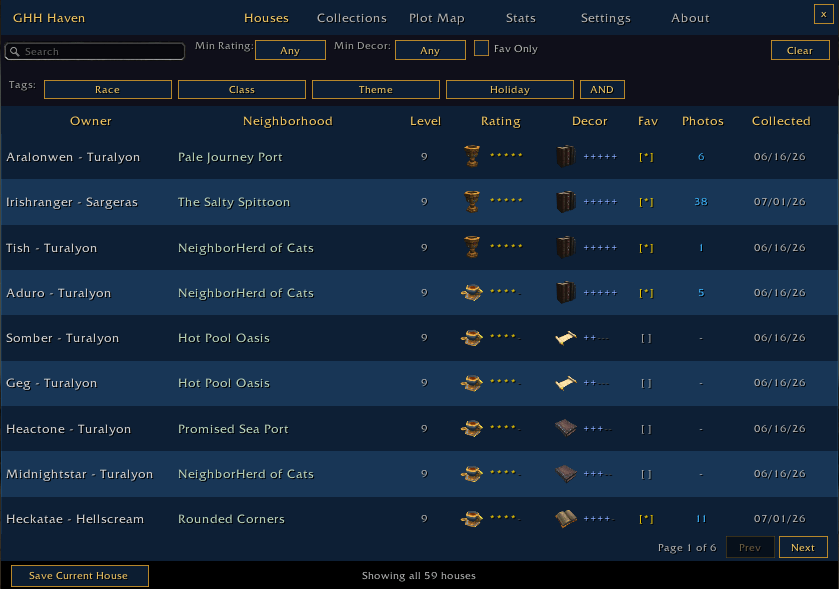
🏠 Automatic House Library
Every time you enter a player home, Haven can automatically record:
- Home owner
- Realm
- Neighborhood
- Plot
- House level
- Faction zone
- Date collected
- Visit history
- Total visit count
Your own home is fully supported and tracked separately from exploration statistics.
🔍 Browse & Search
Finding saved homes is fast and flexible.
Features include:
- Powerful text search
- Favorites
- Custom tags
- Neighborhood filters
- Dedicated tag filtering
- Two-row filter bar
- Floating tag panel
- AND / OR tag logic
- Automatic filter reset
- Sorting by owner, neighborhood, rating, decor score, favorites, screenshots, and more
Built-in tag categories include:
- Race
- Class
- Theme
- Holiday
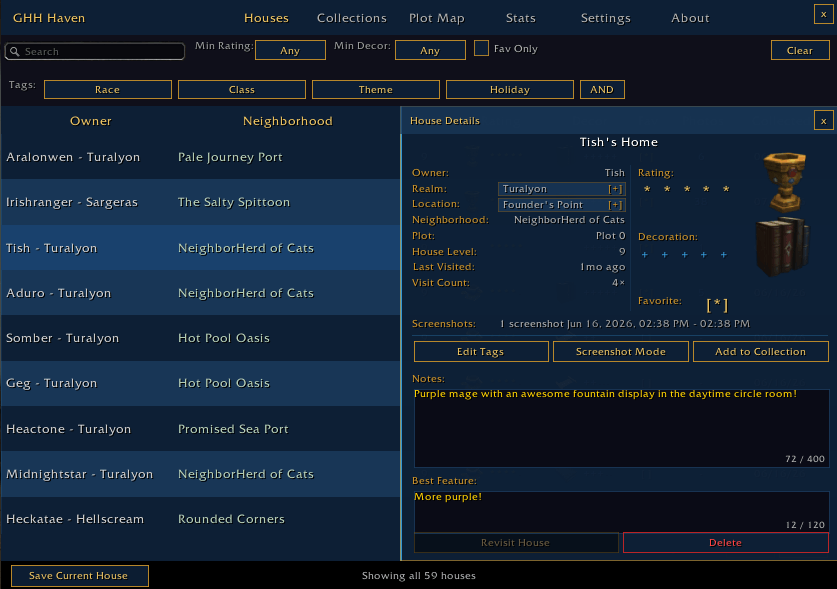
📋 Detailed House Profiles
Every saved house includes its own information panel where you can:
- View complete metadata
- Edit tags
- Add private notes
- Assign star ratings with visual housing-item indicators
- Record Decoration scores with visual housing-item indicators
- Compare Rating and Decoration scores at a glance
- Highlight standout features
- Add homes to collections
- Review visit history
- Launch automated screenshots
🎨 Visual Housing Scores
Haven brings your housing scores into the world of Azeroth.
Rating and Decoration scores are represented using actual World of Warcraft housing decor, giving every score a visual identity in both the house list and detailed house view.
Rating
1 → 2 → 3 → 4 → 5
Wooden Mug → Ceramic Coffee Mug → Commander's Coffee Cup → Elegant Tea Cup → Jeweled Goblet
Decoration
1 → 2 → 3 → 4 → 5
Scroll → Open Scroll → Book → Open Book → Book Collection
These visual indicators are designed for quick recognition, letting you scan your housing archive and understand how homes compare without relying solely on numbers or stars.
Because the indicators use actual housing decor, Haven's scoring system feels like part of the housing experience rather than a separate spreadsheet-style rating system.
📸 Screenshot Tools
Haven makes documenting homes effortless.
Features include:
- Compact Screenshot Mode
- Automatic UI hide
- Character hide
- Automatic screenshot capture
- UI restoration
- Screenshot session logging
Capture beautiful reference images without manually hiding your interface or character each time.
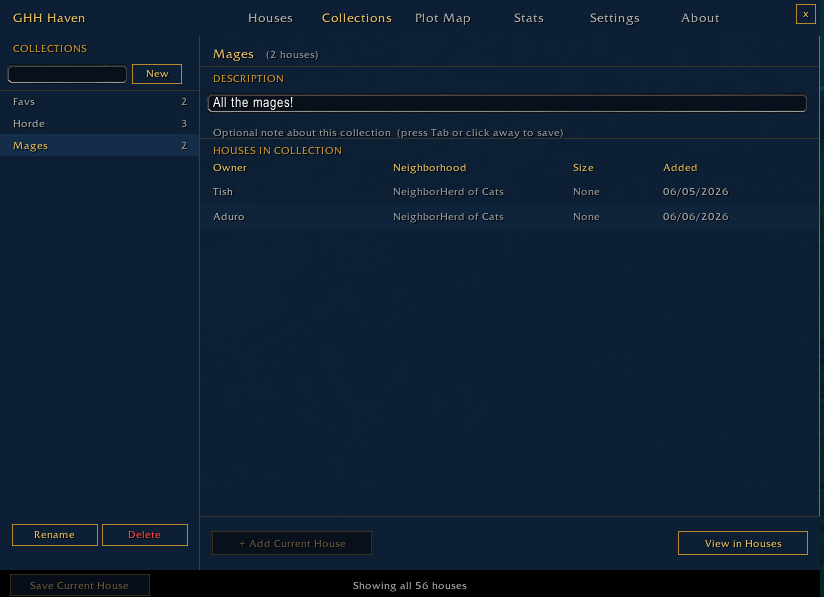
📚 Collections
Create custom collections to organize homes any way you like.
Examples include:
- Favorite Taverns
- Cozy Cottages
- Best Workshops
- Guild Inspiration
- Contest Entries
- Seasonal Builds
Collections include sortable columns, descriptions, cross-navigation, and flexible organization tools.
🗺️ Plot Map
Visualize your housing exploration with an interactive plot map featuring:
- Complete 55-plot layouts
- Heatmap progression
- Multiple exploration tiers
- Live legend
- Geographic plot locations
- Your own home highlighted
Watch your exploration expand across every neighborhood.
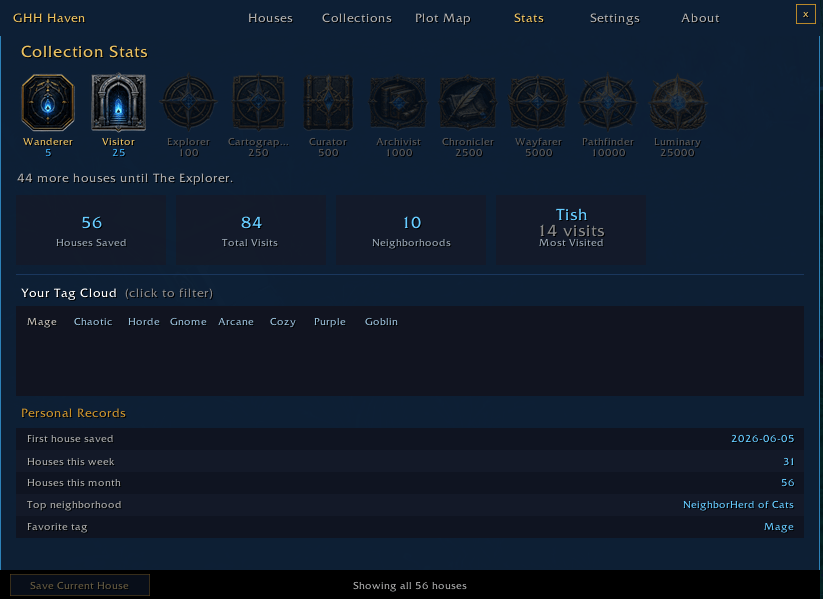
📈 Statistics & Progress
Track your housing journey with detailed statistics including:
- Houses saved
- Total visits
- Neighborhoods explored
- Most visited home
- Favorite tags
- Weekly activity
- Monthly activity
- First saved house
- Top neighborhoods
Earn collectible exploration badges as your library grows.
Badge milestones:
5 • 20 • 50 • 100 • 175 • 250 • 350 • 450 • 500 • 600
⚙️ Convenience Features
Haven also includes:
- Minimap button
- Configurable save prompts
- Screenshot preferences
- Silent Logging Mode
- Backup & Restore
- Archive status display
- About page
- Local account storage
No external servers.
Your data always stays with you.
Perfect For Housing Contests
Haven is an excellent companion for:
- Community showcases
- Judging events
- House tours
- Guild competitions
- Seasonal contests
Keep detailed notes, organize entries into collections, capture consistent screenshots, assign visual Rating and Decoration scores, and track every house you've reviewed.
Frequently Asked Questions
Does Haven upload my data?
No. Everything is stored locally in your World of Warcraft SavedVariables.
Does Haven work across all my characters?
Yes. Your housing archive is account-wide.
Why didn't I receive a save prompt?
The Blizzard Housing API occasionally delays housing events. Silent Logging Mode still records visits automatically. Ensure Auto Prompt is enabled, and remain inside the home for at least 10 seconds.
Why is the plot or neighborhood listed as "Unknown"?
This can occasionally happen immediately after zoning or logging in. Revisiting the home or reloading the UI usually resolves the issue.
Can I export my collections?
Not yet. Import and export tools are planned for a future update.
Can I customize tags?
Yes. Haven includes curated tag categories while also allowing custom labels.
Does Haven support my own house?
Absolutely. Your own home can be saved, tagged, rated, added to collections, and highlighted on the Plot Map.
Will Haven impact game performance?
No. Haven is lightweight and only performs work when needed.
Known Issues
- Plot information may occasionally be unavailable immediately after zoning.
- Screenshot automation can be affected by certain UI addons.
- Visit prompts may occasionally be delayed.
- PTR builds may report inconsistent neighborhood names.
- Data is shared account-wide but not between Battle.net accounts.
The GHH Haven Team