Gear Viewer
- By
WoW Addon Tracks Item Level Per Slot. Scans On Login And Gear Change. Saves Data Per Session. Grid Shows Icons With Ilvl And Quality Color. Average Ilvl Rounded. Minimap Toggles And Drags. Reorder Or Delete Chars. Scale Slider Resizes. Positions Saved.
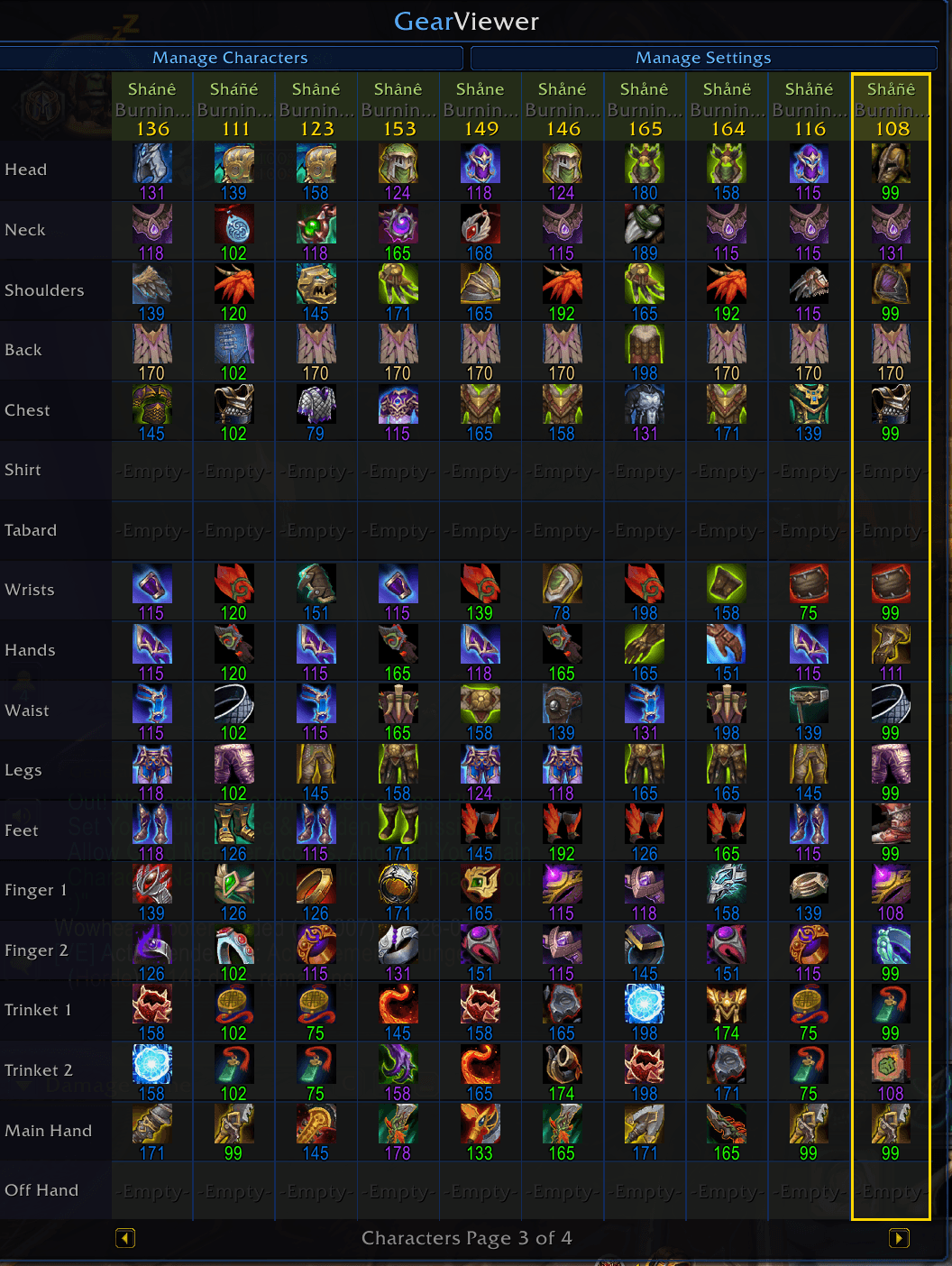
Gear Viewer Main Window
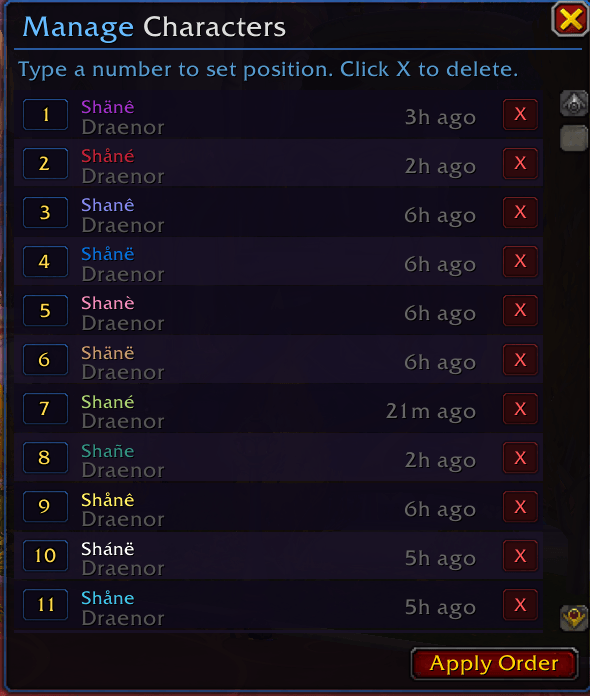
Manage Characters Interface
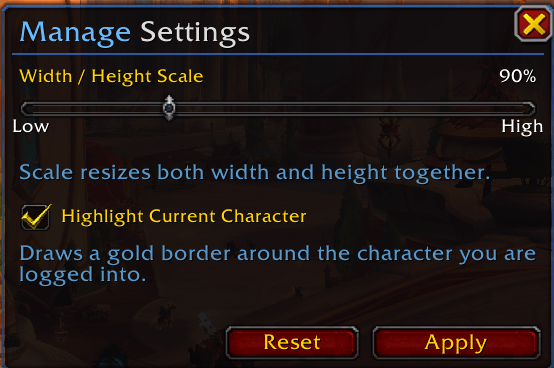
Gear Viewer Mange Settings Interface
Description
Gear Viewer is a World of Warcraft addon that gives you a single panel showing every gear slot for every character on your account at a glance. Each time you log in or swap an item, it automatically scans your gear and saves it — so when you switch alts, your previous character's data is still there.
The main panel is a scrollable grid where columns are characters and rows are gear slots. Each cell shows the item icon with its ilvl number underneath, coloured by quality tier (grey through to cyan). The header above each character shows their name in class colour, their realm, and their average ilvl calculated to the nearest integer — matching what the WoW character panel shows.
The minimap button lets you toggle the panel open and closed with a click, and you can drag it anywhere around the minimap edge. Right-clicking any item icon in the grid inserts the item link directly into your chat box, and hovering shows the full item tooltip.
Two sub-windows give you control over the addon. Manage Characters lets you reorder your alts by typing position numbers and applying, or delete characters you no longer want tracked. Manage Settings has a scale slider that resizes the entire grid from 50% to 200%. Both windows, along with the main panel, remember exactly where you last positioned them on screen.
Submit Bug Reports Here Using https://discord.gg/wntTHx2TtF
- Slash Commands
- /gv Toggle The Gear Window
- /gv Scan Rescans Current Character Gear
- /gv Reset Positions of Interface
- /gv Help Lists All Above
Gear Viewer Team