Note Pad +
- By
Note Pad + A Lightweight WoW Addon For Tracking Notes Per Character, With Checkboxes, Sub-Item Checklists, Drag Reordering, A Minimap Button, And AddOn Compartment Support. No External Libraries Required
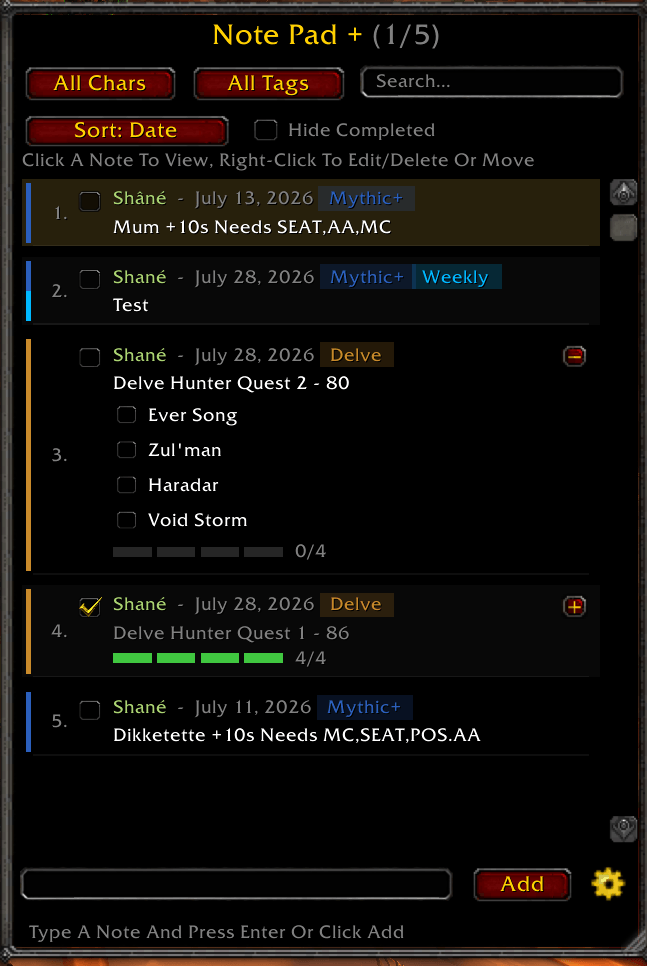
Note Pad + Main Window
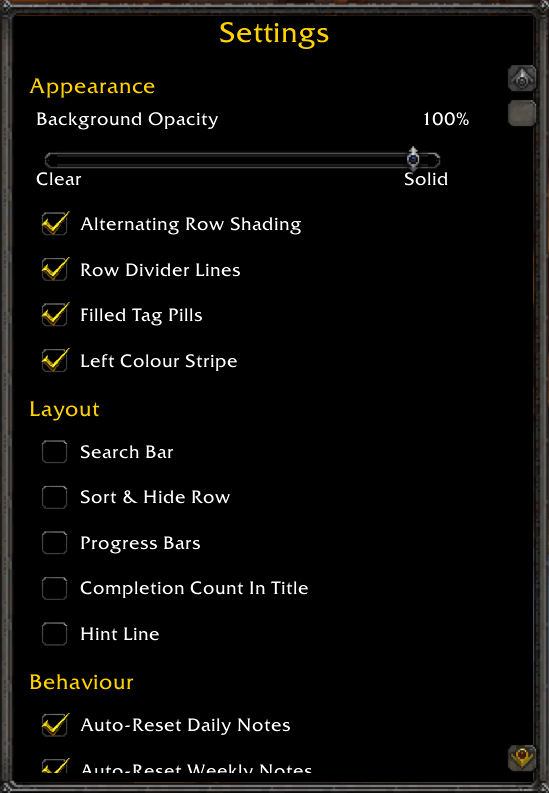
Note Pad + Setting Window
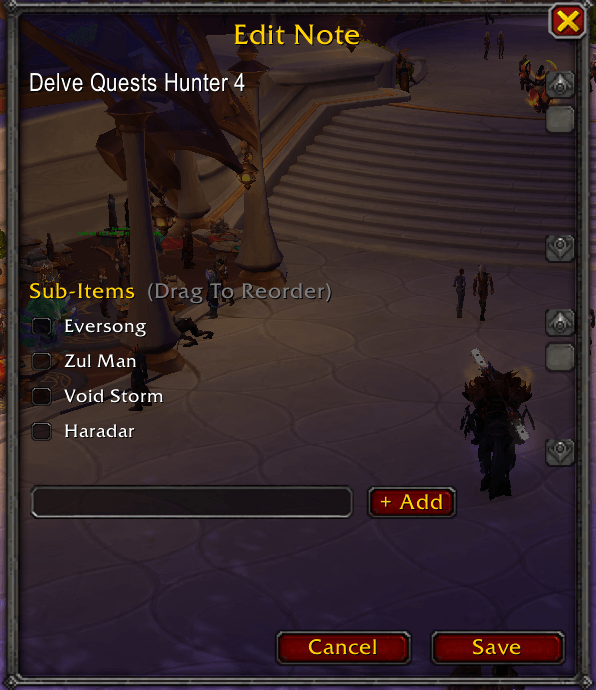
Note Pad + Main Edit Window
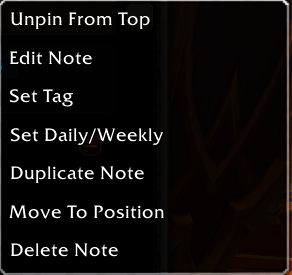
Note Pad + Right Click Menu Window
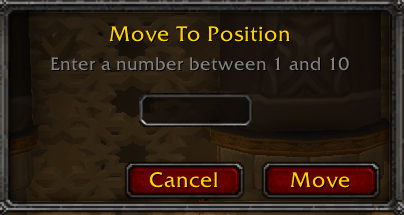
Note Pad + Move Position Window
Description
Note Pad +
A Lightweight, Self-Contained Note Pad For World Of Warcraft. Keep A Running List Of Things To Do, Organize Them With Colour-Coded Tags And Checklists, And Never Lose Track Of Which Character A Note Belongs To. No External Libraries Required.
Features
Simple Note-Taking Type A Note And Hit Enter Or Click Add. New Notes Appear At The Top.
Tick Boxes Mark Any Note Done With A Single Click; Finished Notes Grey Out And Strike Through.
Sub-Item Checklists Break A Note Into Smaller Checkable Steps. When Every Sub-Item Is Checked, The Main Note Ticks Itself Automatically And The Checklist Collapses Out Of The Main View To Keep Things Tidy. You Can Also Collapse Or Expand Any Checklist Manually With The +/- Button.
Progress Bars Notes With Sub-Items Show A Live Progress Bar - Segmented Pips For Short Lists, A Filled Bar For Longer Ones - Coloured To Match The Note's Tag And Turning Green At 100%. It Stays Visible Even When The Checklist Is Collapsed.
Colour Tags Organize Notes With Colour-Coded Tags: Raid, Mythic+, Weekly, Daily, Guild, Delve, PvP, Crafting, And Economy. Each Tagged Note Shows A Coloured Stripe And A Filled Tag Pill. A Note Can Carry A Primary Tag Plus An Optional Daily Or Weekly Recurrence Tag (e.g. "Mythic+ Weekly").
Auto-Reset For Recurring Chores Notes Tagged Daily Or Weekly Automatically Uncheck Themselves (Along With Their Sub-Items) On The Game's Daily And Weekly Resets, So Your Recurring To-Dos Refresh On Their Own. Toggle This On Or Off In Settings.
Search Type In The Search Box To Instantly Filter The List By Note Or Sub-Item Text. Works Alongside The Character And Tag Filters.
Sort & Hide Sort The List By Date, Character, Tag, Or Completion. Tick "Hide Completed" To Tuck Finished Notes Away Without Deleting Them.
Pin To Top Right-Click Any Note To Pin It To The Top Of The List, Highlighted With A Soft Gold Background So It Never Scrolls Out Of Reach.
Completion Count The Title Bar Shows How Many Notes Are Done Out Of The Total Currently In View.
Undo Delete Deleted A Note By Mistake? A Brief Undo Bar Lets You Bring It Straight Back, Tag And Sub-Items Intact.
View And Edit Popups Left-Click A Note To Open A Clean, Read-Only View Of It; Right-Click For A Quick Menu To Edit, Tag, Pin, Duplicate, Move, Or Delete. Sub-Items Can Be Reordered With Up/Down Arrows In The Edit Window.
Move To Position Rearrange Notes By Right-Clicking And Typing The Position You Want Them In.
Character-Aware Every Note Remembers Which Character Wrote It, Shown With That Character's Class Color, With A Toggle To Filter The List Between "All Chars" And "This Char."
Resizable Window Drag The Bottom-Right Corner To Grow Or Shrink The Window; Your Size Is Saved Between Sessions.
Settings Panel A Cog Button Opens A Separate, Position-Remembering Settings Window With A Background Opacity Slider (Transparent To Solid), Auto-Reset Toggles, And Show/Hide Controls For The Minimap Button And Compartment Icon.
Minimap Button Click To Toggle The Window, Drag To Reposition It Anywhere Around The Minimap. A Small Badge Shows How Many Notes You Still Have Left To Do.
AddOn Compartment Integration Quick Access From The Compartment Button Next To The Minimap.
Remembers Its Position — The Main Window, The Settings Panel, And Both Popups Each Save Where You Last Left Them.
Slash Commands
/np or /notepad Toggle The Note Pad + Window (Handy For Macros)
Bug Reports
Submit Bug Reports Here Using https://discord.gg/wntTHx2TtF
Note Pad + Team