GatherMate2_NoCircle
- By
Keeps your GatherMate2 map icons but hides the proximity tracking circle, so nodes hand off to WoW's in-game minimap node when you get close. Per-node-type toggles, mining on by default.
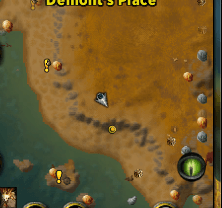
Screenshot 2026-06-27 at 8.41.01â¯AM.png
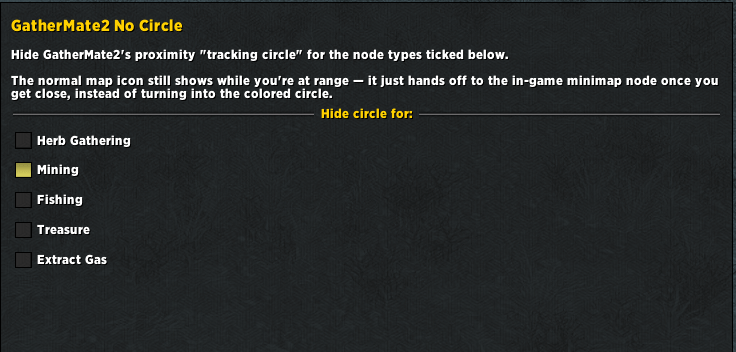
Screenshot 2026-06-27 at 8.39.41â¯AM.png
Description
A tiny companion addon for GatherMate2.
By default, GatherMate2 turns a node's map icon into a colored proximity tracking circle once you come within its Tracking Distance. For mining that circle is red, and it replaces the ore icon you were watching. If you would rather keep the icon and just let WoW's own in-game minimap node take over when you get close, this addon does exactly that.
What it does
- Keeps the normal GatherMate2 map icon while the node is still at range.
- Once GatherMate2 would swap that icon for the tracking circle, the pin hides instead, so the in-game minimap node shows in its place. No circle.
- Works per node type: Herb Gathering, Mining, Fishing, Treasure (plus Gas and Archaeology on clients that have them).
- Mining is enabled by default. Everything else is left untouched until you say otherwise.
Usage
Open the options with /nocircle (or /gm2nc), or go to Esc > Options > AddOns > GatherMate2 No Circle, and tick the node types whose circle you want hidden. Changes apply instantly, no reload needed.
Why a separate addon
It never edits GatherMate2's files. It wraps GatherMate2's minimap pin function at login, so:
- GatherMate2 updates never wipe it.
- It bundles no libraries of its own. It reuses the Ace3 libraries GatherMate2 already loads, so it stays tiny.
- It sits cleanly alongside GatherMate2Marker if you use that too.
Requirements
- GatherMate2 (listed as a dependency).
GatherMate2_NoCircle Team