GatherCycle
- By
Automatically cycles your minimap tracking between Find Herbs and Find Minerals on a configurable timer. Never manually switch again while dual-gathering. Supports 2–30s intervals, combat-aware, works with one or both gathering professions.
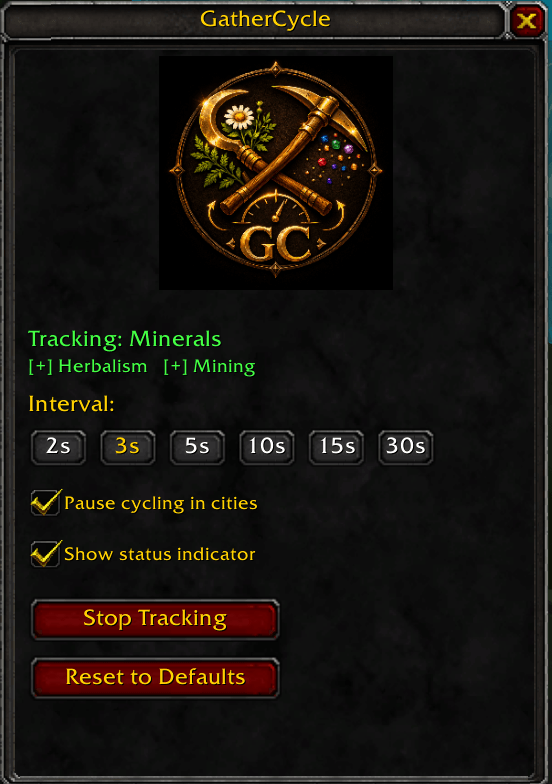
Screenshot 2026-05-04 224937.png

Screenshot 2026-04-19 210825.png
Description
A World of Warcraft Anniversary addon that automatically cycles between Find Herbs and Find Minerals minimap tracking on a configurable timer, so you never have to manually switch while farming.
Features
- Cycles between Herbalism and Mining minimap tracking every 2, 3, 5, 10, 15, or 30 seconds
- Works with a single gathering profession too — activates that tracking once and leaves it
- Small always-visible status indicator with play/pause buttons and current interval display
- Right-click the indicator to open settings
- Tracking skips automatically during combat and resumes after
- Re-applies tracking after death (death clears minimap tracking)
- Settings window accessible via
/gc open - Remembers state and interval between sessions, auto-resumes on login
- Localization-safe — works on non-English clients
Usage
- Install the
GatherCycle/folder intoWorld of Warcraft\_anniversary_\Interface\AddOns\ - Log in with a gathering character
- Type
/gc opento open the settings window - Choose an interval and click Start Tracking
Slash Commands
Use /gc or /gathercycle for all commands.
| Command | Description |
|---|---|
/gc |
Show help |
/gc open |
Open/close settings window |
/gc start |
Start tracking |
/gc stop |
Stop tracking |
/gc toggle |
Start or stop tracking |
/gc status |
Show current status in chat |
/gc interval <2, 3, 5, 10, 15, 30> |
Set toggle interval |
Requirements
- World of Warcraft Anniversary (1.15.x)
- Herbalism and/or Mining professions on the character
GatherCycle Team