GarrisonCommander
- By
Can automatically schedule all your missions, complete them, report orders and much more
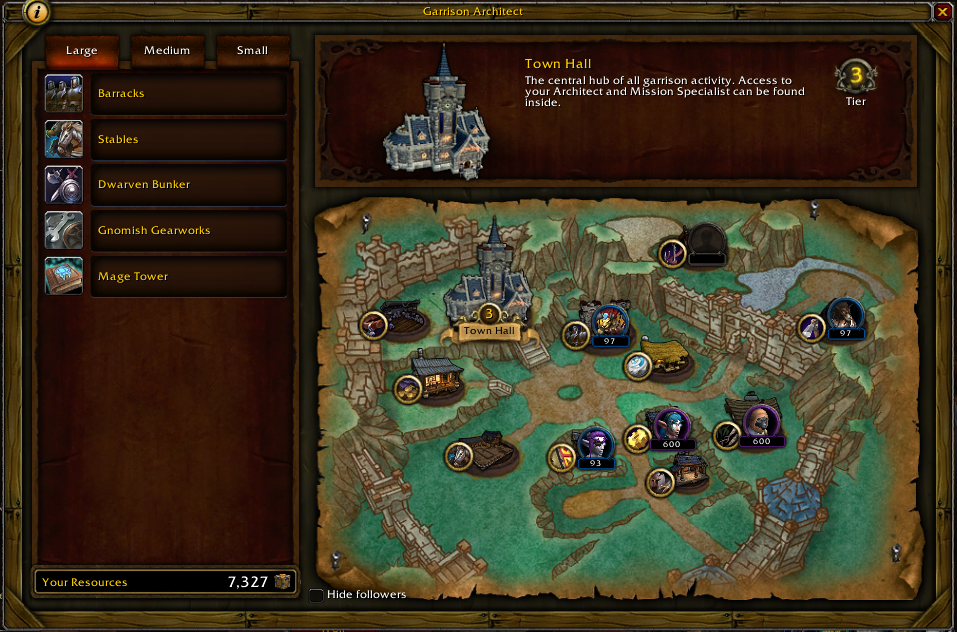
Buildings which can have a follower are highlighted with an empty spot or the assigned follower icon
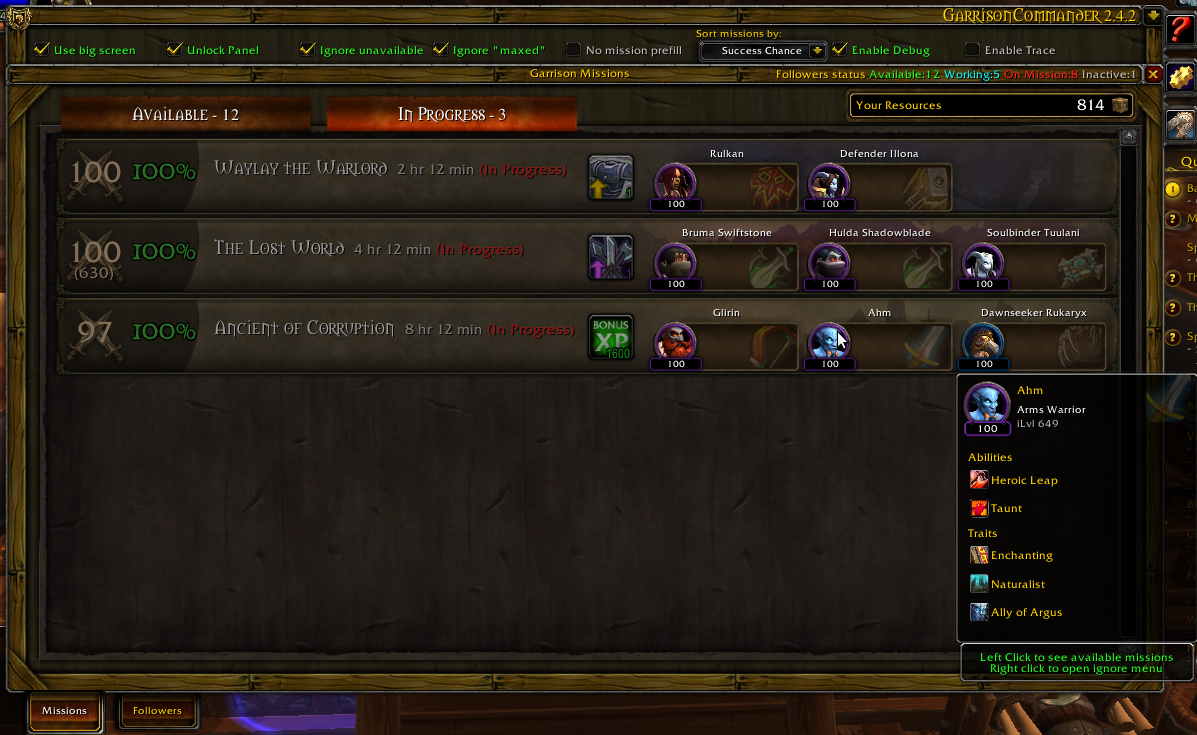
Party, sorted by time left
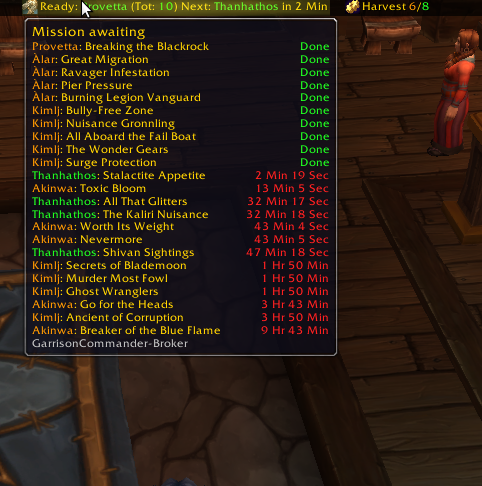
Show missions' status for all your toons on the same realm
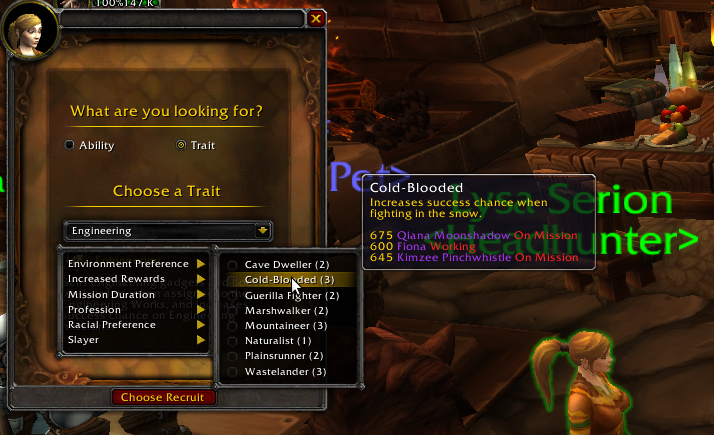
Dropdown menus are enriched with number of followers with the selected trait or abillity, and the list of followers is shown in tooltip
Missions listing...
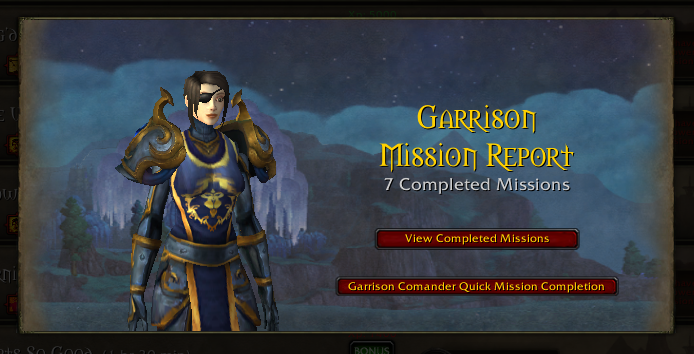
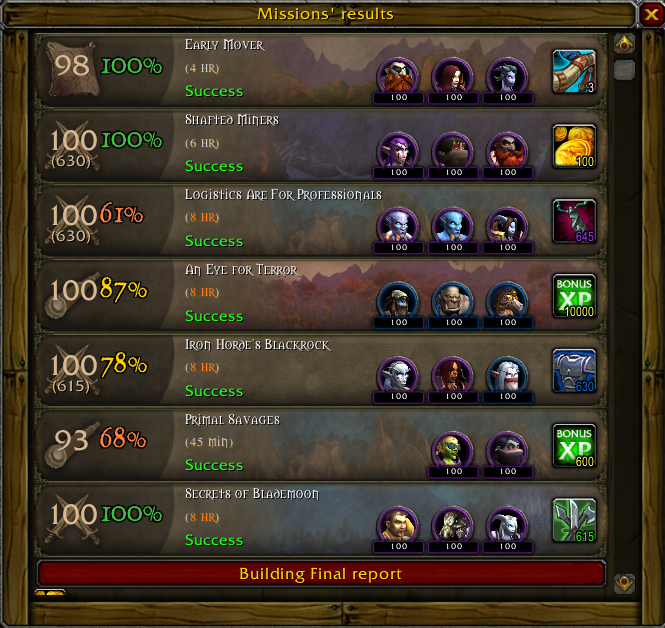
Completes all your missions with just one click, showinga final report

Clicking the winged boot will complete old missions an submit new ones at once
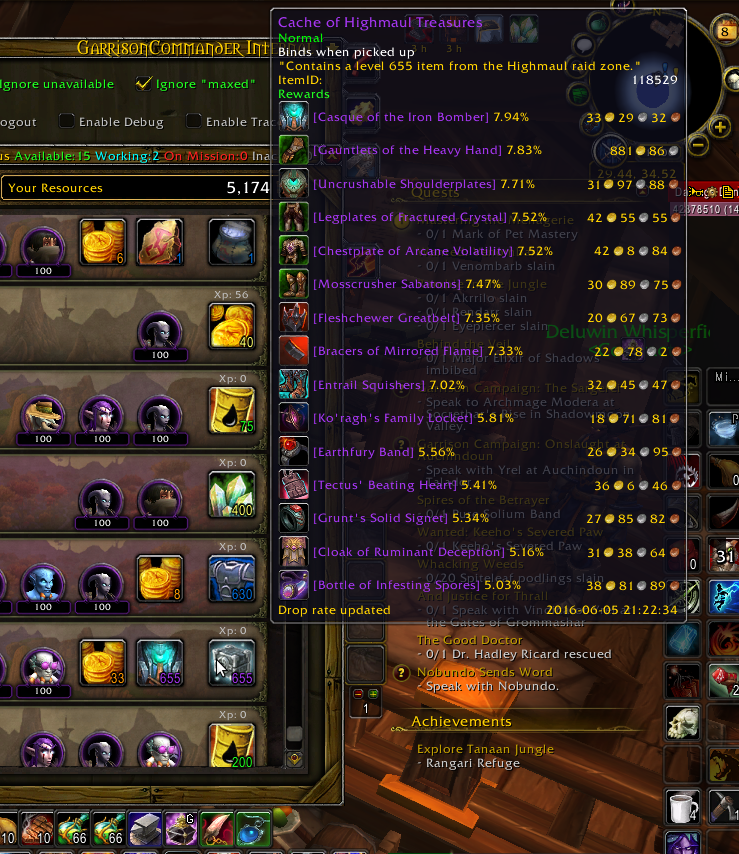
For every token/container, a list of possible rewards is shown, ordered by drop chance
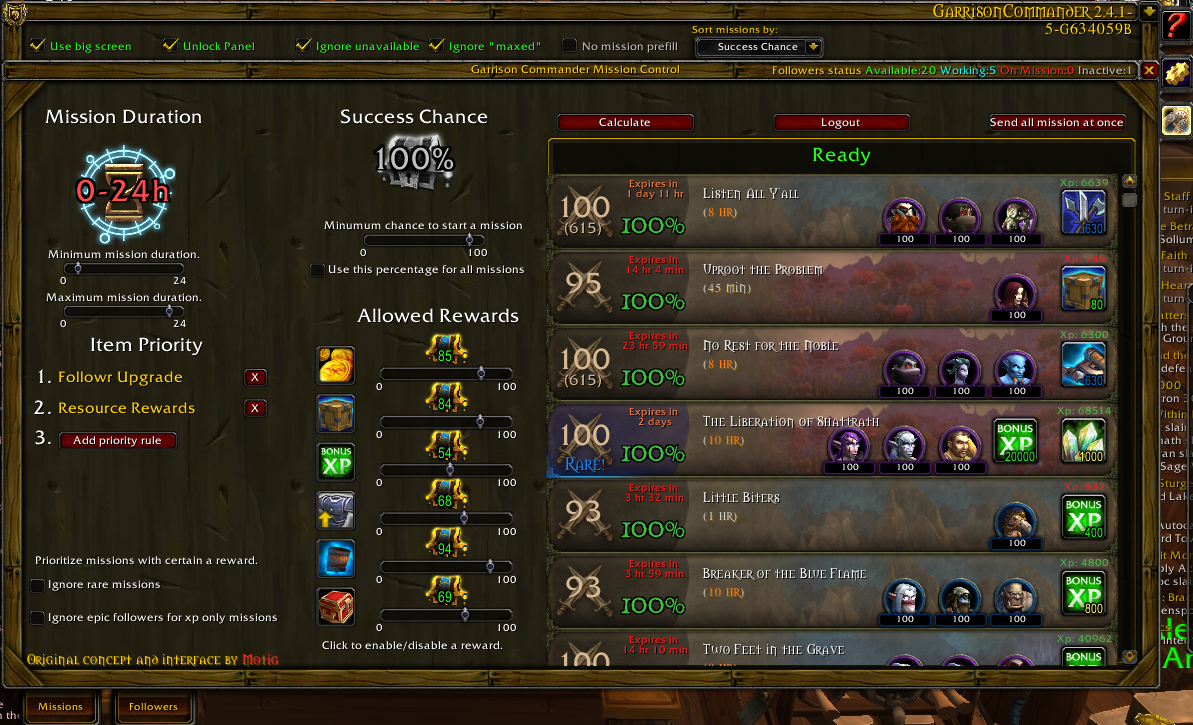
You can give Garrison Commander a list of filters, and have it calculates all possible missions for all your follower and submit all of them with just 2 clicks!
Great for quickly spawning missions for a lot of alts
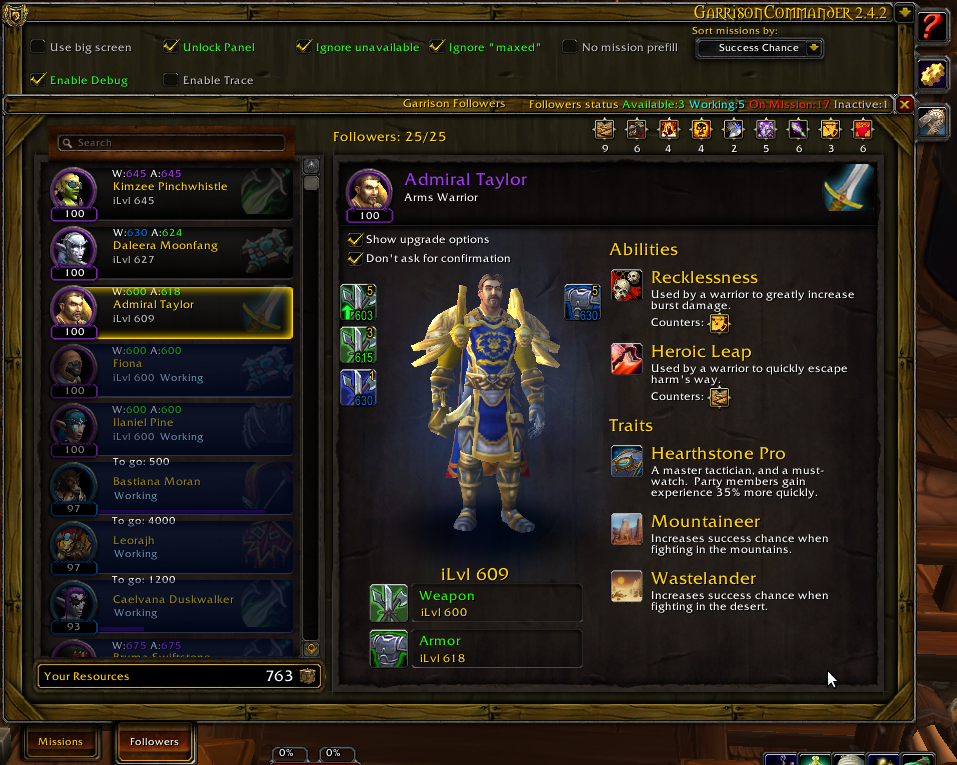
Item and armor level are shown for all followers.
Quick upgrade buttons are shown in follower detail tab.
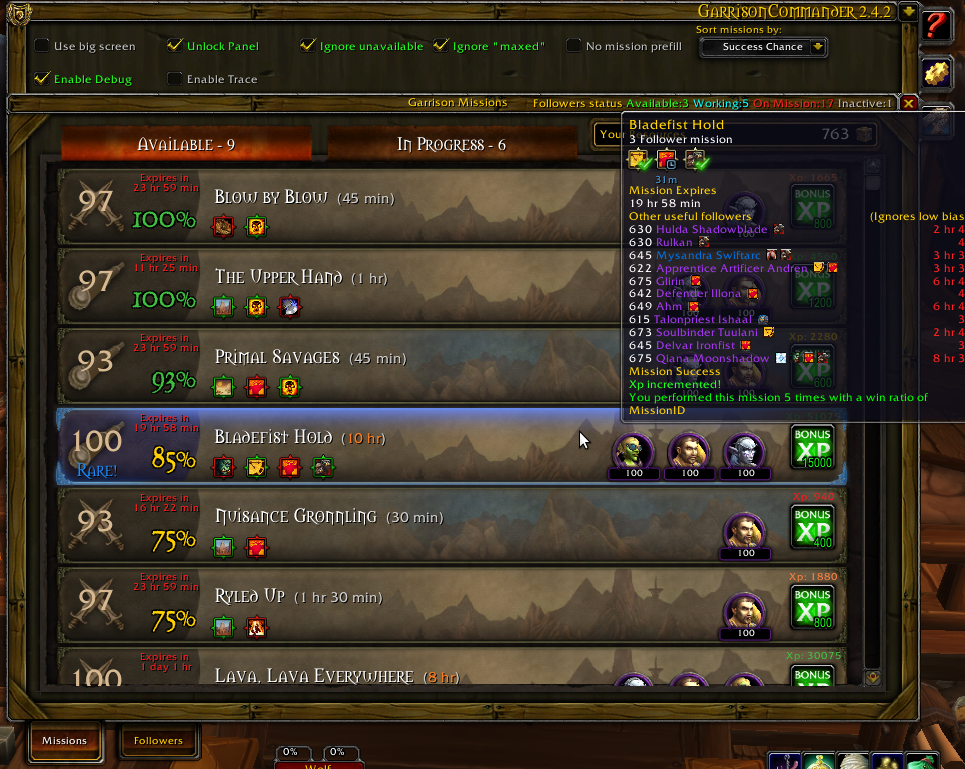
Clicking mission button prefill mission with the shown followers
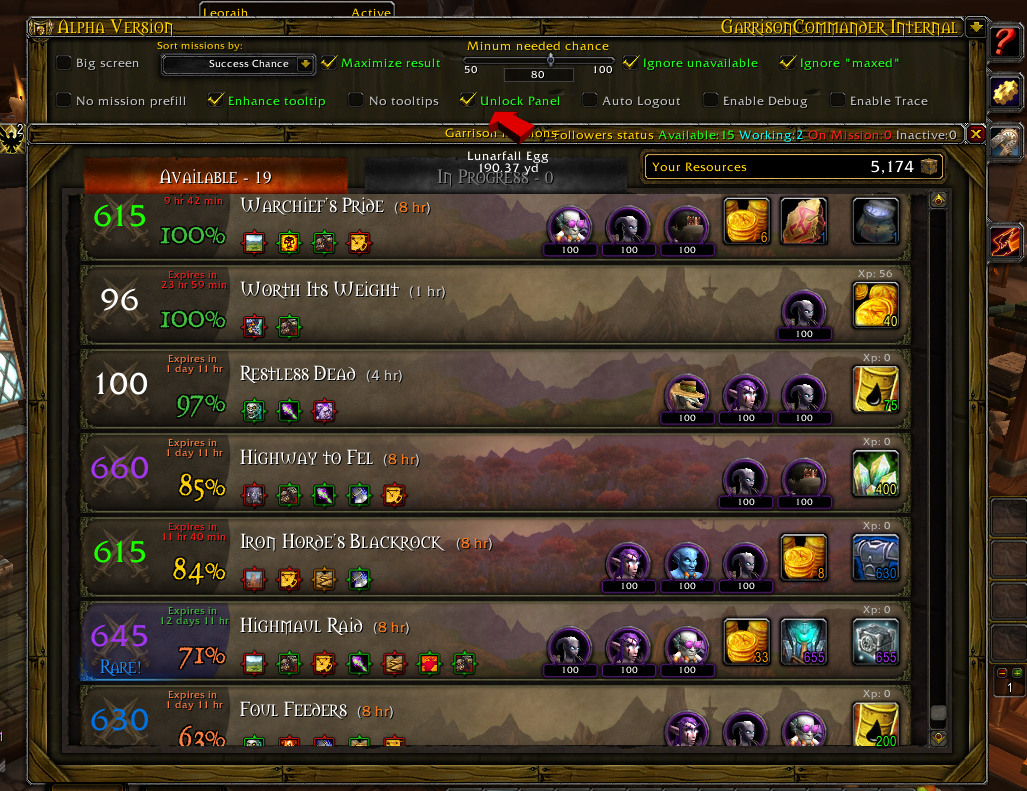
The most likely to drop item is shown. GC also gathers Auction Management Addon data to show the market value of the item (or its vendoring value if no auction management addon loaded)
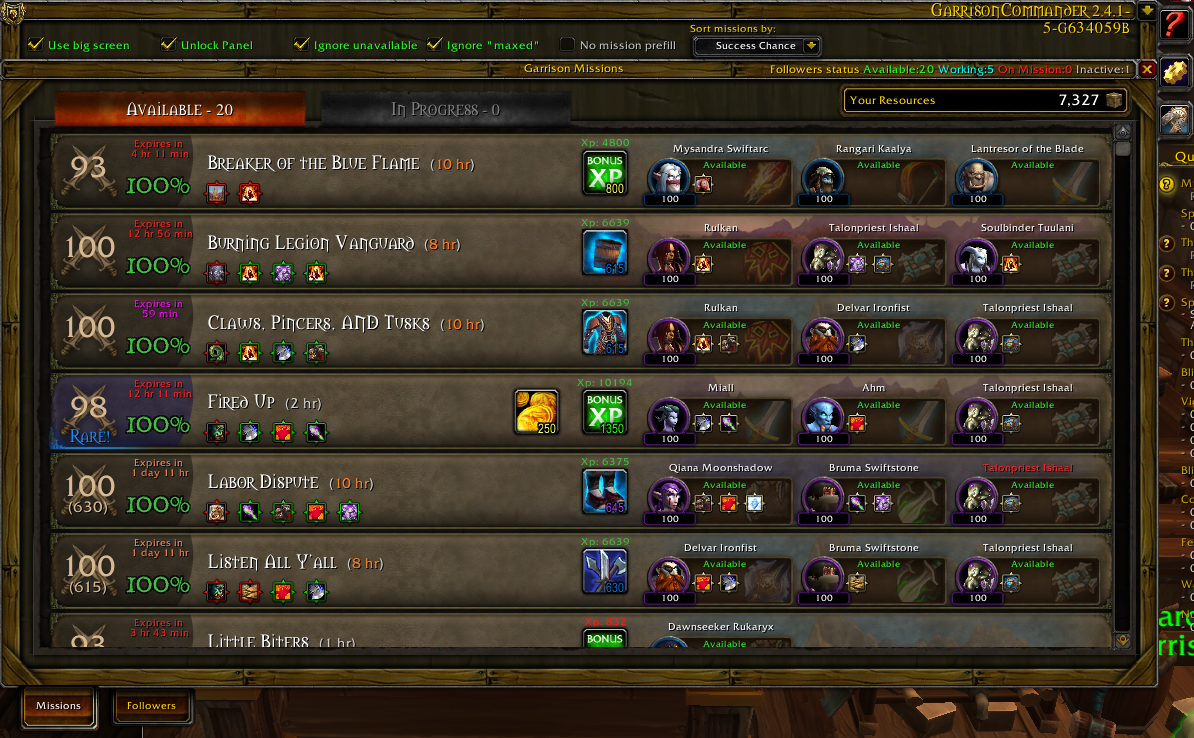
Clicking mission button prefill mission with the shown followers
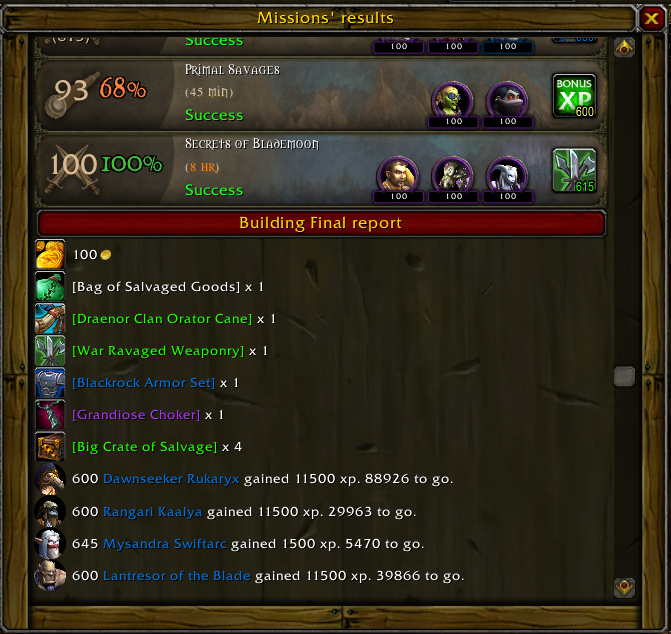
.... and final report
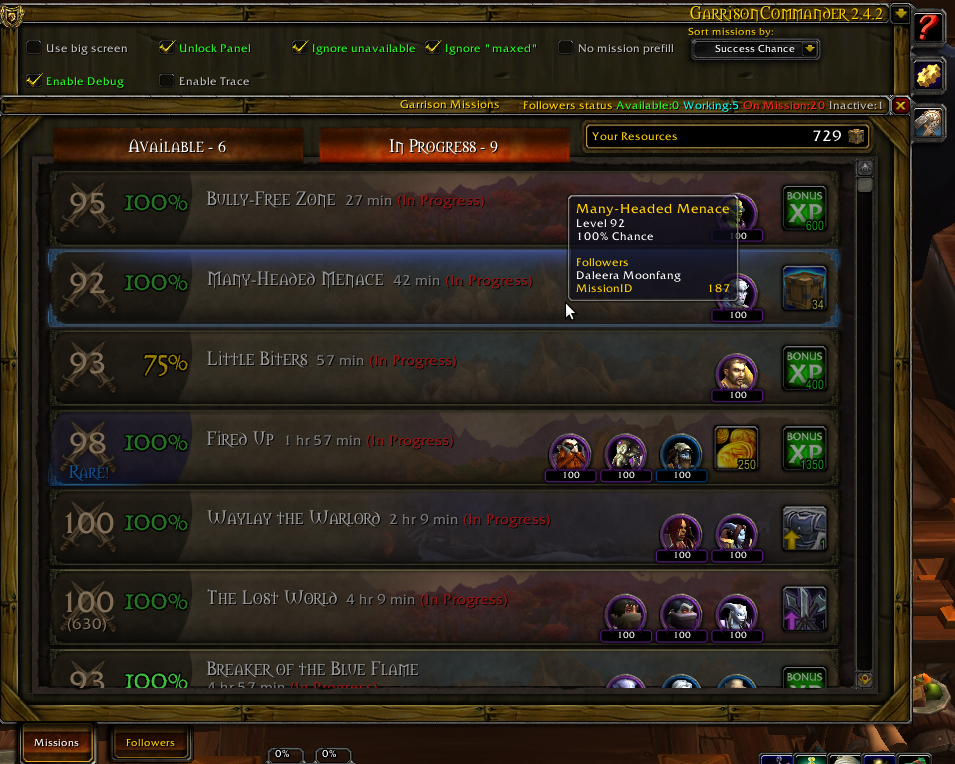
Party, sorted by time left
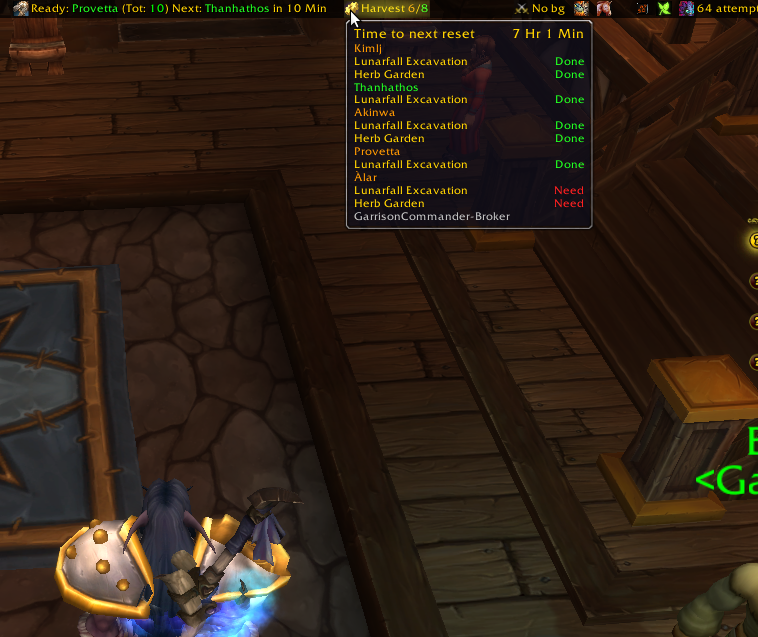
Shows your daily gardening and mining duties
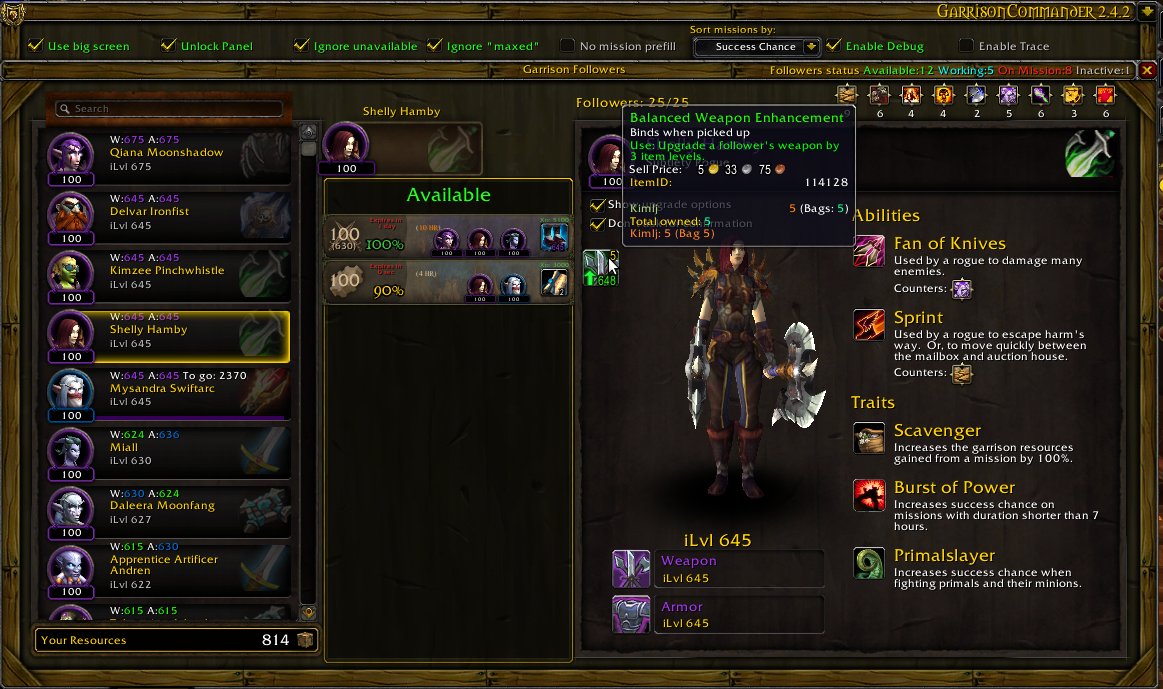
Item and armor level are shown for all followers.
Quick upgrade buttons are shown in follower detail tab.
A list of possible mission for the currenty selected follower are shown, too. Every mission buttom is clickable to prepare mission page...
Description



Comments policy
As soon as I fix bugs, comments reporting them are deleted, as they are no longer useful. Also, I really prefer bug reports to be posted on github
https://github.com/alarofrunetotem/GarrisonCommander/issues" target="_blank" rel="nofollow noopener noreferrer">Open Ticket
GarrisonCommander
This is addon is ONLY for Draenor missions.
If you want an addon for Legion missions, it's OrderHallCommander
If you want an addon for Battle For Azeroth missions, it's ChampionCommander
NEW in 2.17
Fast mode: if you keep pressed CTRL while opening the table, GC will automatically complete pending missions and start new ones.
Works on both Garrison and Shipyard missions
" rel="noopener noreferrer" target="_blank">https://mods.curse.com/addons/wow/orderhallcommander" target="_blank" rel="nofollow noopener noreferrer">OrderHallCommander no longer included, remember to add it to Curse Client or manually update it.
Description
GarrisonCommander can automatically schedule all your missions with just 2 clicks, complete missiosn with 1 click, build optimal parties and includes realm wide brokers for garrison resources, mission statuses, work orders, harvesting and much more. Two very special features of Garrison Commander are Mission Control and Per follower mission list.
Item appraiser
When showing reward for ground missions, in case of containers or tolens GC also shows the most likely generated item plus a list of all posssible ones in tooltip
Item appraiser
When showing reward for ground missions, in case of containers or tolens GC also shows the most likely generated item plus a list of all posssible ones in tooltip
Fast mission sending
Shift-Clicking the winged boot icon will complete all completed missions and start the new ones
Explaining Mission Page and Mission control
Mission control in action: " rel="noopener noreferrer" target="_blank">http://youtu.be/f-5xKy9fagc" target="_blank" rel="nofollow noopener noreferrer">A video is better than one million words
- Checkboxes in the header are NOT taken in account for mission control
- Mission Control uses every follower exactly one time because mission control goal is sending all your followers to mission with just one click.
Chances and results ARE and MUST BE differente between mission page and mission control
Mission Page Switches
- Ignore not available Uncheck to allow GC to use busy followers in missions setup
- Ignore "maxed" Uncheck to allow GC toi use epic followers in xp only mission
- Maximize results Check to force GC to allow a lower success chance in order to gaina better reward (Minimum success chance configurable via /gac gui
Control Mission Switches
- Ignore rare missions Uncheck to let GC populate rare missions
- Ignore epic followers for xp only missions Uncheck to let GC use epic in xp only mission I#tem list: click to enable, drag do reorded. Mission Control aways tries to achieve best results as in Maximize results, but the minimum success chance is taken from the percentage in mission control. If you enable Gold rewards and set 33% as chance, GC should prefer a 33%chance with improved result over a 100% one without improved result
Display Modes
You can choose between "Big screen" and "standard" mode.
Since 2.4.0 included GarrisonCommander-Broker
- Status of Garrison Caches (GC-GarrisonCache) NEW
- Status of missions for all characters on the realm (GC-Missions)
- Status of gathering (mine and garden) for all characters on the realm (GC-Farms)
- Status of work orders for all characters on the realm (GC-WorkOrders)
Completed mission
- You can have GC complete mission for you with just one click
Available Missions
- Proposed Party graphically shown
- Clicking mission button autofill mission page (can be disabled)
- Success chance
- Total xp gain projection
- Countered mechanics
- Enriched rewards
- EExpire time
- Tooltip shows all possible useful followers and how many time you already had that mission
In progress Missions
- Sorted by expiration time
- Running party graphically shown
Mission Control Page
- Garrison Commander adds a new page, accessible via lateral tabs, allowing automatic mission selection and start
- You decide some criteria, GC sends followers out for you. Great for alt or when you really are in a hurry
Buildings
- (NEW) When a building can have a follower assigned, an empty place holder is show, which gets filled with toon icon when spot is filled
Follower list
- (NEW) A list of possible upgrades are showm, and you can apply tehm just with one click
- For each follower xp to next level and/or weapin and armor level is shown
- In "Big screen" mode, a list of possible mission for the selected follower is also shown
Matchmaking strategy
- For all mechanics, chooses the lowest level follower which best counters it. (Only white and orange counter level). The checkobox "Ignore maxed" affects the choice. If it's checked, level 100 epic followers will be used used only if no one else can counter
- Complete the party choosing from follower with useful traits, getting the ones that raise more the success percentage
- As soon as we hit 100%, start choosing hte ones with no beneficials
Matchmaking switches
- Ignore busy followers: if you deacttivate it, GC will fill its roster with busy followers, so you can check if it's worth wating for them
- Ignore maxed followers: level 100 purple followers are used only if mission is not xp only
Known issues
- Master Plan 0.19 to 0.22 clashes with GC. Downgrade do 0.18 or update to 0.23
- With MasterPlan installed you can experienc some weird behaviour when you first visualize the missions panel. Switching back and forth between tabs usually fixes it
Feature requests or bugs
Please open a ticket
The GarrisonCommander Team


Owner