
Frogski's Cursor Trail
- By

Creates a fully customizable animated trail that follows your cursor, with flowing rainbow, class color options and more!
File Details
FrogskisCursorTrail-1.5.0.zip
- R
- Jan 25, 2026
- 17.13 KB
- 512
- 12.0.1
- Retail
File Name
FrogskisCursorTrail-1.5.0.zip
Supported Versions
- 12.0.1
Major Update – Profiles System
This update introduces a full profile system and several quality-of-life features.
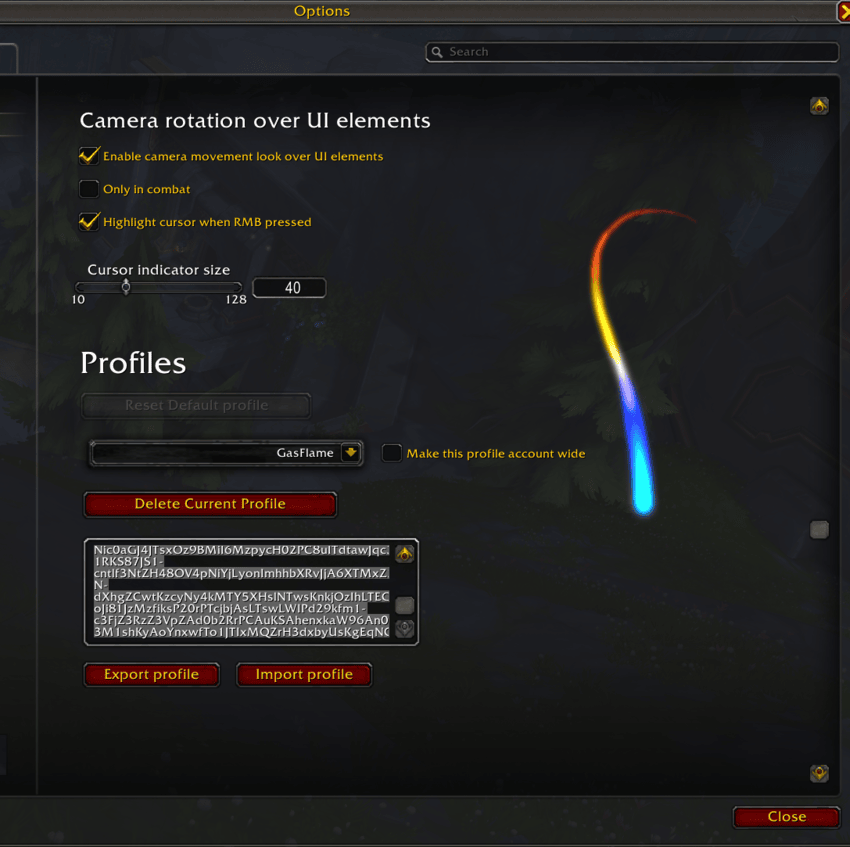
⭐ New: Profiles System (Main Feature)
You can now fully manage multiple profiles for Frogski’s Cursor Trail:
- Create, delete, and switch profiles directly from the options
- Share profiles using export/import strings
- Mark profiles as account-wide, making them available to all characters
- Profiles automatically apply on selection, no reload required
🎥 New: Camera Movement Over UI (RMB Look)
Added an optional feature that allows you to rotate the camera while right-clicking even when the cursor is over UI elements.
- Toggleable per profile
- Optional “Only in combat” mode
✨ New: Cursor Highlight During Camera Look
When camera movement is active:
- The cursor position is highlighted with a visual indicator
- Helps keep track of where your cursor actually is while mouselooking
- Size is configurable
- Can be enabled or disabled independently from camera movement
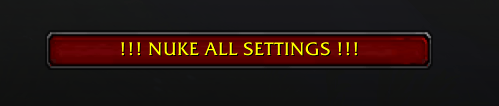
💣 New: “Nuke All Settings” Button
Added a safety-confirmed button that:
- Completely resets all addon settings
- Deletes all profiles
- Restores the addon to factory defaults
Use with care 😄
🔮 Future Plans
I’m planning to add an automation system in a future update.
Examples include:
- Automatically changing the cursor trail or colors when mounting specific mounts
(e.g. Ashes of Al’ar using a matching color palette) - Context-based behavior changes depending on gameplay situations
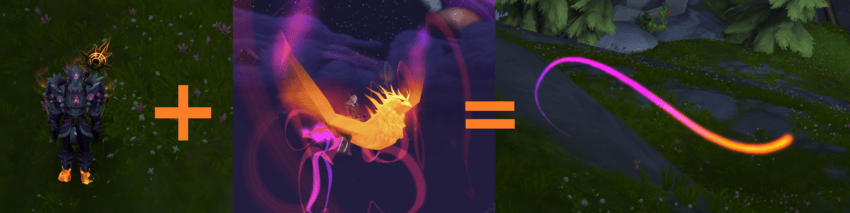
These are early ideas and will evolve over time with your input.
Enjoy! 🐸💚