Frogski's Chat Loot Filter
- By
Filters and formats loot lines in your loot chat window, with a searchable loot history.
Description
Frogski's Chat Loot Filter 🐸
Like the addon? 🍺 Buy Frogski a hops smoothie!
Clean up your loot chat and decide exactly what and how you want to see it.
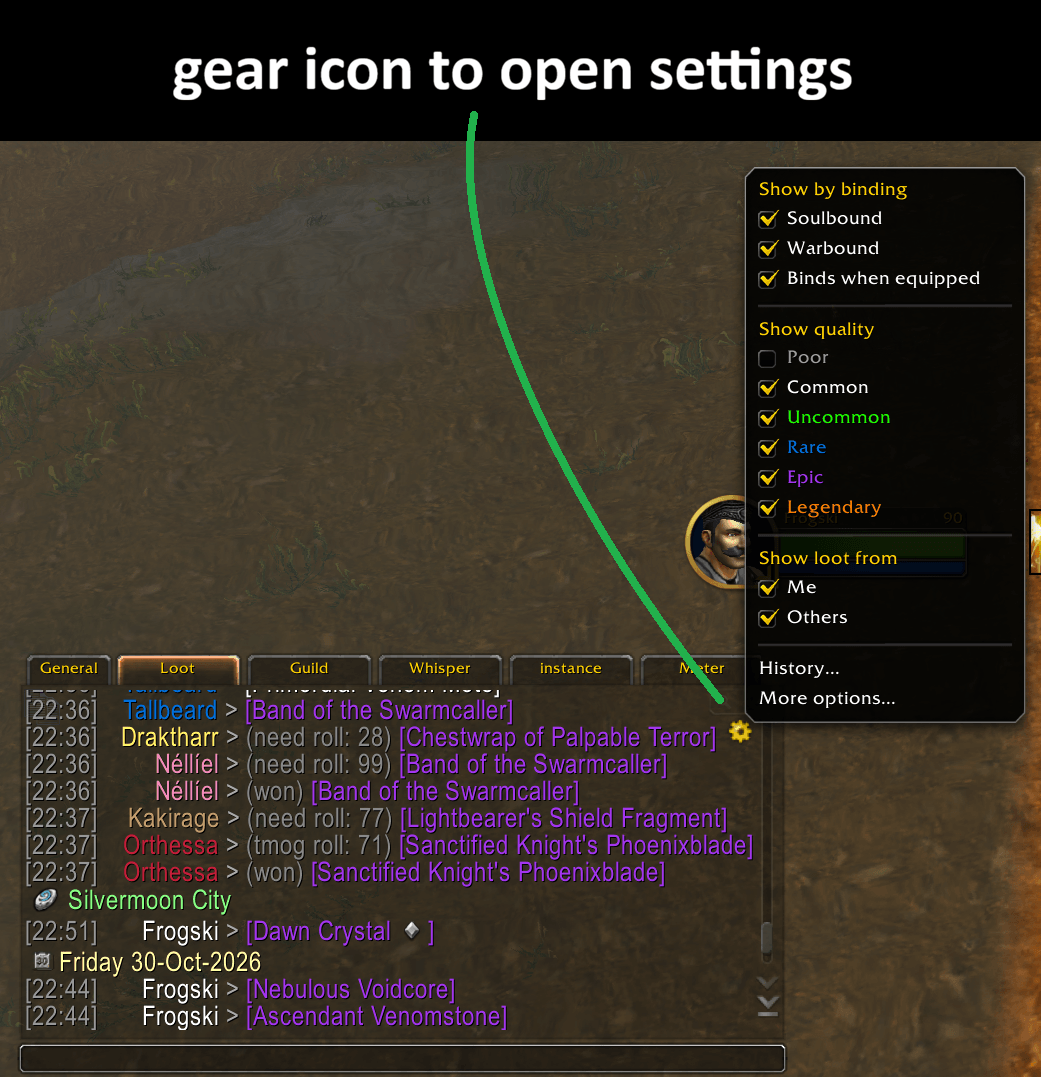
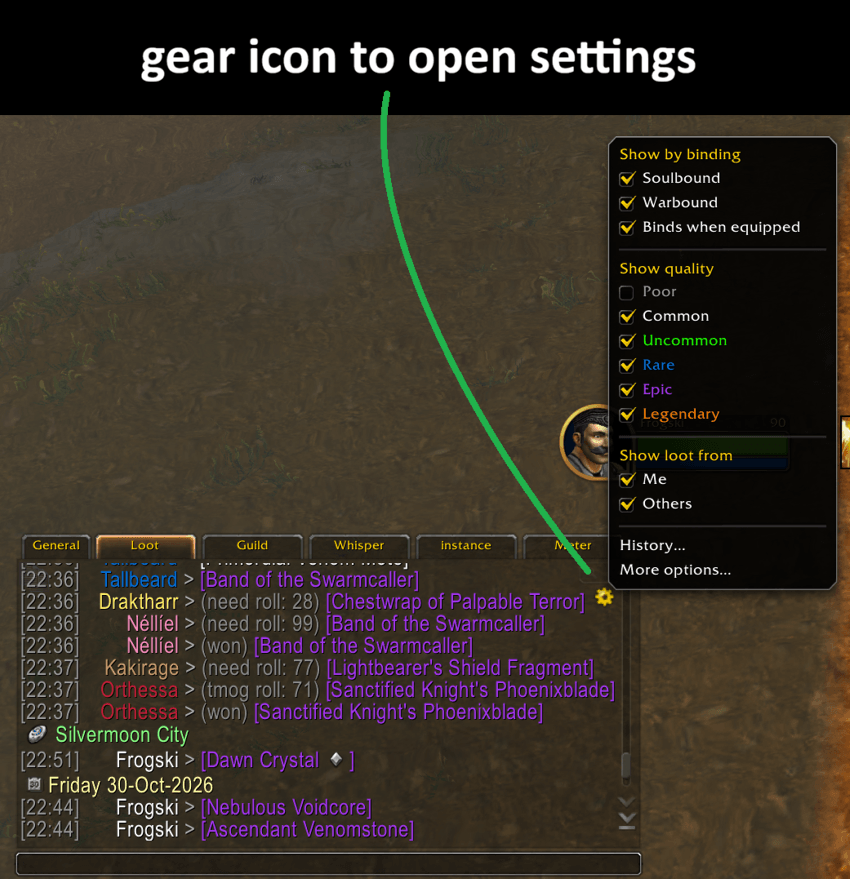
Frogski's Chat Loot Filter lets you filter, organise and customise how loot messages appear in your existing chat window. A small gear icon will appear in a chat window where you have loot enabled, giving you quick access to the filters and settings.
It also includes a searchable loot history, custom profiles and automatic profile switching.
Type /fcl to open the settings, or click the small gear icon in your loot chat to access settings.
Loot filtering
Choose what you want to see and what you want to hide based on the isntance youre in!
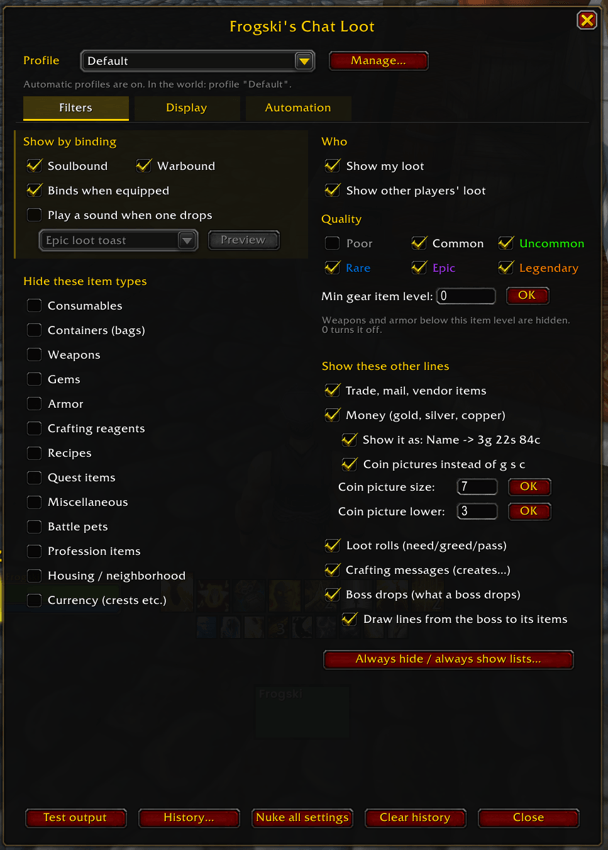
Filter by:
Item quality: Poor, Common, Uncommon, Rare, Epic and Legendary.
Binding: Soulbound, Warbound (including Warbound Until Equipped) and Bind on Equip.
Item type: Consumables, bags, weapons, armour, gems, crafting reagents, recipes, quest items, miscellaneous items, battle pets, profession items, housing items and currencies.
Who received the loot: Show your own loot, other players' loot or both.
Minimum item level: Hide weapons and armour below a chosen item level.
You can also decide whether to display money, items received through trades or mail, vendor items, crafting messages, loot rolls and boss drops.
Want to hide one particular item without filtering its entire category? You can create your own Always Hide and Always Show lists using item names or item IDs.
Boss drops and loot rolls
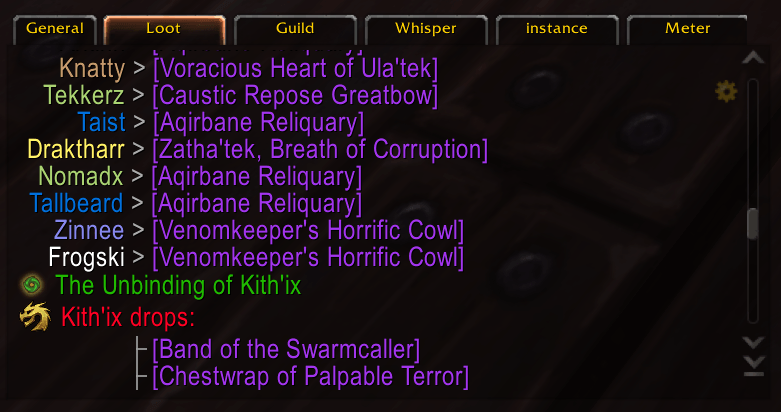
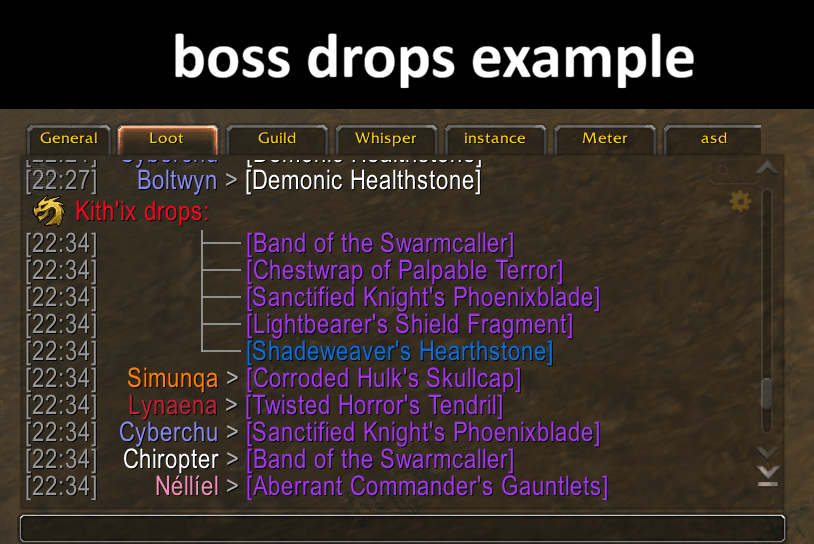
The addon groups the boss drops underneath the boss's name.
You can also enable connecting lines to make it easier to see which items belong to that boss.
The addon can display:
Boss names with customisable icons and colours.
Items dropped by each boss.
Need, Greed, Pass and Transmog roll.
The players who won the items, including their class colours where available.
Boss drops and loot rolls can be enabled or disabled separately, so you can choose exactly how much information you want.
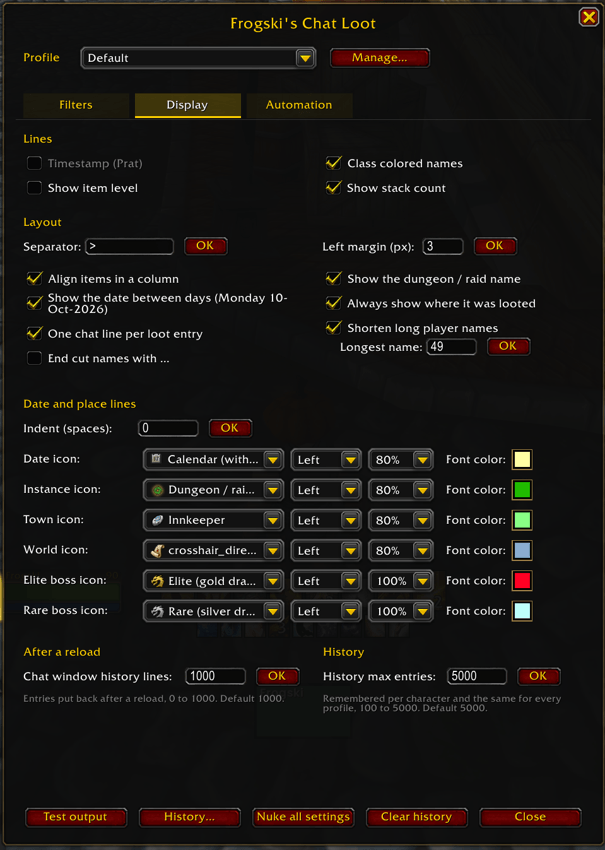
Customise how your loot chat looks
You can change how the loot messages are displayed.
Some of the available options include:
Class coloured player names.
Item names aligned into a clean column.
Custom separators between player names and items.
Adjustable left margin.
Shortened player names and item links to reduce unnecessary wrapping.
One loot chat entry per row!
Item levels and stack counts.
Timestamps, including support for timestamps added by other chat addons such as Prat.
Custom formatting of gold, silver and copper, including coin icons.
Date and location lines showing when and where items were looted.
You can also customise the icons, their size, position and text colours for dates, dungeons, raids, towns, open world locations, elite bosses and rare bosses. Custom texture atlas icons can be added too.
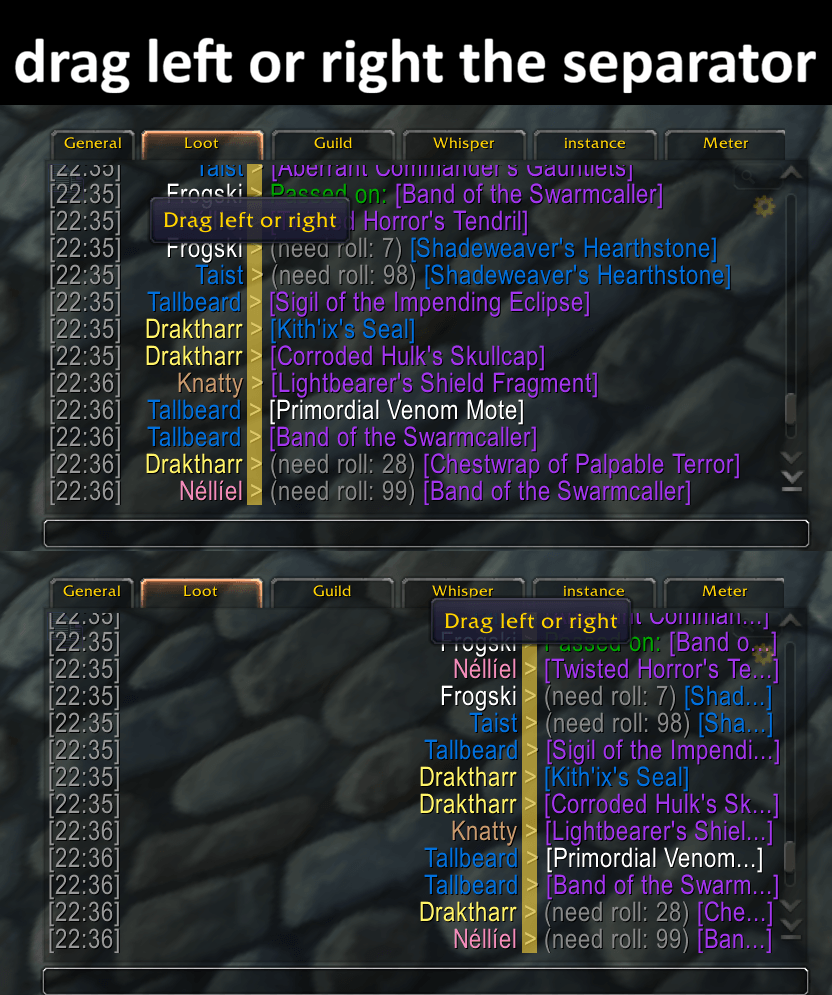
Drag the separator directly in chat
You don't even need to open the settings to adjust the layout. Hover over the separator between player names and items, then drag it left or right.
This changes the space available for player names and moves the item column accordingly.
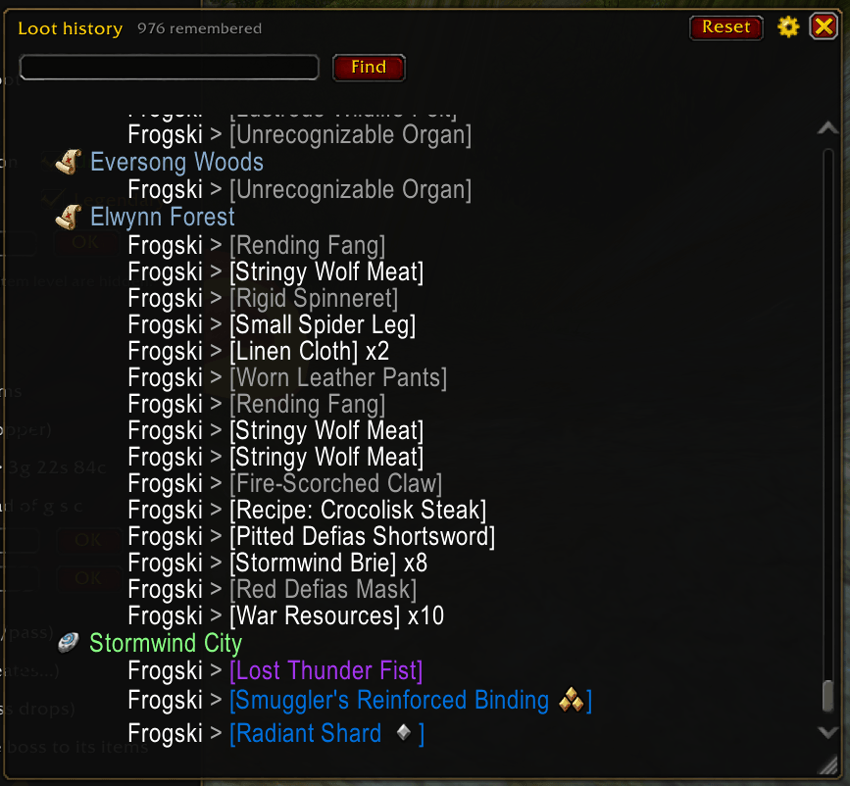
Searchable loot history
The addon keeps a separate loot history that remembers items even when you've chosen not to display them in chat.
You can:
Store up to 5,000 loot entries per character.
Search by player name or item name.
Jump between search results.
Apply separate filters to the history without changing your chat filters.
View dates and locations associated with recorded loot.
Keep up to 1,000 loot history lines in your chat after a reload.
Clear your history whenever you want.
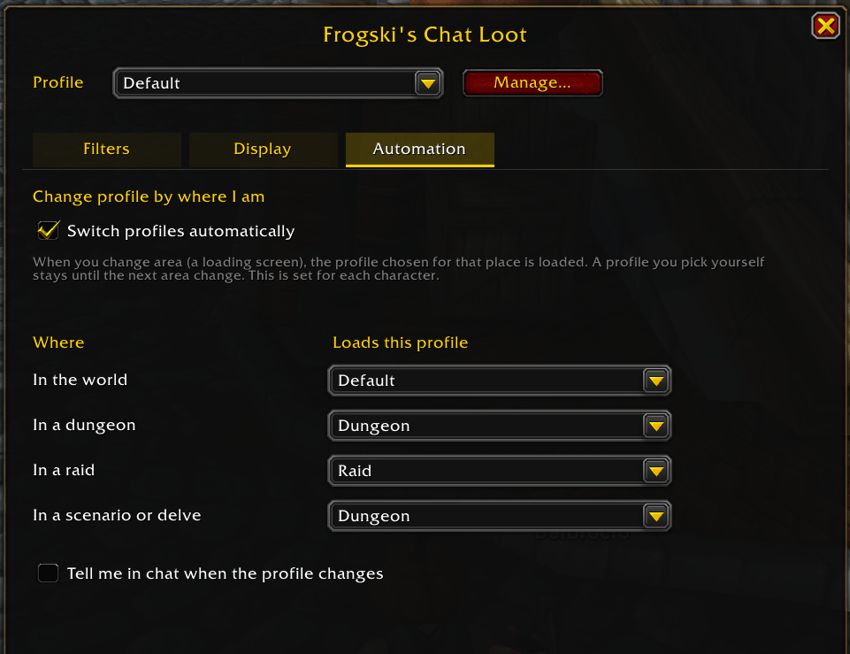
Automatic profile switching
The addon can automatically change your active profile depending on where you are:
In the open world.
In a dungeon.
In a raid.
In a scenario or delve.
Just assign a profile to each location type and enable automatic switching.
These assignments are configured separately for each character, and you can also enable a chat notification whenever the active profile changes.
Bind on Equip sound alerts
Enable sound notifications and choose which sound to play.
The addon includes several sound options, with support for additional sounds registered through LibSharedMedia.
You can preview sounds directly from the settings.
If you find a bug, something isn't behaving as expected, or you have an idea for another feature, feel free to leave a comment on CurseForge.
Hope you find it useful! 🐸
Frogski's Chat Loot Filter Team