FrameGrid - Customizable Party/Raid Frame Auras (Buffs/Debuffs)
- By
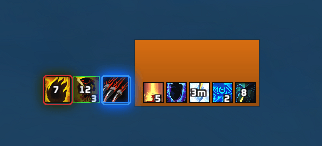
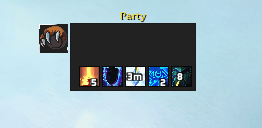
Buff/Debuff resizing, themes, styling, location anchors, filters, text and more for default Party/Raid frames
Screenshot 2026-08-17 160248.png
Screenshot 2026-08-17 190504.png
Screenshot 2026-08-17 231747.png
Screenshot 2026-08-17 232324.png
Screenshot 2026-08-17 144547.png
Description
FrameGrid at its core is almost like the old depreciated addon EnhancedRaidFrames but with a lot more features and a modern user experience overall.
FrameGrid while feature rich, is not meant to look overwhelming or hard to find things, it doesn't choke you by slamming endless options at you or in depth features that are hard to understand or follow. It was created in mind to be used by anyone, even if you're a casual player.
What you can expect from FrameGrid, but not limited to:
General Features:
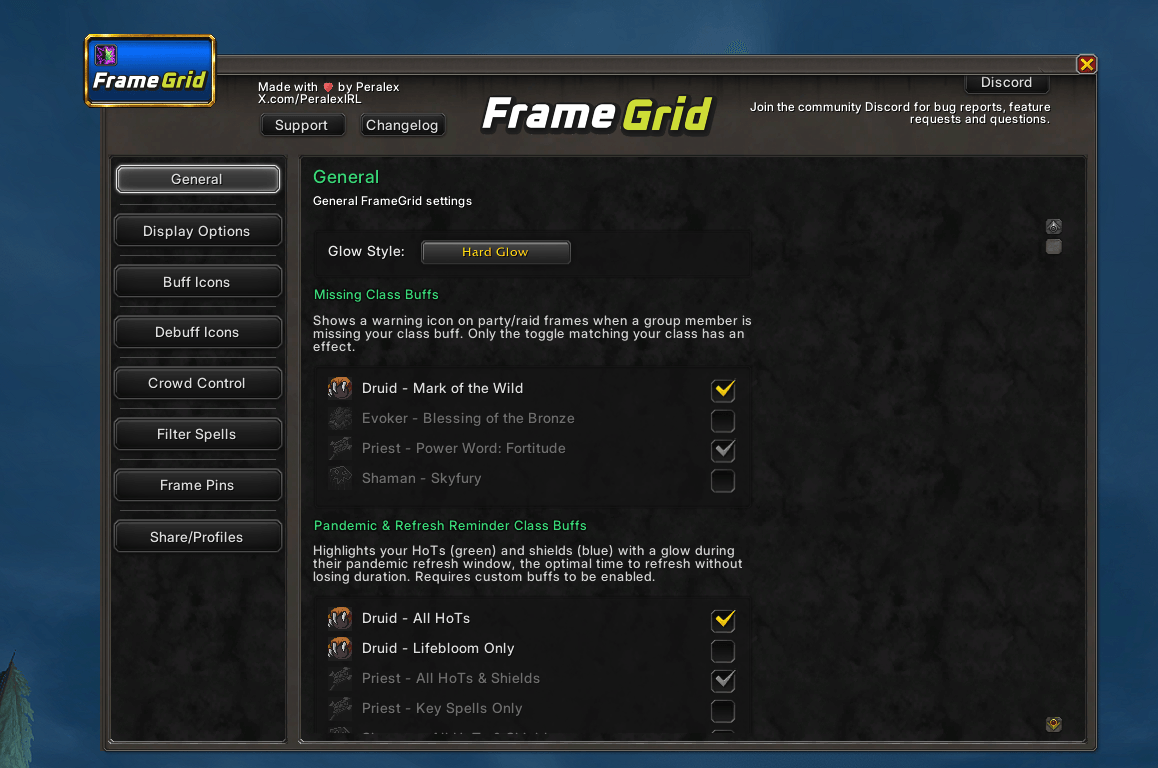
- Missing class buffs on actual party frames: Shows a warning icon on party/raid frames when a group member is missing your class buff, spec aware and specific so you can toggle on certain classes only if you want.
- Custom Pandemic & Refresh reminder for class buffs: Pandemic specific buffs that adds a custom glow for certain spells such as Life Bloom when you need to refresh before its duration ends.
But, also you can choose to have most/all Hots or even Shields as a refresh reminder alert glow on icons.
So, if you would just like a reminder for the most optimal time to refresh without losing duration on certain buffs, everything will glow if you toggle this on in most cases. For example, Rejuvenation will have a glow towards the end to help remind you to keep it up as needed, as well as Power Word: Shield from priests or Renew as well and more.
Buffs:
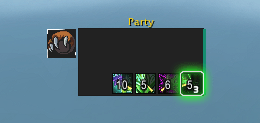
- Position buffs exactly where you want them to be with the FramePin Feature. You can stack multiple buffs, or singular in specific areas of the frame, by Spell ID, or by dragging spells from the spell book. Every anchor is available, so you can at a glance know exactly whats happening once you learn your layout choices.
- Icon Themes: multiple icon themes/borders to choose from, along with all the settings you could ask for, icon scale, spacing, max buffs, per row, vertical and horizontal sliders for fine tuning everything.
- Edit and adjust every detail with stack counter settings, cooldown text settings, border colors and more.
- Filter by Spell ID or by dragging spells from your spell book for white or black listing anything you want when it comes to Buffs using the Filter Spells page. You can set the filter to hide specific buffs, or to only show specific spells/buffs.
Debuffs:
- LOTS of debuff settings, maybe even overkill on custom features.
- Icon border themes, scaling, spacing, max debuffs, per row, vertical and horizontal sliders for fine tuning etc that you'd expect to have.
- Same stack counter, cooldown text counter settings as well.
- Custom "Dispel Me" feature, adding a custom glow theme (many to choose from) highlighting debuffs you can actually dispel.
- Custom Dispel icons to choose from, a custom icon of your choice will overlay the debuff icon, letting you know even more so at a glance that its something you can dispel.
- Custom scaling, positioning, colors and themes for these features.
Crowd Control:
- Custom Crowd Control settings galore. Icon scale, spacing, cooldown text, icon zoom settings and more.
- Custom Overlay Glows with color pickers so you can choose the outline color (borders) or the glow color as well with several icon themes for these too.
Display Options:
- Lots of display options to fine tune how your frames look to your liking.
- Hide names, role icons, aggro highlight, title name and more.
- Almost 30 fully custom and exclusive texture options to choose from on your frames specifically made for my addons only by an actual designer.
- Custom Absorb textures if you wish to use them
- Custom class icons (made by my designer whom I work with) you can toggle on that'll show class icon next to the frame (in case you run all dark color'd frames for example or just because.) which also has options like adding icon borders to these and more.
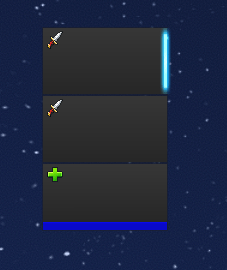
- Custom Selection Highlight feature: Choose from an array of custom assets that replace the highlight when you target a party/raid member. Along with features such as thickness, color picker and more for even added customization.
Crazy in depth Sharing/Profiles feature/page:
- Super in depth share/profiles page.
- Set up multiple profiles as needed, custom names and full control (rename, delete them and more)
- Import and Export share string codes from other users for easy set up
- Insane Spec auto switching you can enable. Will assign spec specific profiles as you like so when you swap specs, it auto switches with you to your desired settings for that spec only in real time.
- Custom Presets coming soon.
This is my discord if you would like to join to request features, report bugs, or just share profile codes/screenshots - https://discord.gg/hWBy2ghZSm
I will share/upload any screenshots of peoples set up to the website and curseforge page if you share them with me!
Also make sure that you follow me on Twitch.tv/Peralex and YouTube.com/Peralexlol
Check out my other addon's and consider donating to keep production alive, anything help's! <3
https://ko-fi.com/peralex
Any issues that you find, please use !BugGrabber and BugSack to provide meaningful information to help determine your issue, without which, we probably won't be able help
FrameGrid - Customizable Party/Raid Frame Auras (Buffs/Debuffs) Team
Owner