FragFeed Forever
- By
Warcraft-style PvP kill feed for WoW Forever with Quake and WARLORD announcers, group sharing, and Battle History.
ff.png
Description
Make every kill a main event.
FragFeed Forever brings a Warcraft-style PvP kill feed, announcer sounds, and personal Battle History to WoW Forever.
Built for the WoW Forever client (interface 16001). Compatibility with Blizzard Retail and Classic clients has not been established.
Your kills, your feed
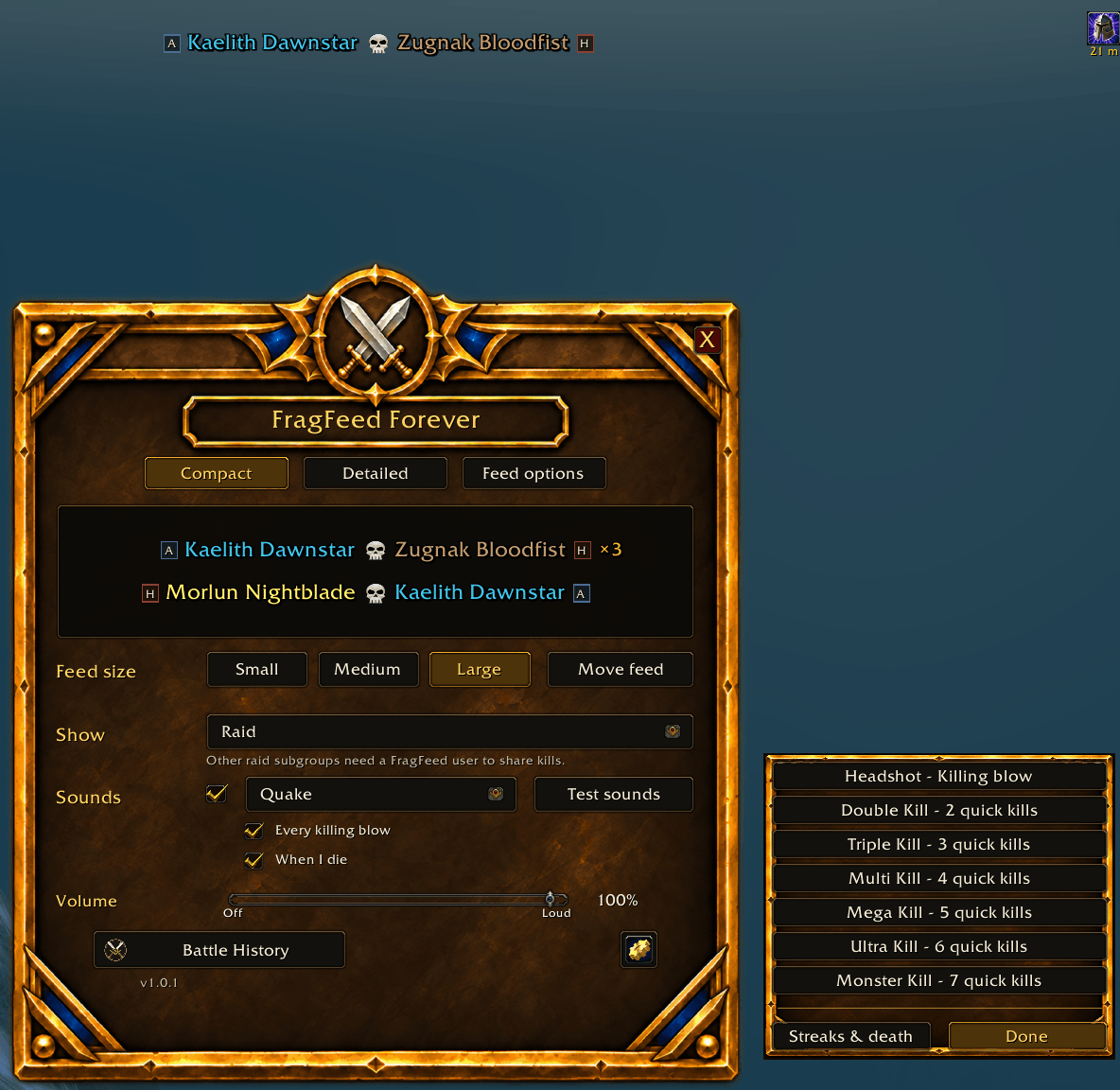
- Compact and Detailed layouts with separate appearance options.
- Class-colored names and confirmed faction tags, with optional class icons, guild names, levels, row backgrounds, and event/zone details.
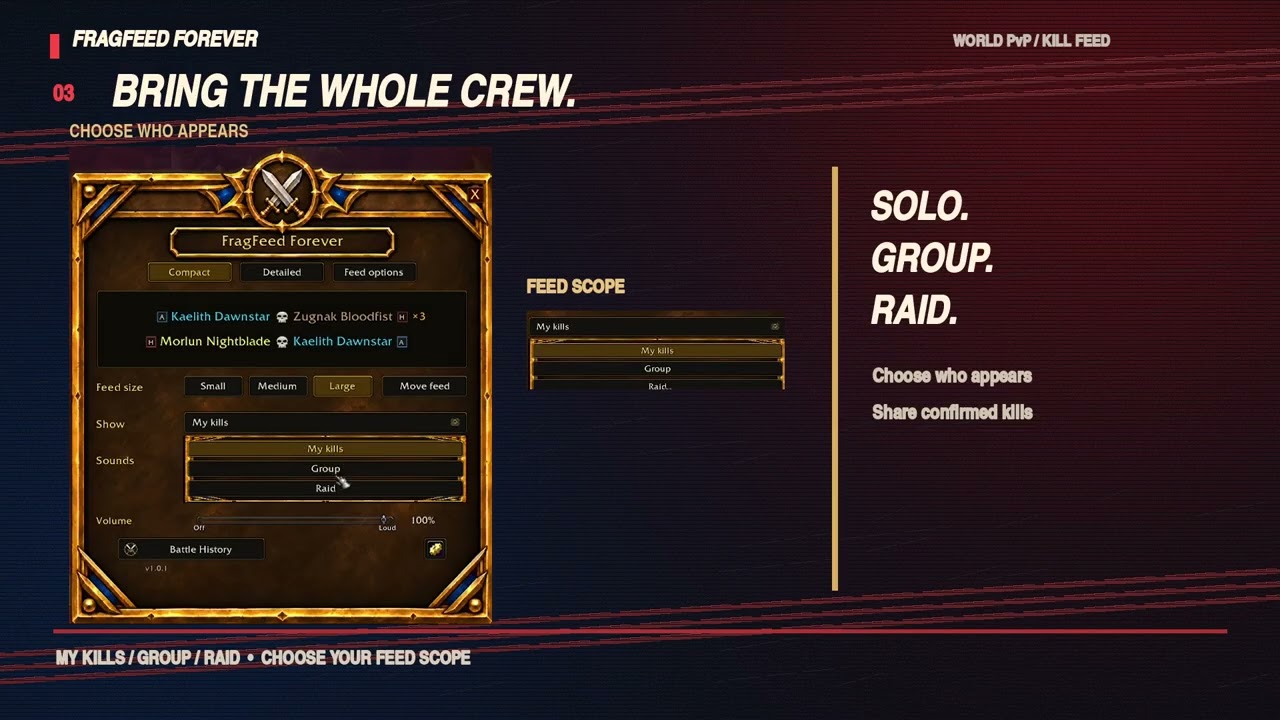
- Personal, Group, and Raid scopes so you can choose whose confirmed kills appear.
- Movable feed, size presets, and a top-center default position.
Hear the moment
Choose Quake or WARLORD announcers for personal killing blows, rapid multikills, and survival streaks. Preview individual sounds, adjust volume, enable optional death calls, or turn sounds off.
The feed multiplier shows your kill streak since death. It is separate from the rapid multikill counter. Test sounds never change real statistics or share test kills.
Battle History
Review your personal killing blows, deaths, streaks, session statistics, and recent encounters. Encounter details include full names, date/time, zone, and whether a kill contributes to your personal totals.
Group sharing
Group and Raid scopes can display confirmed kills shared by other FragFeed users. Shared kills stay separate from your personal totals and announcer sounds. Full raid coverage depends on the events exposed by the client and addon users across raid groups.
FragFeed tracks killing blows; it is not a total honorable-kill meter. It does not require a specific guild or faction.
Getting started
- Extract the FragFeed folder into Interface/AddOns.
- Enable FragFeed Forever on the AddOns screen.
- Type /ff to open settings.
- Choose your layout, feed scope, and announcer.
When upgrading, replace the addon folder and keep your SavedVariables to retain settings and history.
Support
Report issues in the project comments with your addon version, what happened, and the steps to reproduce it. For sound or sharing problems, use the gear menu's Copy diagnostic report. Remove private information before posting.
Credits
Created by Risky. Code and original addon artwork: MIT license.
WARLORD audio by VoiceBosch, licensed CC BY-SA 4.0. Original recordings were converted to Ogg Vorbis and adjusted for loudness and volume variants. Adapted audio remains CC BY-SA 4.0. No endorsement is implied. Third-party audio is excluded from the addon's MIT grant.
FragFeed Forever Team