

promotional bannermobile promotional banner

FPSView

A minimal, draggable performance display tracking FPS and latency with color-coded bars. Features customizable themes & bar styles, a wide selection of fonts, and a scalable UI.
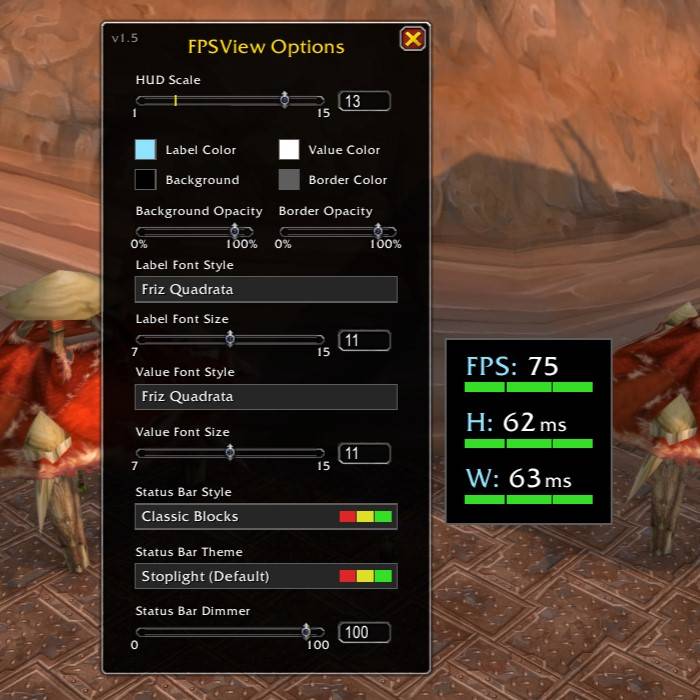
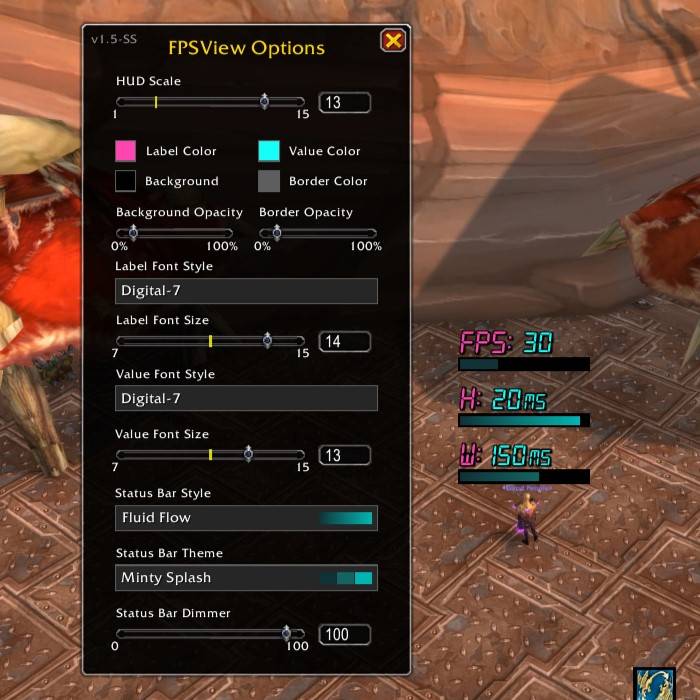
An example of the options menu settings and the FPSView frame.

An example of the options menu settings and the FPSView frame.

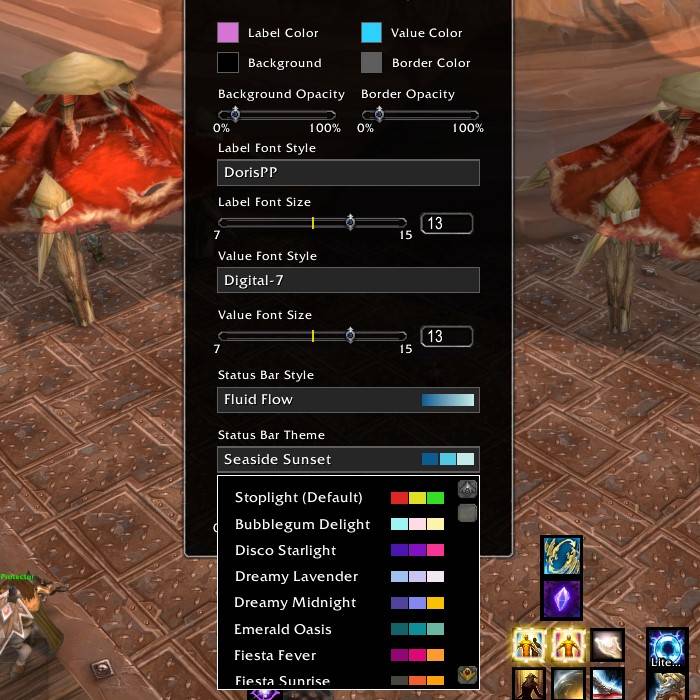
An example of the theme selection menu.

An example of the theme selection menu.

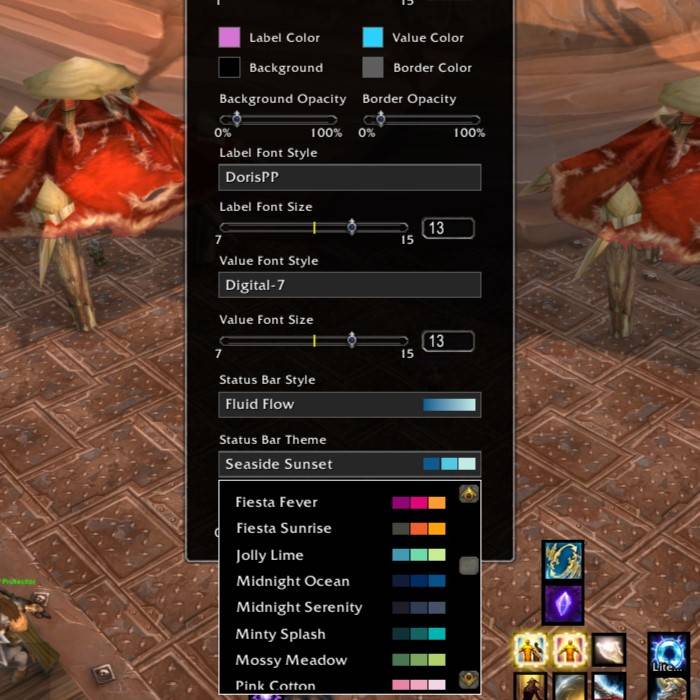
Another example of the theme selection menu showing more themes.

Another example of the theme selection menu showing more themes.

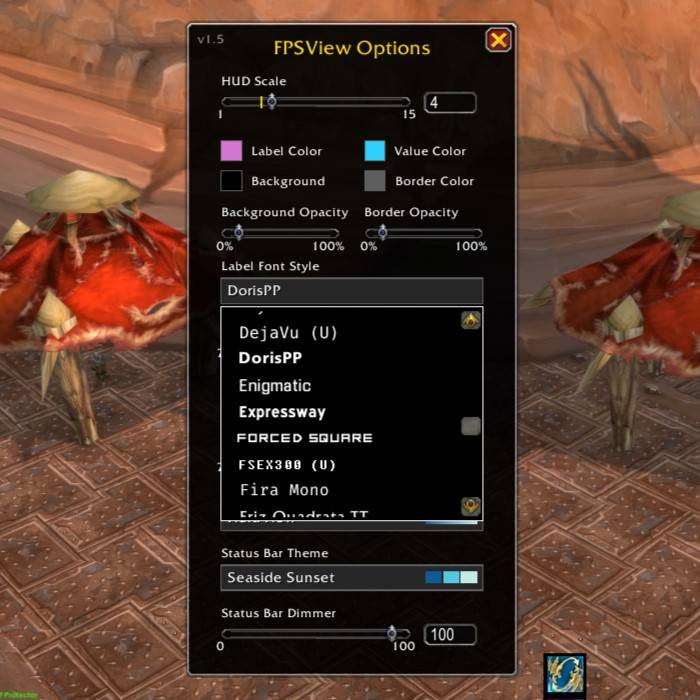
An example of the font selection menu.

An example of the font selection menu.

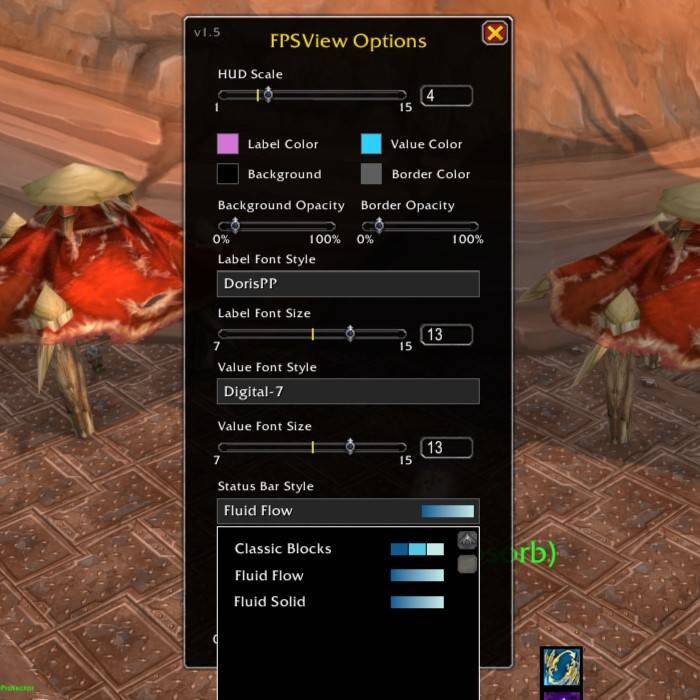
An example of the Status Bar Style menu.

An example of the Status Bar Style menu.

An example of the theme setting "Minty Splash" with the Bar Style "Fluid Flow" and the custom Digital-7 Font.

An example of the theme setting "Minty Splash" with the Bar Style "Fluid Flow" and the custom Digital-7 Font.

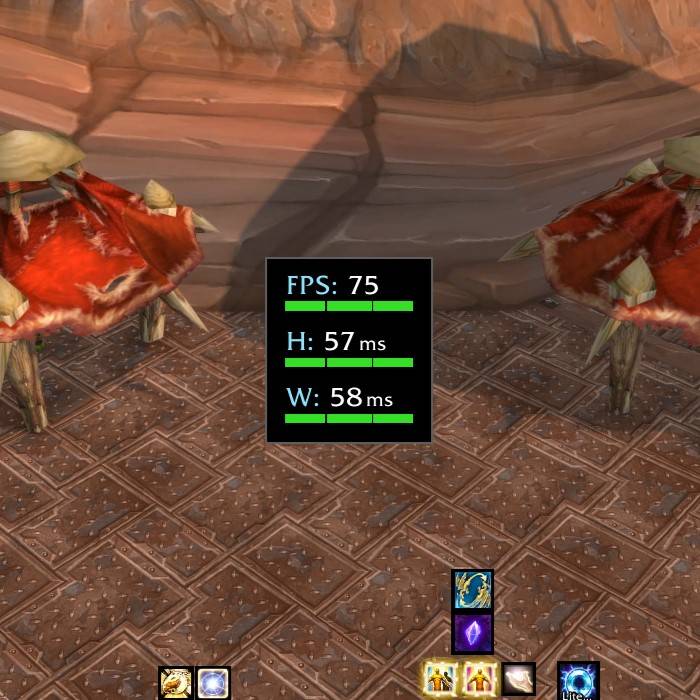
The standard look when you're getting full FPS and great latency to the servers.

The standard look when you're getting full FPS and great latency to the servers.

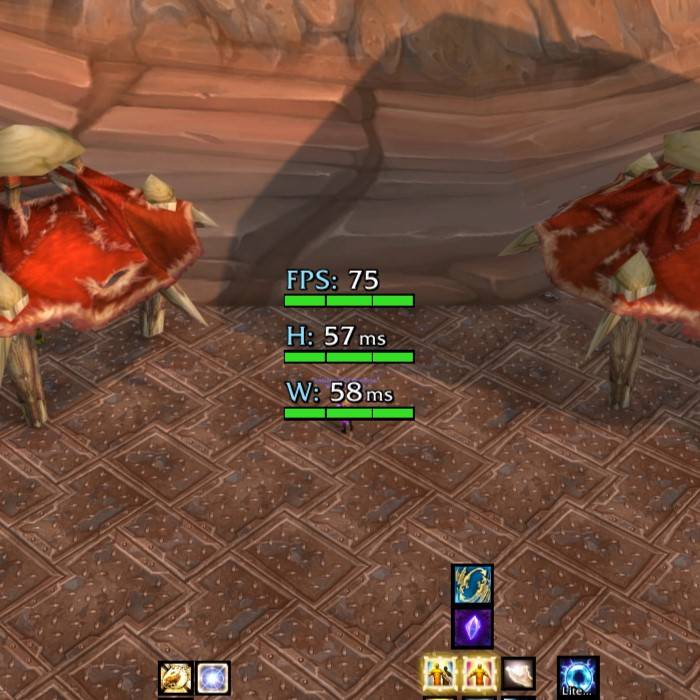
The standard look when you're getting full FPS and great latency to the servers with no background frame.

The standard look when you're getting full FPS and great latency to the servers with no background frame.

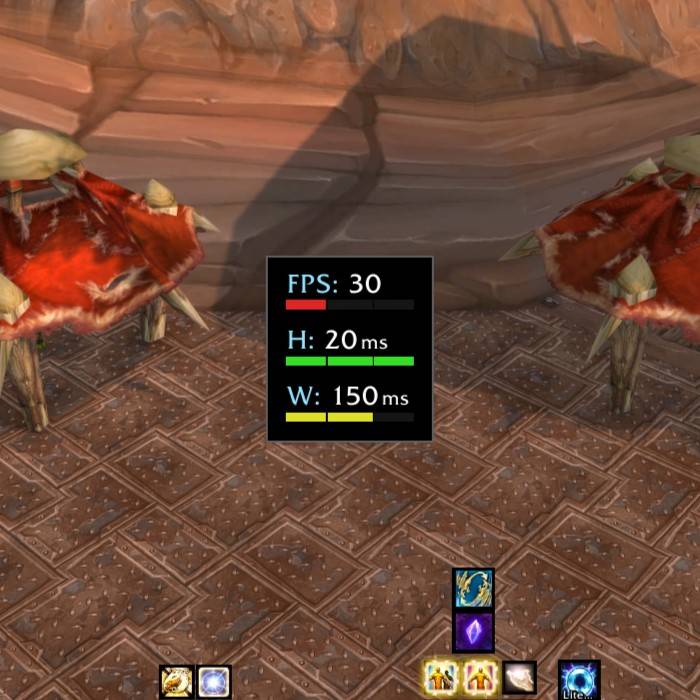
An example of the bars changing color based on low FPS, great Home latency and medium World latency.

An example of the bars changing color based on low FPS, great Home latency and medium World latency.

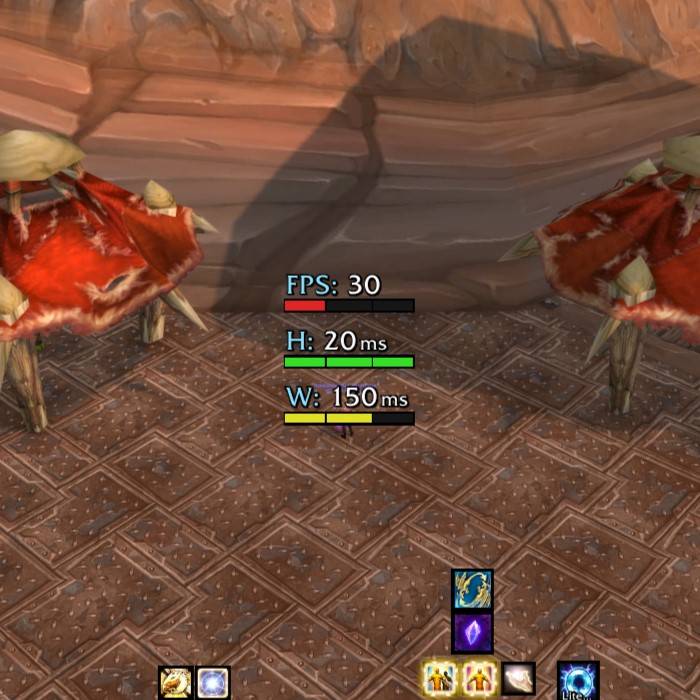
An example of the bars changing color based on low FPS, great Home latency and medium World latency with no background frame.

An example of the bars changing color based on low FPS, great Home latency and medium World latency with no background frame.

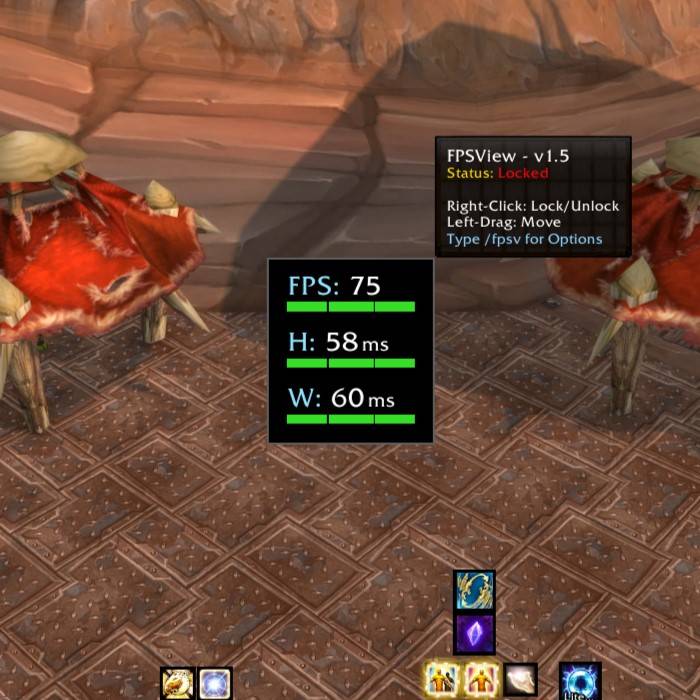
An example of the tooltip status when the addon frame is locked in position.

An example of the tooltip status when the addon frame is locked in position.

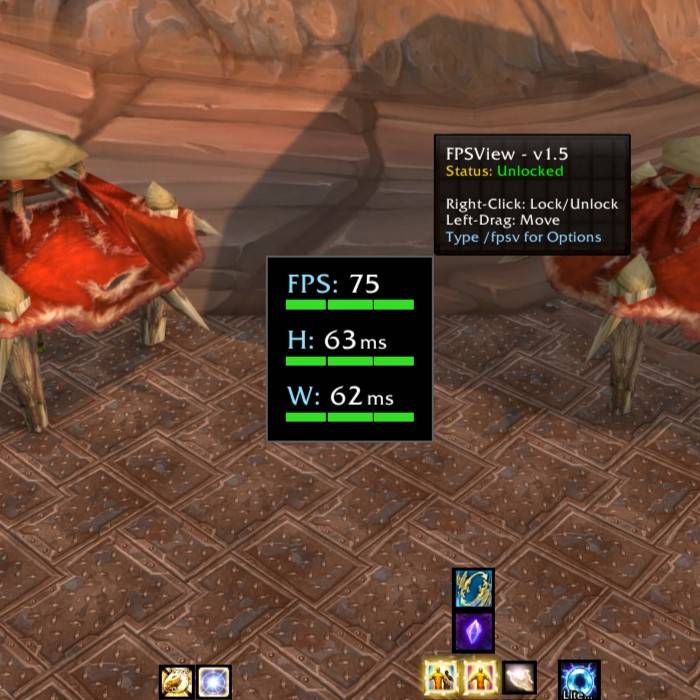
An example of the tooltip status when the frame is unlocked and ready to be moved to your desired position.

An example of the tooltip status when the frame is unlocked and ready to be moved to your desired position.

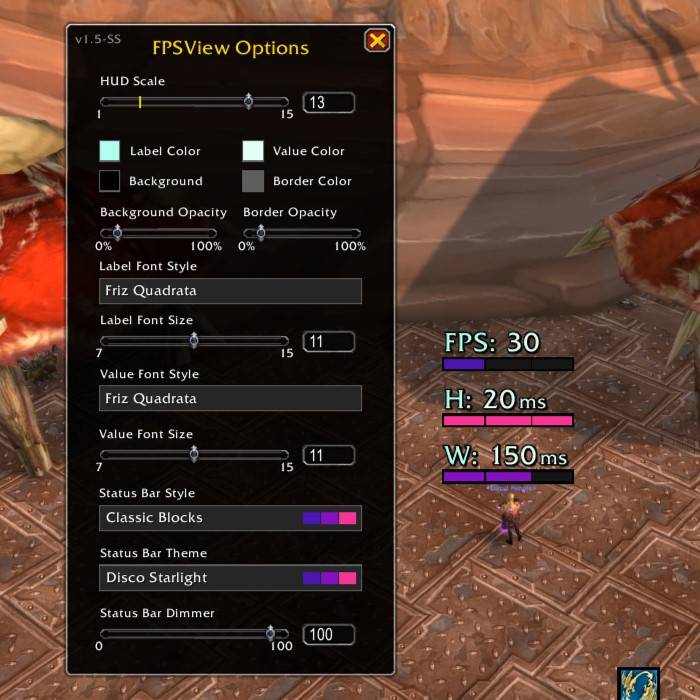
An example of the theme setting "Disco Starlight" with the "Classic Blocks" bar style preset.

An example of the theme setting "Disco Starlight" with the "Classic Blocks" bar style preset.

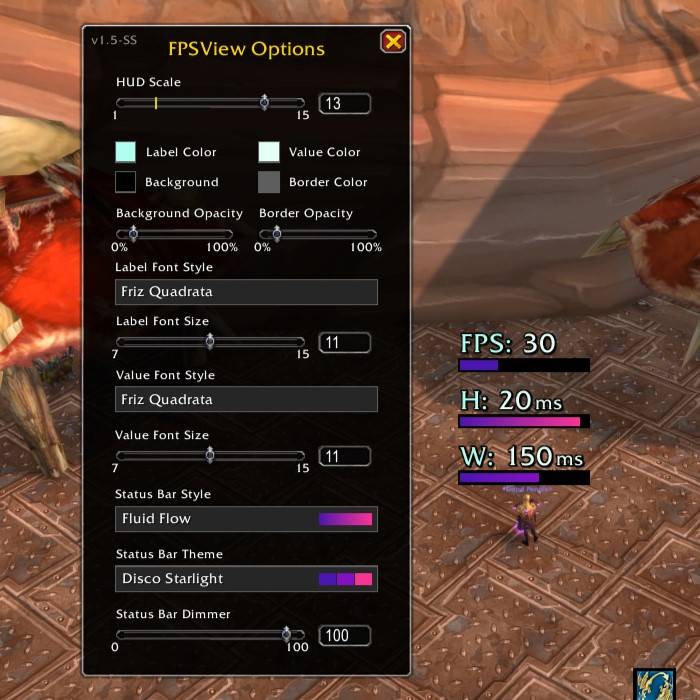
An example of the theme setting "Disco Starlight" with the "Fluid Flow" bar style preset.

An example of the theme setting "Disco Starlight" with the "Fluid Flow" bar style preset.

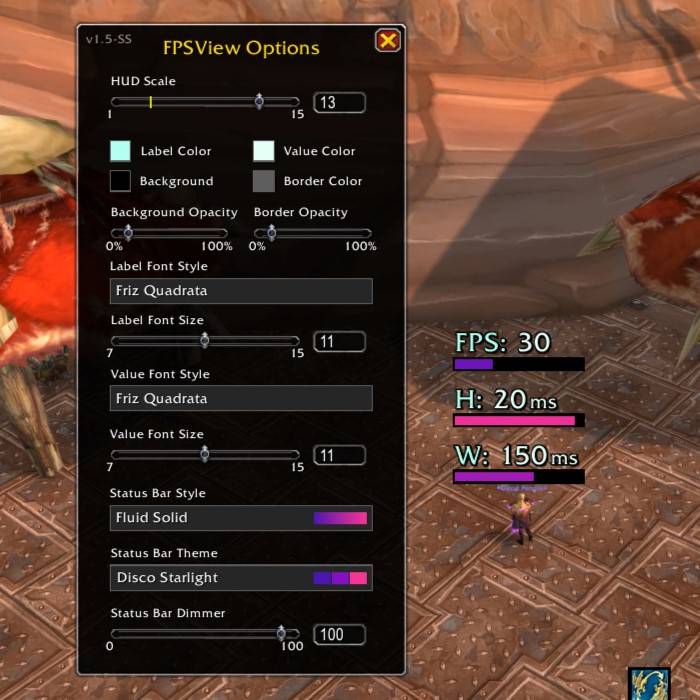
An example of the theme setting "Disco Starlight" with the "Fluid Solid" bar style preset.

An example of the theme setting "Disco Starlight" with the "Fluid Solid" bar style preset.

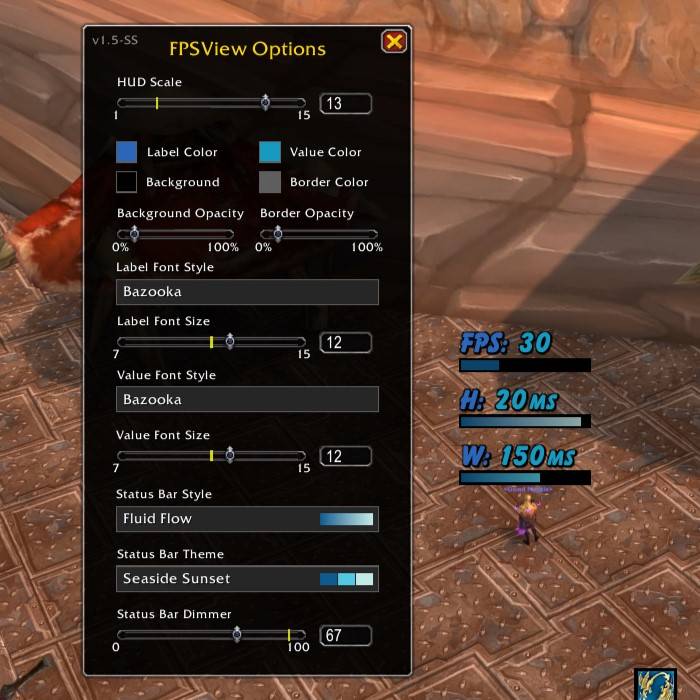
An example of the theme setting "Seaside Sunset" with the Bar Style "Fluid Flow" and the Bazooka Font.

An example of the theme setting "Seaside Sunset" with the Bar Style "Fluid Flow" and the Bazooka Font.

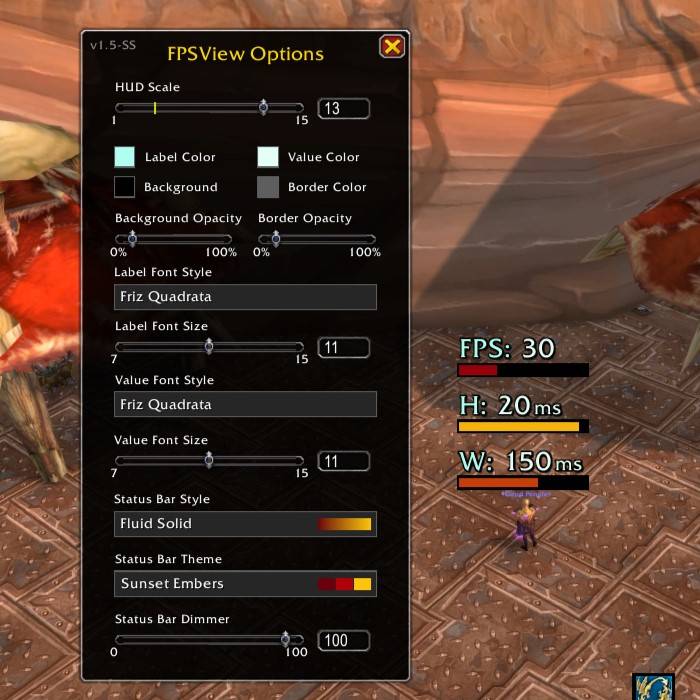
An example of the theme setting "Sunset Embers" and Fluid Solid Bar Style.

An example of the theme setting "Sunset Embers" and Fluid Solid Bar Style.

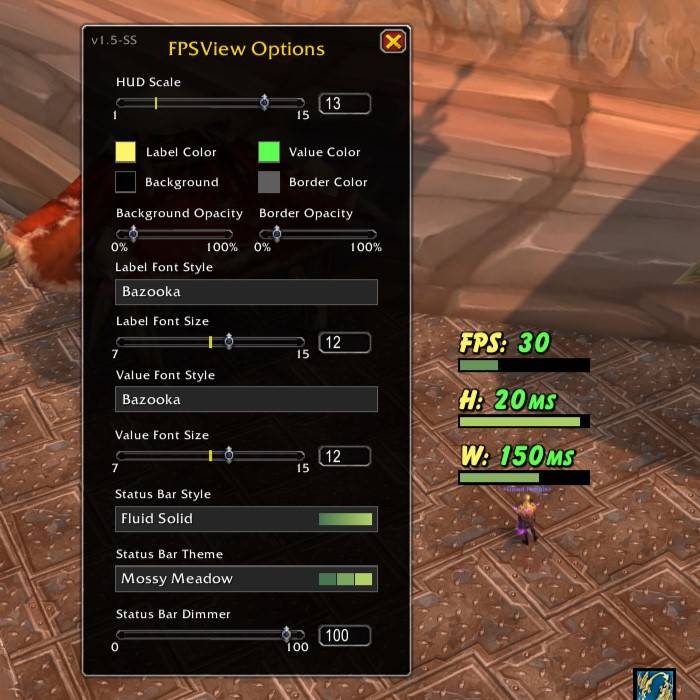
An example of the theme setting "Minty Meadow" and Fluid Solid Bar Style.

An example of the theme setting "Minty Meadow" and Fluid Solid Bar Style.

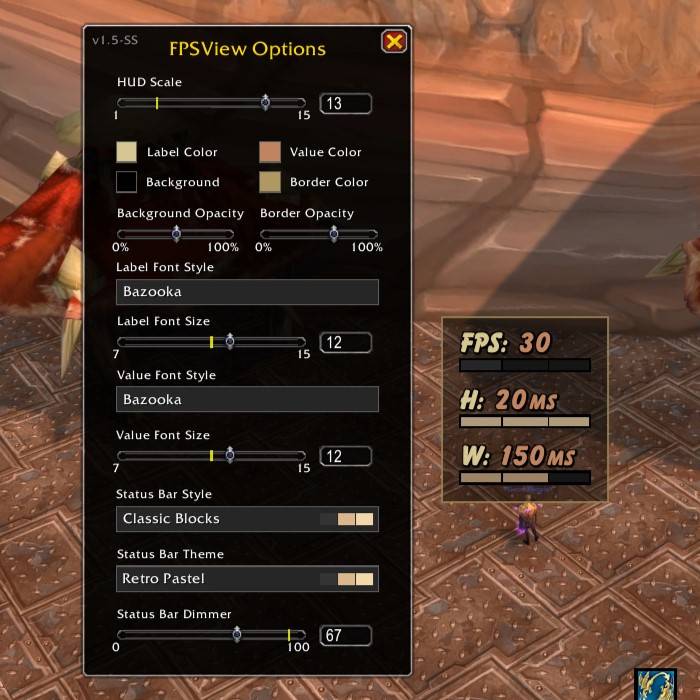
An example of the theme setting "Retro Pastel" and Classic Blocks Bar Style and a background Frame.

An example of the theme setting "Retro Pastel" and Classic Blocks Bar Style and a background Frame.

Description

FPSView

FPSView is a minimal, lightweight system monitor for World of Warcraft designed to provide real-time performance data without cluttering your UI. It provides a sleek, draggable HUD that tracks your frames per second (FPS) and network latency (Home and World MS) using a unique "block-style" or "fluid" visual display.

Features

  • Real-Time Tracking: Instant, accurate updates for FPS, Home Latency (H), and World Latency (W).
  • Smart Status Bars: Visual "health bars" that dynamically change density and color based on your performance thresholds.
  • Selectable Styles: Toggle between Classic Blocks, Fluid Flow, and Fluid Solid styles. More Styles planned for future updates!
  • Appearance Profiles: Save, rename, delete, and switch between different HUD looks. Includes a protected Default profile.
  • Persistent & Draggable: Use Left-Click to move the frame anywhere and Right-Click to Lock it instantly.
  • Low Footprint: Highly optimized code ensures the addon has zero impact on your game performance.

How to Use

  • /fpsv: Opens the Options & Customization menu.
  • /fpsv reset: Resets the window position and all settings to default.
  • Left-Click & Drag: Move the HUD to your preferred location.
  • Right-Click: Toggles locking and unlocking the frame.
  • Mouseover: Hover over the frame to see version info and current status in the tooltip.

Customization

  • Theme Engine: Now over 30+ color presets to match any UI flavor.
  • Style Engine: 4 Bar Styles to choose from. More styles to be added in future updates!
  • Profile System: Save different looks for different UI setups, characters, or preferences.
  • Full Font Control: LibSharedMedia integration allows you to use any font in your library, plus built-in favorites like Digital-7 and Skurri. Additional Fonts to be added in future updates!
  • Visual Sliders: Fine-tune the HUD Scale, Bar Brightness (Dimmer), and Background/Border Opacity to your exact liking.
  • Stay-On-Top Menu: The /fpsv menu stays above action bars and other UI elements for easy configuration.

Latest Updates

  • v1.8.2: Fixes HUD scale changing when entering dungeons or changing zones.
  • v1.8.1: Adds per-character profile/position handling and fixes profile switching background refresh issues.
  • v1.8: New: Added an appearance profile system with save, create, delete, rename, and protected Default profile support.
  • v1.7: New: Neon Pulse Bar Style added! Several under the hood optimizations and tweaks for stability and polish.
  • v1.6: Added 10 new Status Bar color themes. 
  • v1.5: Added Fluid Bar Styles, Status Bar Dimmer, and 25+ total themes. Fixed dropdown menu overlap bugs and various under the hood bugs and GUI inconsistencies.
  • v1.2: Added Theme Engine, SharedMedia support, and Options GUI. Refined logic thresholds.
  • v1.1: Initial Release.

The FPSView Team

profile avatar
  • 2
    Projects
  • 139
    Downloads

More from WizardsPotion

  • SweetCast (AzCastBar Reborn) project image

    SweetCast (AzCastBar Reborn)

    • 38
    • Addons

    A modern rewrite and revival of AzCastBar, bringing clean customizable castbars to current WoW clients. Supports Player, Target, Mirror, Focus, and Pet bars with edit mode, profiles, safe zone display, classic textures, and Blizzard bar suppression.

    • 38
    • May 13, 2026
    • Addons
    • +4
  • SweetCast (AzCastBar Reborn) project image

    SweetCast (AzCastBar Reborn)

    • 38
    • Addons

    A modern rewrite and revival of AzCastBar, bringing clean customizable castbars to current WoW clients. Supports Player, Target, Mirror, Focus, and Pet bars with edit mode, profiles, safe zone display, classic textures, and Blizzard bar suppression.

    • 38
    • May 13, 2026
    • Addons
    • +4