
ForeverXPBar - Custom XP Bar & Leveling Tracker
- By

A sleek, minimalist visual Experience Bar featuring an aurora gradient, session tracking, and a built-in settings panel.
What's new
[0.7.0] — Current development build
Added — Challenge & race system
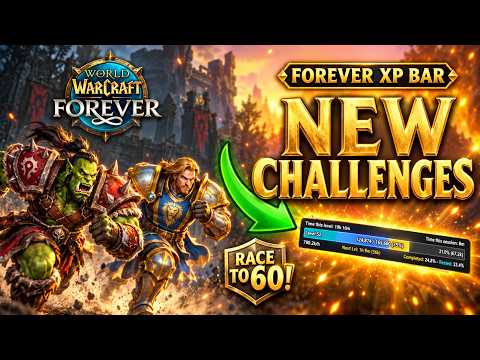
🎬 ForeverXP Bar 0.7.0 — Video Showcase
Watch the latest update showcase!
- Setup your challenge: combined challenge-goal setup and race management into one streamlined section.
- Level goals: choose a target level to reach. A race created with a blank target-level field defaults to level 60. The chosen target must still be above the host's current level.
- Optional calendar deadline: set a number of Days and a Time (HH:MM). Deadlines use real calendar time rather than time spent playing. Leave both blank for a level-only race; specifying Days also requires a time.
- Create applies the goal automatically: no separate Set challenge goal button is needed. Create validates the inputs, creates the race, and establishes its goal.
- Shareable race codes: host a race with a name and share the generated code with other players.
- Join by code: enter a race code or select a discovered guild race. The join field displays “Insert the code” only while empty.
- Host-defined shared objective: race participants use the host's target level and optional deadline in their challenge display rather than substituting a local personal goal.
- Automatic goal retrieval: players joining a race request the host's requirements; available guild and peer messages can supply the goal.
- Separate progress baselines: each participant's race progress begins when they join, while the race target and deadline are shared.
- Guild race discovery: use Discover guild races to look for races advertised by online guild members running the addon. Discovered race buttons use compact names, distinguish duplicates, and can be dismissed locally.
- Race controls: Create, Join, Leave race, Discover guild races, Clear, Share progress with my guild, and Show race panel.
- Clear action: resets the local challenge setup, active race state, discovered races, and input fields without resetting unrelated addon settings.
- Race progress panel: displays participating players and their progress toward the shared race target, including the race's target level.
- Resizable race panel: drag the three-line handle at the bottom right to adjust width and height. The addon remembers the chosen dimensions and fits visible player rows to the available space.
- Challenge status: shows progress, estimated pacing, remaining deadline time when relevant, and completion/failure information.
- Vertical challenge bar: displayed alongside the activity meter when a challenge is active; its goal label is placed below the bar.
Added — Activity, leveling & alerts
- Activity meter: a vertical bar estimates recent active leveling versus inactivity, with a color progression from green (more active) through yellow toward red (less active/AFK).
- Activity breakdown: tracks time associated with activity, travel, idle time, resting in town, flight, and death for leveling insights and tooltips.
- Rest alerts: optional visual warnings for full rested XP and logging out outside a resting area.
- Rested XP information: shows available rested XP and a rough estimate of the time it could save at the current leveling rate.
- RXP target marker: optionally marks XP targets inferred from RestedXP guide steps on the XP bar, when compatible information is available.
- Level-up card: configurable on-screen level-up announcement with an adjustable display duration, preview and last-card actions.
- Card sharing/tests: support for manually sending level-card messages to supported chat channels, optional automatic party/guild announcements on level-up, and a Test to Say action.
- Visual alert previews: dedicated preview/test controls for level-card and warning displays.
Changed — Challenge interface
- Reorganized the goal and race interface under Setup your challenge, replacing the separate Challenge with friends section.
- Removed the dedicated Set challenge goal button; creating a race now starts the configured goal as part of the same action.
- Removed “from now” from the Days field label.
- Shortened the Target level, Days, and Time (HH:MM) input widths so they fit their labels and values instead of stretching across the panel.
- Shortened the Race name and race-code fields and kept Create and Join immediately beside their corresponding inputs.
- Changed the join-code placeholder to “Insert the code” and made it disappear when text is entered and reappear if the field is emptied.
- Organized the action row as Leave race / Discover guild races / Clear.
- Preserved a scrollable challenge page so expanding content and discovered races do not crowd the action buttons.
- Positioned LEVEL RECORD after the challenge/race controls, with its visibility and pause controls still available.
Changed — Settings & appearance
- Added a compact Window Scale control in the main settings title bar, beside the close button.
- Matched the control's colors to the settings theme: small label, slim track, accent-colored thumb, and an editable percentage field.
- Enabled live scaling while dragging. The slider uses a fixed drag-start reference to reduce feedback and jumping as the window changes size.
- Set the supported scale range to 75%–135%. Typing a percentage and pressing Enter also applies it.
- Applied the same scale to both the main settings panel and the companion Bar & Level Card Settings window.
- Kept the detailed settings in the companion panel, opened from the challenge page with Open settings; it closes when the main settings window closes.
- Removed the redundant Text Style: Normal / Bold control from the Adjust interface, while preserving the specific font-selection options for text on and above/below the XP bar.
- Preserved independent text sizing for individual XP-bar labels.
- Reordered Bar settings controls onto aligned rows: Meter + challenge bar, RXP target marker, and Rest alerts (rested full, bad logout).
- Retained Meter height and Meter width controls and level-card preview/test options in the companion settings panel.
- Retained the Level Record panel's own font, text-size and opacity settings.
- Removed unwanted window corner resize grips from the settings windows; the dedicated resize grips remain on the record and race panels.
Core XP bar features
The current build also includes the following XP bar and tracking capabilities:
- Aurora-style gradient XP fill, with configurable color presets, class-color mode, and custom colors.
- Distinct quest XP segment and a translucent rested XP overlay.
- Optional smooth fill, spark, tick marks, borders, textures, and level-up effects.
- Configurable bar width, height, opacity, visibility, mouseover behavior, and combat behavior.
- Optional hiding of Blizzard's default XP bar and support for showing the addon bar at maximum level.
- Independently configurable on-bar and outside-bar text, including level, current/maximum XP, percentages, level/session timers, XP per hour, estimated time to the next level, and kills/quests to level.
- Drag positioning for the main XP bar and supported text elements.
- Rolling XP/hour calculations, adjustable rolling window, per-level tracking, hover tooltip, and session summary.
- Level Record panel with per-character level timing, pause/resume controls, comparisons, position controls, and a saved resizable layout.
- Camp-benefit and Well Rested buff icons, optional countdowns, customizable fonts/sizes, positioning, and expiration warnings.
- Minimap button shortcuts and profile management.
- Optional automatic quest acceptance and turn-in.
Fixed / improved
- Reduced UI overlap between the challenge heading and its tab buttons.
- Reduced input, button, and checkbox collisions in the challenge and settings panels.
- Corrected the alignment of the RXP marker option within Bar Settings.
- Reworked scale-slider drag behavior to avoid the window's changing scale altering the drag distance mid-interaction.
- Kept challenge and race controls accessible as the page grows.
- Made the race panel's player rows adapt to the resized panel width and available height.
- Improved the goal caption positioning below the vertical challenge bar.
Compatibility & usage notes
- Addon version remains
0.7.0. - Race discovery and synchronization use WoW addon messages over supported in-game communication routes; the host or another reachable participant must be online for previously unknown race details to be received. This is not a global or server-side race service.
- For best results, all race participants should use a compatible build of ForeverXP Bar.
- Race level goals must be above the creator's current level. A blank goal field defaults to level 60, but that default cannot be used to create a valid race if the creator has already reached level 60 or higher.
- The RXP marker is a best-effort integration and depends on accessible RestedXP guide information.
- The activity measure and leveling ETA are estimates, not exact measures of player performance or future leveling time.
- Some changes are implemented in Lua but have not been independently verified in live multiplayer gameplay. Test race creation, join-code exchange, host-goal syncing, panel resizing, and chat announcements in-game.
Installation / updating
- Keep the addon folder named
ForeverXPBar. - Replace the corresponding addon files with those from the current compatible release, including
ForeverXPBar.lua. - In World of Warcraft, run
/reloadto reload the addon. - Open the settings using
/fxpbor/foreverxpbar.
Supporting Lua files referenced by the addon: ForeverXPBarSounds.lua, ForeverXPBarCampData.lua, and ForeverXPBarFonts.lua.
This document records the cumulative features and recent changes for 0.7.0. It does not claim individual release dates or assign features to earlier versions without an authoritative earlier changelog.
This mod has no additional files