ForeverXPBar - Custom XP Bar & Leveling Tracker
- By
A sleek, minimalist visual Experience Bar featuring an aurora gradient, session tracking, and a built-in settings panel.

foreverxp bar.png
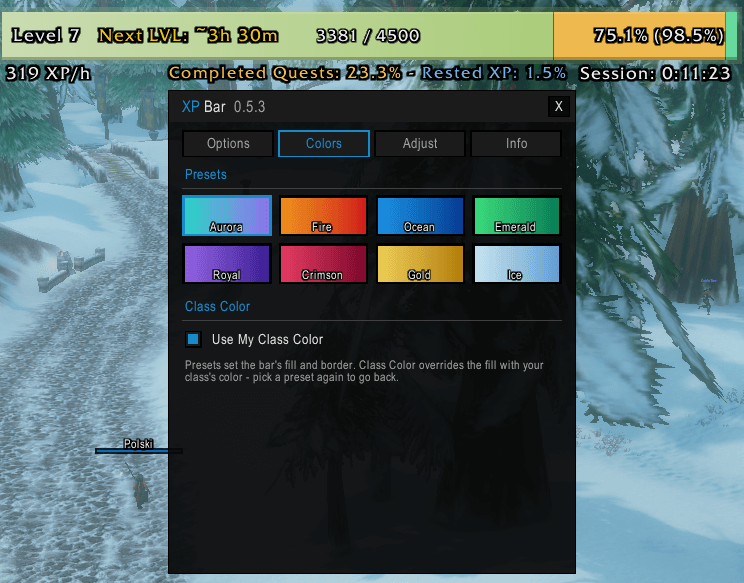
foreverxp colors.png
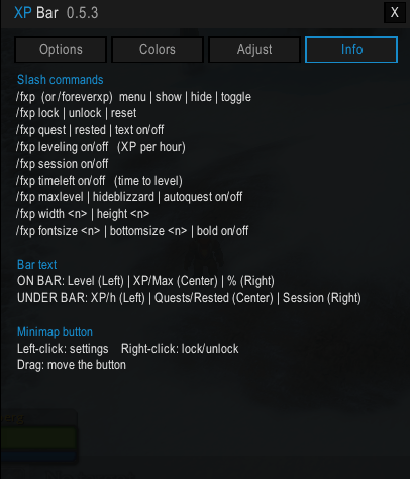
foreverxp settings.png
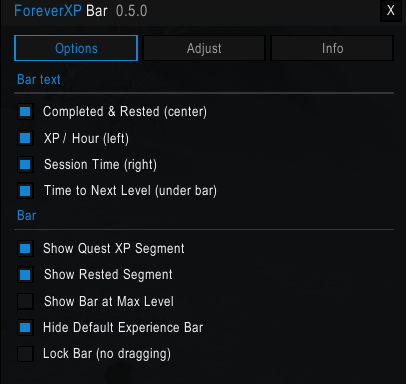
foreverxp settings.png
Description




✨ ForeverXP Bar
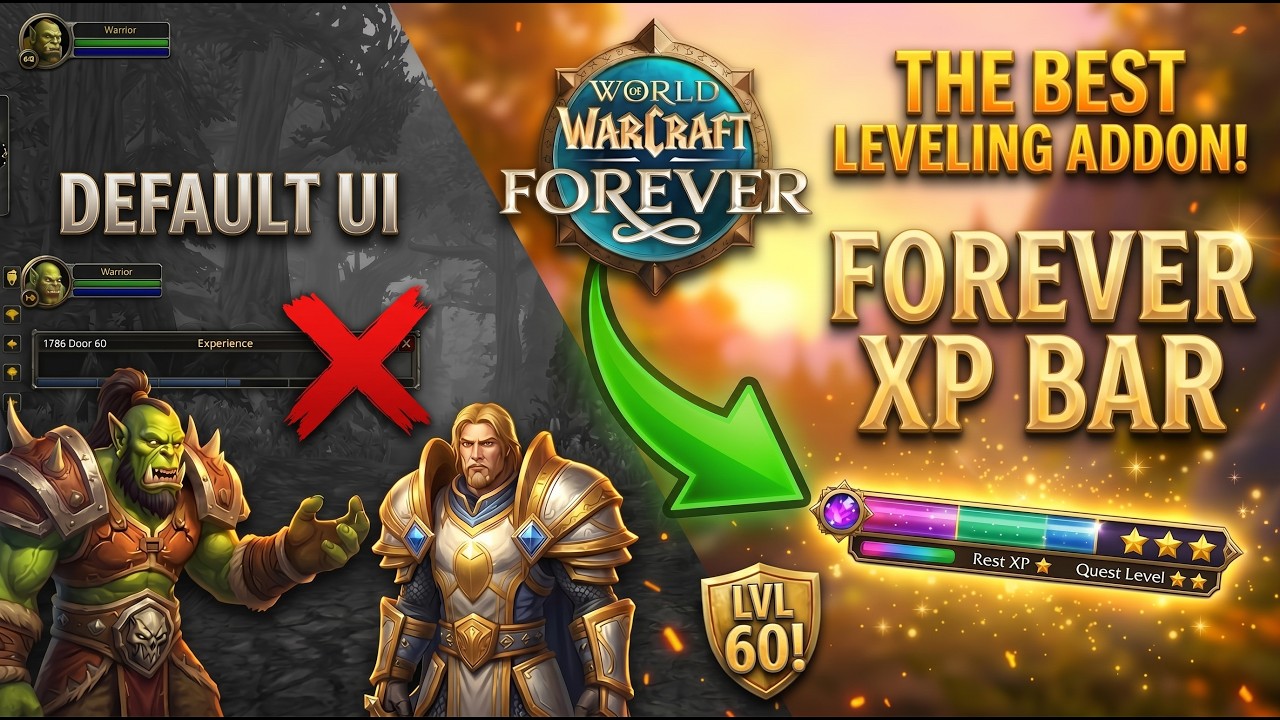
Upgrade your leveling journey with ForeverXP Bar—a sleek, modern, and minimalist visual Experience Bar for World of Warcraft. Designed with a stunning "aurora" aesthetic, it delivers deep leveling analytics without cluttering your screen.
Say goodbye to the clunky default UI and hello to smart tracking, beautiful gradients, and total customization.
🌟 Key Features
- 🌌 Aurora Aesthetic: Gorgeous teal-to-violet gradient fills featuring a soft outer glow and a premium glass-edge sheen.
- 📊 Smart XP Segments: Instantly see where your XP is coming from:
- Current XP: Smooth Aurora Gradient
- Pending Quest XP: Amber 🟠 (Unclaimed XP sitting in your quest log)
- Rested Bonus: Mint 🟢 (Banked rested XP)
- ⏱️ Advanced Analytics: Live XP/hour computations based on your time spent in the current level, delivering highly accurate "Time to Next Level" estimates.
- ⏳ Session Tracking: Logs your current play session time. Survives UI reloads and zoning, but automatically resets on a fresh login.
- ⚡ Built-in Auto-Quester: Speed up your leveling with automatic quest accepting and turn-ins (Hold
Shiftto pause at any time). - ⚙️ ElvUI-Style Settings Panel: A gorgeous, built-in configuration menu featuring dark backgrounds, 1px borders, and value-color accents. Accessible instantly via the included minimap button.
📐 Clean, Minimalist Layout
The bar features a refined, uncluttered text layout engineered for easy reading at a single glance.
Inside the Bar:
⬅️ Left: Next Level Estimate (e.g.,
Next lvl: ~1h 24m) ⏺️ Center: XP Left / Total XP (e.g.,15.2k / 28.0k) ➡️ Right: Session Time (e.g.,Session: 0:37:38)
Beneath the Bar:
⬅️ Left: Leveling Speed (e.g.,
1.4k XP/h) ⏺️ Center: Segment Percentages (e.g.,Completed: 24.3% - Rested: 0.0%)
💻 Slash Commands & Configuration
Configure everything directly through the in-game settings panel (click the minimap button), or use the quick slash commands below.
💡 Tip: You can use /fxpb or /foreverxpbar interchangeably.
⚙️ Core Controls
/fxpb menu— Opens the ElvUI-styled settings panel./fxpb show|hide|toggle— Changes the visibility of the entire bar./fxpb lock|unlock— Toggles the ability to drag the bar across your screen./fxpb reset— Restores the bar to its default position and size.
👁️ Visibility & Features
/fxpb hideblizzard on/off— Hides or restores the default Blizzard XP bar./fxpb maxlevel on/off— Choose whether the bar remains visible at max level./fxpb autoquest on/off— Toggles the automatic quest accept/turn-in feature./fxpb <element> on/off— Toggles individual text elements. (Replace<element>with:quest,rested,text,leveling,session, ortimeleft)
🎨 Sizing & Styling
/fxpb width <number>— Adjusts the bar's width./fxpb height <number>— Adjusts the bar's height./fxpb fontsize <number>— Adjusts the main text size inside the bar./fxpb bottomsize <number>— Adjusts the secondary text size beneath the bar./fxpb bold on/off— Toggles bold styling for the text fonts.
ForeverXPBar - Custom XP Bar & Leveling Tracker Team