ForeverWhatToFarm
- By
Find out what to farm next! Compare material prices, discover profitable farming locations, explore gold farming guides, and calculate smelting profits in WoW Forever.
Screenshot 2026-11-25 151749.png
Screenshot 2026-11-25 151800.png
Screenshot 2026-11-25 151809.png
Screenshot 2026-11-25 151833.png
Screenshot 2026-11-25 151855.png
Description
# ForeverWhatToFarm
### Stop wondering what to farm. Start farming smarter!
**ForeverWhatToFarm** is a complete farming and gold-making companion designed for **World of Warcraft: Forever**.
Whether you're a new player looking for your first gold, a leveling character searching for useful farming locations, or an experienced farmer trying to maximize profits, ForeverWhatToFarm helps you decide **what to farm, where to farm, and why it's worth farming**.
Explore over 160 farming guide entries, discover valuable materials, compare available market prices, calculate smelting profits, and receive personalized farming suggestions based on your character level and professions.
Everything is organized in a convenient, easy-to-use interface.
---
## Features
### Farming Advisor – What Should I Farm?
Not sure where to start?
The integrated **Farming Advisor** recommends suitable farming locations based on your character's level and profession skills.
**Features:**
- Character level support from 1 to 60.
- Mining, Herbalism, Skinning, and Fishing support.
- Individual profession skill levels.
- Automatic detection of supported character information.
- Personalized farming recommendations.
- Suggestions for characters without gathering professions.
- Direct access to detailed farming guides.
Find farming locations that match your current character instead of browsing endless farming lists.
**Especially useful for new players and characters still leveling.**
---
### TOP 15 – Valuable Farming Materials
Discover the most valuable materials based on available item prices.
- Displays the 15 highest-priced supported farming materials.
- Includes ores, herbs, leather, cloth, and elemental materials.
- Sorts items by known market price.
- Displays material icons and prices.
- Provides farming locations where available.
- Updates when compatible price data changes.
**Note:** The TOP 15 ranking is based on individual item prices, not guaranteed gold per hour.
---
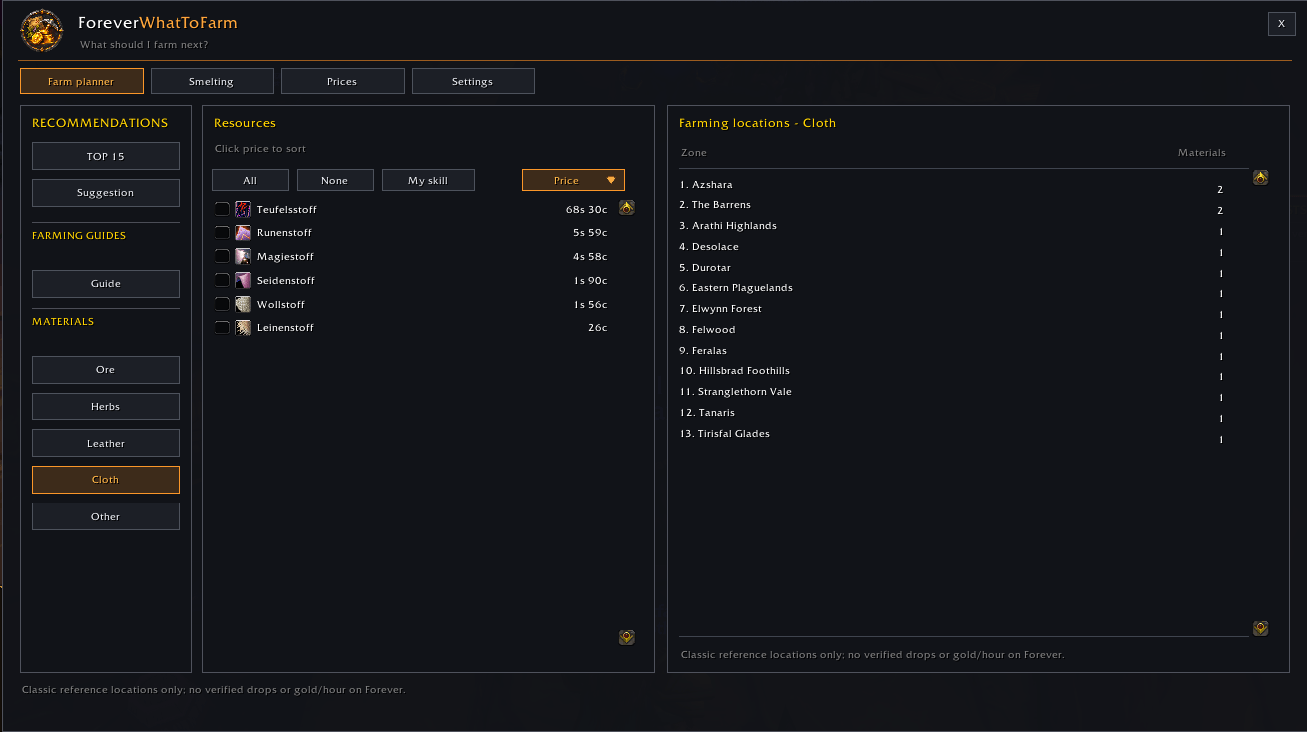
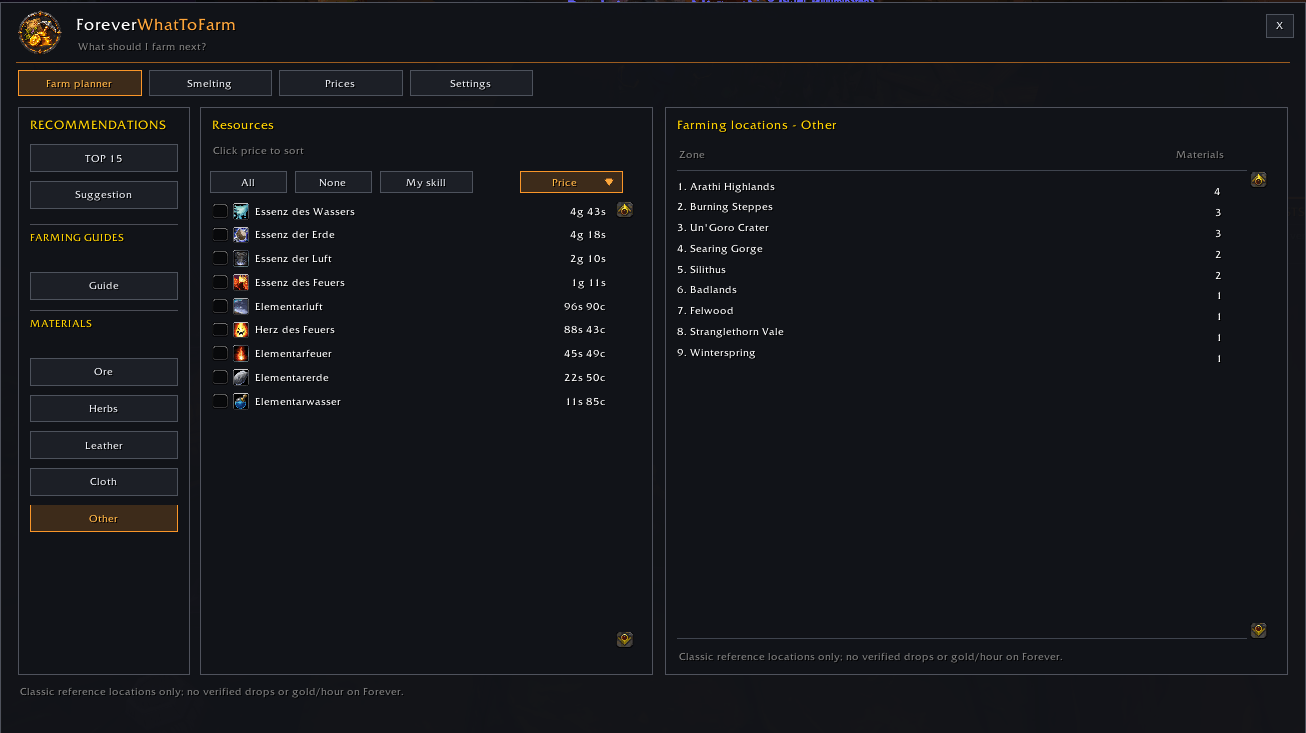
### Farming Planner
Explore valuable farming resources across several categories.
**Supported materials:**
- Ores
- Herbs
- Leather
- Cloth
- Elemental materials
- Other farming resources
**Features:**
- Browse materials by category.
- Select resources using checkboxes.
- Sort materials by ascending or descending prices.
- View known farming locations.
- Compare market prices.
- Display profession requirements where available.
- Estimate farming income using configurable farming assumptions.
Use the integrated farming model to adjust estimated resource discoveries per hour.
---
### Extensive Gold Farming Guide
Explore a growing database of **over 160 farming guide entries** covering character levels 1–60.
The farming guide includes locations for:
- Humanoids
- Beasts
- Elementals
- Cloth farming
- Skinning
- Gathering
- Fishing
- Dungeon farming
- Raw gold farming
**Guide information includes:**
- Recommended character levels.
- Enemy names and farming zones.
- Known farming coordinates where available.
- Common and valuable loot.
- Grey-quality vendor items.
- Vendor sell prices where documented.
- Profession-related farming opportunities.
- Farming strategies and additional notes.
#### Improved Guide Navigation
Version 1.0.5 introduces a redesigned farming guide interface.
- Scroll through farming locations using the mouse wheel.
- Use the integrated vertical scrollbar.
- No more switching between multiple result pages.
- Category and level filters remain visible.
- Clear separators between different interface sections.
- Improved spacing for easier reading.
- Selected farming locations remain highlighted.
- A simplified result counter shows matching farming entries.
Browse large numbers of farming locations without repeatedly clicking navigation buttons.
---
### Dedicated Raw Gold Farming
Want to earn gold without depending entirely on Auction House sales?
The dedicated **Raw Gold** category focuses on farming coins and valuable items that can be sold directly to NPC vendors.
**Features:**
- 17 dedicated raw gold farming locations.
- Farming recommendations for levels 18–60.
- Beast and enemy farming opportunities.
- Known grey-quality loot.
- Individual vendor prices where documented.
- Location coordinates where available.
- Recommended faction information.
- Additional farming notes.
Explore raw gold farming opportunities in locations such as:
- Ashenvale
- The Barrens
- Wetlands
- Stranglethorn Vale
- Desolace
- Arathi Highlands
- Badlands
- Swamp of Sorrows
- Blasted Lands
- Tanaris
- Un'Goro Crater
- Western Plaguelands
- Silithus
Raw gold farming is particularly useful for players who prefer vendor income over relying exclusively on fluctuating market prices.
---
### Additional Gold Farming Methods
ForeverWhatToFarm also includes farming opportunities involving Auction House sales, quest materials, and profession-based income.
Examples include:
- Turtle meat and skinning materials.
- Raptor loot and valuable grey items.
- Yeti farming for cloth and leather.
- Elemental Earth, Fire, Water, and Air.
- Cloth farming from humanoids.
- Pages of the Green Hills of Stranglethorn.
- Giant Eggs from owlbeasts.
- Felcloth farming.
- Winterfall Firewater.
- Devilsaur Leather.
- Mining routes for valuable ores.
- Fishing opportunities and valuable clams.
- Dungeon farming strategies.
These farming methods are categorized according to their primary income type.
**Auction House profits and mixed farming income are not presented as guaranteed raw gold earnings.**
---
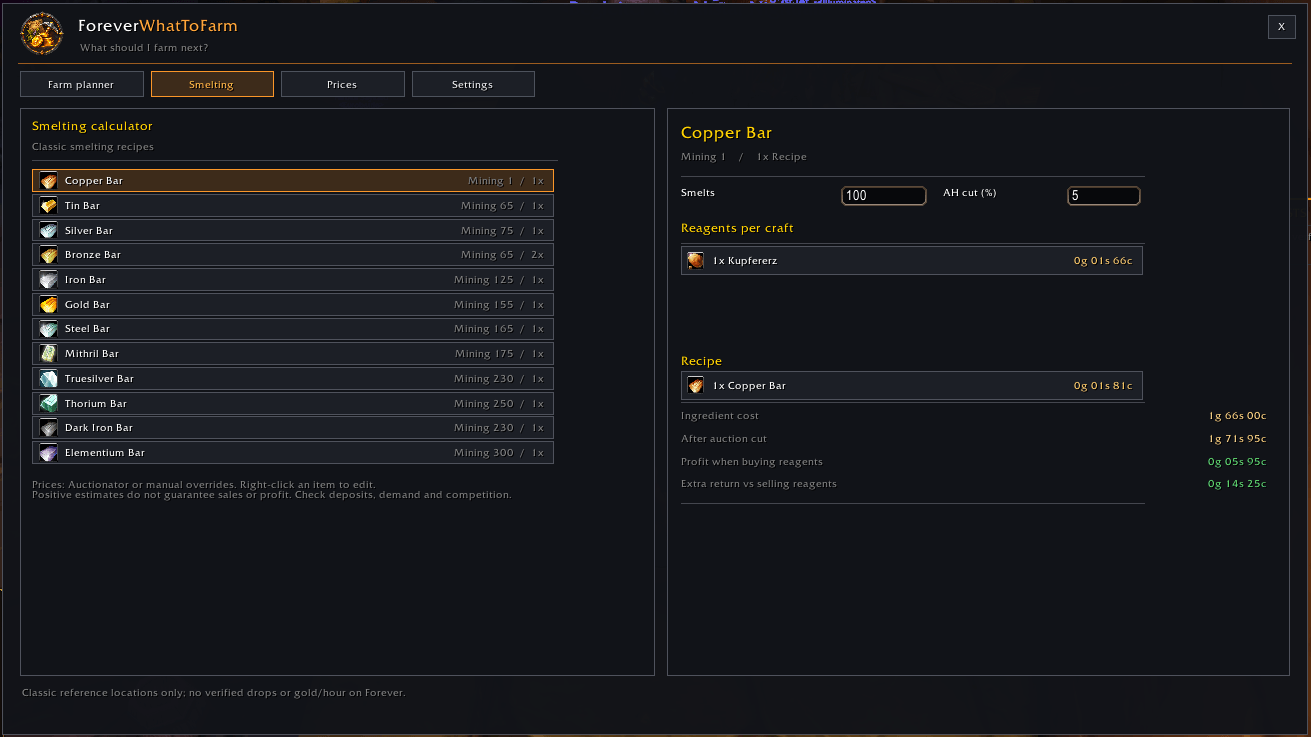
### Smelting Profit Calculator
Discover whether selling raw ores or smelting them into bars is more profitable.
**Features:**
- Multiple Classic smelting recipes.
- Ingredient cost calculations.
- Finished product value comparisons.
- Profit calculations.
- Auction House fee adjustments.
- Adjustable quantities.
- Manual price support.
- Compatible Auctionator price integration.
Compare the value of your raw materials against the value of smelted products before making a decision.
---
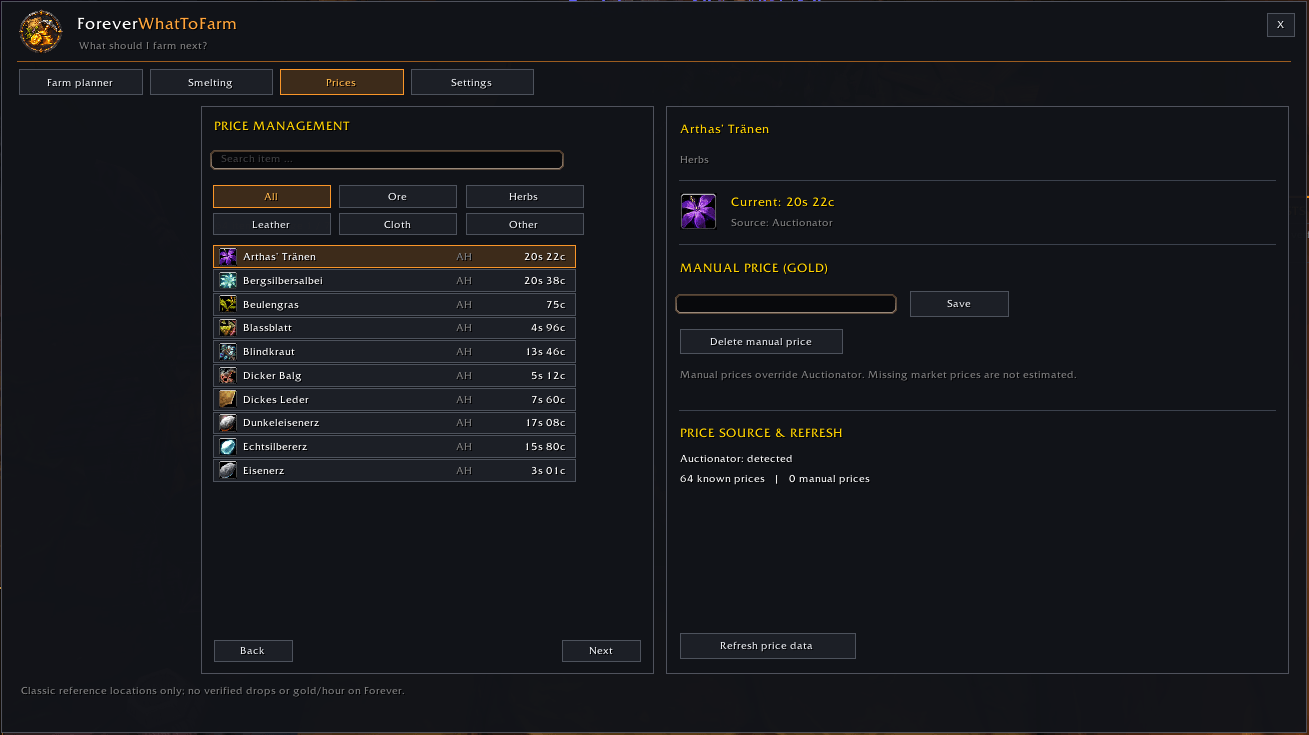
### Market Price Management
ForeverWhatToFarm supports both automatic and manually managed prices.
**Features:**
- Optional Auctionator integration.
- Manual item price overrides.
- Item search and category filters.
- Stored price settings.
- Refresh available price data.
- Remove manual overrides.
- Compare available resource prices.
**Auctionator is optional.**
The addon can still be used without automatic Auction House pricing.
---
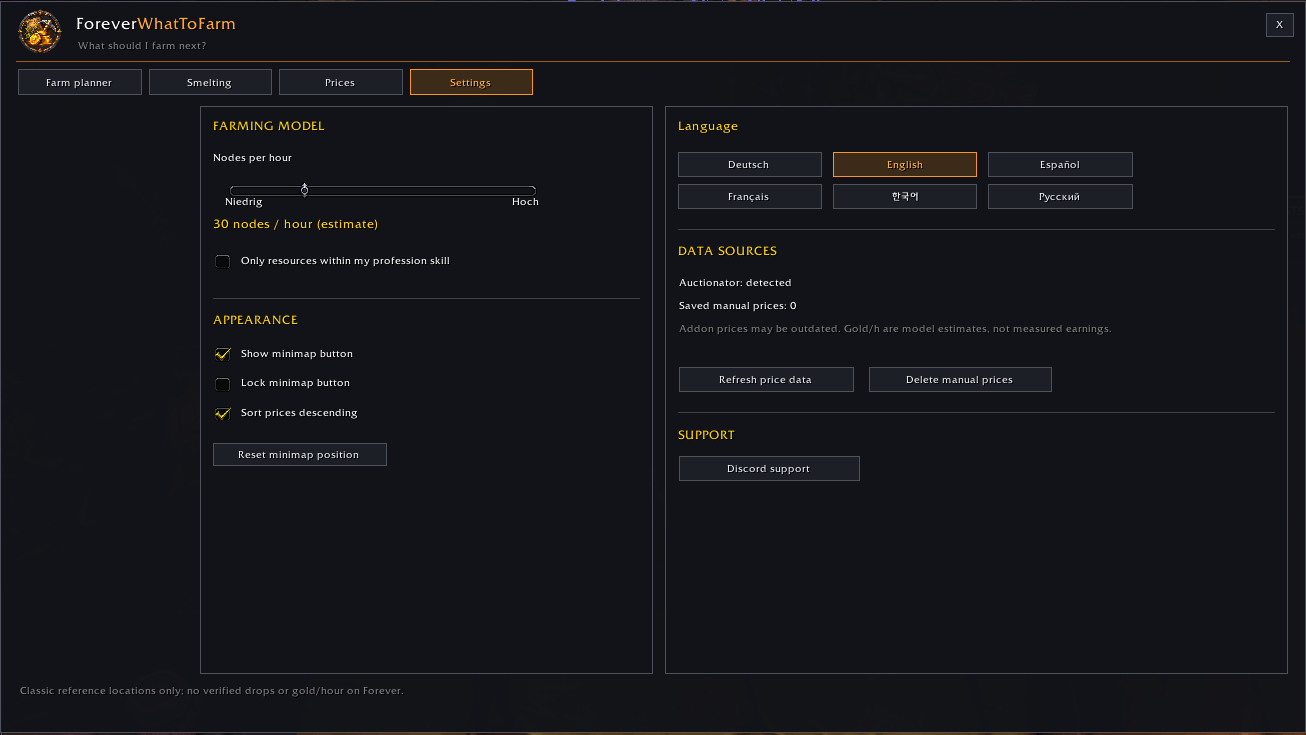
### Farming Income Estimates
Configure your preferred farming model to estimate potential earnings.
- Adjustable resource discoveries per hour.
- Estimated income based on available item prices.
- Customizable farming assumptions.
- Separate treatment of vendor values and market prices.
Actual farming income depends on your character, farming efficiency, competition, drop rates, and market conditions.
**Gold-per-hour figures are estimates, not guaranteed results.**
---
### Multilingual Interface
ForeverWhatToFarm supports six interface languages:
- German (Deutsch)
- English
- Spanish (Español)
- French (Français)
- Korean (한국어)
- Russian (Русский)
The selected interface language can be changed directly in the addon settings.
Language preferences are saved automatically.
Some detailed farming data and historical location descriptions may remain in their original source language.
---
### Custom Forever-Style Interface
Enjoy a dedicated interface designed for efficient farming research.
- Dark Forever-inspired design.
- Orange highlights and clear section headings.
- Organized navigation.
- Dedicated farming panels.
- Improved visual separators.
- Scrollable farming guide.
- Detailed farming information.
- Persistent settings and preferences.
The interface is designed to make large amounts of farming information easier to navigate.
---
### Minimap Integration
Open ForeverWhatToFarm directly from the minimap.
- Left-click to open or close the addon.
- Right-click to access settings.
- Movable minimap icon.
- Saved minimap position.
- Optional minimap button visibility.
- Optional minimap button locking.
Required libraries are embedded into the addon:
- LibStub
- CallbackHandler-1.0
- LibDataBroker-1.1
- LibDBIcon-1.0
No additional library installation is required.
---
## Getting Started
1. Install ForeverWhatToFarm.
2. Open the addon using `/fwtf` or the minimap icon.
3. Visit **TOP 15** to explore valuable materials.
4. Use **Farming Advisor** for recommendations based on your character.
5. Browse material categories in the Farming Planner.
6. Open the **Gold Farming Guide** to explore detailed farming locations.
7. Select **Raw Gold** to find vendor-focused farming opportunities.
8. Use the **Smelting Calculator** to compare processing profits.
9. Configure price sources, farming estimates, and language preferences in Settings.
Your settings and selections are saved automatically.
---
## Who Is This Addon For?
**New Players**
Discover farming opportunities without needing extensive knowledge of Classic farming locations.
**Leveling Characters**
Find locations suitable for your level while collecting gold, useful materials, and experience.
**Gathering Professionals**
Explore mining, herbalism, skinning, and fishing opportunities.
**Gold Farmers**
Find valuable drops, vendor loot, Auction House materials, and alternative gold-making methods.
**Profession Enthusiasts**
Compare material prices and smelting profitability.
---
## Important Notes
ForeverWhatToFarm combines available game data, historical Classic farming references, and community farming information.
Please note:
- Some farming locations may behave differently in World of Warcraft: Forever.
- Loot tables and farming recommendations are expanded as reliable information becomes available.
- Historical farming profits are not guaranteed.
- Auction House prices can change significantly.
- Vendor prices and Auction House prices are treated separately.
- Some farming income reports originate from community guides and have not been independently verified.
- The addon does not automate combat, movement, gathering, or other gameplay actions.
---
## Installation
1. Download the latest ForeverWhatToFarm version.
2. Extract the archive into your World of Warcraft AddOns directory.
3. Make sure the folder is named `ForeverWhatToFarm`.
4. Enable the addon at character selection.
5. Log in and open it using `/fwtf` or the minimap button.
---
## Feedback, Bugs & Feature Requests
ForeverWhatToFarm is actively maintained and improved based on community feedback.
Found an incorrect farming location, missing loot information, or a bug?
Want to suggest additional farming spots or improvements?
Join the **Loyftwa Addon Community**!
**Discord:** https://discord.loyftwa.de
Bug reports, ideas, and suggestions are always welcome.
---
## Credits
**Created by Loyftwa**
Developed for the World of Warcraft: Forever community.
Special thanks to the Classic WoW community and the creators of publicly available farming resources that help players discover valuable farming opportunities.
---
### ForeverWhatToFarm
**Know what to farm. Know where to go. Farm smarter.**
ForeverWhatToFarm Team

Owner