ForeverPlates
- By
Classic-inspired nameplates for WoW Forever, featuring oval borders, optional class colors, green PvP names, and clear health values and percentages.
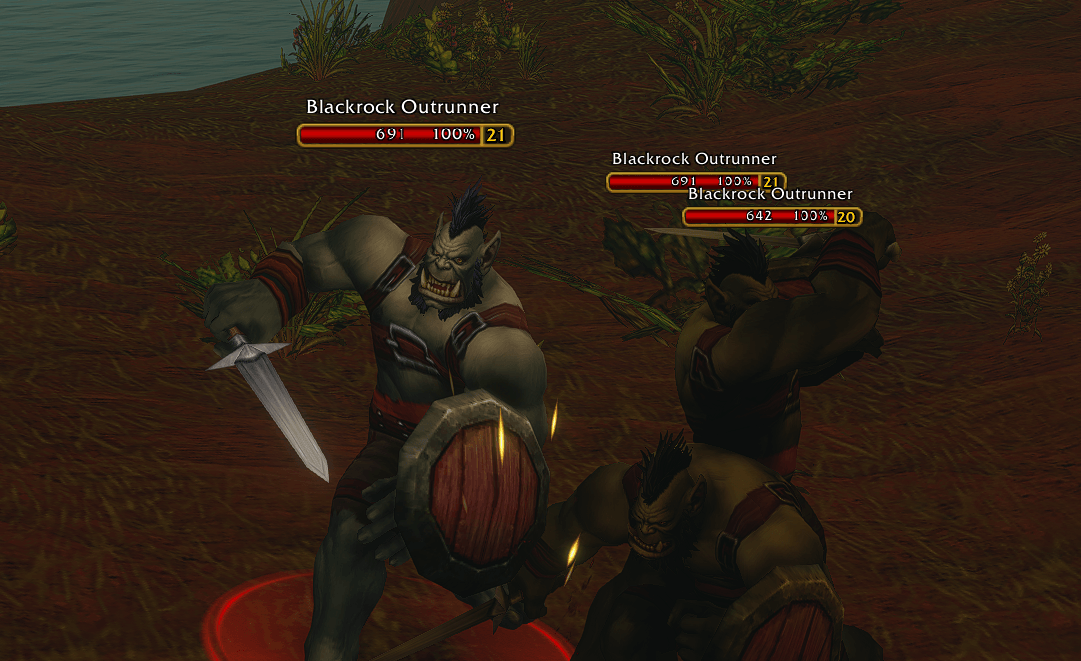
Screenshot 2026-10-09 084447.png
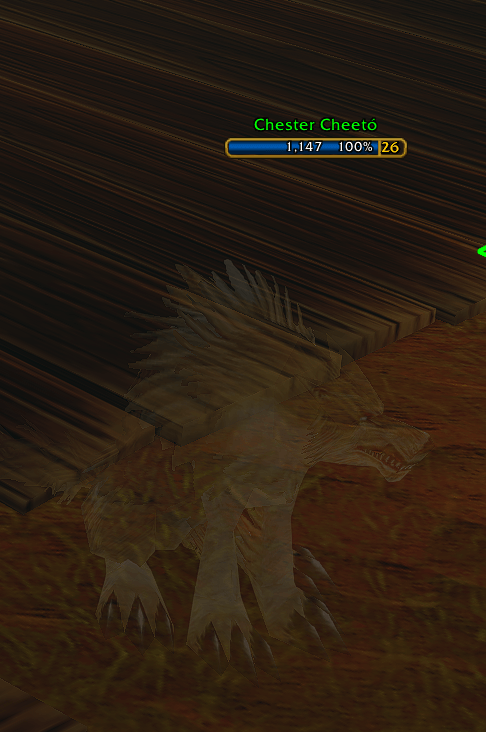
Screenshot 2026-10-09 084632.png
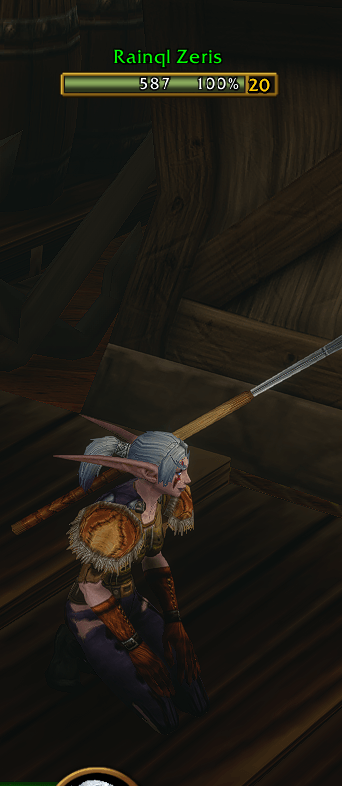
Screenshot 2026-10-09 084900.png
Description
Give your World of Warcraft: Forever nameplates a clean, classic-inspired look.
- Two styles: compact borders or classic oval nameplates.
- Optional class colors: color player health bars by class.
- Green PvP names: identify PvP-flagged players independently of health bar colors.
- Readable health text: numerical health centered, with percentages on the right.
- Built-in Forever fonts: outlined text for improved readability.
- Saved preferences: appearance choices persist across sessions.
Easy configuration
Open /fplates options to choose your style and enable class colors. You can also use /foreverplates with the same commands.
/fplates style classic
/fplates style compact
/fplates classcolors on
/fplates classcolors off
/fplates health percent
/fplates health value
/fplates health both
/fplates health off
Client behaviour
ForeverPlates styles the existing nameplates while Blizzard continues to manage health updates, number formatting, casts, auras, and visibility restrictions. Nameplate visibility and sizing follow your client settings.
Installation
Extract the download and copy the ForeverPlates folder into your Forever client’s Interface/AddOns directory. Make sure the folder contains ForeverPlates.toc and the media folder, then enable the addon in-game.
ForeverPlates Team