ForeverParse
- By
Detailed fight analysis from the game's combat log: every hit, crit, tick, threat, uptime and death recap for you and your group.
ForeverParse-1-summary.png
ForeverParse-2-fight.png
ForeverParse-3-minimap.png
Description
Every hit, crit, miss and tick of your fights, read from the game's own combat log. ForeverParse turns the log into a detailed analysis and shows it in game: per spell, per fight or summed over many fights, for you and your group.
World of Warcraft: Forever gives addons no combat log events. The game can still write the full combat log to a file (/combatlog). ForeverParse comes with a small Python parser that reads this file and writes the results into the addon. A /reload loads them into the window.
What you get
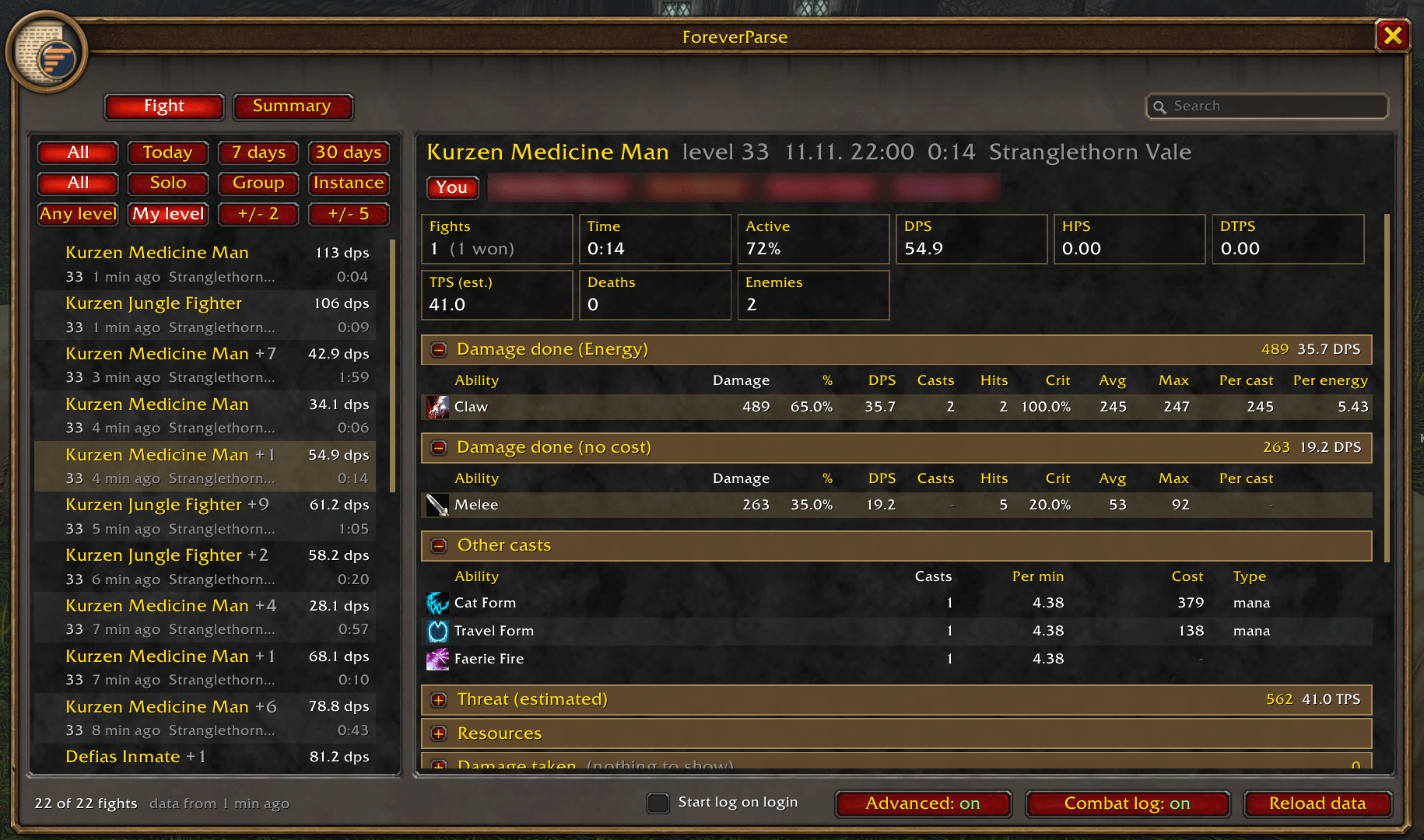
- Fight list with enemy, extra enemies, time, place, group size, duration, your DPS and a skull when you died. Boss encounters are marked
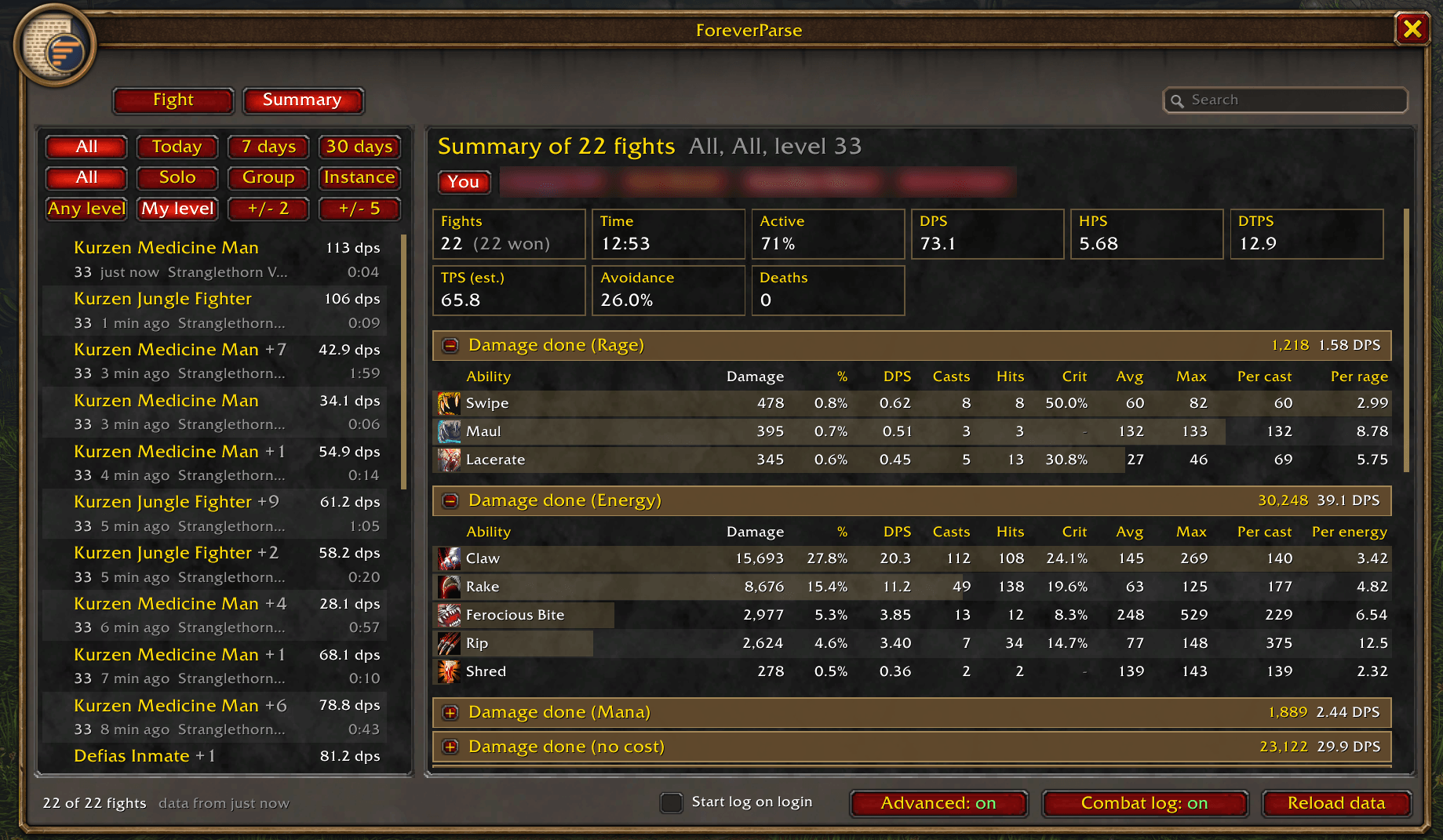
- Fight and Summary views. The summary adds up all fights that match the filters: today / 7 days / 30 days / all, solo / group / instance, your level / +-2 / +-5 (so old fights at a lower level do not skew your numbers), search by enemy, place or player
- Pick one dungeon run: every new instance copy is its own run, so you see just that run's numbers
- Overview: DPS, HPS, damage taken per second, time active (gaps between actions), estimated threat per second, melee avoidance, deaths, interrupts and dispels
- Damage done per spell, split by what the spell costs: Rage, Energy, Mana, Focus and no cost (auto attack, procs). Empty groups are hidden. Columns: damage, share, DPS, casts, hits and ticks, crit rate, average and biggest hit, damage per cast and damage per point of rage, energy or mana, so you see which spell gives the most for your resource. The tooltip splits normal hits, crits and ticks and shows overkill, absorbed, resisted, blocked, glancing blows and every miss type
- Finishers: damage per combo point, split by the number of points spent (Ferocious Bite with 4 or 5 points, Rip and so on)
- Stacks: Lacerate split by the stacks on the target, with direct hit, estimated threat per cast and per rage, and bleed damage per tick for 0 to 5 stacks
- Healing per spell with overheal, crits, shields, healing per cast and per point of mana
- Threat per spell (estimated from stance and spell modifiers), threat per cast, per point of damage and per point of rage, energy or mana. Maul, Heroic Strike and Cleave count the melee swing they replace. Useful for tanks
- Resources: rage, mana and energy gained per source and how much was wasted at the cap
- Damage taken per ability and source with crits, biggest hit, and how much you dodged, parried or that missed you
- Aura uptime of your buffs, debuffs on you and your debuffs on enemies
- Enemies: count, kills, level, health, damage to and from them, time to kill
- Group: damage, healing, damage taken, activity, deaths, interrupts and dispels of every group member. Click a name to see all tables for that player
- Cast timeline of a single fight with target, gap since the last cast and your power
- Death recap: the last hits, heals and avoids before you died, with your health at each step
- Every table can be sorted by clicking a column and folded by clicking its header
- Combat log switch in the window, plus a status display for advanced combat logging (switchable with one click). Optional: start the combat log at every login, so you never forget
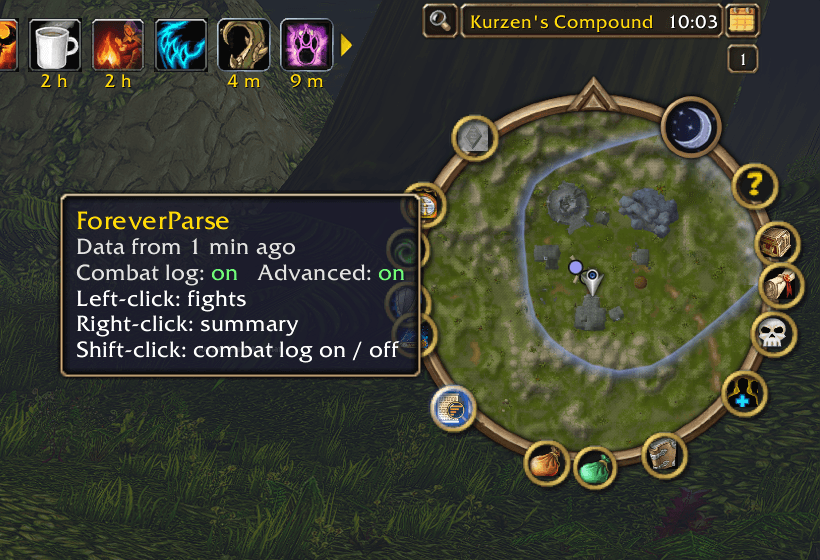
/combatlog - Minimap button: left-click opens the fights, right-click the summary, shift-click starts or stops the combat log. The tooltip shows whether the log is running
How to use it
- Start the combat log: the "Combat log" button at the bottom of the window, shift-click on the minimap button,
/fparse logor/combatlog. Tick "Start log on login" and the addon does it for you at every login. "Advanced" should be on (it adds health, power and spell cost to the log) - Play
- Double-click
Parser\foreverparse.pyin the addon folder (Interface\AddOns\ForeverParse). It needs Python 3 from python.org (Windows then opens .py files with Python). Leave the window open and it updates the data whenever the log grows. From a command line:py foreverparse.py --watch /reloadin game (or the "Reload data" button) and open the window with/fparse
Privacy
Only you, your party or raid members and your pets are kept. Players outside your group are dropped. Everything stays on your PC: the log, the addon data file and a small parser cache in your local app data folder.
Limits
- Not live. New fights show up after the parser ran and you reloaded the UI
- Threat is an estimate from stance and spell modifiers. The Bear Form values were measured against the game's real threat (within about 1 % over many fights); other classes use Classic rules and may be further off. Enrage does not show in the game's log, so its threat is missing
- The game's log only lists group members' actions while they are in your group
Commands
/fparseor/fp- open or close the window/fparse summary- open the summary/fparse log- start or stop the combat log/fparse minimap- show or hide the minimap button
About the parser
The parser is a plain Python script (Parser\foreverparse.py), readable source, no compiled program. It only reads the combat log files in the game's Logs folder and writes one file, Data.lua, into the addon folder. It does not connect to the internet.
Lightweight, no addon dependencies. The parser uses only the Python standard library.
ForeverParse Team