ForeverLayers
- By
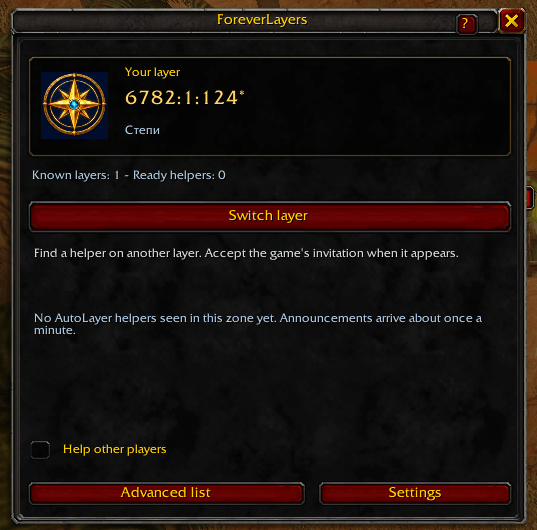
View your provisional copy code and click Switch layer to search for a helper.
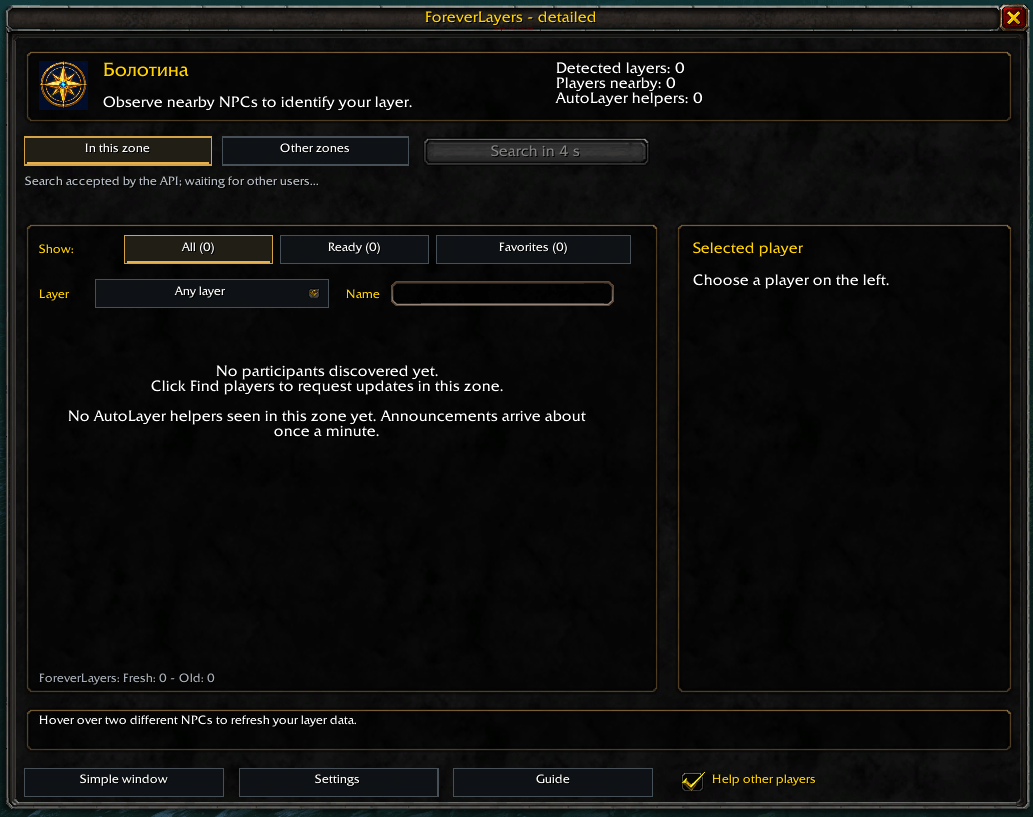
Find participants in your zone, filter by layer, name or readiness, and view player details before requesting a group invitation.
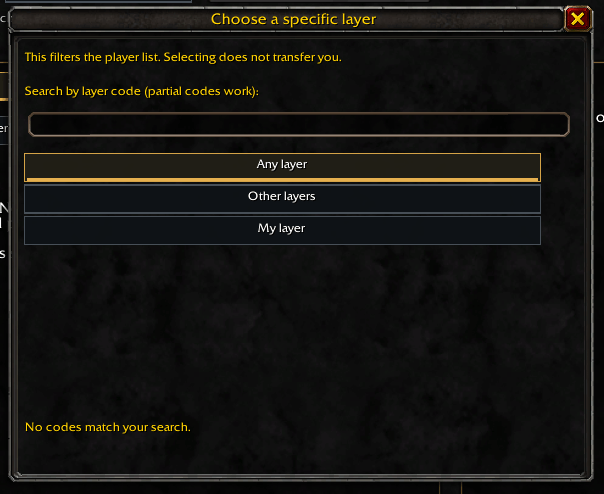
Filter discovered players by layer within your current zone, or search by full or partial copy code. Selecting a filter does not change your layer.
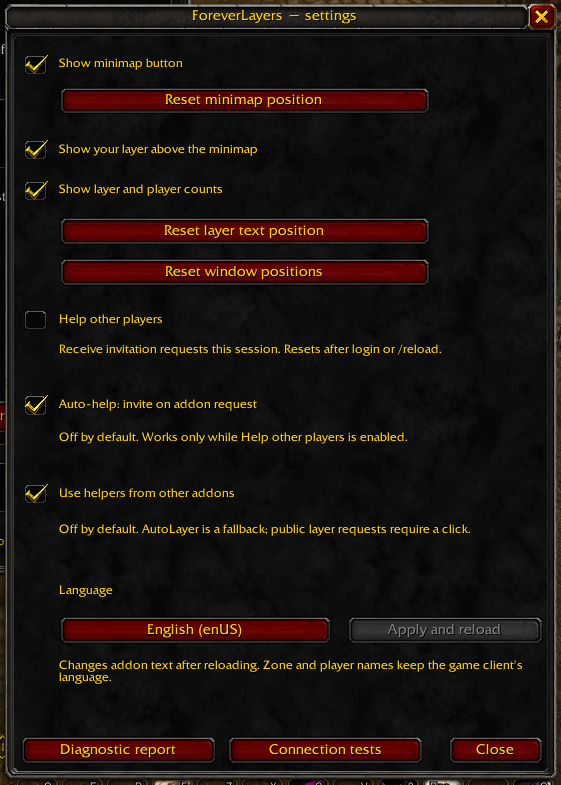
Customize minimap displays, helper options and the interface language.
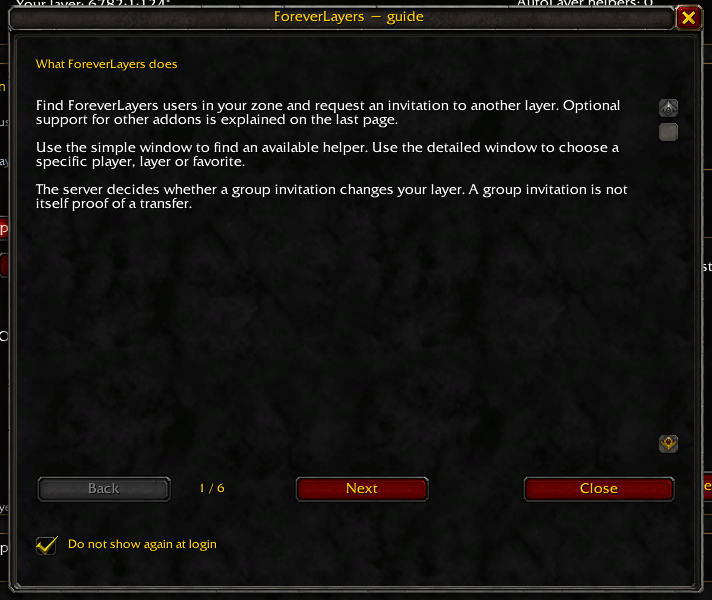
Learn how to identify your zone copy, find helpers and request an invitation.
Description
ForeverLayers
Find addon participants in your zone and request a group invitation to test moving between zone copies in WoW Forever. Use the simple window to find an available helper, or the detailed list to choose a player, filter received results and save favorites.
Experimental: layer codes are provisional zone-copy identifiers, not official layer numbers. Live delivery and transfers have not yet been verified in paired testing. The server decides who moves; joining a group does not guarantee a transfer.
Features
- Discover ForeverLayers users in your current zone.
- Receive background presence updates, including with addon windows closed.
- Filter received players by availability, name, favorites and observed copy code.
- Request invitations from suitable participants, with optional AutoLayer helpers.
- Send a visible request in the
layerchannel only when you click the request button. - Browse a partial directory of recent participants in other zones.
- Check communication with built-in connection tests and diagnostic reports.
No other addons are required.
Getting started
- Install or update the addon and fully restart WoW.
- Open
/flayersor left-click the minimap button. - Hover over two different ordinary NPCs, at least one second apart.
- Click Find players and choose a suitable helper, or open
/flayers compactand click Switch layer.
A search collects updates for up to 40 seconds and displays them as they arrive. Repeated clicks during an active search do not start another request.
Only received addon participants appear. An empty list does not mean nobody is online or that no other layers exist.
Invitations and verification
Help other players is enabled at login and UI reload. Turn it off if you do not want to receive requests. Auto-help is separate and off by default; otherwise you approve incoming ForeverLayers requests yourself.
For native ForeverLayers tests, both players need fresh NPC observations and must be in the same zone, outside groups, combat and instances.
Accept the normal game invitation manually. After joining, both players should observe NPCs again to assess the result. Leave the temporary group manually.
Use helpers from other addons defaults to enabled unless you previously saved it as disabled. AutoLayer announcements arrive about once a minute; their NPC observation age is unknown.
If no suitable ForeverLayers helper is discovered, the simple window can try an advertised AutoLayer helper. External helpers do not support our mutual observation check: only a change in your own code can be reported. Public layer requests may receive replies from another zone.
The addon never automatically accepts invitations, leaves groups or kicks players.
Presence and other zones
Hidden presence updates run approximately every 60–90 seconds while connected and client conditions permit. These updates do not refresh NPC observations; observations become stale after two minutes.
Other zones shows recent received announcements, not a complete online population. This directory updates passively; entries expire after five minutes without a new message. Filters only narrow the received list and do not move your character.
To share your observed code, Shift-click the layer label above the minimap or use /flayers share. This opens a chat draft that you send manually.
Connection checks and feedback
Open Settings → Connection tests, enter the other participant’s exact full name and test personal communication or the main channel. The recipient replies automatically with the latest version, even with addon windows closed.
Only a matching remote reply confirms delivery. A successful API call or your own echo does not. Ordinary communication remains compatible with older versions, but regular presence and the new checks require participants to update.
For issues, include both participants’ reports, game builds, languages and reproduction steps. Reports contain player names and NPC identifiers.
Designed for WoW Forever 1.60.1 — Interface 16001. Supports English, Russian, Simplified Chinese, Traditional Chinese and Korean.
Русский
ForeverLayers помогает искать участников аддона в вашей зоне и просить приглашение в группу для проверки смены слоя. Есть простое окно, подробный список с фильтрами и избранным, поддержка помощников AutoLayer и встроенная диагностика. Другие аддоны на вашем клиенте не требуются.
Важно: код слоя экспериментальный и не является официальным номером. Сервер решает, кто перемещается; вступление в группу не гарантирует переход. Обмен и реальные переходы ещё требуют проверки двумя живыми клиентами.
Как пользоваться
- После установки или обновления полностью перезапустите WoW.
- Откройте
/flayersи наведите курсор на двух разных обычных NPC с промежутком не менее секунды. - Нажмите «Найти игроков». Поиск собирает обновления до 40 секунд и показывает их по мере получения.
- Выберите подходящего помощника в своей зоне либо откройте
/flayers compactи нажмите «Сменить слой». - Примите игровое приглашение вручную. После вступления оба участника ForeverLayers должны снова наблюдать NPC. Выход из группы также ручной.
Что означают списки
Отображаются только обнаруженные участники. Пустой список не означает отсутствие других игроков или слоёв. Фоновые объявления работают и при закрытых окнах, но не обновляют наблюдения NPC. «Другие зоны» — частичный список полученных объявлений, а не весь онлайн сервера.
Помощники ForeverLayers имеют приоритет; AutoLayer используется после поиска, если подходящих участников нет. С чужими аддонами проверяется только изменение вашего кода, без взаимного подтверждения. Просьба в канале layer отправляется только по нажатию кнопки.
«Помогать другим игрокам» включено при входе и /reload; «Автопомощь» по умолчанию выключена. Поддержка других аддонов включена, если вы ранее её не отключили.
Проверка связи
«Настройки → Проверка связи»: введите точное полное имя второго участника и проверьте личную связь или основной канал. На актуальной версии ответ автоматический, даже при закрытых окнах. Для новых проверок обновитесь оба. Только ответ другого клиента подтверждает доставку; успех API и собственное эхо её не доказывают.
Поделиться своим кодом: Shift-клик по надписи слоя над миникартой или /flayers share; отправьте открывшийся черновик вручную.
Совместимость: WoW Forever 1.60.1, Interface 16001.
ForeverLayers Team