
Forever Gear Scanner - AH Stat Search & Upgrade Finder
- By
01_hero_gear_search.png
02_offhand_stat_dropdown.png
03_unusable_gear_indicators.png
04_pawn_spec_integration.png
Description

Forever Gear Scanner
The default Auction House in World of Warcraft: Forever makes you type an item name and guess. If you just want boots with Spell Power, a healer ring with MP5, or a slow dagger for a specific build, you end up hovering through 40 green tooltips one by one like it is a full-time job.
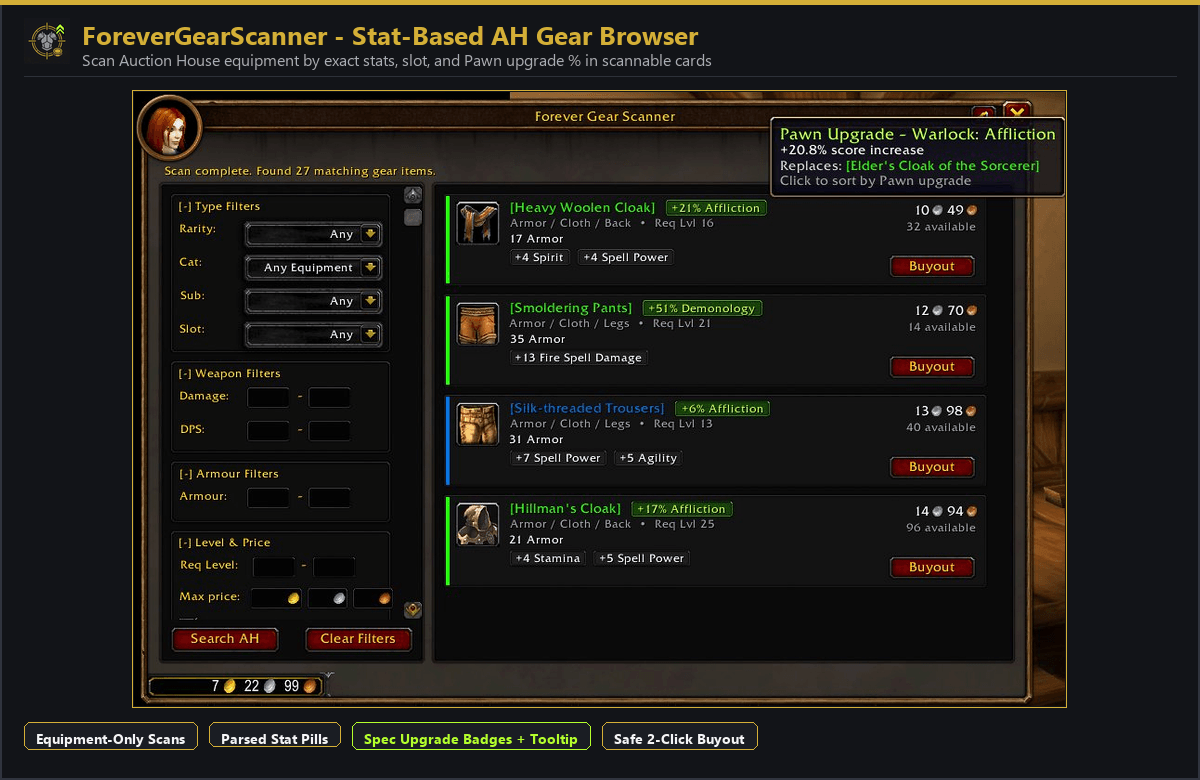
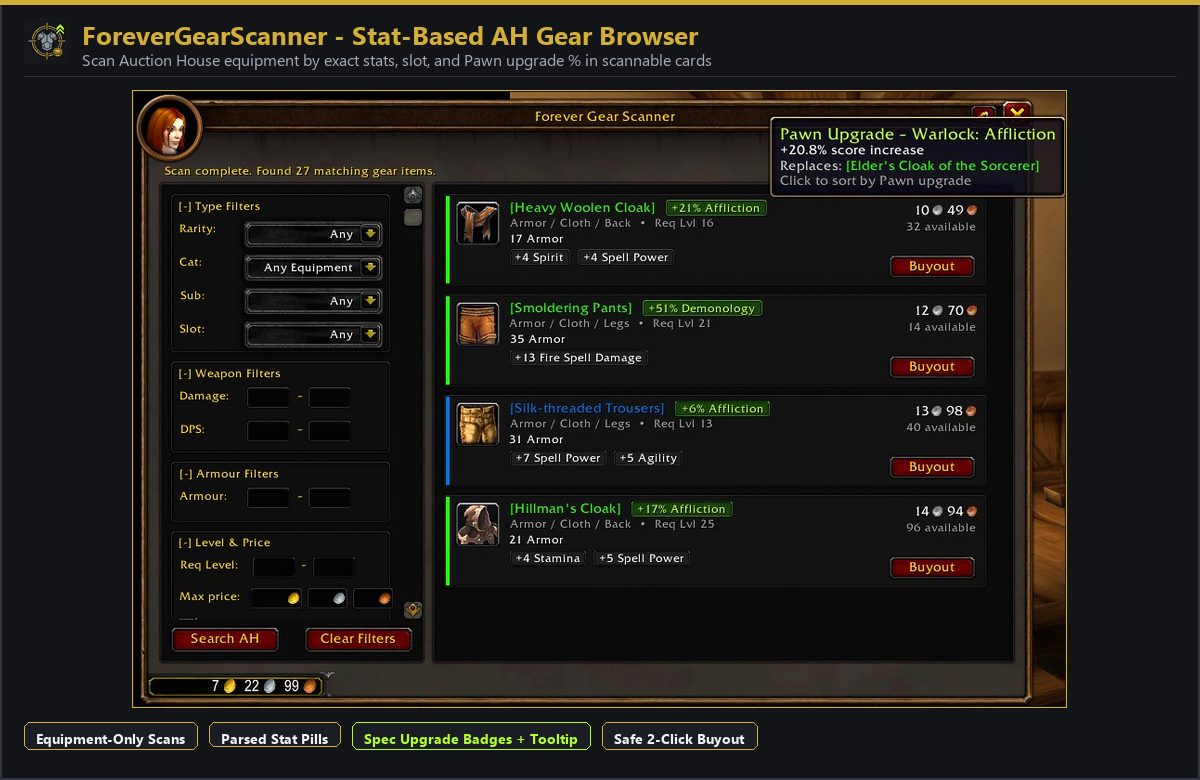
Forever Gear Scanner adds a Gear Scanner tab right inside the Auction House and turns that wall of tooltips into clean gear cards. Filter across 40 stats, cap your Gold / Silver / Copper budget before scanning, spot gear you cannot equip before buying it by mistake, and pull in Pawn upgrade percentages straight onto the results.
52-Second Walkthrough
What You Get
- Gear cards instead of tooltip hunting: Every result shows item level, required level, weapon or armor type, slot, damage/DPS/speed, parsed stats, and how many listings are up. Only weapons and armor get scanned - no potions, cloth bolts, or bags clogging the list.
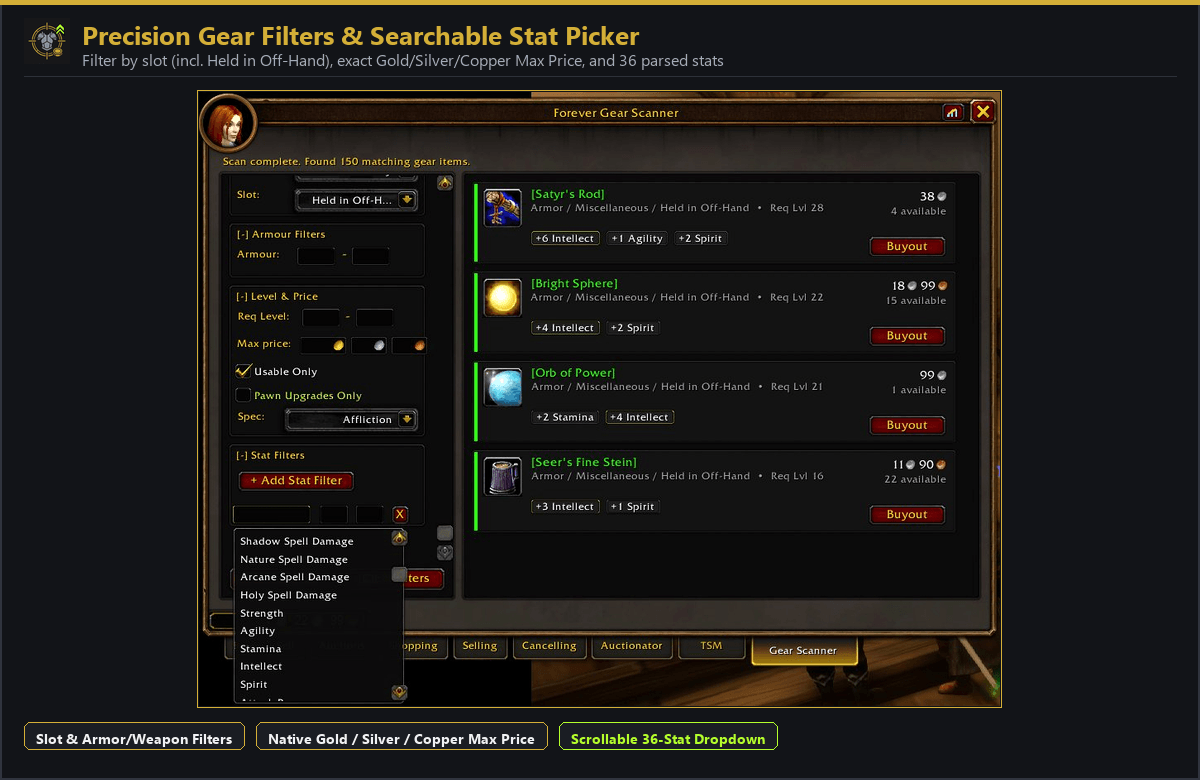
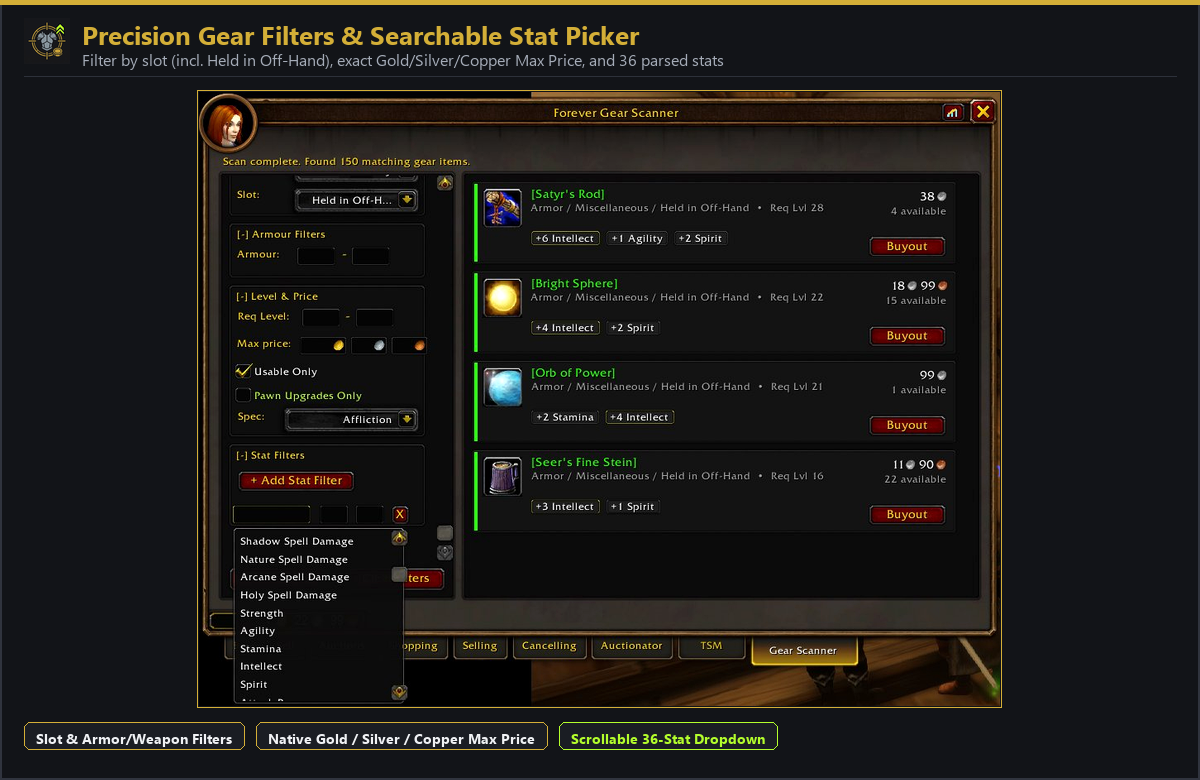
- Filter across 40 stats with min/max boxes: Search Spell Power, Healing, specific spell schools (Fire, Frost, Shadow, Nature, Arcane, Holy), Crit, Hit, Haste, MP5, Expertise, Defense, Block Value, and primary stats. Click an empty stat box to browse or type to narrow it down.
- Click any pill to sort or filter: Every stat and weapon stat (
Min Dmg,Max Dmg,DPS,Speed) shows up as a clickable pill. Left-click a pill to sort by it, or right-click a pill to drop it straight into your Stat Filters. - Held in Off-Hand and actual weapon filters: Normal AH categories dump off-hand items under Miscellaneous clutter. Pick Held in Off-Hand directly, or set min/max bounds for Damage, DPS, and Speed.
- Exact Gold / Silver / Copper cap: Lock in your budget before scanning so you do not fall in love with a 40g upgrade while sitting on 3g. Narrow results further by Req Level, Rarity, Category, Subtype, and Slot.
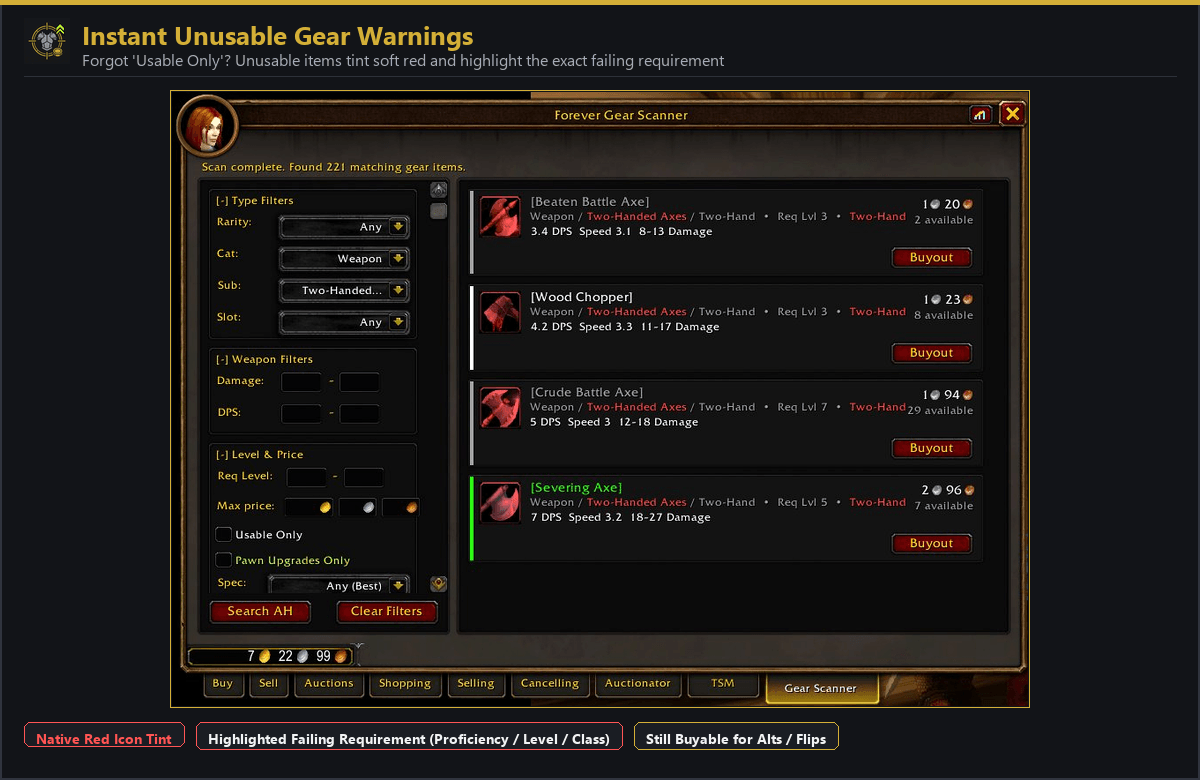
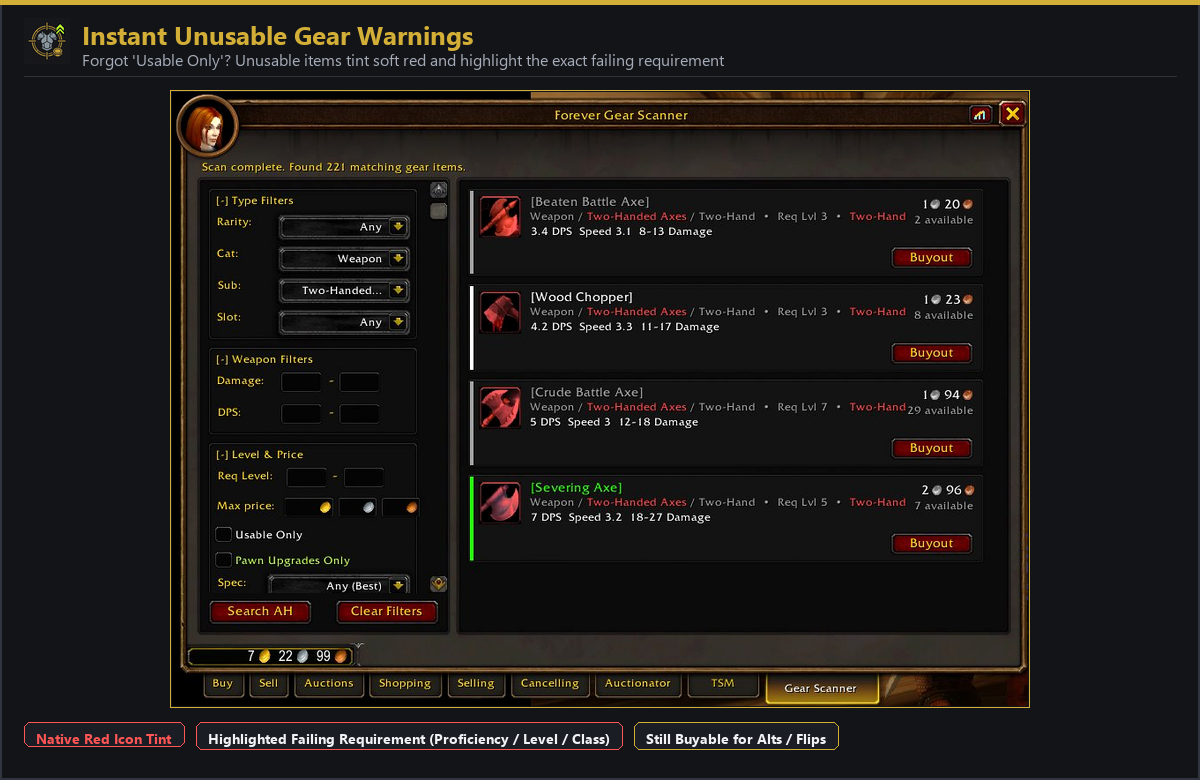
- Red warnings on unusable gear: Uncheck Usable Only when shopping for alts or future levels, and anything you cannot equip yet tints red and marks the missing skill, level, or class - so you do not end up buying a Two-Handed Axe on a Warlock.
- 2-step buyout protection: Clicking Buyout checks the cheapest live listing and flips the button to Confirm Buy. Nothing spends your gold until that second click.
Screenshots
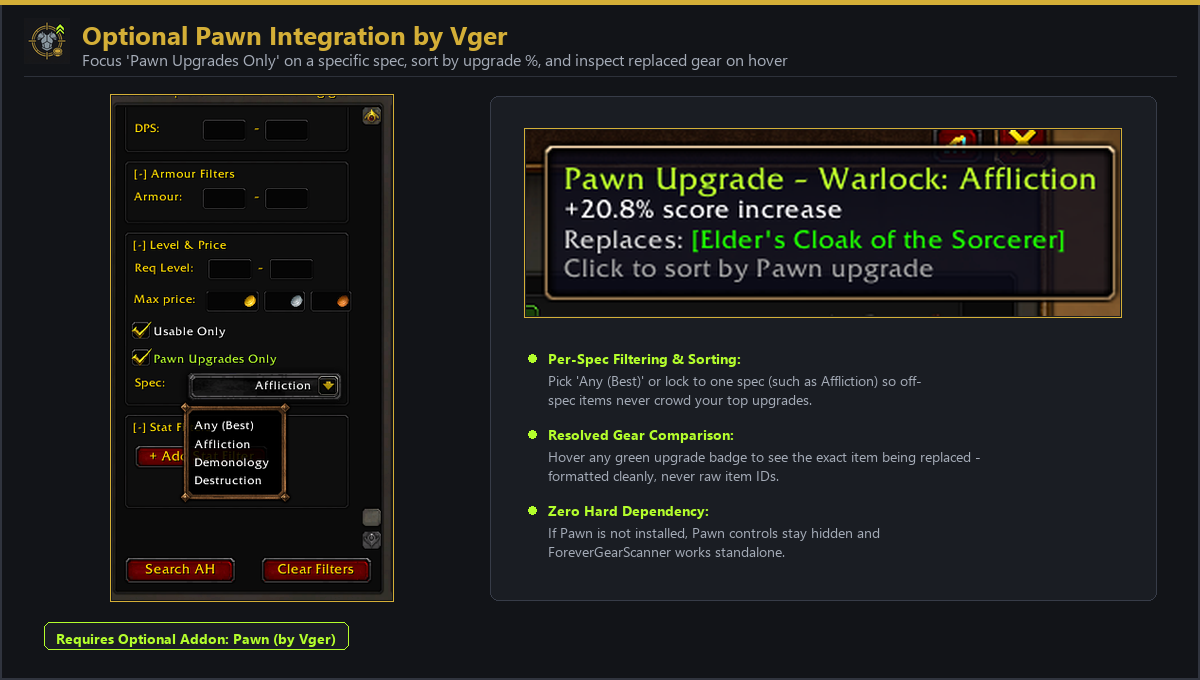
Built to Pair with Pawn (Optional)
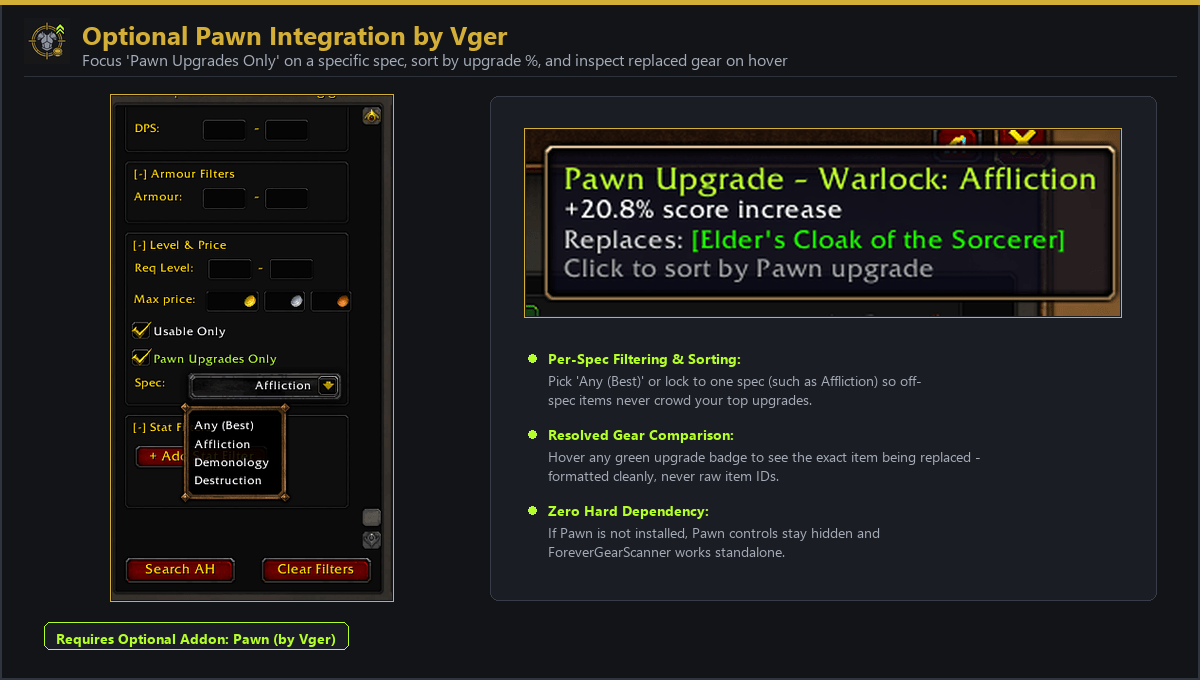
Forever Gear Scanner runs standalone with zero dependencies. If you also use Pawn by Vger, the AH tab reads your Pawn scales automatically:
- Upgrade badges on every card: See the best upgrade percentage and spec (like
+21% Affliction) right beside the item name. - Spec filtering and sorting: Tick Pawn Upgrades Only and lock Spec to one spec, or leave it on
Any (Best)to sort biggest upgrades to the top. - Replacement preview on hover: Hover any green Pawn badge to see the exact equipped item it replaces.
Full credit to Vger for Pawn.
Quick Start
- Open any Auction House and click Gear Scanner (or type
/fgsor/gearscanner). - Set Rarity, Cat (
WeaponorArmor), Sub, and Slot, plus optional Req Level, Max price, Usable Only, or Pawn Upgrades Only. - Click + Add Stat Filter to pick stats and optional Min/Max thresholds.
- Click Search AH.
- Click Buyout to check the live price, then Confirm Buy to purchase.
Feedback & Bug Reports
Got a stat that is not parsing right, a weird tooltip edge case on Forever, or a filter you wish existed? Drop a comment below or open an issue on GitHub - your feedback shapes what goes into v1.0.1 next.
License
Released under the MIT License.
Forever Gear Scanner - AH Stat Search & Upgrade Finder Team
