ForeverDB
One addon for everything in WoW Forever: quests, dungeons, gear, professions, collections and your guild, from foreverdb.net.
One addon for everything in WoW Forever. ForeverDB brings foreverdb.net, the World of Warcraft: Forever database, into the game: its own world map, a leveling window and quest plan, a guide beside your quest log, a rotation assistant, upgrades for your spec, dungeons, raids and professions. It's free, needs no account, and works on top of any interface: EllesmereUI, ElvUI, Bartender4, Dominos or Blizzard's own.
Everything it shows comes from the Forever game client and from what players see in Forever. Anything that might not be in the live game yet is labelled.
Its own world map
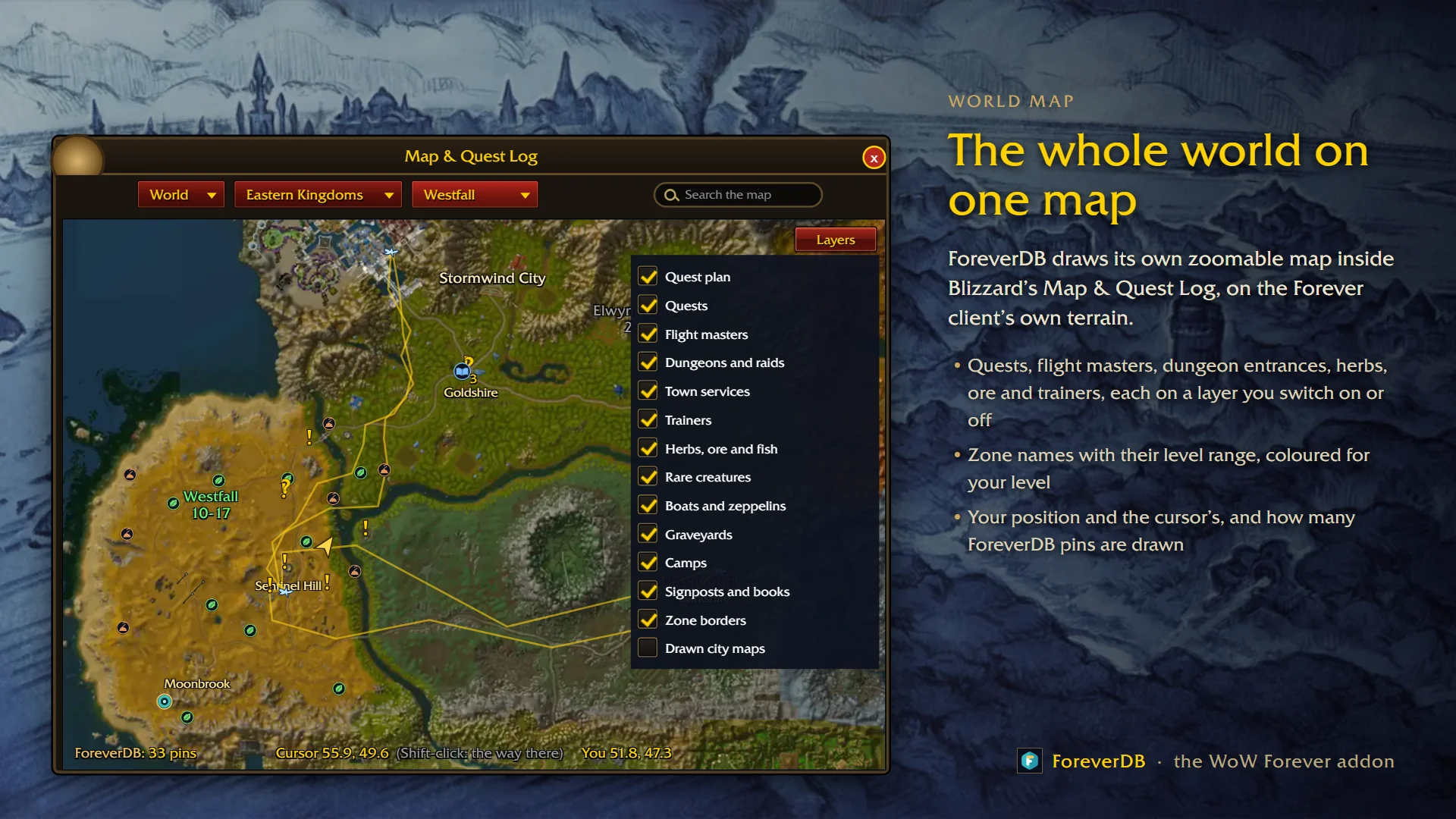
- The whole world on one map inside Blizzard's Map & Quest Log, on the Forever client's own terrain. Zoom smoothly from the whole world down to a single street, drag it around, and resize the window from its corner.
- Every pin on a layer you switch on and off: your quest plan, quests, flight masters and their paths, dungeon and raid entrances, town services, trainers, herbs, ore and fishing pools, rare creatures, boats and zeppelins, graveyards, camps, signposts and books, and zone borders.
- Zone names with their level range, coloured for your level. The capital cities use the game's own drawn city maps when you zoom in.
- Search it: type a zone, flight master, trainer, NPC, quest, rare, herb or ore, and the map opens there with a pin and the arrow pointing to it.
- Leylines and elemental convergences that Skyborne players have found, and fights between players near you as they happen.
Leveling, one step at a time
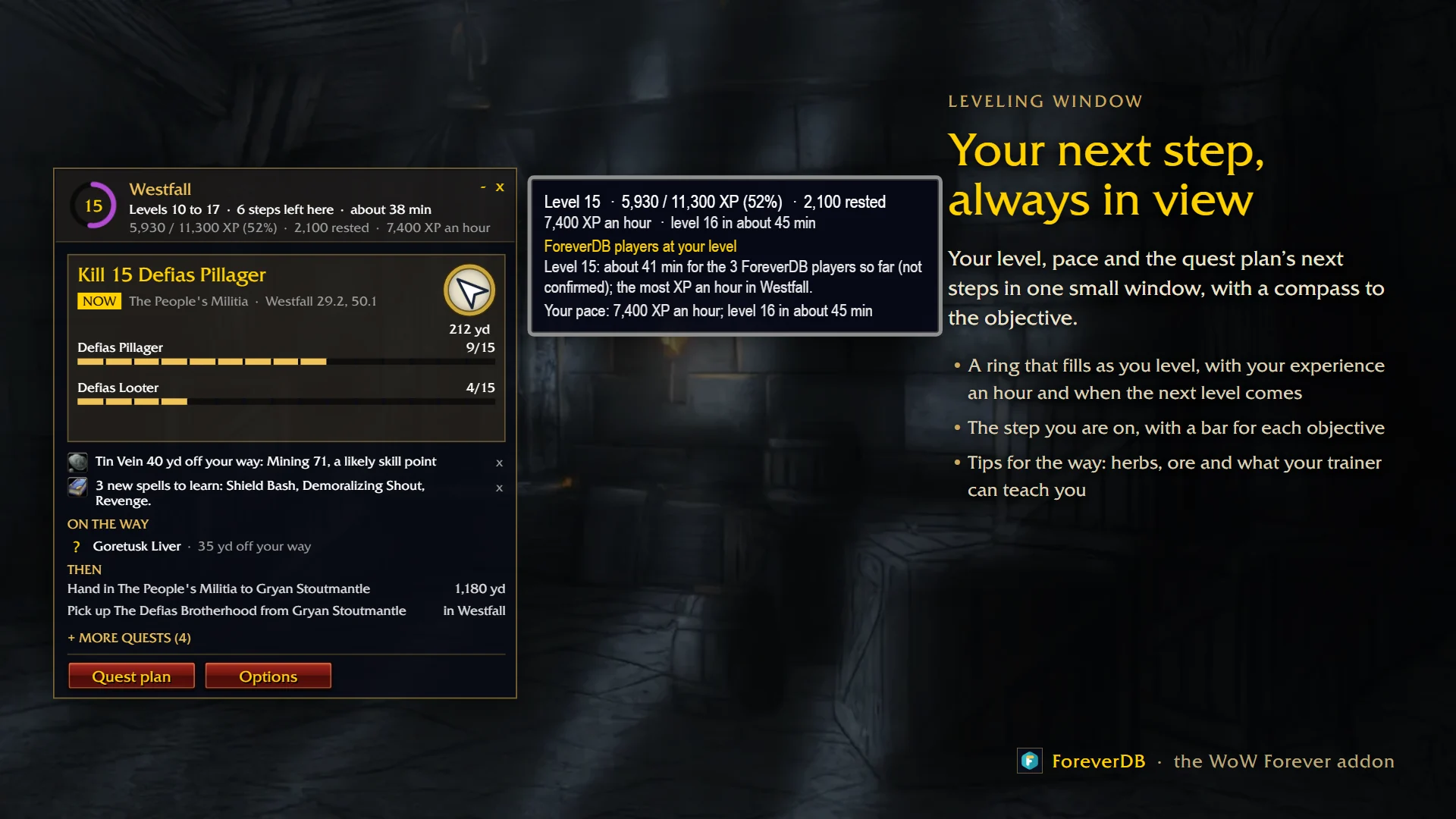
- The Leveling window keeps your next step in view: a ring that fills as you level, your XP an hour while you actually play and when the next level comes, and the step you're on with a bar for each objective and a compass to it.
- The quest plan turns your quest log into a route: every pick-up, objective and hand-in in the order that gets you the most XP for your time. A hand-in right where you stand always comes first.
- Tips on the way: an ore vein or herb that gives a skill point, spells waiting at your trainer, quests to pick up as you pass.
- Where to go next: zone cards for your level, with the XP an hour ForeverDB players at your level really got there, and flight times.
- Quests you can't get stay out of the guide: the other faction's, other classes' and races', holiday quests outside their holiday, and Classic quests nobody has seen in Forever.
- The New player guide covers levels 1 to 10 in your own start area, a few small steps at a time.
The guide beside your quest log
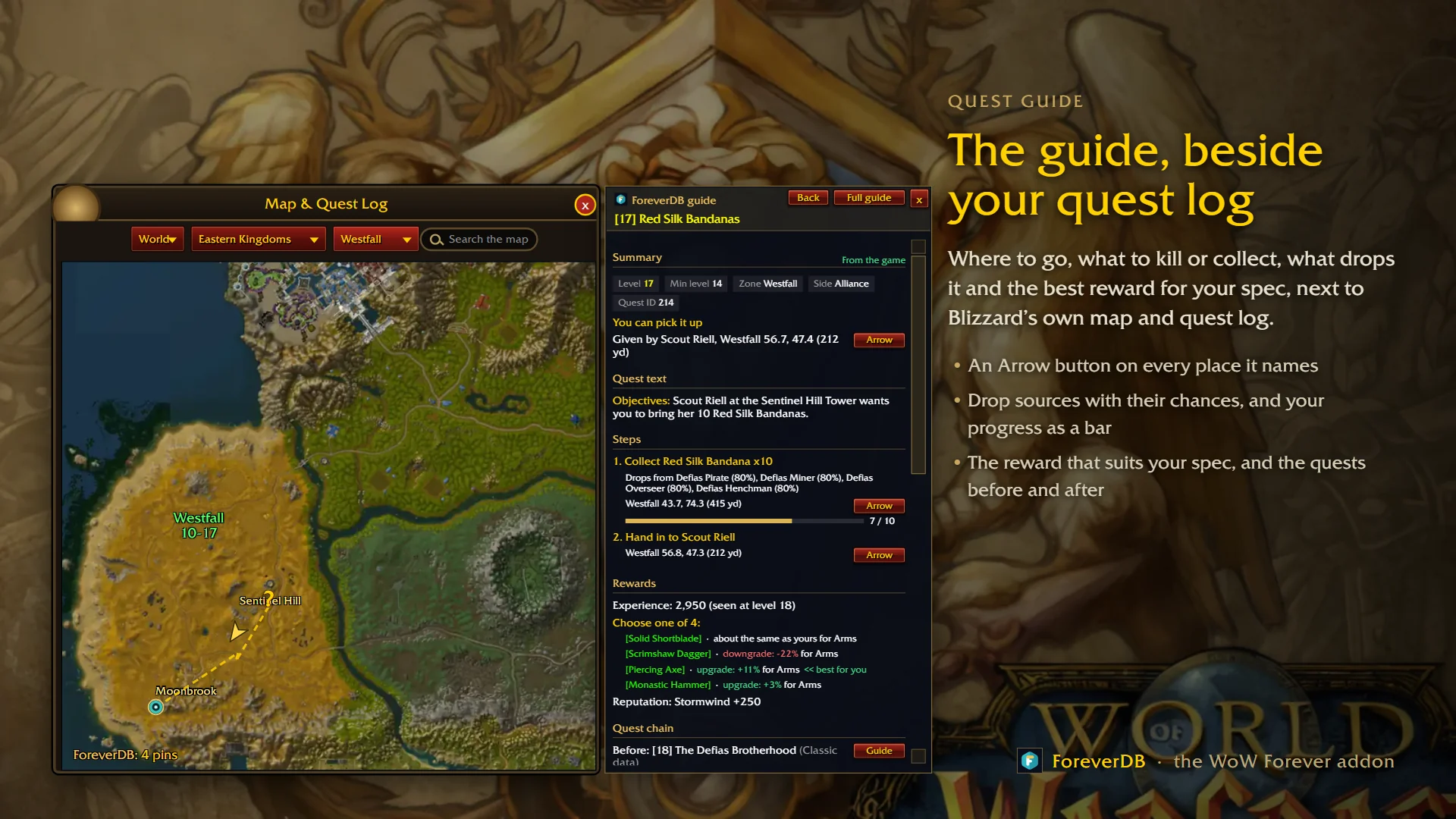
- Open a quest and the guide sits beside it: where to go, what to kill or collect and where, what drops the items and how often, and your progress as a bar.
- An Arrow button on every place it names. The waypoint arrow walks you around mountains and dangerous monsters.
- The reward that suits your spec is marked, and the quests before and after are linked.
- Quest pins on the world map and minimap, distances on Blizzard's tracker, and quest progress on the tooltips of the creatures and items you need.
- Special quests and secrets, step by step. Running Questie as well? ForeverDB's quest pins step aside.
Press this next, and is it an upgrade?
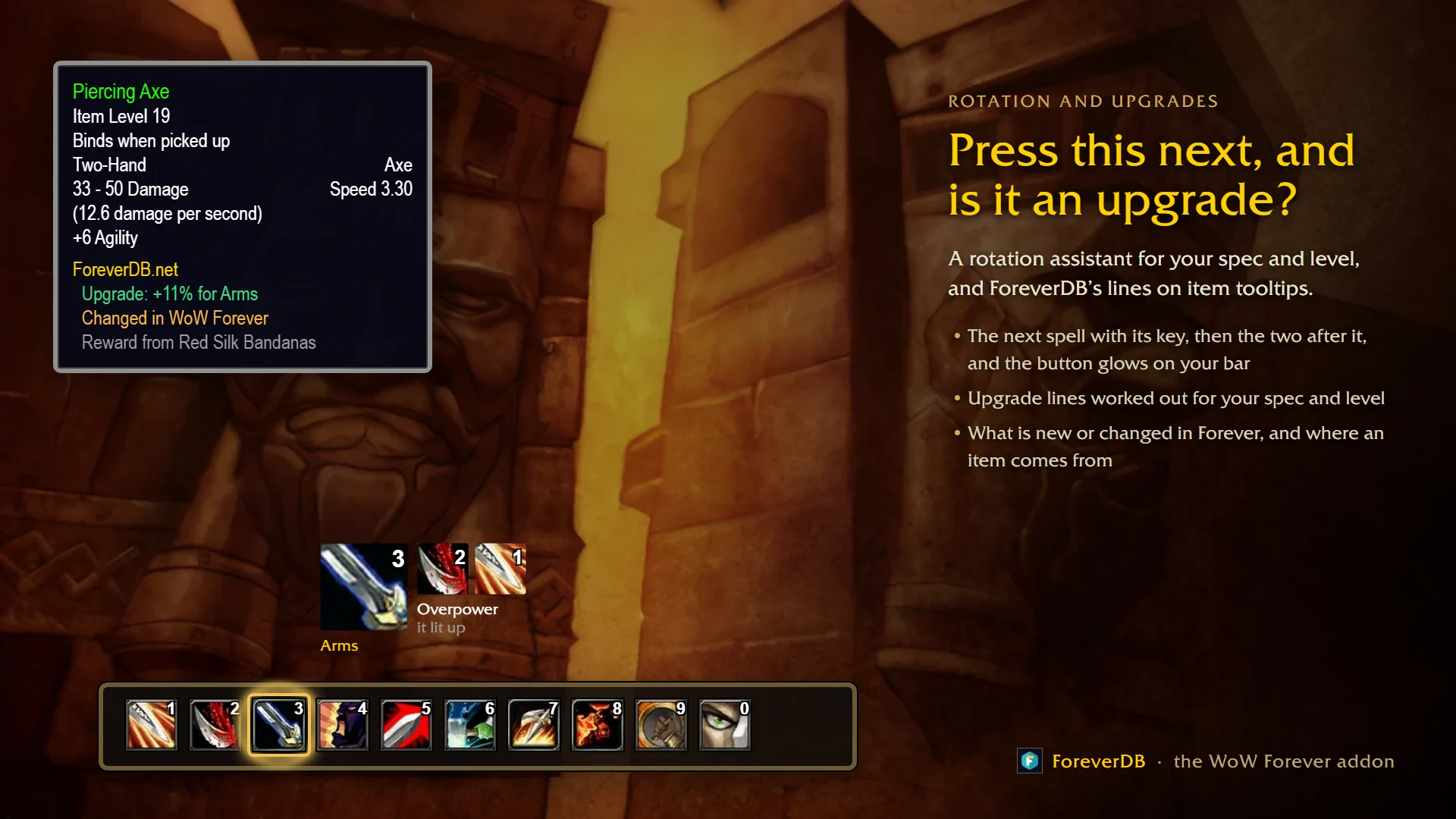
- The rotation assistant: the next spell for your spec and level with its key, the two after it, and a glow on the button on your bar. It times cooldowns and DoTs from your own casts (Forever hides them from addons in combat) and knows immunities, procs and interrupts.
- Every item tooltip says whether it's an upgrade for your spec, what's new or changed in Forever, and where it comes from. A new upgrade pops up with an Equip button, and the best quest reward gets a tick.
- Level-ups: what's new at your trainer, where your talent point goes and what you can use now.
- Gear finder: the best item for every slot for your level, from foreverdb.net's best in slot lists, with where each item comes from, plus enchants and item sets for your class.
Dungeons, raids and PvP
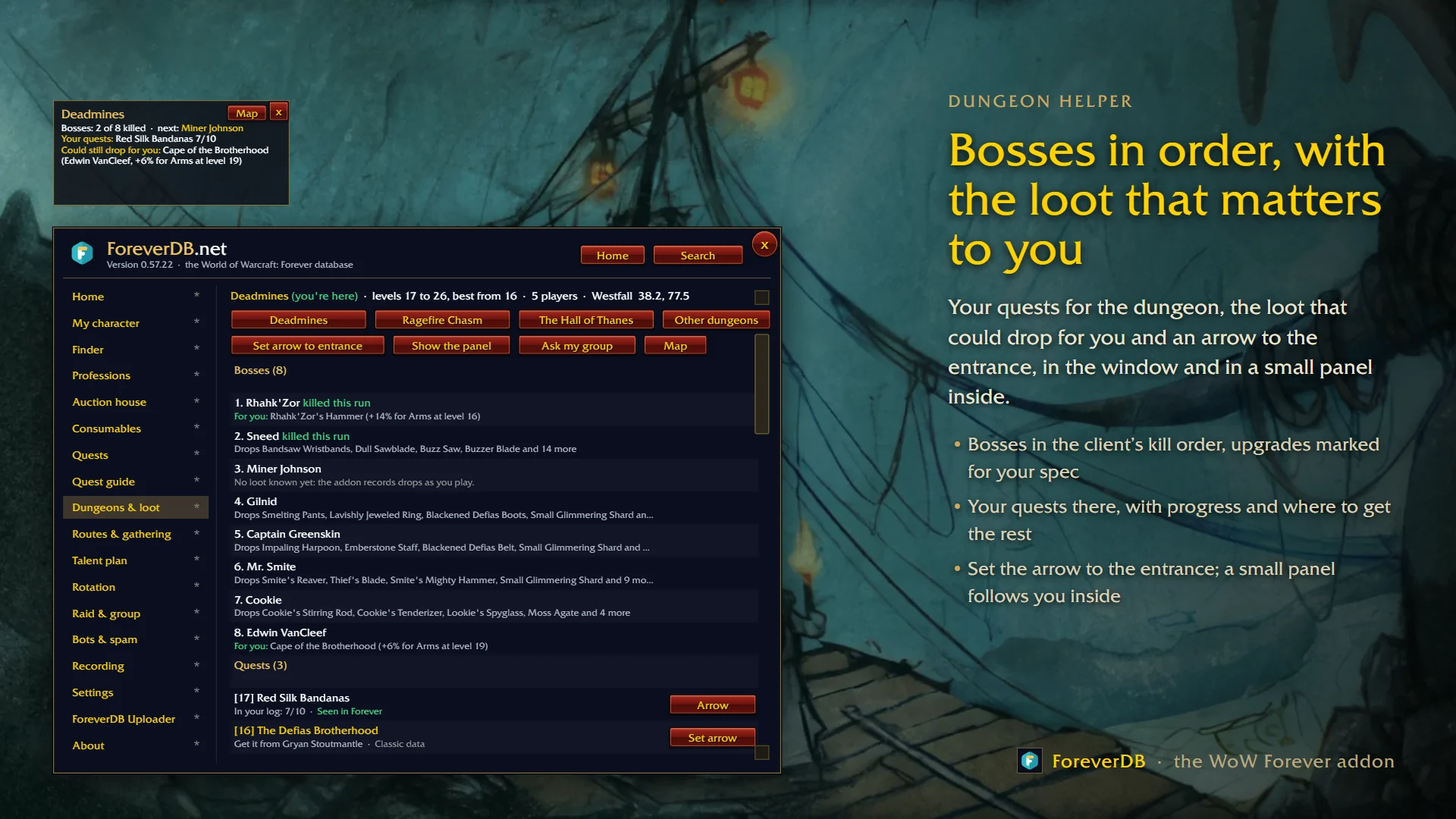
- The dungeon helper: bosses in the client's kill order with what they drop, upgrades for your spec marked, your quests there, and an arrow to the entrance. Inside, a small panel shows the bosses killed this run and the loot you could still get.
- Raid assignments from foreverdb.net's raid planner: your group, your role and your job on each boss.
- A buff check on every ready check, your guild's soft reserves on item tooltips, and combat logging that switches itself on.
- PvP: honor, kills and rank for today, this week and for life, your last 100 battlegrounds, and world PvP fights near you.
Professions
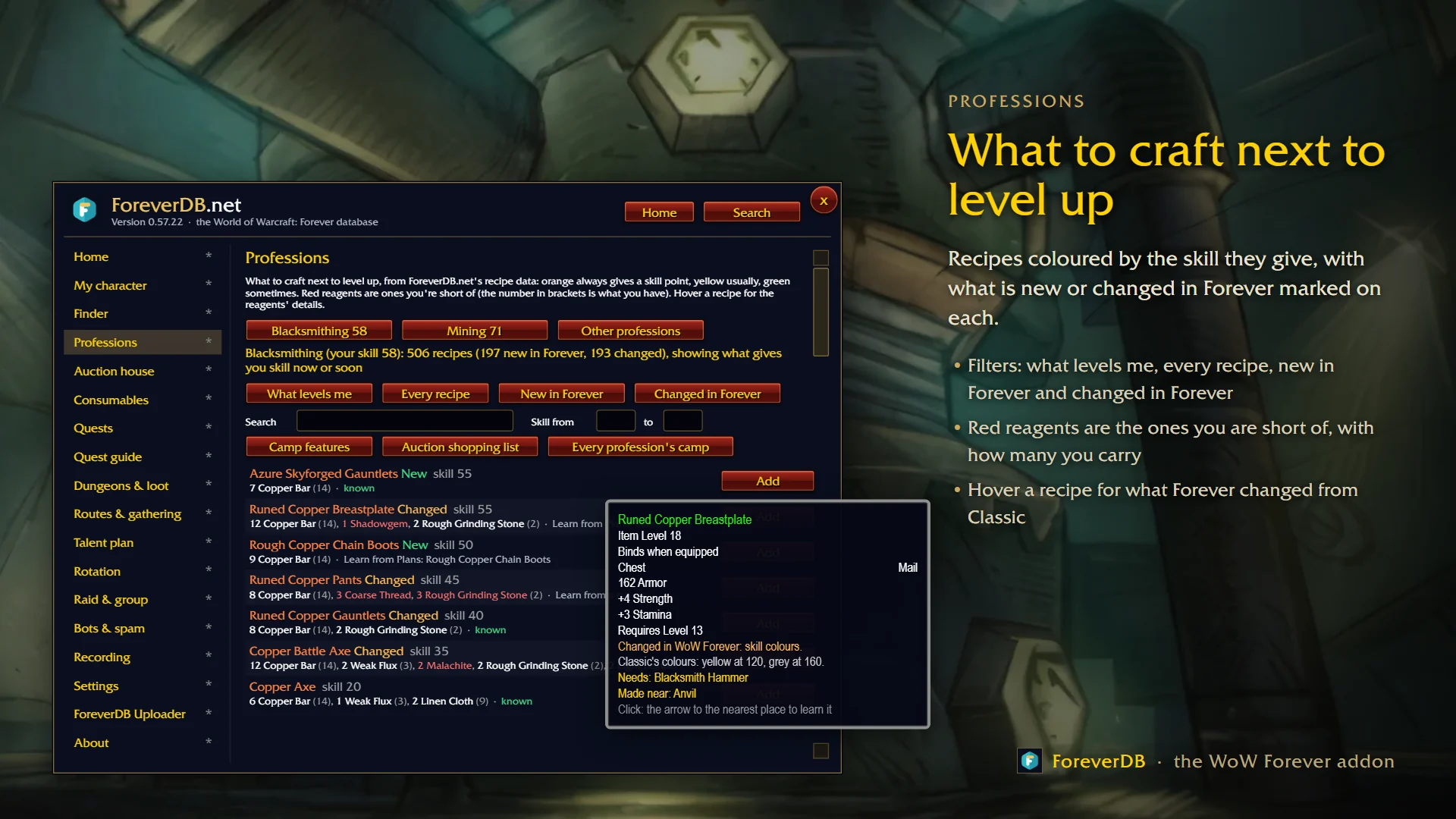
- Every recipe of your professions, coloured by the skill it gives you, with filters for what levels you, every recipe, new in Forever and changed in Forever.
- Red reagents are the ones you're short of, with how many you carry. Hover a recipe for what Forever changed, who sells it and where it drops.
- foreverdb.net's leveling guides step by step, and a shopping list that searches the Auction House for you.
- Herbalism, Mining, Skinning and Fishing: what to gather at each skill and where, with herbs, ore and fishing pools on the map. Enchanting's disenchanting table, and Which professions suit me.
Trainers, vendors and the things you need
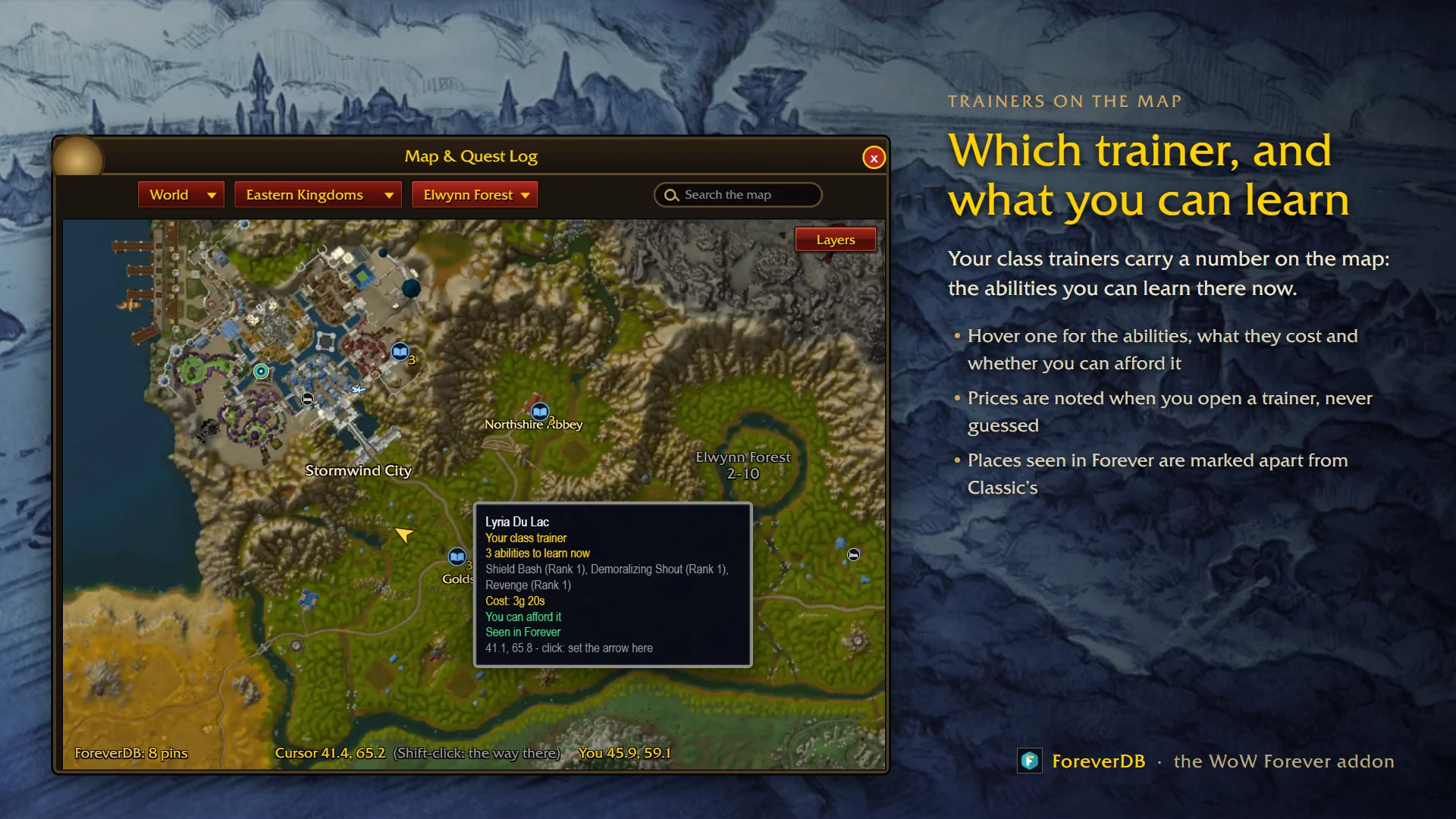
- Your class and profession trainers carry a number on the map: the abilities you can learn there now. Hover one for what they cost and whether you can afford it.
- Finder: type an item, a weapon skill, a profession or a name, and see who sells or teaches it, where they stand and the price.
- Items worth buying light up at vendors, and auction house prices from your scans show on item tooltips.
- Pet & supplies: hunter pet care with a Feed Pet button, ammo and reagents running low with the nearest vendor, bag space and repairs.
Everything in one window
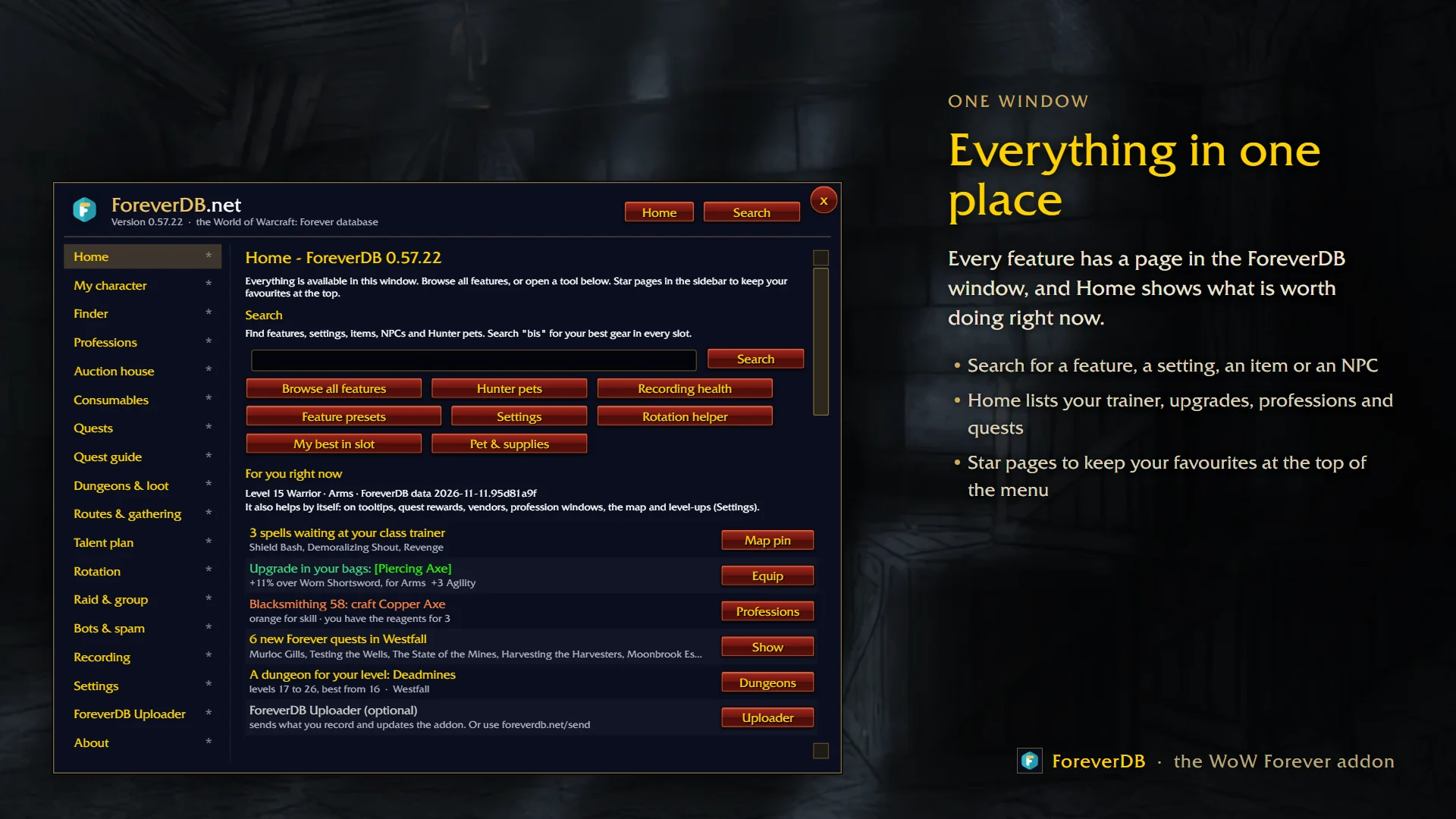
- Every feature has a page in the ForeverDB window, and Home shows what's worth doing right now: spells at your trainer, an upgrade in your bags, what to craft, new quests near you.
- Search for a feature, a setting, an item or an NPC, and star your favourite pages.
- Collections: mounts, companion pets, titles and recipes against the full list in the Forever client, library books, hunter pets to tame and rare monsters.
- Journal and money ledger, Merchant's Favor, and who knows a recipe in your guild.
- Bots and gold spam: it spots gold and boost spam and players farming one spot for hours, and offers Blizzard's own report window. It never reports anyone by itself.
- Quiet mode, on by default: nothing pops up or talks in chat by itself. English and Spanish.
New in the last few weeks
- 0.57.22: the noise and purple blocks on the zoomed-out map are fixed, and Forever's new quests learn which faction they're for from the quest givers players meet.
- 0.57.20: quests a giver doesn't offer you are learned from every ForeverDB player and left out of your guide.
- 0.57.19: everything from the website's profession guides, in the game.
- 0.57.17: the game's drawn maps of the capital cities on ForeverDB's map.
- 0.56: the Leveling window, redone, and a new 3D waypoint arrow.
- 0.55: map search, your trainers on the map, and a Feedback page to reach us from inside the game.
Your data and privacy
- The addon can't use the internet. What it saves stays on your PC unless you choose to share it: the free ForeverDB Uploader for Windows and Linux sends what you recorded after you play, or you can send it on foreverdb.net.
- What is shared is counted without your name: drops, quest places, vendors, prices and kill times. Every kind of recording and sharing has its own switch, and Data collection only records for ForeverDB and changes nothing in your game.
Installing
- Install and update it with the CurseForge app or the Wago app. Free, no account needed, no other addons required.
- Click the book by your minimap to open the ForeverDB window, or type /fdb. Every setting is in it and in Esc, Options, AddOns, ForeverDB.
The pictures are previews with a made-up character.
Links
-
- ForeverDB, the WoW Forever database: https://foreverdb.net
- ForeverDB addon page: https://foreverdb.net/addon
- ForeverDB Uploader: https://foreverdb.net/uploader
- Your armory: https://foreverdb.net/armory
- Best in slot gear: https://foreverdb.net/bis
- FDB Chat, our chat addon: https://www.curseforge.com/wow/addons/fdb-chat
- Privacy policy: https://foreverdb.net/privacy
ForeverDB Team