FDB Chat
A chat window for WoW Forever that reads like a group chat. Forever Chat replaces the built-in chat with tabs, split panes, class-colour names and replies, and it brings the usual chat addon tools with it.
A chat window for WoW Forever that reads like a group chat. Forever Chat replaces the built-in chat with tabs, split panes, class-colour names and replies, and it brings the usual chat addon tools with it. It works on its own; with the ForeverDB addon installed it adds a button to open ForeverDB.
Reading chat
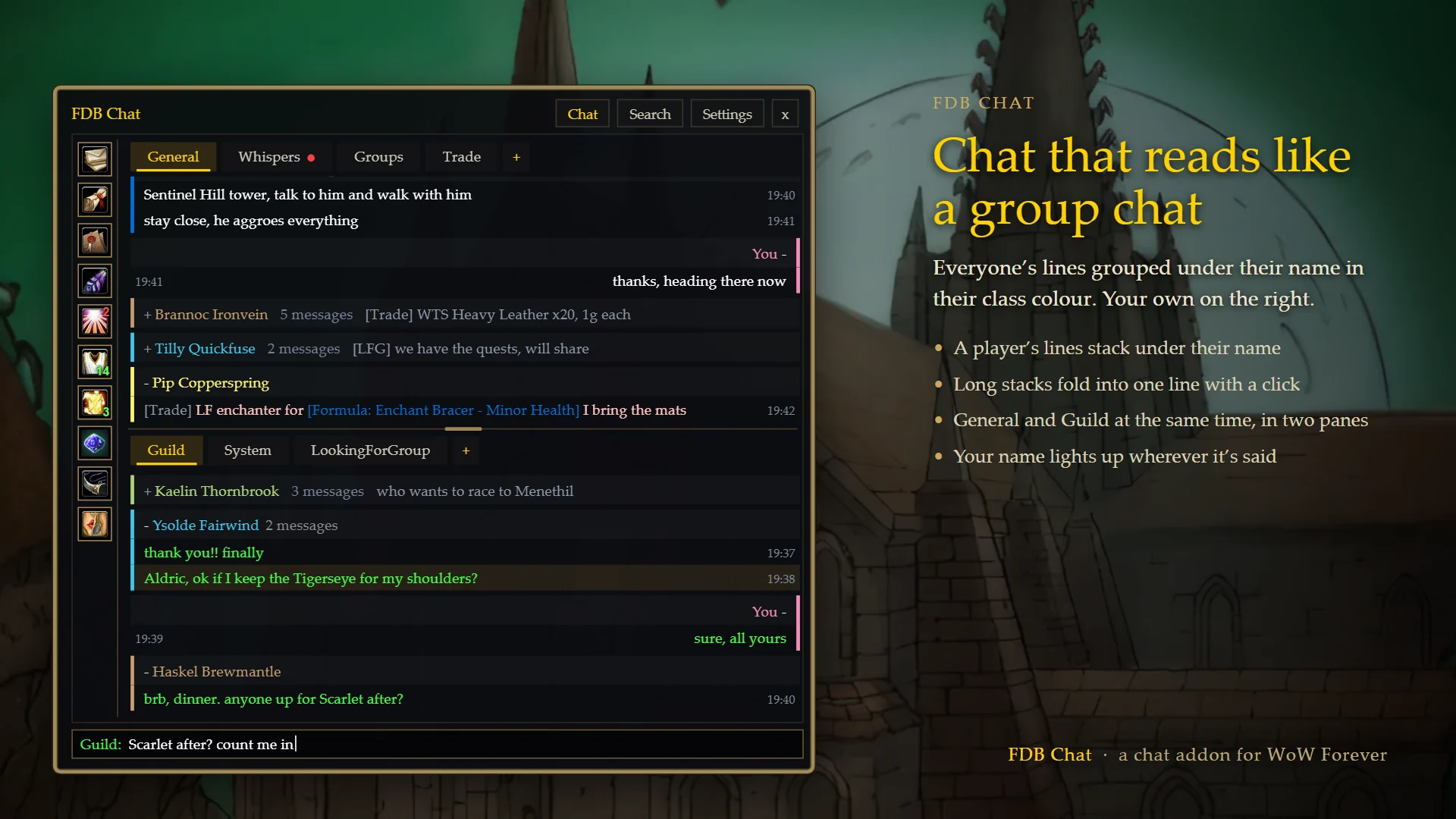
- Tabs for General, Guild, Whispers, Groups and System, plus any channel you want its own tab (Trade, LookingForGroup...). The + after the tabs adds one.
- Two panes, one above the other, so you can read Guild and General at the same time. Drag the line between them to make one bigger, or switch to a single window.
- Each player's lines sit in a chain under their name in their class colour, and a chain folds away with a click. Your own lines are on the right.
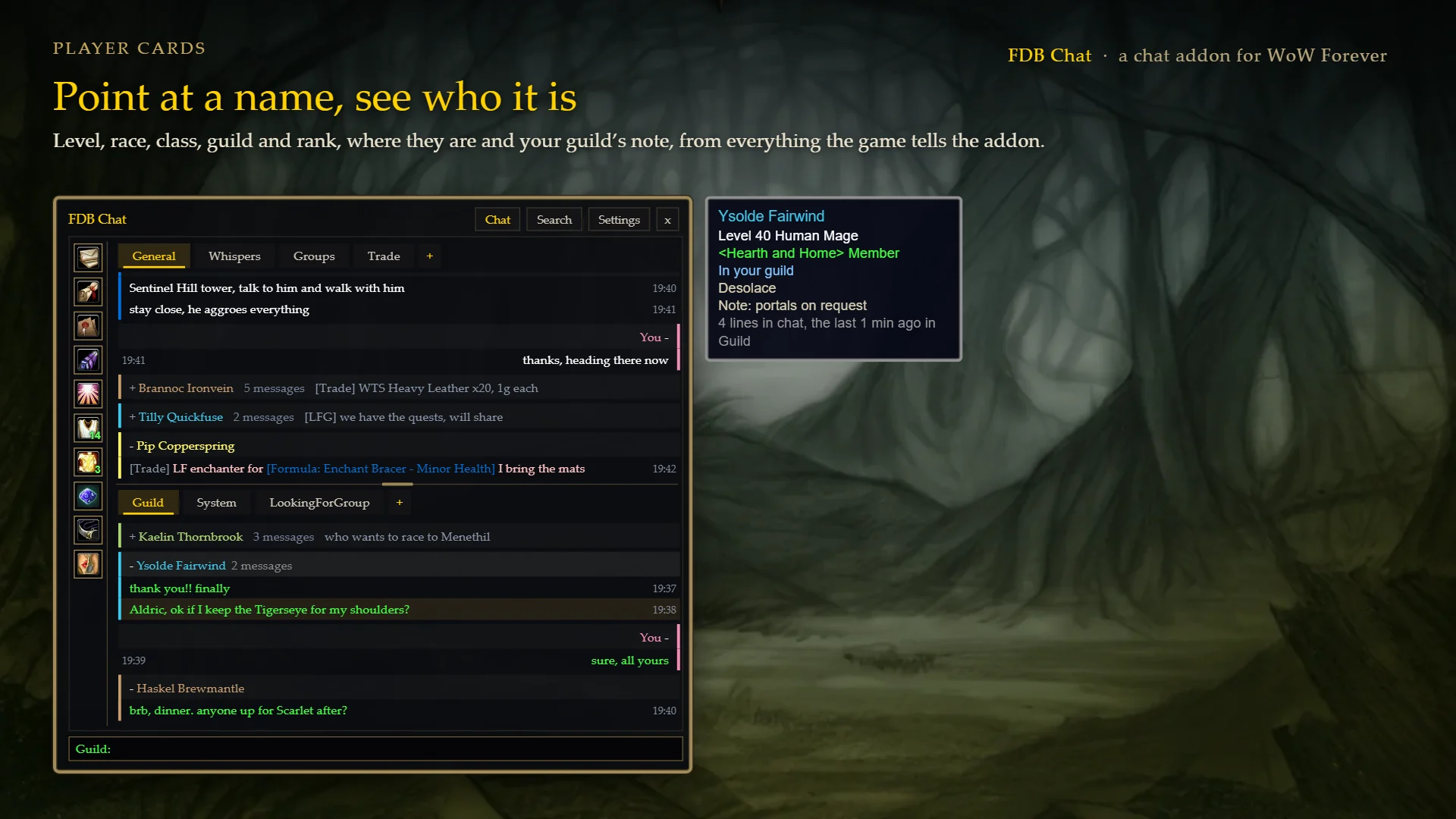
- Point at a player's line or name for a card: level, race, class, guild and rank, where they are, your guild's note about them and how much they've said in chat. Levels and guilds you've seen are remembered between sessions.
- Mentions: lines with your name, or keywords you choose, light up, can play a sound and are listed together under one button.
- Hover an item, spell or quest link for its tooltip. Web links open a box to copy them.
- Scroll up to read and new lines don't pull you back down; a Latest messages button takes you back.
- Search, copy a whole tab, hide lines with words you don't want to see, mute a busy tab.
Talking
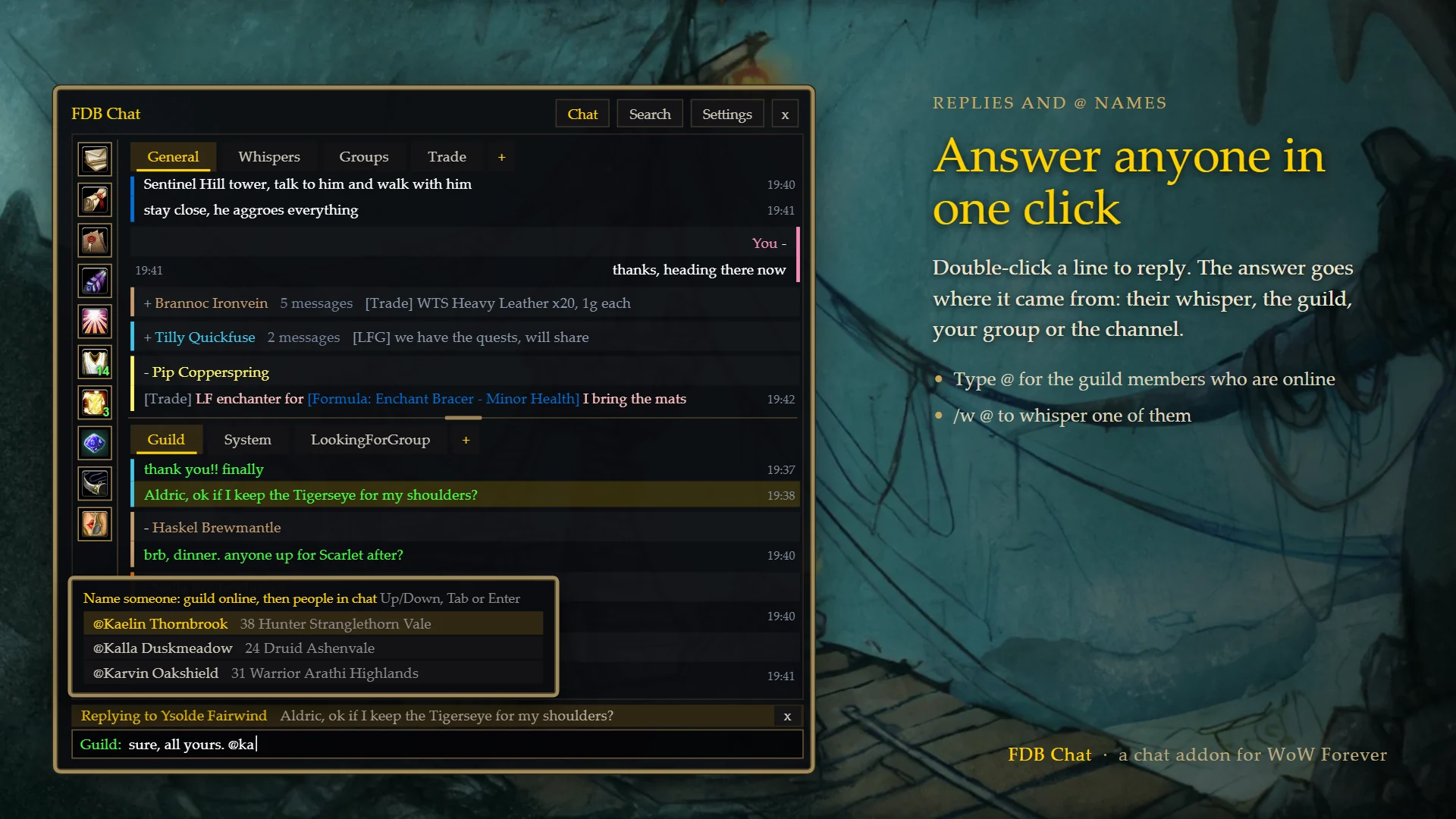
- Click a message and press Reply, or double-click it. Your answer goes where the message came from: their whisper, the guild, your group or the channel. In a public channel it starts with their name.
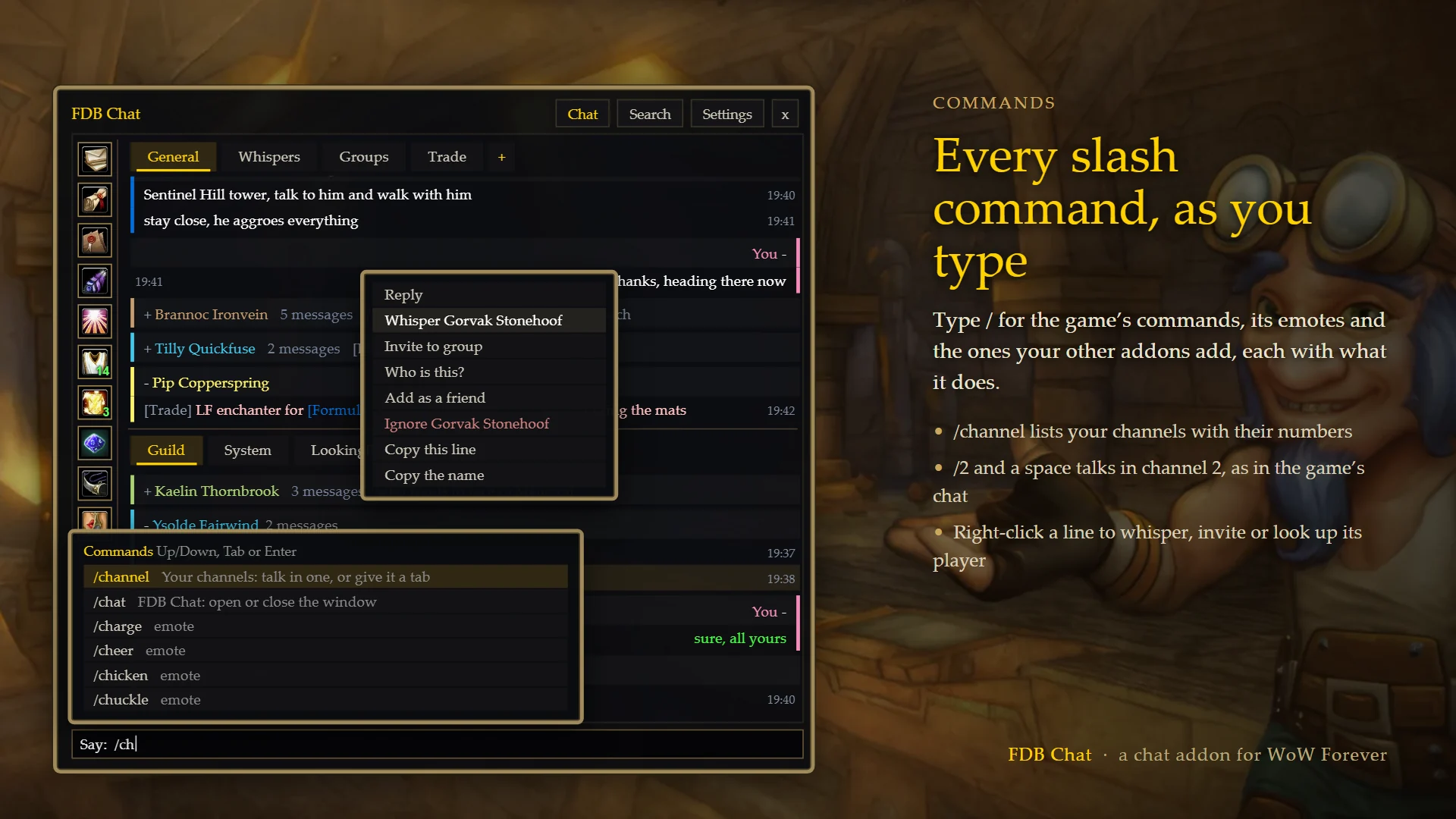
- Type / for every slash command: the game's, its emotes and your other addons'. /channel lists your channels, /join and /leave the usual ones, and /w lists the people in chat lately.
- Type @ for the guild members who are online. /w @ whispers one of them.
- /2 and a space, /g, /p, /w Name and the rest switch the input over, as in the built-in chat. The input always says where your line goes.
- Up and Down bring back what you typed before; Tab finishes a name.
- Whisper popouts: a small window for one conversation.
Guild, friends and groups
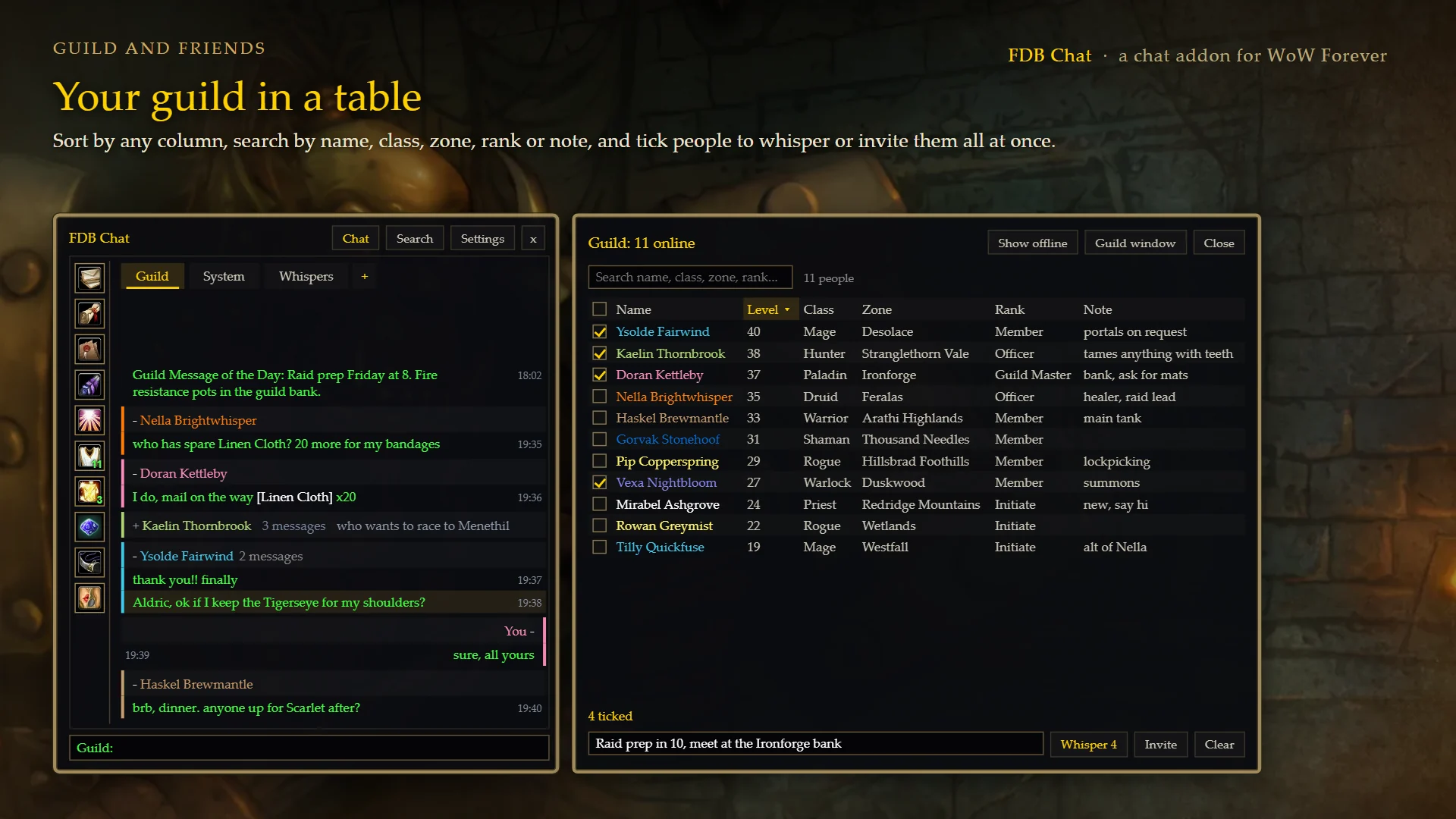
- Guild and Friends tables with sortable columns and search. Tick several people to whisper them all the same message, or invite them all to your group. A number on each button shows how many are online.
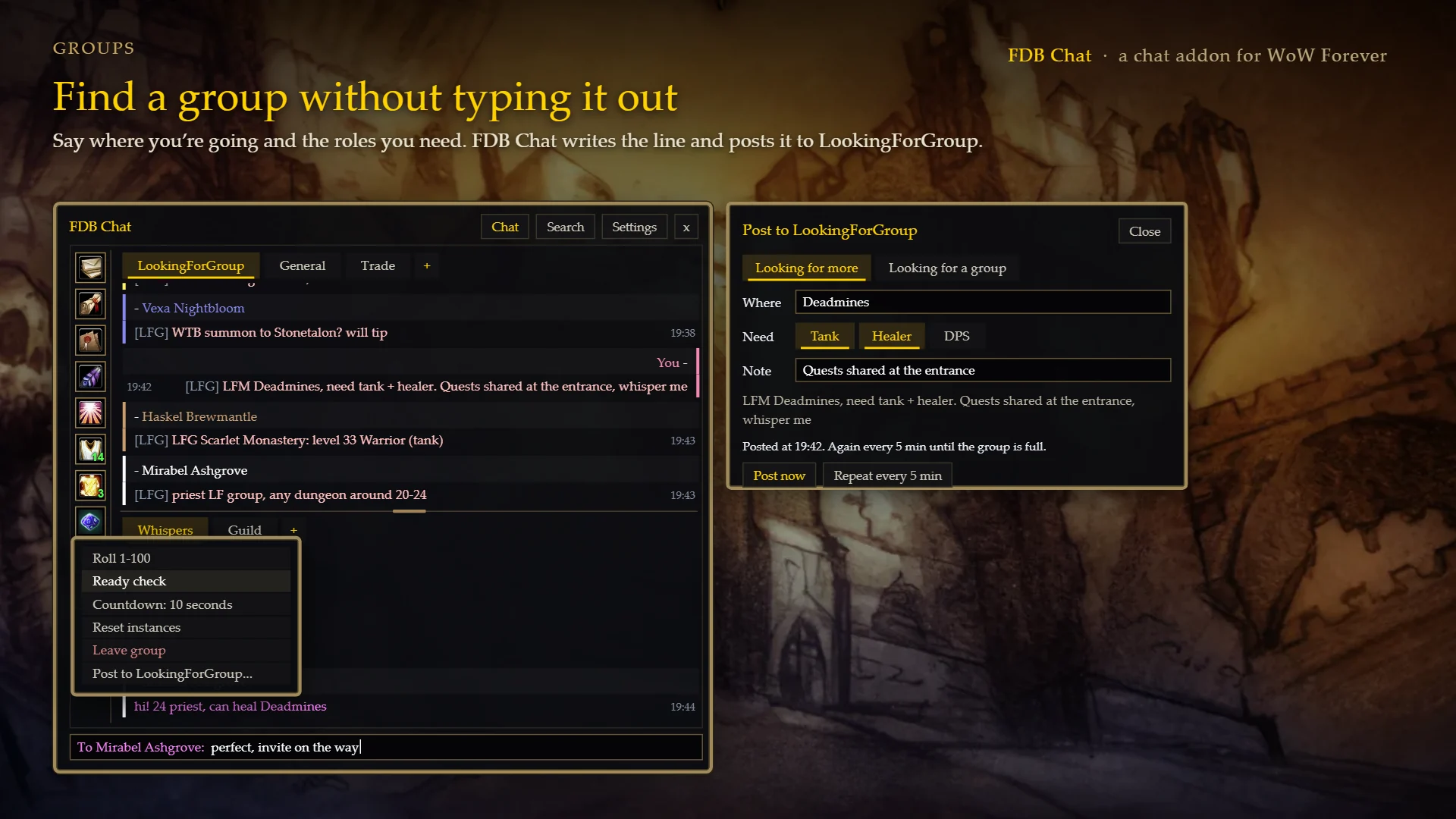
- Group tools: roll, ready check, a countdown, reset instances, leave group.
- LFG post: say where you're going and the roles you need, and it writes the line ("LFM Deadmines, need tank + healer, whisper me") and posts it to LookingForGroup, once or every few minutes until your group is full.
- Right-click a message to whisper, invite, look up, befriend or ignore its player.
Look and settings
- Five themes, an opacity slider and text size. The window moves, resizes from its corners and can be docked.
- Every setting is on the game's Options > AddOns > Forever Chat page.
- The built-in chat is hidden while Forever Chat is open. Untick that in Settings to keep both.
- The last 100 lines of each tab are kept across /reload on your PC. Nothing is sent anywhere.
/chat or /fchat opens and closes it. /fchat help lists the rest.
The pictures are previews with made-up players and chat.
FDB Chat Team