FDB Loot Rolls
Tells you whether to Need, Greed or Pass on each loot roll and why, with a copyable reason and a warning before you need gear your class can't use.
Need, Greed or Pass? When a roll window opens, FDB Loot Rolls tells you which, and why, in one line. It compares the item with what you're wearing for your spec, checks who else in your group could use it, and warns you before you need something your class can't use. It never rolls for you.
On every roll window
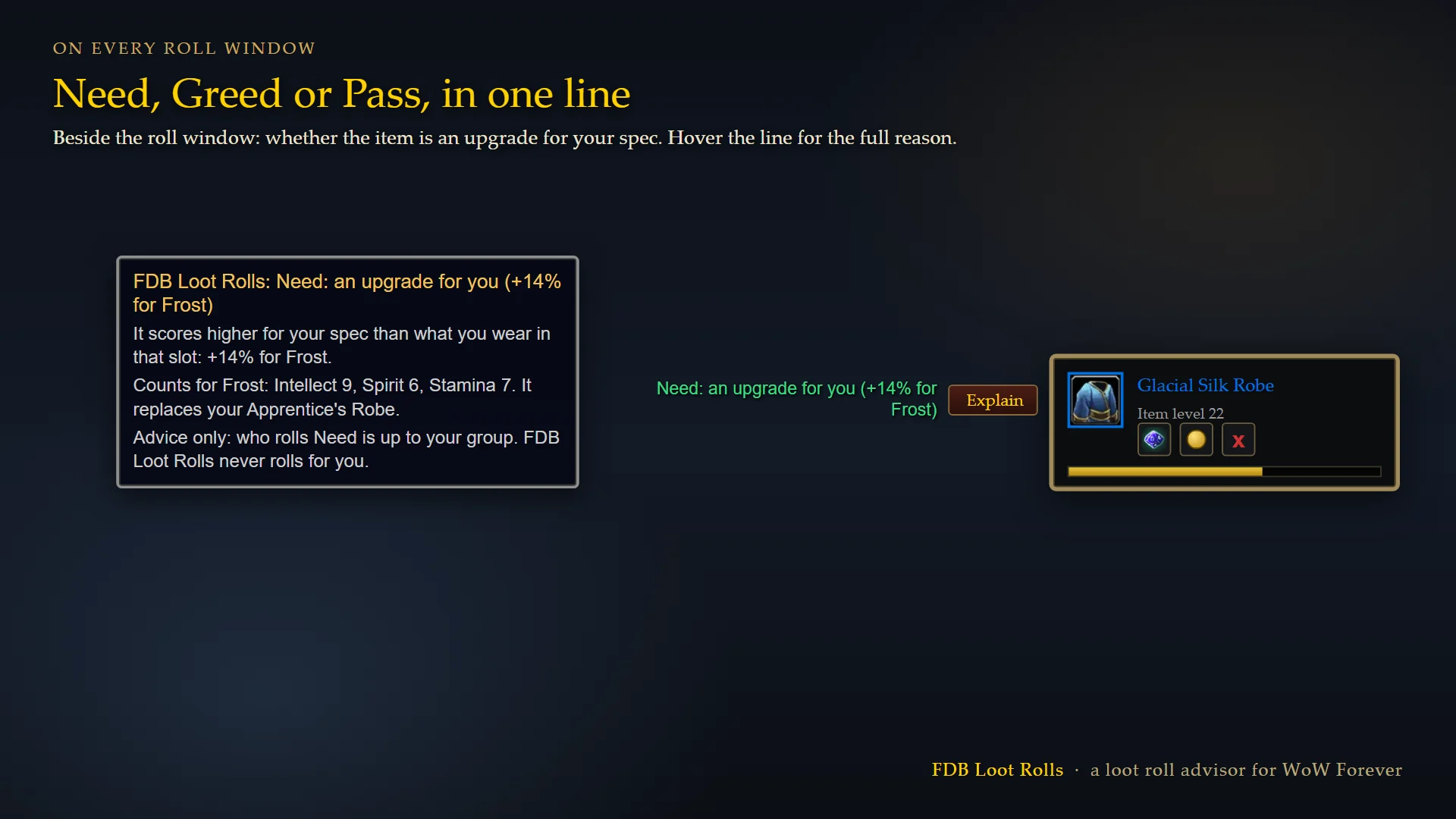
- Need when it's an upgrade for you: "Need: an upgrade for you (+14% for Feral)".
- Greed when it isn't, with who it suits: "Greed: not an upgrade for you; best for Rogue".
- Pass when your class can't use it but someone in your group can.
- Hover the line for the full reason: the stats that count for your spec and the item you'd replace.
- Rings, trinkets and one-handed weapons are compared with both of the ones you wear.
- With ElvUI or another addon that replaces the roll frames, the same advice shows on the item's tooltip while the roll is open.
Explain your roll
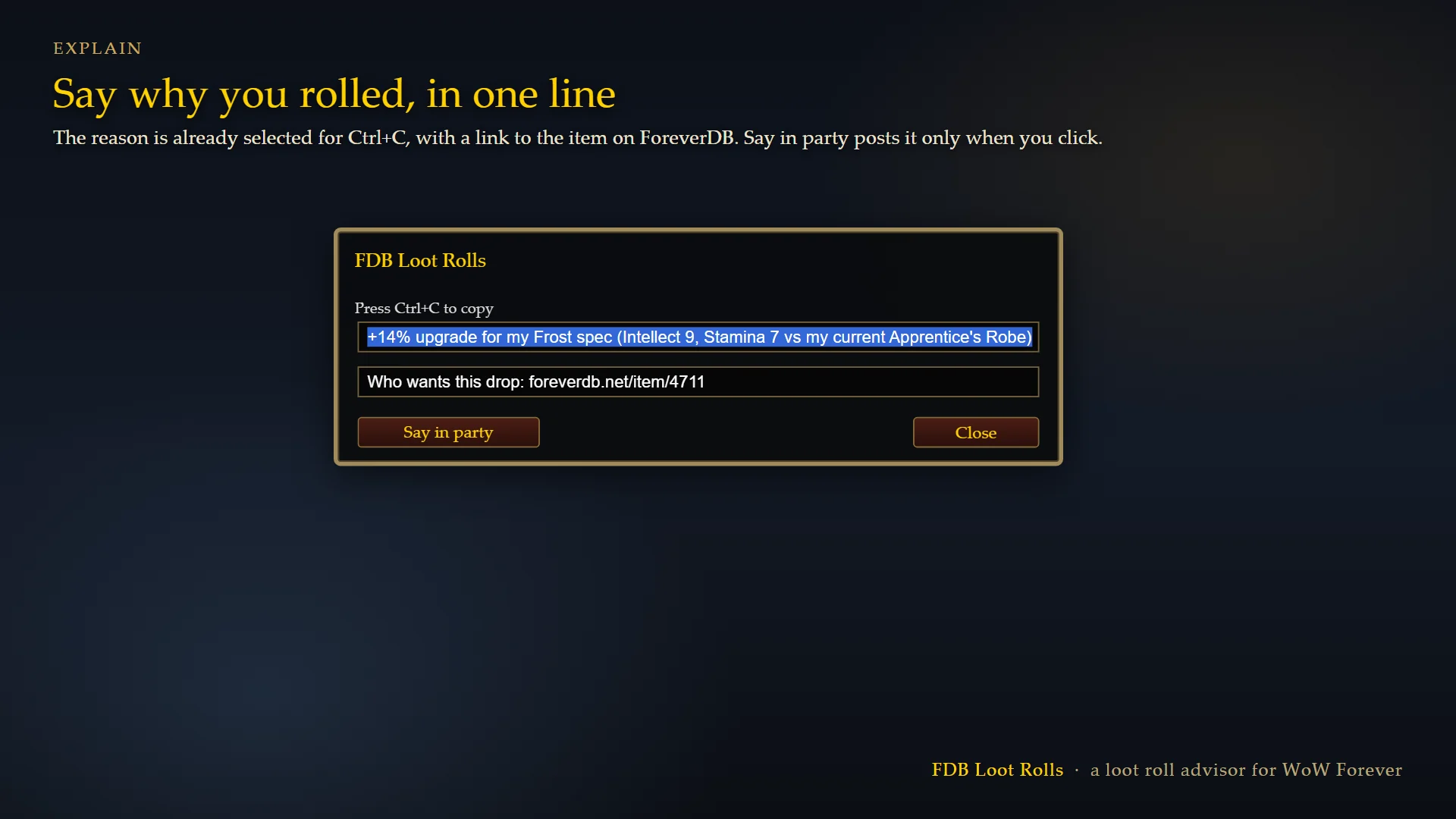
- Press Explain and a box opens with the reason already selected, ready to copy with Ctrl+C: "+14% upgrade for my Feral spec (Agility 12, Stamina 8 vs my current Wolf Rider's Belt)".
- Say in party posts that one line to your group, only when you click it.
- The box also has a link to the item on foreverdb.net, which shows every spec the item suits, ranked.
Before you need the wrong thing
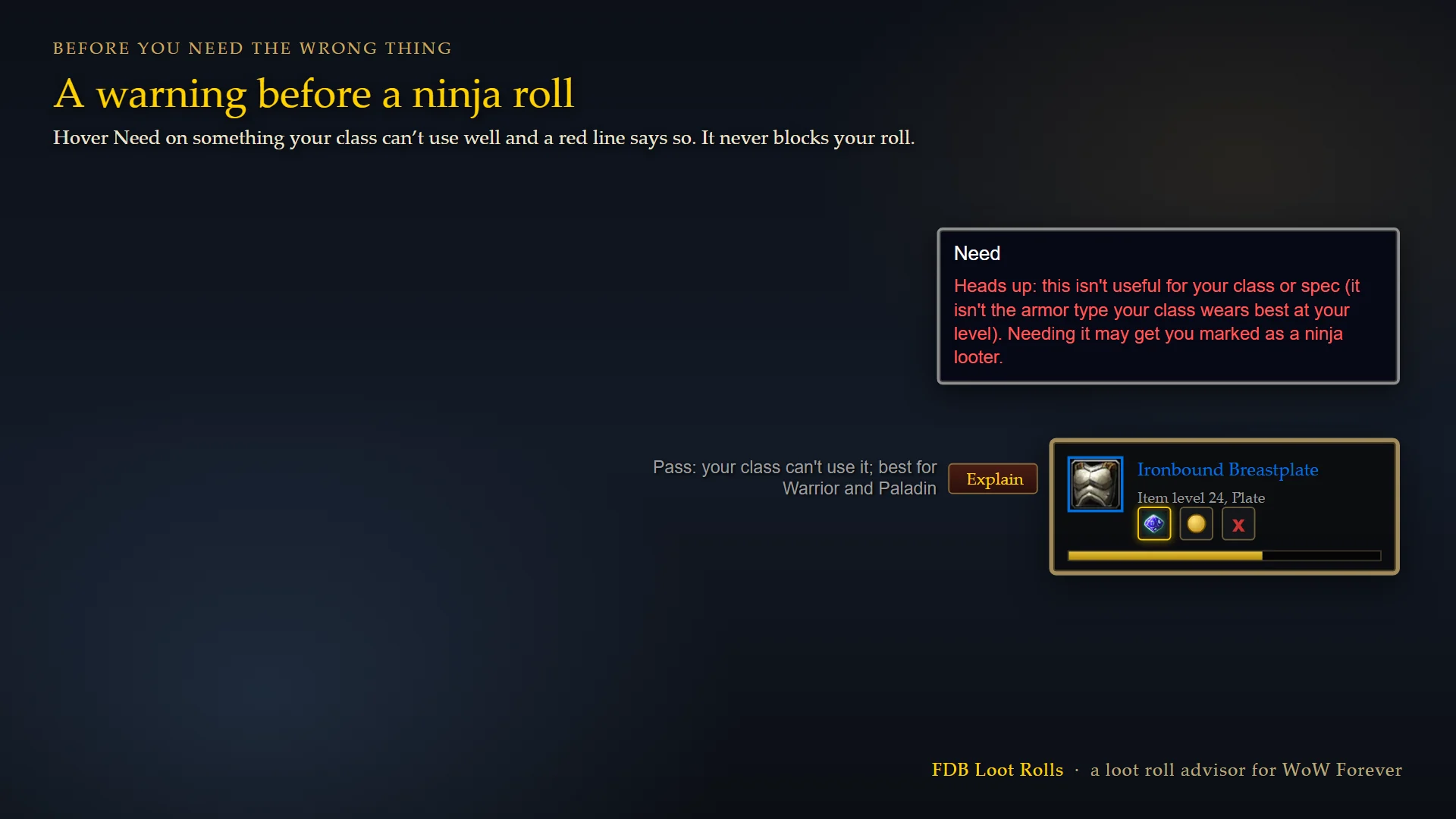
- Hover Need on an item your class can't use well and a red line warns you: needing it may get you marked as a ninja looter.
- Click Need anyway and the warning shows again, with the Explain box, in case you have a reason.
- A piece that suits another of your specs gets a softer note instead ("Off-spec for Restoration").
- The warning never blocks or changes your roll.
Your group's gear (1.1.0)
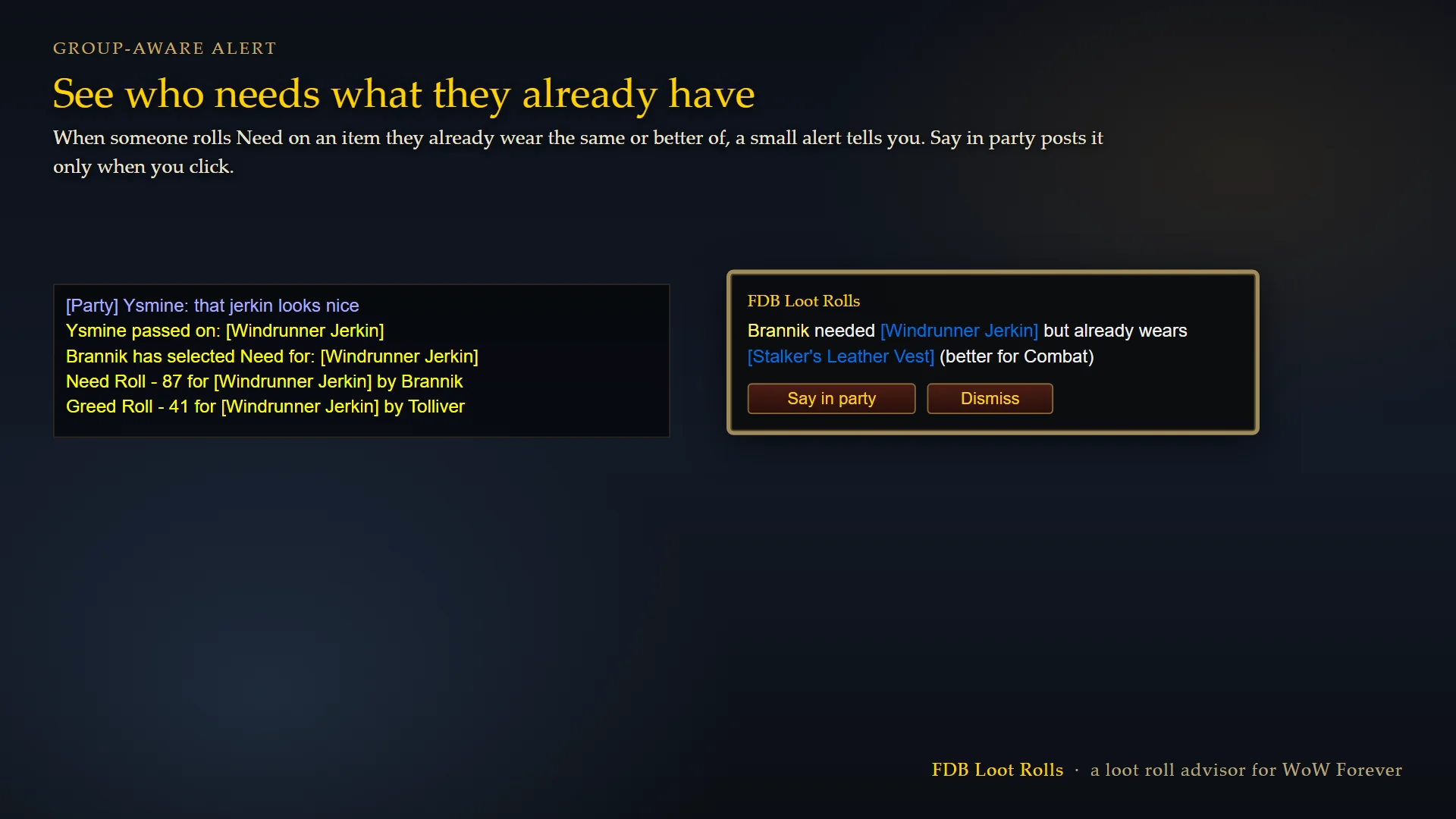
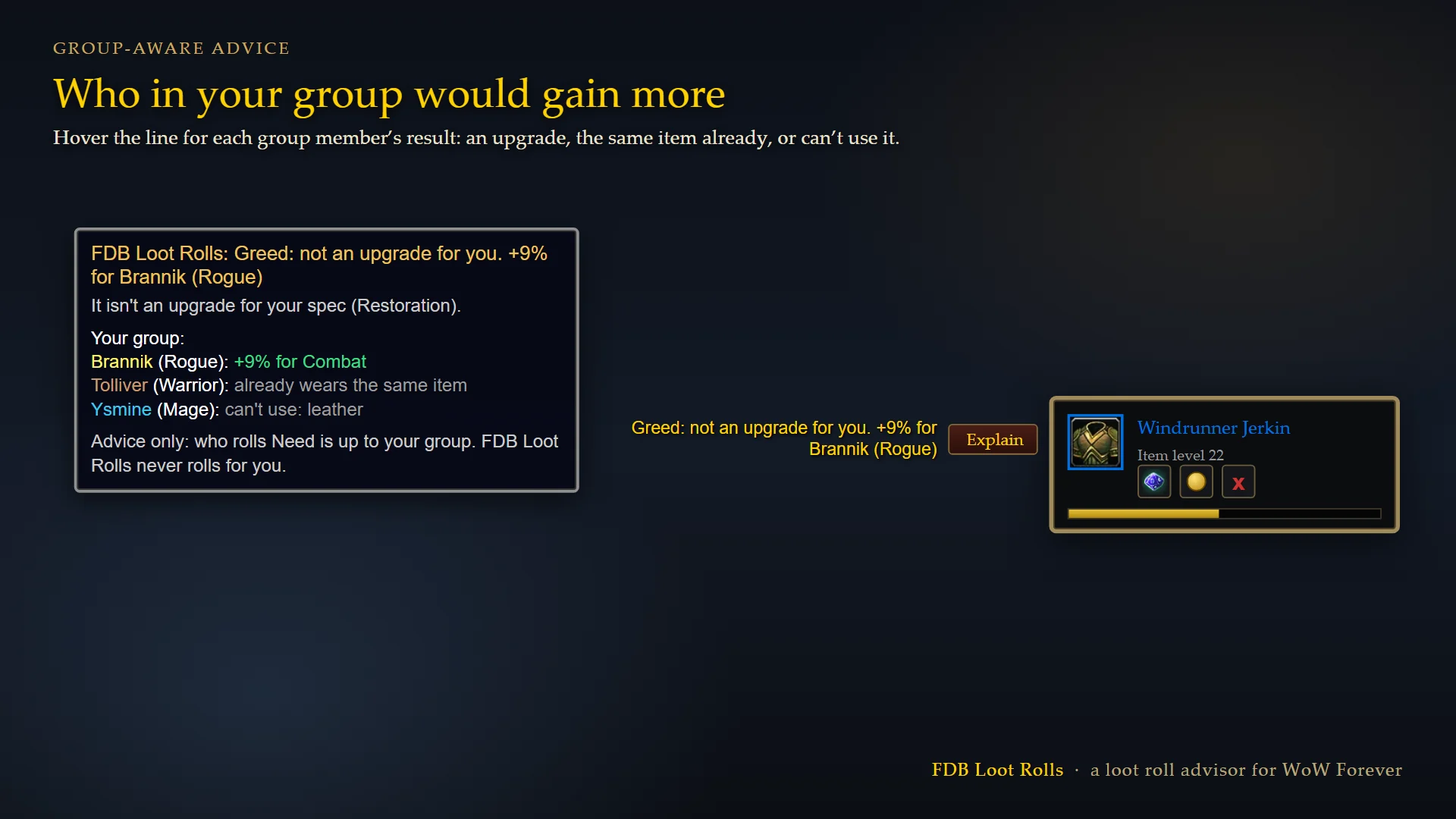
- Inspect my group: compares what each group member wears with the drop, so the advice can name who would gain most ("+9% for Brannik (Rogue)") and the tooltip lists each member's result: an upgrade, the same item already, or can't use it.
- It only inspects members who are nearby, and only while you are out of combat.
- Names show on your screen only. Nothing is saved or uploaded.
- The alert: when someone needs an item they already wear the same or better of, a small alert tells you. Say in party posts it to your group only when you click it; Dismiss closes it.
- Both are options, and you can turn either off.
How it decides
- Your spec's stat weights are the ones the ForeverDB best in slot pages use, including school damage (Shadow for warlocks and shadow priests, Fire or Frost for mages).
- Armour by level: hunters and shamans wear leather until 40 and mail after, warriors and paladins mail until 40 and plate after.
- For the rest of your group it reads their class, from the game, and, if you leave Inspect on, their gear.
- It's advice, not a rule: who needs what is for your group to decide.
Settings
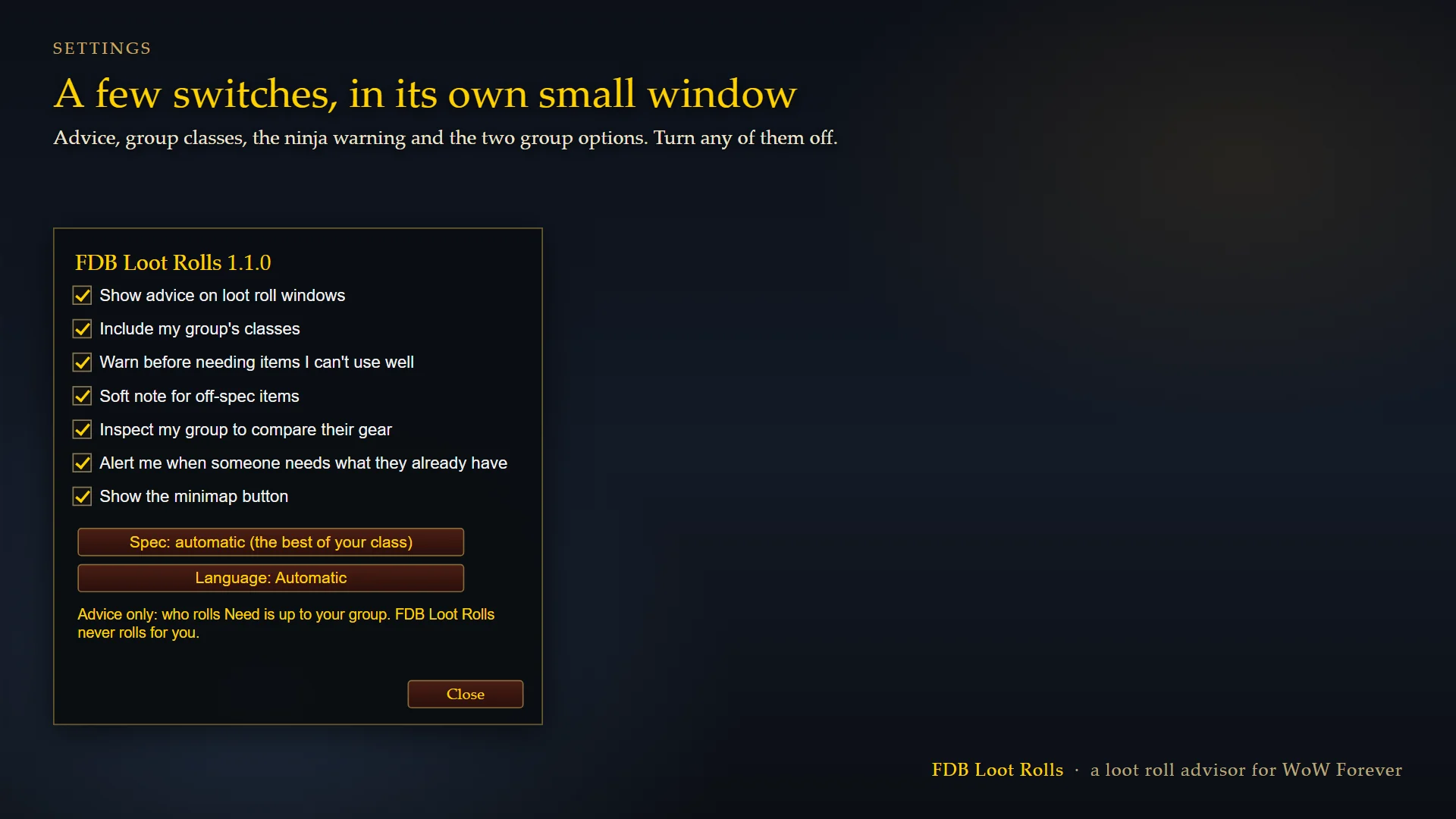
Open them from the minimap button or the AddOns list. Turn the advice off, leave your group's classes out, or turn off the ninja warning, or turn off the group inspect and the alert.
If you also use the ForeverDB addon, it already gives the same advice, so FDB Loot Rolls stays quiet and you never see two lines.
Free, with no account needed. Made by ForeverDB, the WoW Forever database: foreverdb.net.
FDB Loot Rolls Team